
Choosing between the Yamaha PSR-E273 and the Casio CT-S1000V requires matching the instrument’s physical design, learning ecosystem, and connectivity to your specific practice habits. For beginners in the Philippines, there is no single universal winner; the right choice depends on whether you prioritize a traditional keyboard layout with structured lesson functions or a highly portable, modern design with flexible app integration. This guide breaks down the verifiable specifications and practical considerations to help you make an informed decision.
When starting your musical journey, the local environment plays a subtle but significant role in your instrument choice. Tropical humidity, typical residential space constraints, and the need for quiet practice in shared households are practical realities that should influence your purchase. By evaluating how each keyboard handles these factors, you can select an instrument that remains a reliable practice partner for years to come.
Key Specifications and Hardware Comparison
Before making an investment, it is essential to verify the core hardware specifications of both models using their official product manuals. Beginners should focus on several key parameters: the number of keys, polyphony limits, built-in voices, and speaker wattage. These technical details directly impact how long the keyboard will remain useful as your playing skills progress from basic melodies to complex arrangements.
Products mentioned in this guide
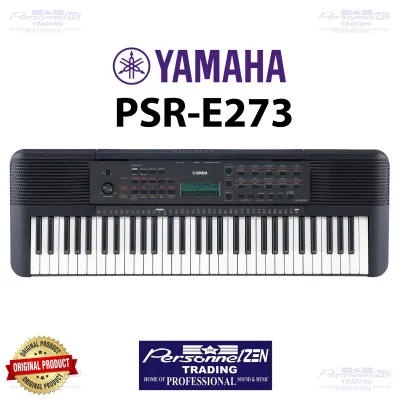
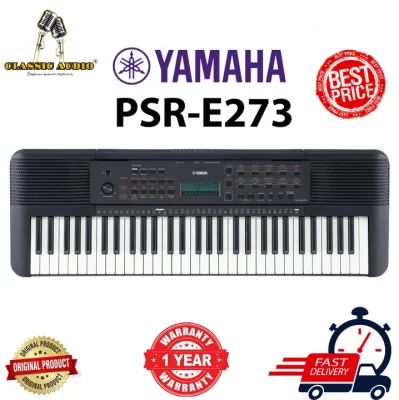
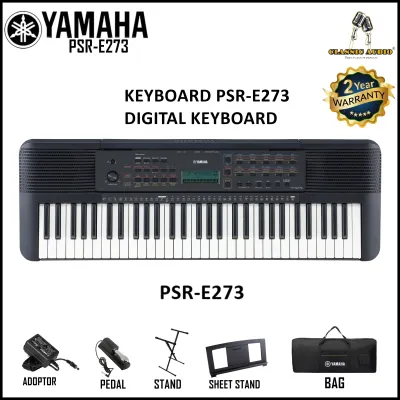
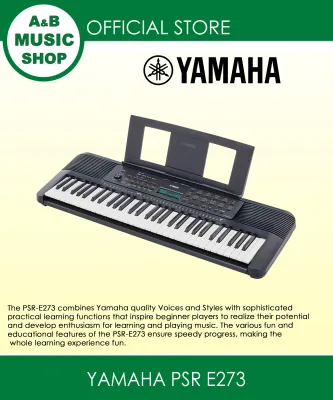
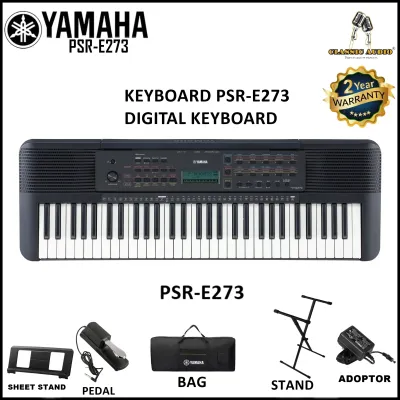
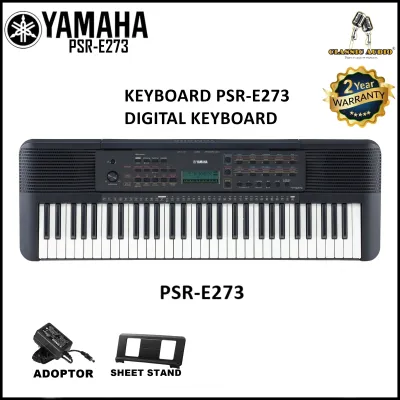
Prices are valid at publication and may change. Please refer to the product page for the latest price.
A standard entry-level keyboard typically features 61 keys, which is sufficient for learning most beginner and intermediate piano pieces. However, you must verify whether the model you are considering features touch-sensitive keys. Touch sensitivity allows the volume of the note to change depending on how hard you press the key, which is critical for expressive playing. Without this feature, your practice may feel flat and mechanical, making it harder to transition to an acoustic piano later.
Polyphony is another critical specification to check in the official documentation. This refers to the maximum number of individual notes or voices the keyboard can produce at the exact same time. For beginners, a higher polyphony limit prevents sustained notes from cutting off abruptly when playing chords along with an auto-accompaniment style. Always check the manufacturer’s spec sheet to confirm the exact polyphony count, as entry-level models can vary significantly.
Finally, pay close attention to the regional packaging and model variants available in the Philippines. Some retail packages include essential accessories like an AC power adapter, a music rest, or a basic sustain pedal, while others sell these items separately. Verifying the exact box contents with your local authorized dealer before purchasing prevents unexpected extra costs during setup.
Sound Quality and Built-in Voice Evaluation
Evaluating sound quality online can be challenging, as compressed audio in promotional videos does not always represent the actual output of the instrument’s built-in speakers. To make an objective assessment, start by verifying the sound generation technology used by each manufacturer. Yamaha and Casio utilize distinct proprietary sampling technologies to recreate the acoustic properties of grand pianos and other instruments.

Review the official product descriptions to understand how each brand captures and processes its instrument voices. For instance, look for details on stereo sampling, which uses recordings of actual acoustic instruments to provide a more realistic depth. A keyboard with a robust sound engine will deliver richer harmonics, especially when playing in the lower and upper registers of the keybed.
The variety of built-in voices and auto-accompaniment styles is also an important consideration depending on your musical preferences. If you plan to play traditional piano pieces, prioritize the quality of the primary grand piano voice. If you are interested in modern pop, electronic music, or local band arrangements, check the manual for a diverse selection of synthesizer leads, drum kits, and backing rhythms that match those genres.
To truly judge audio clarity, visit an authorized local music store to test the instruments in person. Play a variety of notes at different volume levels to check for speaker distortion, which can sometimes occur in lightweight plastic chassis. If an in-person test is not possible, watch official demonstration videos using high-quality headphones rather than mobile phone speakers to get an accurate sense of the tonal balance.
Key Action and Playability for Beginners
The physical feel of the keyboard, often referred to as the key action, is one of the most critical factors in developing proper finger strength and playing technique. Entry-level keyboards generally feature synth-action keys, which are lightweight and springy compared to the heavy, weighted keys found on acoustic pianos. However, even within synth-action keybeds, the resistance and tactile feedback can vary significantly between brands.
Verify whether touch response (also known as velocity sensitivity) is a standard feature on both the Yamaha PSR-E273 and the Casio CT-S1000V by consulting their respective user manuals. Touch response is vital because it teaches beginners how to control finger dynamics, allowing for soft and loud passages. Learning on a keyboard without touch sensitivity can lead to poor habits that are difficult to correct later.
The shape and texture of the keys also affect playability. Some models feature closed-front keys that mimic the appearance of traditional piano keys, while others have thinner, organ-style keys with exposed gaps underneath. Closed-front keys generally offer a more stable feel and prevent dust and debris from easily entering the internal key mechanism—a useful feature in dusty or humid tropical environments.
We highly recommend visiting a local showroom to physically press the keys yourself. Pay attention to the mechanical noise the keys make when pressed quickly, as excessively loud clicking or clacking can be distracting during quiet practice sessions. Assess the overall ergonomic comfort of the layout to ensure it feels natural for your hand size.
Learning Tools and Device Connectivity
Modern entry-level keyboards often include a suite of educational features designed to support self-directed practice at home. When comparing these models, look closely at the built-in lesson suites. Some systems offer step-by-step tutorials that teach you how to play built-in songs by breaking them down into left-hand and right-hand parts, waiting for you to press the correct key before moving forward.
Check the user manuals to see if the keyboards include helpful practice aids such as a built-in metronome, a chord dictionary, or interactive grading functions that score your timing and accuracy. These tools are excellent for maintaining motivation, especially for beginners who are practicing without the immediate feedback of a private music teacher.
Connectivity options are equally important if you plan to integrate your keyboard with modern technology. Look for a USB-to-Host port, which allows you to connect the keyboard to a computer, tablet, or smartphone. This connection enables MIDI transfer, letting you use the keyboard as a controller for interactive learning apps or basic digital audio workstations (DAWs).
Additionally, verify the presence of an auxiliary input and a dedicated headphone jack. An auxiliary input lets you plug in a phone or media player to play along with your favorite backing tracks. A headphone jack is indispensable for silent practice, allowing you to practice at any hour of the day or night without disturbing family members or neighbors in close-quarters residential areas.
Portability, Power, and Setup Requirements
For many beginners in the Philippines, a keyboard must be easy to store away when not in use or simple to transport to school, church, or family gatherings. To assess true portability, check the exact dimensions and weight listed on the manufacturer’s product label. A lightweight, compact design makes it much easier to move the instrument around the house or pack it into a vehicle.
Power flexibility is another practical consideration, particularly in areas prone to occasional power fluctuations or brownouts. Verify the power requirements in the user manual, noting whether the keyboard can run on standard AA batteries in addition to an AC adapter. Operating on battery power ensures that your practice sessions or performances can continue uninterrupted even during local power outages.
When setting up your practice space, consider stand and pedal compatibility. Most entry-level keyboards can be mounted on standard X-stands or double-braced stands, but you should verify if the keyboard has mounting screw holes on the bottom for added stability. If you plan to use a sustain pedal, ensure the keyboard has a standard quarter-inch pedal input jack.
Keep in mind that accessories like stands, sustain pedals, and dust covers are rarely included in the standard retail box. It is wise to budget for these items separately. A high-quality dust cover is especially recommended in tropical climates to protect the internal electronics and key contacts from humidity and airborne dust.
Final Decision: Which Keyboard Fits Your Goals?
Choosing between these two capable entry-level keyboards ultimately comes down to your personal learning goals, space limitations, and how you prefer to interact with the instrument. Both brands offer reliable build quality, but their design philosophies cater to slightly different beginner profiles.
Choose the Yamaha PSR-E273 if you prefer:
- A traditional, straightforward keyboard layout that focuses heavily on structured, built-in educational tools.
- An intuitive interface with dedicated buttons for quick access to essential lesson functions and standard instrument sounds.
- A reliable, classic learning ecosystem that is highly suited for young children and absolute beginners who want a distraction-free practice experience.
Choose the Casio CT-S1000V if you prefer:
- A highly compact, modern, and space-saving design that is easy to carry and store in smaller living spaces.
- Advanced connectivity options, including flexible app integration and modern sound-shaping features that appeal to creative beginners.
- A sleek aesthetic with a built-in carrying handle that prioritizes maximum portability for on-the-go practice and casual performances.
Verify first if your chosen model is currently in stock at authorized local distributors in the Philippines. Always confirm the warranty terms, as purchasing from official channels ensures you receive genuine after-sales support and service if any technical issues arise.
Frequently Asked Questions (FAQ)
Can I connect these keyboards to a computer for music production?
Yes, you can connect these keyboards to a computer, provided they feature a USB-to-Host port. This connection allows the keyboard to function as a MIDI controller, sending note data to digital audio workstations (DAWs) or music notation software. Before purchasing, consult the manufacturer’s official manual to verify if the model requires specific driver installations or if it supports class-compliant plug-and-play operation on your computer’s operating system.
Do these models come with a sustain pedal and stand?
Typically, standard retail packages for entry-level keyboards do not include a stand or a sustain pedal in the box. The standard package usually consists of the keyboard itself, a music rest, and an AC power adapter (though you should always verify the adapter’s inclusion with your local retailer). If you wish to use a sustain pedal, you will need to purchase a compatible quarter-inch foot switch or piano-style pedal separately.
Which keyboard is better suited for young children?
For young children, a keyboard with a lightweight body, a simplified button layout, and built-in educational games is generally more suitable. Look for models that feature clear labeling and dedicated lesson buttons that make it easy for a child to navigate without adult assistance. Additionally, verify the weight of the instrument in the user manual to ensure it can be safely handled and placed on a stable, child-height stand.

Community discussion
Share your experience or ask a question. Comments are reviewed before publication.