
Choosing the right entry-level keyboard depends entirely on your learning goals, space constraints, and budget. While the Yamaha PSR-E273, Casio CT-S1000V, and Roland GO:KEYS are all popular starting points, they prioritize different features—ranging from traditional acoustic piano emulation to modern portability and app integration. This guide breaks down the critical specifications and use cases to help you determine which model aligns with your musical journey, without relying on assumptions about unverified performance claims.
Core Differences and Target User Profiles
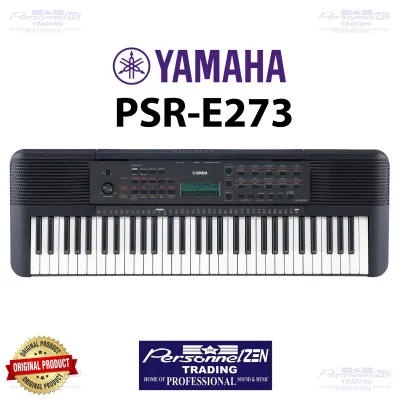
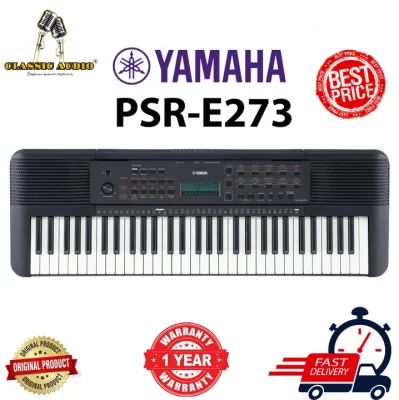
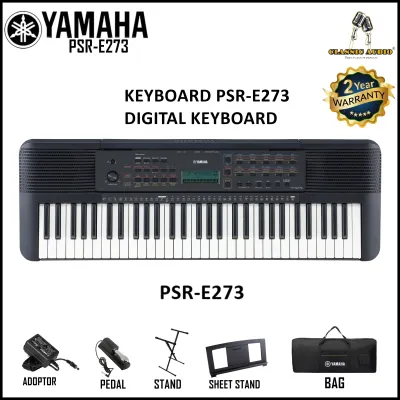
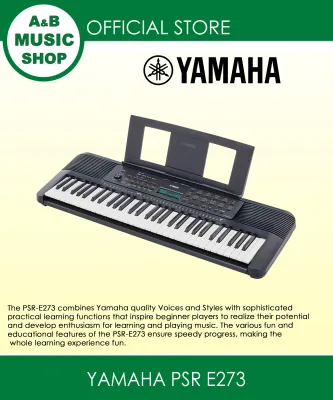
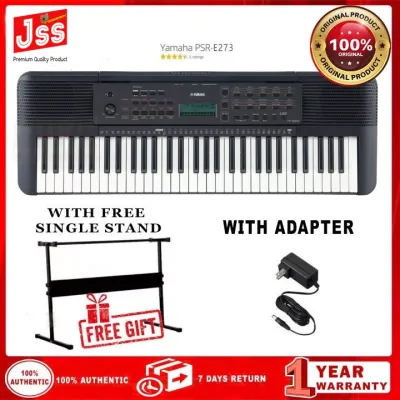
The Yamaha PSR-E273 is designed primarily as an educational tool for absolute beginners and young learners. Its layout is highly traditional, featuring a clear interface with dedicated buttons for various instrument voices, accompaniment styles, and built-in lessons. The inclusion of interactive learning games, such as a quiz mode that asks players to identify intervals and chords, makes it an excellent fit for self-guided study or as a low-cost introduction to music theory. It is best suited for families and casual hobbyists who want a straightforward, reliable instrument to learn the basics of keyboard playing.
In contrast, the Casio CT-S1000V is a highly creative instrument that introduces advanced vocal synthesis technology to the entry-level market. This keyboard allows players to type lyrics into a companion mobile application and play them back in real-time using various vocal models. Beyond this unique feature, it serves as a robust arranger keyboard with a modern, minimalist design. It is ideal for singer-songwriters, experimental musicians, and tech-savvy hobbyists who want to explore vocal performance and unique sound design without investing in complex studio software.
Products mentioned in this guide
Prices are valid at publication and may change. Please refer to the product page for the latest price.
The Roland GO:KEYS takes a modern, groove-oriented approach to music creation. Instead of focusing solely on traditional piano practice, it emphasizes immediate musical gratification through its Loop Mix function, which lets users trigger and manipulate pre-recorded loops using individual keys. Equipped with professional-grade synthesizer sounds and built-in Bluetooth, this keyboard is tailored for casual players, electronic music enthusiasts, and mobile creators who want to jam along with their favorite tracks and create electronic arrangements with minimal technical barrier.
Key Comparison Dimensions for Beginners
When selecting an entry-level keyboard, beginners must look beyond the aesthetic design and brand name. The physical construction of the keys, the realism of the internal sound engine, and the available input and output ports dictate how the instrument feels, sounds, and integrates into your daily life. In tropical climates like the Philippines, where high humidity and temperature fluctuations can affect electronic components, choosing an instrument with robust build quality and reliable power options is equally important.

Evaluating these technical dimensions helps demystify manufacturer specifications. By understanding how key action, sound polyphony, and connectivity options impact your playing experience, you can avoid common purchasing pitfalls. Let us examine these critical areas in detail to see how the Yamaha, Casio, and Roland models compare.
Keyboard Action and Playability
The physical feel of the keys is the most critical factor in developing proper playing technique. Beginners must verify whether a keyboard features touch-sensitive (also known as velocity-sensitive) keys. Touch sensitivity allows the instrument to respond to the force of your fingers; striking a key harder produces a louder, brighter sound, while a gentle touch yields a softer tone. This dynamic control is essential for classical music, expressive pop playing, and developing finger strength.
The Yamaha PSR-E273 does not feature touch-sensitive keys. Every key strike produces the same volume level regardless of the physical force applied. While this is acceptable for learning basic note locations and simple melodies, it limits expressive play and can make the transition to an acoustic piano challenging. Conversely, both the Casio CT-S1000V and the Roland GO:KEYS feature touch-sensitive keybeds. These models allow beginners to practice dynamics and expression from day one, making them far more suitable for formal piano instruction.
Key shape and texture also influence playability. All three models feature full-size keys, which are crucial for building correct muscle memory and hand span. However, the physical resistance and surface texture vary. The Roland GO:KEYS offers a slightly firmer synth-action feel with a matte finish on the keys, which helps prevent fingers from slipping during warm, humid practice sessions. The Casio CT-S1000V features a smooth, box-style key design that mimics the look of traditional piano keys, offering a comfortable balance between synth playability and piano practice.
Sound Engine and Built-in Features
An instrument’s sound engine determines the realism of its acoustic piano tones, orchestral instruments, and electronic synthesizers. A key specification to verify is maximum polyphony, which refers to the number of individual notes or voices the keyboard can play simultaneously. When playing complex chords with a sustain pedal, or when using automatic accompaniment styles, a low polyphony count can cause older notes to cut off abruptly, disrupting the performance.
The Yamaha PSR-E273 offers 32-note polyphony, which is sufficient for basic melodies and simple two-handed pieces but may struggle with dense arrangements or heavy sustain pedal usage. The Casio CT-S1000V provides 64-note polyphony, powered by its advanced AiX sound engine, which delivers highly detailed acoustic instrument samples and expressive synth tones. The Roland GO:KEYS leads in this category with 128-note polyphony, utilizing a sound library derived from Roland’s professional synthesizers, ensuring that notes never cut off even during complex multi-track loop performances.
Beyond standard instrument sounds, the built-in features of each model cater to different learning styles. The Yamaha PSR-E273 includes the Yamaha Education Suite (Y.E.S.), which guides beginners through built-in songs step-by-step. The Casio CT-S1000V stands out with its vocal synthesis engine, allowing users to play vocal phrases and lyrics dynamically. The Roland GO:KEYS focuses on performance and creation, offering over 500 high-quality sounds and intuitive loop-mixing tools that encourage players to understand song structure and arrangement through active play.
Portability, Connectivity, and Power
For many beginners, a keyboard must be easy to store, transport, and power. In households where dedicated space is limited, or for musicians who travel to rehearsals, community centers, or outdoor gatherings, physical dimensions and weight are major considerations. All three models are highly portable, weighing under five kilograms, making them easy to carry on public transportation or pack into a car.
Power flexibility is another critical feature for local players. All three keyboards can be powered by standard AA batteries in addition to their included AC power adapters. This battery-powered capability is incredibly useful for playing in outdoor settings, during travel, or as a backup during local power interruptions. However, battery life varies depending on volume levels and the use of built-in speakers, so keeping a set of rechargeable batteries on hand is highly recommended.
Connectivity options define how well the keyboard integrates with external hardware and software. The Casio CT-S1000V and Roland GO:KEYS feature USB-to-Host ports, allowing them to connect directly to computers, tablets, or smartphones to function as MIDI controllers for music production software. The Roland GO:KEYS also includes built-in Bluetooth audio and MIDI, enabling wireless connection to educational apps and allowing you to stream backing tracks directly through the keyboard’s speakers. The Yamaha PSR-E273 lacks a USB port, relying instead on a standard auxiliary input and headphone output, which limits its use as a modern digital workstation interface.
Specification Verification Checklist
To help you compare these models accurately, the following table compiles key technical specifications based on official manufacturer documentation. It is essential to verify these details before purchasing, as regional packages and included accessories can vary.
| Feature | Yamaha PSR-E273 | Casio CT-S1000V | Roland GO:KEYS |
|---|---|---|---|
| Number of Keys | 61 | 61 | 61 |
| Touch Response | No | Yes (3 sensitivity levels) | Yes (Key Touch: 3 types) |
| Maximum Polyphony | 32 notes | 64 notes | 128 notes |
| Approximate Weight | 4.0 kg (excluding batteries) | 4.7 kg (excluding batteries) | 3.9 kg (excluding batteries) |
| Power Supply | AC Adapter or 6 AA batteries | AC Adapter or 6 AA batteries | AC Adapter or 6 AA batteries |
| USB Connectivity | None (Aux In / Phones only) | Micro-USB (Type B to Host) | Micro-USB (Type B to Host) |
| Wireless / Bluetooth | No | Optional (via WU-BT10 adapter) | Built-in Bluetooth (Audio & MIDI) |
How to Decide Based on Your Learning Goals
Your choice among these three instruments should align directly with your primary musical objectives, budget constraints, and desired learning style. Because each manufacturer targets a different aspect of music education and creation, there is no single superior option for every beginner.
You should choose the Yamaha PSR-E273 if your primary goal is to introduce a young child or absolute beginner to basic music theory in a structured, low-pressure environment. If you are working with a limited budget and do not require touch-sensitive keys or computer connectivity, the built-in educational games, quiz modes, and simple interface of the PSR-E273 provide a solid, distraction-free foundation for learning notes and basic rhythms.
You should choose the Casio CT-S1000V if you want an expressive, touch-sensitive keyboard that offers unique creative features like vocal synthesis. This model is ideal if you are interested in songwriting, lyric performance, and modern sound design. Its robust polyphony, high-quality sound engine, and USB connectivity make it a versatile tool that can grow with you as you transition from basic practice to digital music creation.
You should choose the Roland GO:KEYS if you prioritize modern connectivity, wireless integration, and loop-based music production. If you learn best by jamming along with your favorite songs via Bluetooth, or if you want to create electronic music quickly using intuitive loop-mixing tools, the GO:KEYS offers a highly engaging, performance-oriented experience backed by professional-grade synthesizer sounds.
However, none of these models may fit your needs if you are pursuing serious, classical piano training. If your goal is to master traditional piano repertoire, you will eventually require an 88-key digital piano featuring fully weighted hammer-action keys. Weighted keys replicate the physical resistance of an acoustic piano’s hammers, which is essential for developing the finger strength, control, and technique required for advanced classical performances.
Purchasing Channels and Pre-Purchase Checks
When you are ready to purchase your keyboard in the Philippines, selecting the right retail channel and performing thorough pre-purchase checks will protect your investment. Authorized local music distributors and physical showrooms are excellent options because they allow you to test the physical keybed feel, listen to the built-in speakers, and verify the instrument’s build quality in person before committing to a purchase.
If you choose to buy from online marketplaces or ecommerce platforms, ensure you are purchasing from official brand stores or highly rated, authorized musical instrument dealers. Be cautious of deals that seem unusually cheap, as they may involve parallel imports that lack local warranty coverage. Always verify the warranty terms, ensuring that the local distributor will honor repairs or replacements if any manufacturing defects arise.
Before finalizing your purchase, perform these essential checks:
- Power Adapter Compatibility: Verify that the included AC power adapter is compatible with local electrical standards (typically 220V at 60Hz) and features the correct plug type for your home outlets.
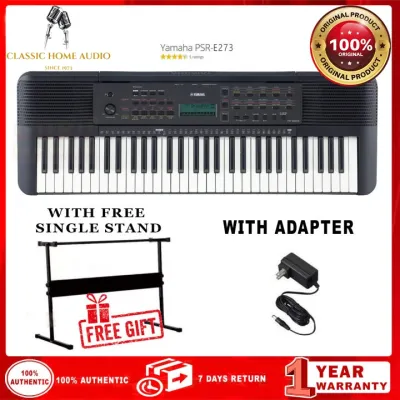
- Included Accessories: Check the product description to confirm what is included in the box. Some packages include a music rest, power adapter, and sustain pedal, while others are sold as bare units or bundled with stands and benches.
- Keybed Inspection: Upon delivery or unboxing in-store, test every single key to ensure they depress smoothly, return to their original position without sticking, and produce the correct pitch.
- Port Functionality: Plug in a pair of headphones to verify that the headphone jack mutes the internal speakers and delivers clean, static-free audio.
Frequently Asked Questions (FAQ)
Do I need a keyboard with touch response for piano lessons?
Yes, if you plan to take formal piano lessons, a keyboard with touch response (velocity sensitivity) is highly recommended. Touch response allows you to control the volume and expression of each note based on how hard you press the keys, which is fundamental to classical piano technique. Without touch-sensitive keys, you will not be able to practice dynamics, such as playing softly (piano) or loudly (forte), which are essential components of almost all piano repertoire. If your budget allows, consult your piano teacher to ensure your practice instrument meets the minimum requirements for your curriculum.
Can I connect these entry-level keyboards to a computer for music production?
You can connect the Casio CT-S1000V and the Roland GO:KEYS to a computer or mobile device to use them as MIDI controllers for music production. Both models feature USB-to-Host ports that transmit MIDI data, allowing you to play virtual instruments inside a Digital Audio Workstation (DAW). The Roland GO:KEYS also supports wireless MIDI over Bluetooth, which is convenient for connecting to mobile apps. However, the Yamaha PSR-E273 does not have a USB-to-Host port or MIDI connectivity, meaning it cannot be used as a MIDI controller for computer-based music production.

Community discussion
Share your experience or ask a question. Comments are reviewed before publication.