
Quick Answer: Is the Roland GO:KEYS the Right Choice?
The Roland GO:KEYS is designed primarily for modern, creative players who prioritize wireless connectivity, loop-based music creation, and lightweight portability. If you want to jam along with songs streamed from your smartphone, experiment with built-in synthesizer sounds, or practice in different locations without being tied to a wall outlet, this instrument offers a compelling, modern workflow.
However, if your primary goal is classical piano training or traditional keyboard learning, a standard arranger keyboard or an entry-level digital piano with weighted keys may serve you better. Traditional alternatives often feature structured, built-in lesson suites and key actions designed to mimic acoustic pianos. Before making a final decision, you should verify local retail availability in the Philippines, check the exact model variant, and clarify your personal musical priorities.
Understanding the Roland GO:KEYS Design Philosophy
Unlike traditional portable keyboards that focus heavily on replicating an acoustic piano experience, the Roland GO:KEYS series is built around modern music production and interactive play. Its design prioritizes a highly compact footprint, lightweight materials, and the ability to run on standard batteries. This makes it highly suitable for musicians who travel frequently or want to play outdoors without searching for an electrical outlet.
Products mentioned in this guide
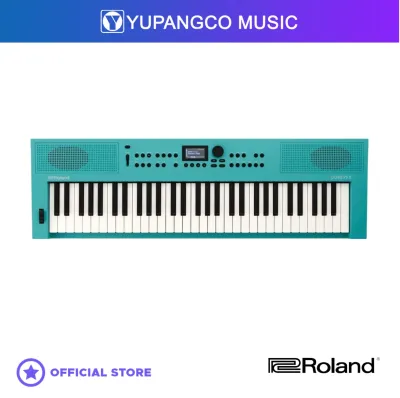
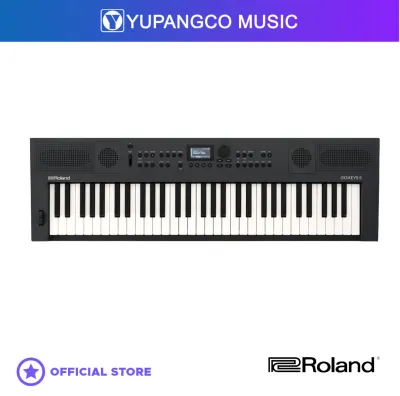
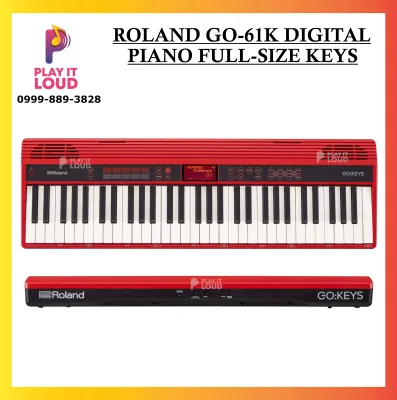
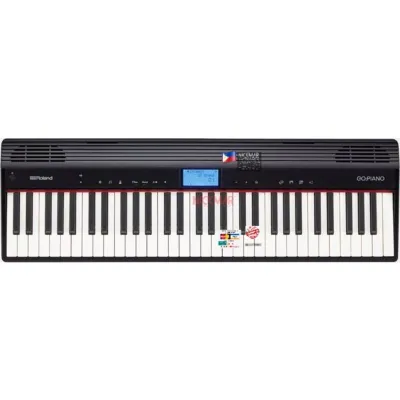
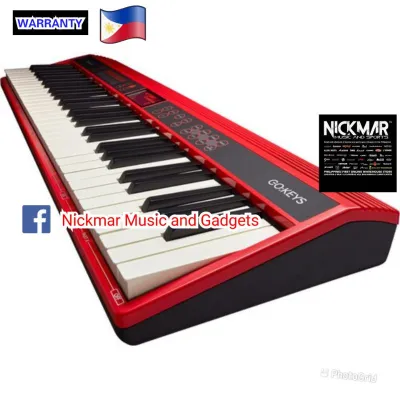
Prices are valid at publication and may change. Please refer to the product page for the latest price.

Historically, portable keyboards were heavy, relied on bulky power bricks, and had limited sound engines. The modern approach, exemplified by the GO:KEYS, focuses on a streamlined interface with fewer physical buttons and more reliance on smart device integration. This design philosophy appeals to a generation of players who are comfortable navigating apps and want a clean, minimalist aesthetic on their desk or stand.
It is crucial to distinguish between the GO:KEYS and its sibling, the GO:PIANO. While they share a similar physical chassis, the GO:KEYS focuses on synthesizer tones, loop mix functions, and creative sound manipulation. The GO:PIANO, on the other hand, is tailored toward traditional piano practice with a more focused selection of acoustic instrument sounds. Always double-check the exact model name on the packaging or product listing to ensure you are purchasing the version that aligns with your creative goals.
Because hardware specifications can vary between different production runs and specific model iterations, you should consult the manufacturer’s official documentation. Pay close attention to the listed polyphony count, the total number of built-in tones, and the speaker wattage. Checking these official specifications directly ensures you have accurate, up-to-date technical details before committing to a purchase.
Critical Dimensions for Comparing Portable Keyboards
When comparing portable keyboards in this price range, evaluating specific technical dimensions will help you identify which model offers the best value for your setup.
Sound and Tones
The variety and quality of built-in sounds vary significantly across portable keyboards. Some models focus on realistic acoustic instrument replication, while others offer a vast library of electronic and synthesizer tones. You should review the official tone list provided by the manufacturer to see if it includes the specific instruments you want to play. Additionally, listening to high-quality, verified audio demonstrations online can give you a realistic expectation of how the internal speakers and headphone outputs sound.
Most portable keyboards use sample-based synthesis, where recorded sounds of real instruments are played back when you press a key. The quality of these samples, the capacity of the internal memory, and the digital-to-analog converters all play a role in the final sound quality. When comparing models, look at the polyphony specification. Polyphony refers to the maximum number of individual notes or voices the keyboard can play simultaneously. A higher polyphony count ensures that notes do not get cut off abruptly when you play complex chords or use a sustain pedal.
Key Action
Keyboards in this price tier generally feature either synth-action, box-style, or semi-weighted keys. Synth-action keys are light and springy, which is excellent for playing fast synthesizer leads or organ parts but lacks the resistance needed for expressive piano pieces. Box-style keys look more like traditional piano keys and often offer touch sensitivity, meaning the volume changes based on how hard you strike the key.
If you plan to transition to an acoustic piano later, look for models that offer adjustable touch response to help build finger strength. Some keyboards in this price range offer touch-sensitive keys, where the volume responds to the speed or force of your key strike. This is a crucial feature for expressive playing. Always check if the keyboard allows you to adjust the touch sensitivity curve to match your playing style.
Connectivity
Modern connectivity can greatly expand what a portable keyboard can do. Look for instruments that offer Bluetooth audio and MIDI capabilities, allowing you to stream backing tracks directly through the keyboard’s speakers or connect wirelessly to learning apps on your tablet. If you plan to record music on a computer, a USB port that supports both MIDI and audio transfer over a single cable is highly convenient.
A standard auxiliary input allows you to connect an external audio source via a cable to play along with your favorite tracks. Bluetooth audio takes this a step further by eliminating cables entirely, turning your keyboard into a portable speaker. For music production, USB MIDI is standard, but some modern keyboards also support USB Audio. This means the keyboard can send its actual internal sounds digitally to your computer or tablet over the USB cable, eliminating the need for an external audio interface. Always verify the presence of a standard headphone jack to ensure you can practice silently at any hour without disturbing others.
Power and Portability
If you plan to use your keyboard away from home, power options and physical weight are critical factors. Many portable models can run on standard AA batteries, which is highly convenient for outdoor sessions or areas with unreliable power. Check whether the keyboard accepts standard alkaline batteries or rechargeable nickel-metal hydride cells, as this affects long-term operating costs.
Running a keyboard on batteries is incredibly useful for outdoor performances, beach trips, or during power outages. However, battery life can vary depending on speaker volume and whether you are using Bluetooth. It is wise to check the estimated battery life under continuous use in the official specifications. Additionally, in tropical environments, always remove the batteries if you plan to store the keyboard unused for an extended period. High humidity can accelerate battery corrosion, which can permanently damage the internal battery contacts.
Aligning Keyboard Features With Your Playing Goals
Choosing the right keyboard requires matching its specific feature set with your daily musical activities and long-term learning path.
For Beginners and Students
If you are just starting your musical journey, look for features that support foundational practice. A built-in metronome is essential for developing a steady sense of rhythm. Some keyboards also include interactive lesson modes that guide you through built-in songs, showing you which notes to play on an integrated screen. Standard key sizing is also important to ensure you develop proper hand positioning and muscle memory that will transfer easily to other instruments.
Many entry-level keyboards feature an LCD screen that displays a virtual music staff or a keyboard diagram, showing you which notes are being played. This visual aid can be incredibly helpful for visual learners who are still mastering sheet music. Some models also offer compatibility with interactive learning apps via USB or Bluetooth. These apps can gamify the learning process, providing real-time feedback on your accuracy and timing.
For Songwriters and Producers
For those interested in creating original music, look for keyboards that offer onboard loop functions or multi-track recording. These features allow you to lay down a drum beat, add a bassline, and play a melody over the top without needing a computer. Seamless integration with Digital Audio Workstations and music creation apps on smart devices can turn your portable keyboard into a powerful MIDI controller for your home studio.
The GO:KEYS, for example, features a Loop Mix function that lets you trigger pre-programmed patterns across different instrument categories using the keys themselves. This allows non-keyboardists to create professional-sounding backing tracks instantly. If you are a songwriter, having an instrument that lets you quickly capture musical ideas without waiting for a computer to boot up can keep your creative flow uninterrupted.
For Travel and Casual Playing
If your keyboard will frequently travel to rehearsals, outdoor gatherings, or community events, physical durability is paramount. Look for a robust plastic chassis that can withstand occasional transport. A keyboard that weighs under 5 kilograms is easy to carry on public transport or pack into the trunk of a car.
When choosing a gig bag, look for one with adequate padding to protect the keys and knobs from impact. In tropical climates like the Philippines, high humidity can affect electronic components over time, so storing your keyboard in a padded, breathable gig bag when not in use is highly recommended. Additionally, keeping silica gel packets inside the gig bag can help absorb excess moisture and protect the internal circuitry.
Decision Framework
To simplify your choice, use this quick reference guide:
- Choose the Roland GO:KEYS if: You want a lightweight, highly portable instrument focused on modern electronic sounds, wireless Bluetooth connectivity, and intuitive loop-based music creation.
- Consider alternatives if: Your primary goal is traditional piano study, you prefer weighted key action, or you require built-in, step-by-step educational software.
Pre-Purchase Checklist and Buying Tips
Before finalizing your purchase, completing a few practical checks can save you time and ensure you get the best possible value.
- Verify the Exact Model: Ensure the model number matches your expectations, as manufacturers often release minor updates or regional variants with slightly different features.
- Confirm Included Accessories: Check the product description carefully to see if a power adapter, music rest, or sustain pedal is included in the box, or if you need to purchase them separately.
- Check Local Warranty Terms: Purchase from authorized local music retailers in the Philippines to secure a valid manufacturer's warranty, which is essential for protecting your investment against electronic defects.
- Compare Bundle Deals: Look for packages offered by reputable physical showrooms or online music stores that bundle the keyboard with essential accessories like a sturdy stand, a padded gig bag, or headphones.
- Test in Person: If possible, visit a local music store to play the keyboard yourself. Testing the physical key feel and hearing the speaker projection in person is the most reliable way to ensure the instrument suits your personal preferences.
Frequently Asked Questions (FAQ)
Can I use the Roland GO:KEYS as a MIDI controller for my computer?
Yes, the Roland GO:KEYS can function as a MIDI controller to play virtual instruments and record music in a Digital Audio Workstation (DAW) on your computer. It typically supports MIDI transfer over a standard USB connection, and some variants also offer wireless Bluetooth MIDI connectivity. Before setting it up, check the manufacturer’s official website to verify operating system compatibility and determine if you need to install specific USB drivers for your computer.
Do I need to buy a separate sustain pedal for this keyboard?
While the Roland GO:KEYS features a standard input jack for a sustain pedal, a physical pedal is not always included in the standard retail box. You should check the specific package contents of the listing or bundle you are purchasing. If you need to buy one separately, verify whether the keyboard supports a standard momentary switch pedal or if it requires a specific polarity, as using an incompatible pedal can cause the sustain effect to operate in reverse.

Community discussion
Share your experience or ask a question. Comments are reviewed before publication.