
Finding the right keyboard cover for a 61-key layout in the Philippines requires looking beyond the generic “61-key” or “60%” label. Because different manufacturers use distinct keycap profiles, varying bezel thicknesses, and regional layout standards, a universal fit rarely exists. To secure a cover that protects your keyboard without ruining the typing experience, you must verify the exact physical dimensions of your keyboard chassis, identify your specific layout configuration, and select a material that balances tactile feedback with environmental protection.
Assessing the Need for a 61-Key Keyboard Cover
Protecting a compact 61-key keyboard is particularly important in tropical environments like the Philippines. High ambient humidity combined with airborne dust creates a sticky residue that easily settles into the narrow gaps of compact layouts. Unlike full-sized keyboards that have more spacing between key clusters, compact 60% boards pack switches tightly together. This tight spacing makes debris accumulation much harder to clean without fully desoldering or pulling every keycap, which can be a tedious and time-consuming process.
Spills represent another major hazard, especially in multi-purpose workspaces, local cafes, or shared home desks where space is limited. A single spilled cup of coffee, iced tea, or water can seep directly into the mechanical switches or the printed circuit board underneath. Because 61-key keyboards are highly portable and frequently used in dynamic environments, they are more exposed to these liquid hazards. A protective cover acts as a reliable first line of defense, intercepting spills before they can reach the sensitive electronic components.
Products mentioned in this guide
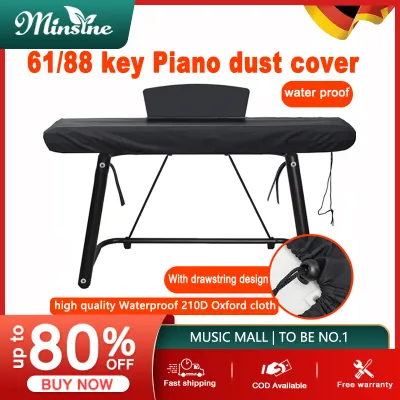
![[Fast Delivery] 61 Keys Electronic Piano Keyboard Dust Cover Waterproof Black With Elastic Cord Locking Clasp](https://img.lazcdn.com/g/p/a22f0eac4ebdff824eb25601e04060a9.jpg_400x400q80.jpg_.webp)
Prices are valid at publication and may change. Please refer to the product page for the latest price.
Additionally, intense tropical sunlight entering through windows can accelerate UV damage, leading to yellowing or fading of ABS keycaps over time. Frequent typing also causes keycap shine due to the transfer of skin oils. A high-quality cover prevents these oils from directly contacting the keycaps, preserving both the aesthetic appeal and the structural integrity of your keyboard. By keeping dust, moisture, and oils away from the switches, a cover can significantly extend the operational lifespan of your device.
What to Look for in a 61-Key Keyboard Cover
When searching for a keyboard cover, the first factor to consider is the distinction between generic sizing and exact model compatibility. Many generic covers are marketed as universal 61-key covers, but these are often designed for specific budget models and may not align with the unique spacing of high-end mechanical keyboards. If the cover’s molded pockets do not align perfectly with your keycaps, the cover will slide, bunch up, or register accidental keypresses, making typing incredibly frustrating.

Material thickness is another critical specification that directly impacts your typing experience and the keyboard’s aesthetics. Thinner covers, typically ranging from 0.1mm to 0.3mm, are excellent for preserving the original typing feel and allowing RGB backlighting to shine through clearly. However, they offer less impact protection and may wear out faster under heavy daily use. Thicker covers, measuring 0.5mm and above, provide robust protection against heavy spills and physical impacts, but they can significantly mute the tactile feedback of mechanical switches and dim the keyboard’s lighting.
You must also evaluate the edge design, lip clearance, and overhang requirements of your keyboard chassis. If your 61-key keyboard features a floating-key design, where the switches are exposed on a flat plate without a surrounding frame, you need a cover with sufficient overhang to prevent dust from entering from the sides. Conversely, for high-profile cases where the keys are recessed within a thick bezel, the cover must fit precisely inside the frame without lifting at the corners. A poorly fitted edge will allow dust to creep underneath, defeating the purpose of the cover.
Silicone vs. TPU vs. PVC: Choosing the Right Material
Silicone is one of the most common materials used for keyboard covers due to its high flexibility, soft texture, and excellent grip. It naturally clings to the keycaps, staying securely in place without the need for adhesives. However, silicone is highly static-prone, meaning it acts as a magnet for dust, pet hair, and lint. In humid climates, this dust attraction can quickly result in a grimy, fuzzy texture that requires frequent washing. Furthermore, the typing feel on silicone is often described as mushy or rubbery, which can reduce typing speed and cause finger fatigue during long sessions.
TPU (Thermoplastic Polyurethane) is widely considered a premium alternative for users who want to maintain the original look and feel of their keyboard. TPU is incredibly thin, highly transparent, and much stiffer than silicone. It does not attract dust as easily and resists yellowing from UV exposure over time. The typing experience remains relatively crisp because the material does not stretch or sag under your fingers. While TPU covers are generally more expensive than silicone options, their durability and superior clarity make them an excellent investment for high-end keyboards.
PVC (Polyvinyl Chloride) is typically used for rigid, hard-shell dust covers rather than flexible skins that you type through. These hard covers are designed to sit on top of the keyboard when it is not in use, providing maximum protection against heavy impacts, falling objects, and major liquid spills. PVC is highly cost-effective and durable, but because it is rigid, it cannot be used while typing. Additionally, any warping or unevenness in the keyboard chassis will prevent a rigid PVC cover from sitting flat, potentially leaving gaps where dust can enter.
How to Verify Fit and Key Layout Compatibility
To ensure a perfect fit, you must follow a systematic verification process before making a purchase. Start by measuring the exact physical dimensions of your keyboard chassis. Do not rely solely on the manufacturer’s listed dimensions, as these may include the outer bezel rather than the active key area. Use a physical ruler or caliper to measure the width and depth of the keycap layout, as well as the height of the keycaps from the plate.
Next, carefully check your keyboard’s layout configuration. The most common layout in the Philippines is the US ANSI layout, which features a wide, rectangular Enter key and a long left Shift key. However, many imported keyboards or specialized custom builds use the ISO layout, which features an L-shaped Enter key and a shorter left Shift key. Additionally, some 61-key keyboards feature non-standard bottom rows, where the size of the spacebar and modifier keys (such as Ctrl, Alt, and Fn) varies. If the cover’s molded layout does not match your keyboard’s physical layout, it will not sit flat and will be completely unusable.
Finally, consult official resources and manufacturer specifications. Before buying a generic cover, check the keyboard manufacturer’s official website or authorized dealer guides to see if they offer dedicated accessories. Many reputable brands produce custom-molded silicone or TPU skins specifically designed for their exact 61-key models. If a dedicated cover is not available, look for third-party manufacturers that explicitly list your keyboard model in their compatibility charts rather than relying on a generic 61-key description.
Where to Buy and What to Expect in the Philippines
When shopping for a keyboard cover in the Philippines, prioritizing official brand stores and authorized musical instrument or tech retailers is the safest approach. Purchasing from authorized dealers ensures you receive genuine products designed for your specific keyboard model, along with reliable customer support and return policies if the fit is not perfect. Local tech hubs and specialized computer stores often carry a selection of high-quality covers for popular mechanical keyboard brands.
If you choose to explore online marketplaces or ecommerce platforms, you must exercise caution to avoid low-quality counterfeits. Carefully evaluate third-party listings by reading customer reviews and, most importantly, checking buyer-uploaded photos. Look for photos showing the cover actually installed on the same keyboard model you own to verify the fit and alignment. Avoid listings that use generic stock photos, lack detailed compatibility lists, or have poor seller ratings.
In terms of pricing, basic generic silicone covers typically range from ₱150 to ₱350. High-quality, model-specific TPU covers or custom-molded hard acrylic dust lids generally cost between ₱400 and ₱1,200. Be wary of extremely cheap items priced under ₱100, as these are often made of low-grade materials that warp quickly, emit strong chemical odors, or fail to align with standard key spacing. Investing a bit more in a well-reviewed, model-specific cover will save you the frustration of a poorly fitted accessory.
Safe Cleaning and Maintenance Practices
To maintain the longevity of both your cover and your keyboard, establish a safe cleaning routine. Always remove the cover from the keyboard before performing any cleaning. Attempting to wipe down or spray the cover while it is still on the keyboard can trap moisture underneath, which can seep into the switches and damage the internal electronics.
Wash the cover using mild dish soap and lukewarm water. Gently rub the surface with your fingers to remove oils, dust, and grime. Avoid using harsh household chemicals, bleach, or alcohol-based sanitizers, as these substances can degrade TPU and silicone, causing them to cloud, stretch, or lose their structural integrity. For rigid PVC covers, a soft microfiber cloth dampened with water is usually sufficient to remove dust and fingerprints.
After washing, allow the cover to air dry completely on a clean, lint-free towel. Do not use a hair dryer or expose the cover to direct sunlight, as high heat can warp the material and ruin the fit. Ensure there is absolutely no residual moisture on either side of the cover before placing it back onto your keyboard. Regular cleaning not only keeps your workspace hygienic but also prevents the buildup of sticky residues that can transfer to your keycaps.
Frequently Asked Questions (FAQ)
Will a generic 61-key cover fit my specific mechanical keyboard?
No, a generic 61-key cover is highly unlikely to fit your specific mechanical keyboard perfectly unless it is explicitly listed as compatible. Mechanical keyboards vary widely in keycap profiles (such as OEM, Cherry, or XDA), switch spacing, and bezel designs. Even a millimeter of deviation in key spacing or a slight difference in the size of the spacebar and modifier keys will cause the cover to bunch up, slide off, or register accidental keypresses. Always verify the exact keyboard model compatibility before purchasing.
Does a keyboard cover affect the typing sound or feel?
Yes, any flexible keyboard cover will alter the typing sound and tactile feel of your keyboard. Thicker silicone covers tend to mute the crisp clack or click of mechanical switches, resulting in a much quieter, deeper sound profile, while also making the keypress feel softer or slightly mushy. Thinner TPU covers preserve more of the original tactile feedback and sound, but they still introduce a slight barrier that reduces the sharpness of the keypress. If you prefer an unaltered typing experience, consider using a rigid acrylic dust cover that you only place over the keyboard when it is not in use.

Community discussion
Share your experience or ask a question. Comments are reviewed before publication.