
To find a compatible Casio piano adapter, you must match the keyboard’s required voltage, minimum amperage, polarity, and physical barrel connector size. Using an incorrect power supply can lead to poor performance, audio interference, or permanent damage to the instrument’s internal circuitry. By verifying the specifications printed directly on your keyboard or in its manual, you can safely select either an official replacement or a suitable third-party alternative.
How to Identify Your Casio Keyboard's Power Requirements
Before purchasing a replacement power supply, you must locate the electrical specifications of your specific instrument. The most reliable place to find this information is on the keyboard itself. Look for a small rating label or engraving, which is typically positioned on the bottom casing of the instrument or on the back panel near the DC input jack. This label lists the required input voltage, such as 9V, 9.5V, or 12V, along with the required current and polarity.
If the label is worn off, you can identify the requirements using the instrument’s exact model number. This number is usually printed on the front panel above the keys or on a serial sticker on the back. Once you have the model number, search the official manufacturer website to download the digital user manual, which contains a specifications section detailing the compatible power accessory model.
Products mentioned in this guide
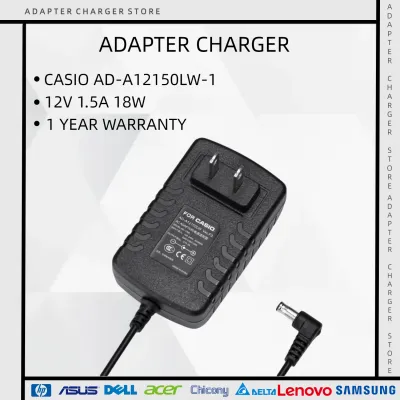
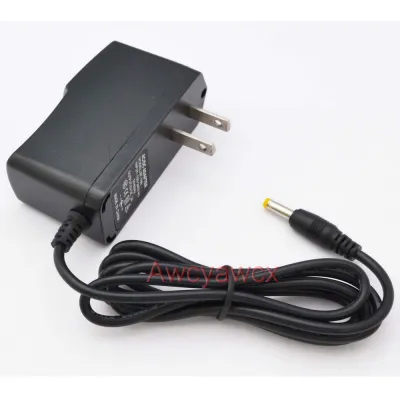
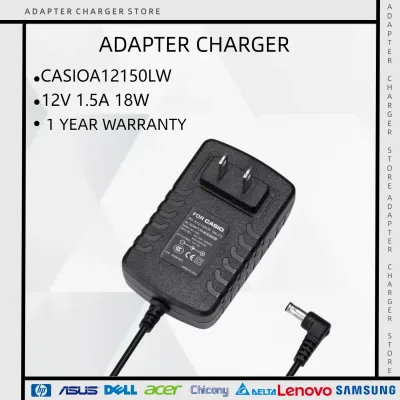
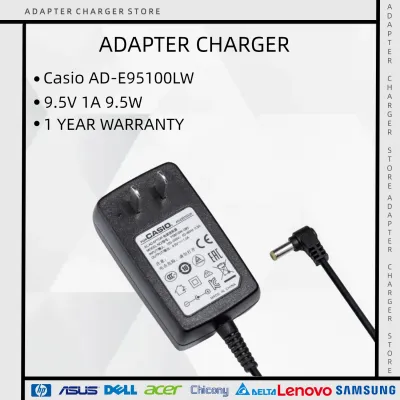
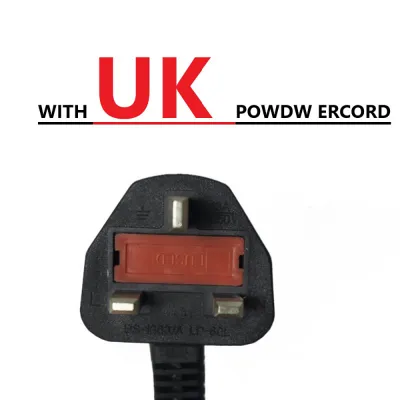
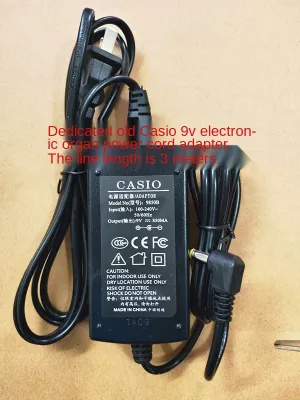
Prices are valid at publication and may change. Please refer to the product page for the latest price.
For portable keyboards that run on batteries, the battery compartment offers another helpful clue. Open the compartment cover and check the molded plastic guidelines. By counting the number of batteries required and multiplying that number by 1.5 (the standard voltage of a single alkaline battery), you can estimate the system’s operating voltage. For example, a compartment designed for six AA batteries indicates a 9-volt system, helping narrow down your search.
The Four Rules of Power Adapter Compatibility
To ensure safe and stable operation, any adapter you connect to your keyboard must satisfy four strict electrical and physical criteria. Failing to meet even one of these rules can prevent the keyboard from turning on or cause irreversible electrical damage.

Voltage Matching: The output voltage of the adapter must match the input voltage of the keyboard exactly. If your keyboard requires 9.5V, you must use a 9.5V adapter. Too little voltage causes the keyboard to shut down unexpectedly, while too much voltage will overheat internal components and likely destroy the main circuit board.
Amperage (Current) Capacity: The adapter’s current rating, measured in milliamperes (mA) or amperes (A), must meet or exceed the keyboard’s minimum requirement. If your keyboard requires 800mA, an adapter rated for 1000mA (1A) is safe because the keyboard only draws the current it needs. An adapter rated for only 500mA will overheat, drop voltage, and eventually fail under load.
DC Polarity: You must verify the polarity of the DC connector, represented by a standard diagram showing a center dot and an outer ring connected to positive (+) and negative (-) signs. Many older Casio keyboards utilize a center-negative configuration, whereas many modern digital pianos use a center-positive configuration. Connecting an adapter with reversed polarity can instantly burn out the keyboard’s internal protective diodes.
Barrel Connector Dimensions: The physical plug at the end of the adapter cord must fit the keyboard’s DC input jack precisely. This requires matching both the outer diameter of the metal sleeve and the inner pin diameter. A loose plug causes intermittent power losses whenever the cable moves, while an oversized plug will not insert at all.
Official Casio Adapters vs. Third-Party Alternatives
When shopping for a replacement, you will generally choose between an official manufacturer accessory and a generic third-party power supply. Official Casio adapters are engineered specifically for the brand’s instruments, ensuring exact voltage regulation and built-in noise filtering that prevents electrical hum from entering your audio signal. While they may carry a higher price tag, they offer reliable compatibility.
If you decide to purchase a third-party alternative, look for reputable brands that display clear safety certifications. High-quality generic adapters feature robust voltage regulation to handle fluctuations in your home’s electrical supply. Always check the product specifications carefully to confirm that the voltage, amperage, polarity, and plug size align with your keyboard’s requirements.
Avoid unbranded, ultra-cheap adapters often found on generic online marketplaces. These budget units frequently lack proper shielding and internal voltage regulation. Using them can introduce a persistent background buzz or hiss into your keyboard’s speakers or headphone output. In worse cases, poor manufacturing quality can lead to sudden voltage spikes that put your instrument at risk.
Safe Usage and Power Protection
Operating electronic musical instruments in tropical climates like the Philippines requires extra care. High humidity and frequent tropical storms can affect electrical stability, making proper power habits essential for preserving your keyboard’s lifespan.
Always plug your power adapter into a high-quality surge protector rather than directly into a standard 220V wall outlet. Sudden voltage spikes caused by lightning strikes or local grid fluctuations can easily travel through a basic adapter and damage your keyboard’s sensitive digital components. A surge protector acts as a vital barrier against these unpredictable electrical surges.
Proper cable management also prevents physical damage to both the adapter and the keyboard’s internal power jack. Avoid routing the power cord across walkways where people might trip over it, as a sudden yank can crack the internal solder joints of the keyboard’s DC input jack. When storing the adapter, wrap the cord loosely to prevent internal wire breakage, and always unplug the unit by gripping the molded plastic plug head rather than pulling on the flexible cable.
Frequently Asked Questions (FAQ)
Can I use a higher amperage adapter than what my Casio keyboard requires?
Yes, you can safely use an adapter with a higher amperage rating than your keyboard requires. The keyboard’s internal circuitry determines how much current it draws; it will only take what it needs to operate. As long as the voltage, polarity, and physical connector size match your keyboard’s specifications exactly, an adapter with a higher current capacity will run cool and provide stable power.
What happens if I plug in an adapter with the wrong polarity?
Plugging in an adapter with the wrong polarity can cause immediate and severe damage to your keyboard. If the positive and negative terminals are reversed, the electrical current flows backward through components that are not designed to handle it. This can blow internal protective fuses, damage capacitors, or destroy the main microprocessor. If you suspect a polarity mismatch, unplug the adapter immediately and consult a professional technician.
Can I power my Casio keyboard using a USB power bank?
You can only power your Casio keyboard with a USB power bank if your specific model features a built-in micro-USB or USB-C power input port designed for this purpose. For these compatible models, ensure your power bank meets the voltage and current output requirements specified in the user manual. Do not attempt to use simple adapter cables to connect a standard USB port to a traditional DC barrel jack, as standard USB ports output 5V, which is insufficient for most standard keyboards and can cause malfunctions.

Community discussion
Share your experience or ask a question. Comments are reviewed before publication.