
Finding the perfect rechargeable piano keyboard for kids in the Philippines means balancing portability, safety, and educational value. A reliable rechargeable model eliminates the ongoing cost of disposable batteries and allows children to practice anywhere, from humid outdoor patios to air-conditioned bedrooms. When choosing, prioritize instruments with safe charging standards, durable keys that match your child’s hand size, and interactive learning features that keep them engaged.
Essential Features to Evaluate Before Buying
Selecting a keyboard involves looking beyond bright colors and basic sound effects. To ensure the instrument supports your child’s musical development while remaining safe and convenient to use, you must evaluate three core pillars: power management, physical key design, and digital learning features.
Battery Life and Charging Standards
When evaluating rechargeable keyboards, look closely at the battery specifications provided by the manufacturer. A high-quality lithium-ion battery should offer several hours of continuous playtime on a single charge, which is ideal for long car rides or brownout situations. Always check the standby time as well, as some lower-quality batteries drain quickly even when the instrument is turned off.
Products mentioned in this guide
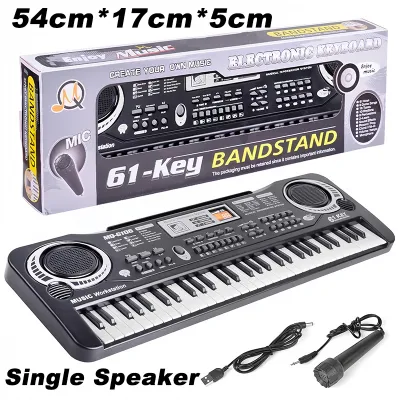
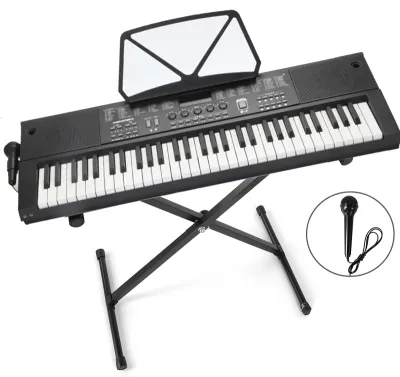
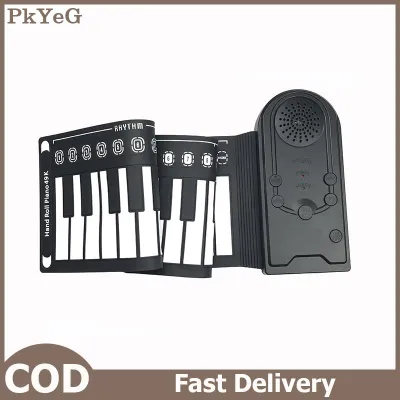
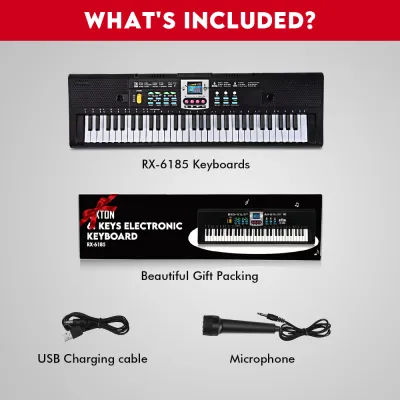
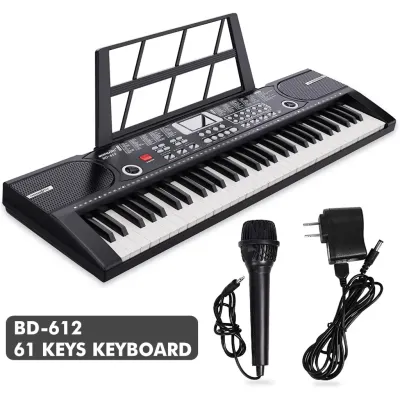
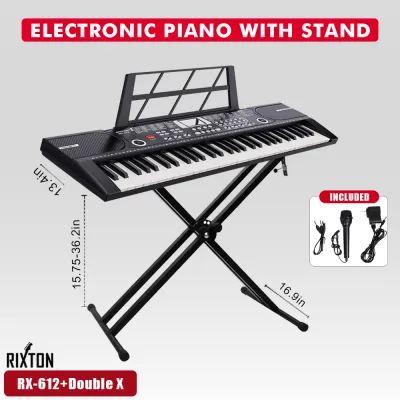
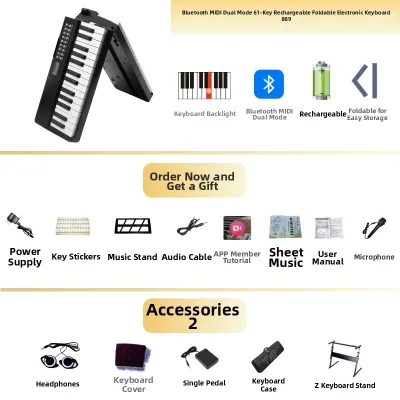
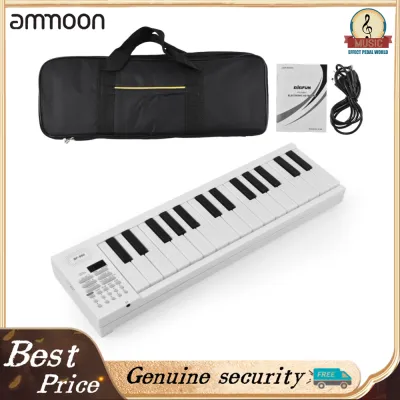
Prices are valid at publication and may change. Please refer to the product page for the latest price.
Safety is paramount when dealing with rechargeable devices in a household with children. Verify that the keyboard uses a standard charging port, such as USB-C, which is highly compatible with existing household chargers in the Philippines. Ensure the input voltage requirement matches standard 5V USB adapters, and avoid using high-wattage fast chargers unless the user manual explicitly states they are supported. Look for models that feature overcharge protection and automatic shut-off functions to prevent overheating during long charging sessions.
Key Size, Count, and Touch Response
The physical keys are your child’s primary point of contact with music, making their size and response critical for proper finger development. For toddlers, mini-keys are highly appropriate as they accommodate small hands without straining delicate finger joints. However, as children grow, transitioning to standard-sized keys is essential to help them build correct muscle memory for acoustic pianos.
Another key factor is touch sensitivity, also known as velocity sensitivity. Basic keyboards produce the same volume regardless of how hard a key is pressed, which is fine for absolute beginners. For older children or those taking formal lessons, touch-sensitive keys are necessary because they allow the player to express dynamics—producing softer sounds with a gentle touch and louder sounds with a firmer press. If your budget allows, prioritizing touch response will significantly extend the useful lifespan of the instrument.
Built-in Sounds, Learning Modes, and Connectivity
A keyboard that sounds realistic and offers interactive features will keep a child motivated far longer than a basic toy. Look for instruments that offer a diverse library of built-in tones, including acoustic pianos, organs, and orchestral instruments, as well as rhythm accompaniment tracks. High-quality digital sampling ensures that these sounds remain pleasant to listen to, even during repetitive practice sessions.
Modern rechargeable keyboards often include guided learning modes, such as light-up keys or built-in lesson suites that teach basic melodies step-by-step. Additionally, check for external connectivity options like USB-MIDI or Bluetooth. These features allow the keyboard to connect to tablets or smartphones, enabling your child to use interactive educational apps that gamify the learning process and provide real-time feedback on their playing.
Matching the Keyboard to Your Child's Age and Skill Level
Children’s cognitive and motor skills change rapidly, meaning a keyboard that delights a toddler will quickly frustrate an older child. To make a smart investment, match the instrument’s complexity and physical layout to your child’s specific developmental stage.

Toddlers and Beginners (Ages 3–5)
For the youngest musicians, the primary goals are sensory engagement, safety, and physical durability. Keyboards designed for this age group should be lightweight, easy to carry, and constructed from robust, non-toxic plastics that can withstand accidental drops. Simple, intuitive controls with large, colorful buttons are much better than complex menus that require adult assistance to navigate.
At this stage, formal piano technique is less important than fostering a love for sound. Look for keyboards that feature playful sound effects, animal noises, and simple rhythm games. A lower key count, such as 32 or 37 mini-keys, is perfect for keeping the instrument compact and manageable for small laps, while built-in handle designs make it easy for toddlers to carry their music from room to room.
Early Learners (Ages 6–9)
As children enter school age, they develop the hand-eye coordination and attention span required for structured music practice. For this group, look for keyboards with 49 to 61 keys of standard or near-standard width. This layout provides enough range to play simple two-handed pieces while still keeping the physical footprint of the instrument small enough for a child’s desk.
Introduce models that feature basic touch response and essential practice tools, such as a built-in metronome and a simple recording function. The ability to record and play back their own performances is incredibly motivating for early learners, allowing them to hear their progress and self-correct mistakes. Ensure the keyboard has a dedicated headphone jack so they can practice quietly without distracting the rest of the household.
Intermediate Players (Ages 10+)
Older children and teenagers require an instrument that closely mimics the capabilities of a full-sized piano. A 61-key or 88-key layout with full-sized, velocity-sensitive keys is highly recommended for this stage. These specifications are necessary for practicing classical repertoire, pop songs, and complex chord progressions that span multiple octaves.
In addition to advanced key action, look for creative tools like pitch bend wheels, modulation controls, and a wider array of digital effects. Connectivity is crucial for this age group; a reliable USB-MIDI connection allows them to plug the keyboard into a computer or tablet to use digital audio workstations (DAWs) for music production and songwriting. This transforms the keyboard from a simple practice tool into a creative outlet for self-expression.
Durability, Safety, and Maintenance Checks
Because children’s gear is subjected to rough handling, physical resilience is just as important as sound quality. Before finalizing your purchase, inspect the overall build quality of the keyboard. Look for sturdy plastic casings, reinforced hinges on folding models, and buttons that feel firm rather than loose or wobbly. If the keyboard comes with a music stand or power adapter, ensure these accessories are made of durable materials that can handle daily setup and teardown.
Electrical safety is another critical consideration, especially for rechargeable devices. Verify that the keyboard carries recognized safety certifications, indicating it has been tested for electrical and thermal safety. The battery compartment should be securely sealed, preferably requiring a tool to open if it uses removable rechargeable cells, to prevent young children from accessing the batteries. Regularly inspect the charging cable for signs of wear, fraying, or exposed wires, and replace it immediately if damage is found.
Maintaining a rechargeable keyboard in the tropical climate of the Philippines requires a few specific precautions. High humidity can cause internal electronic components to corrode over time, while dust can settle between the keys and affect the contacts. To protect the instrument, store it in a padded gig bag when not in use, and consider placing a few silica gel packets inside the bag to absorb excess moisture. Clean the keys regularly with a dry or slightly damp microfiber cloth, avoiding harsh chemical cleaners or excessive water that could seep into the internal circuitry.
How to Build Your Shortlist: A Step-by-Step Buyer's Checklist
Navigating the wide variety of portable instruments available can be overwhelming. Follow this structured, step-by-step workflow to filter your options and find the ideal rechargeable keyboard for your family.
Step 1: Define the Primary Use Case and Budget Begin by identifying how and where your child will use the keyboard. If they need an instrument for school music classes or frequent travel, prioritize lightweight, highly portable designs. If it is for home practice, you can opt for a slightly larger model with better key action. Establish a clear budget in Philippine Pesos (₱), keeping in mind that investing slightly more for touch-sensitive keys or durable construction often saves money in the long run by delaying the need for an upgrade.
Step 2: Filter by Mandatory Specifications Use your child’s age and skill level to set non-negotiable criteria. For example, if your child is eight years old and taking lessons, filter your search to include only models with at least 61 keys, standard key width, and USB-C charging. Use online marketplaces and local music store websites to narrow down your options based on these specific technical requirements, ignoring toys that do not meet your educational standards.
Step 3: Cross-Reference Real-World Reviews Once you have a few candidate models, look for feedback from other parents and music teachers. Pay close attention to comments regarding real-world battery performance, as actual playtime can sometimes differ from manufacturer claims. Look for reviews that mention how well the keyboard holds up to being dropped or handled by active children, and note any recurring complaints about key sticking or charging issues.
Step 4: Verify Warranty and Local Support Before making your final purchase, check the warranty terms and the availability of local after-sales support in the Philippines. A reliable warranty protects your investment against manufacturing defects or premature battery failure. Confirm whether the seller offers a straightforward return policy and if there are local service centers where you can send the keyboard for repairs if needed, ensuring peace of mind for your purchase.
Frequently Asked Questions (FAQ)
Can I use a power bank to charge the keyboard while playing?
Yes, many modern rechargeable keyboards support pass-through charging, allowing you to play while the device is connected to a portable power bank. However, you must verify this capability in the user manual first, as some models disable playing functions during charging for safety reasons. Always ensure that the power bank’s output voltage and current match the keyboard’s input specifications exactly to prevent damage to the internal battery.
Do rechargeable keyboards lose battery life if left unused for months?
Lithium-ion batteries naturally self-discharge over time when left unused. If a keyboard is stored with a completely empty battery for several months, it can enter a state of deep discharge, which permanently reduces its overall capacity or prevents it from holding a charge entirely. To maintain battery health, charge the keyboard to around 50% to 60% before long-term storage, and make a habit of topping it up every three months.
Is it better to buy a keyboard with built-in batteries or replaceable ones?
Keyboards with built-in lithium batteries offer superior convenience, lighter weight, and eliminate the ongoing cost of buying replacements. However, once a built-in battery reaches the end of its lifespan, it can be difficult or impossible to replace without professional help. Keyboards that use replaceable rechargeable AA batteries offer the flexibility of quick swaps during performances, but they require an external charger and can be heavier to carry.

Community discussion
Share your experience or ask a question. Comments are reviewed before publication.