
When buying a keyboard for a child, the specifications that actually matter depend on their age, physical development, and learning stage. Instead of being swayed by flashy marketing or hundreds of digital sound effects, parents should focus on key count, key size, and key action. Getting these physical specifications right ensures the instrument matches the child’s hand span and physical strength, preventing early frustration and supporting proper finger technique from their very first lesson.
In tropical environments like the Philippines, where indoor space can be cozy and humidity levels run high, choosing the right physical footprint and material build is just as important as the internal electronics. A massive, heavy digital piano might crowd a shared living area, while a flimsy toy keyboard will fail to inspire a child who is ready for formal lessons. By understanding how key specifications align with a child’s developmental milestones, you can make an informed investment that keeps them motivated without overcomplicating their practice routine.
Key Count and Physical Size: Matching the Instrument to Your Child
The number of keys on a keyboard dictates what kind of music your child can play and how long the instrument remains useful. Keyboards generally come in three sizes: 49, 61, and 88 keys. For toddlers under five, a 49-key model is sufficient for exploring basic sounds. Once a child begins formal lessons, a 61-key keyboard becomes the practical baseline, accommodating almost all beginner-to-intermediate repertoire. An 88-key keyboard represents a full-sized piano layout, which is essential for classical training but can be physically overwhelming for a young beginner.
Products mentioned in this guide
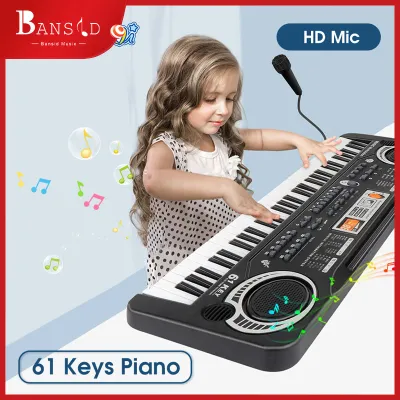
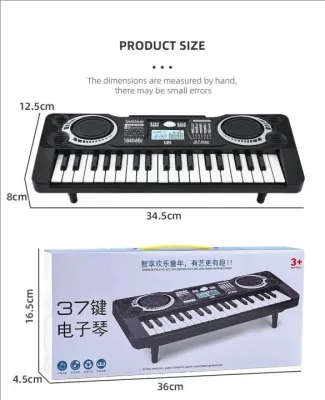
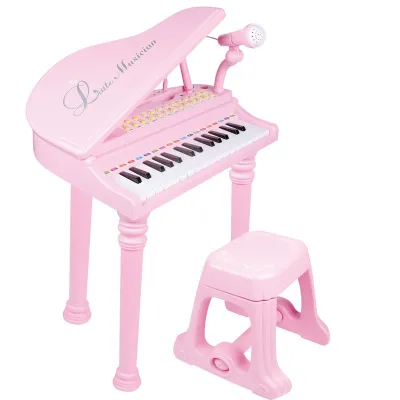
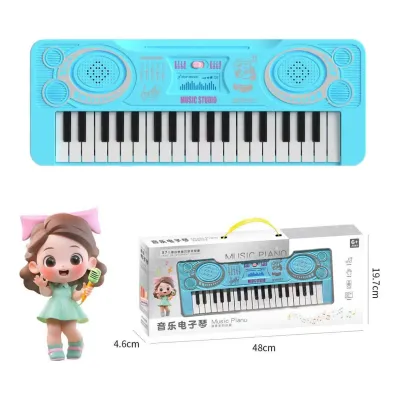
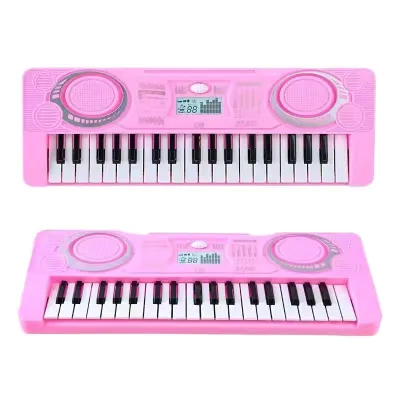
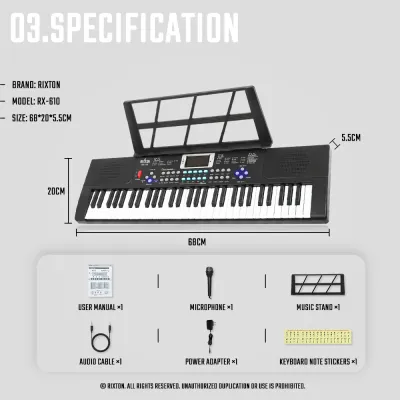
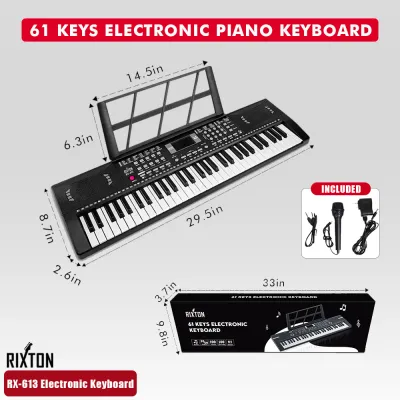
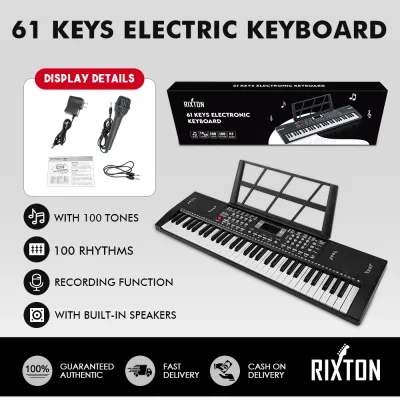
Prices are valid at publication and may change. Please refer to the product page for the latest price.
Key size is another critical factor. Standard piano keys can be difficult for small hands to stretch across, potentially leading to poor hand posture. Mini-keys are designed for toddlers, allowing them to press keys comfortably. However, if your child is seven years or older, starting with standard-sized keys is highly recommended to develop the correct muscle memory that transfers to acoustic pianos.
Before buying, measure your child’s hand span from the tip of the thumb to the pinky finger when fully extended. If it is less than 12 centimeters, standard keys might feel like a stretch, making mini-keys a safer starting point. Additionally, measure the exact dimensions of your designated space. In humid climates, ensure the placement is away from direct sunlight and damp walls, and verify that the stand is sturdy enough to prevent the keyboard from wobbling.
Touch Sensitivity and Key Action: When to Upgrade
Touch sensitivity, or velocity sensitivity, determines how the keyboard responds to the force of a child’s fingers. On a touch-sensitive keyboard, pressing a key softly produces a quiet sound, while striking it firmly produces a louder volume. This feature is essential for any child progressing past the absolute beginner stage. Without touch sensitivity, every note sounds at the exact same volume, which prevents the child from learning how to express dynamics and musical phrasing.

Key action refers to the mechanical feel and resistance of the keys. Entry-level keyboards typically feature synth-action or non-weighted keys, which offer very little resistance and are easy for young fingers to press. While excellent for toddlers building basic finger strength, these keys do not prepare a student for the heavy feel of an acoustic piano. Semi-weighted keys offer a middle ground, using springs and light weights to provide some resistance. Fully weighted or hammer-action keys replicate the actual mechanical feel of an acoustic piano’s hammers, which is crucial for developing finger strength and proper classical technique.
The trade-off between these options comes down to your child’s goals and physical development. Non-weighted keyboards are lightweight, portable, and gentle on young hands, making them excellent, low-risk entry points. However, as a student advances to intermediate pieces where dynamic control is graded, upgrading to a weighted or semi-weighted digital piano becomes necessary. Investing in weighted keys too early can fatigue a very young child’s hands, so matching the key action to physical strength is key to keeping practice enjoyable.
Built-in Features and Connectivity: Filtering Useful Tools from Distractions
Modern keyboards are packed with digital features, but not all of them contribute to musical growth. When evaluating specifications, prioritize essential educational tools over flashy gimmicks. A built-in metronome is a non-negotiable feature, helping children develop a steady sense of rhythm. A basic recording function is also valuable, allowing students to record their performance and listen back to identify areas that need improvement. Additionally, a dedicated headphone jack is a lifesaver for busy households, enabling quiet practice at any hour.
Connectivity options can greatly expand how your child interacts with the instrument. Look for a keyboard with a USB-to-Host port or Bluetooth MIDI capabilities. These specifications allow you to connect the keyboard to a tablet or computer, opening up access to interactive learning software and educational games. These tools can make repetitive scale practice feel like an engaging game, keeping younger children motivated.
Conversely, parents should avoid keyboards that boast hundreds of sound effects, complex rhythm accompaniment tracks, or flashing light-up keys. While these features can be entertaining initially, they often become major distractions during dedicated practice time. A child may spend their entire practice session cycling through sound effects instead of focusing on finger placement and reading notes. Look for an instrument that prioritizes high-quality piano tones over an excessive quantity of synthetic sounds.
Finalizing Your Choice: A Spec Checklist by Learning Stage
To simplify your decision, you can map your child’s age and experience to a specific set of baseline requirements. For toddlers aged 3 to 5, a compact 49-key or 61-key non-weighted keyboard with mini-keys is ideal. For young beginners aged 6 to 9 starting basic lessons, look for a 61-key keyboard with standard-sized, touch-sensitive keys. For older children or advancing students aged 10 and up who are committed to formal piano lessons, an 88-key weighted digital piano is the standard recommendation to support their technical development.
Before finalizing your purchase, verify the exact product specifications on the manufacturer’s official website or product label. Pay close attention to the power requirements; in the Philippines, ensure the keyboard comes with a compatible 220V power adapter or can run reliably on standard batteries for portable use. Check the physical dimensions and weight to ensure it fits your designated space and can be safely supported by your keyboard stand.
Finally, remember that specifications only tell part of the story. If your child is already enrolled in formal music lessons, pause and consult their music teacher before buying. A teacher can provide personalized recommendations based on the specific curriculum they use and can assess whether your child’s physical hand strength is ready for weighted keys.
Frequently Asked Questions (FAQ)
Is a 61-key keyboard enough for a beginner child?
Yes, a 61-key keyboard is generally sufficient for the first two to three years of a child’s learning journey. Most beginner method books and simple classical pieces are written within a five-octave range, which fits comfortably on a 61-key layout. However, as your child advances to complex classical repertoire or pieces that require extensive two-handed movement across the upper and lower registers, they will eventually run out of keys. You will know it is time to transition to a full 88-key instrument when their sheet music regularly requires notes that lie outside the physical boundaries of their current keyboard.
Do kids need a full 88-key weighted keyboard to start learning?
No, a full 88-key weighted keyboard is not mandatory for an absolute beginner, especially for very young children. Weighted keys require significant finger strength, which can cause physical fatigue or hand strain in children under seven years old. Starting with a lighter, non-weighted or semi-weighted keyboard allows young beginners to focus on note recognition, rhythm, and basic coordination without struggling against heavy key resistance. Once they demonstrate a sustained interest in the instrument and begin developing stronger hand muscles, you can confidently upgrade to a weighted digital piano.
Can I connect a tablet to the keyboard for learning apps?
Yes, provided the keyboard features the correct connectivity specifications. To connect a tablet or smartphone, look for a keyboard equipped with a USB Type-B port (often labeled as USB-to-Host) or built-in Bluetooth MIDI. You will also need a compatible adapter cable to connect the keyboard’s output to your specific tablet’s charging port. Always check the manufacturer’s documentation to confirm compatibility with your device’s operating system and the specific learning apps you plan to use before making your purchase.

Community discussion
Share your experience or ask a question. Comments are reviewed before publication.