
Choosing your first electronic keyboard in the Philippines is an exciting step, but the sheer number of options can feel overwhelming. The Yamaha PSR-E383 stands as a highly visible contender in the entry-level market, but whether it represents the right value for your specific musical journey depends on several practical factors. If you prioritize a structured, built-in learning system and a highly regarded sound engine, this model is a strong candidate. However, musicians seeking weighted keys, specific software integrations, or a more streamlined interface may find better alignment with alternative brands.
To make an informed decision, you must weigh your immediate learning goals, available home space, and budget. This guide breaks down the essential technical specifications, physical playability, and local purchasing factors to help you compare the Yamaha PSR-E383 against similar beginner keyboards.
Core Comparison Dimensions for First-Time Buyers
Before diving into specific models, it is crucial to understand the technical and physical dimensions that dictate how a keyboard feels, sounds, and grows with you. Evaluating these core areas ensures you do not outgrow your instrument within the first few months of practice.
Products mentioned in this guide
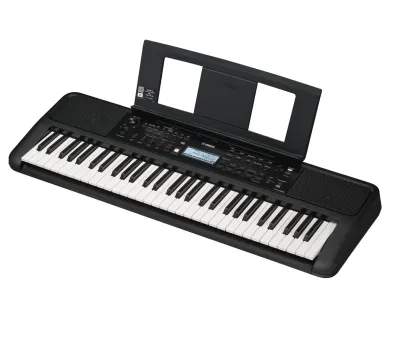
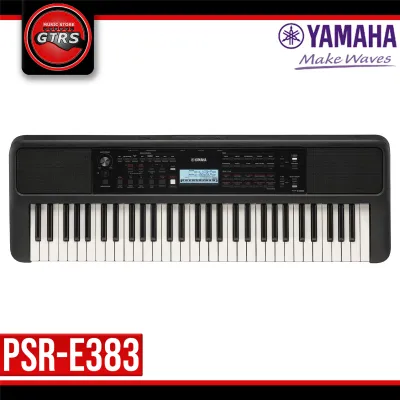
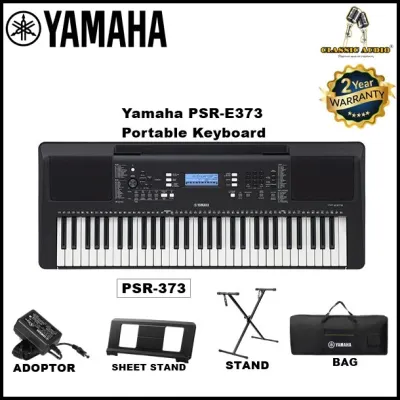
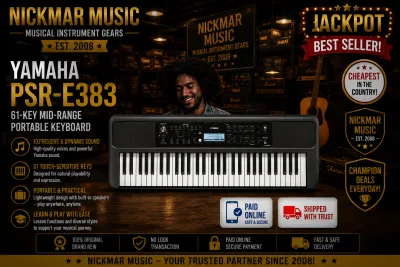
Prices are valid at publication and may change. Please refer to the product page for the latest price.
Sound Engine, Voices, and Polyphony
The sound engine is the heart of any electronic keyboard, translating your key presses into audible notes. When comparing the Yamaha PSR-E383 to its competitors, pay close attention to the polyphony limit, which is the maximum number of individual notes the keyboard can produce simultaneously. For beginners, a higher polyphony count (such as 48 notes or more) is vital because it prevents notes from cutting off abruptly when you play sustained chords or layer two different sounds together.
While manufacturers often boast about having hundreds of built-in voices and accompaniment styles, quality should always take precedence over quantity. A keyboard with 400 highly detailed, realistic instrument sounds is far more valuable for your musical development than one with 800 thin, synthetic-sounding voices. Look for models that offer expressive acoustic piano samples, as these will form the foundation of your early practice sessions.
Because written specifications cannot fully convey the tonal character of an instrument, you should always verify the audio quality yourself. Listen to official, high-quality audio demonstrations on the manufacturer’s website, or visit an authorized local music showroom in the Philippines to hear the keyboard in person. Pay attention to how the sound decays naturally and how the instrument responds to different dynamics.
Key Action, Touch Response, and Playability
The physical connection between your fingers and the keys determines how quickly you will develop proper playing technique. Touch response, or velocity sensitivity, is a non-negotiable feature for any serious beginner. This feature ensures that the keyboard produces a louder sound when you strike a key firmly and a softer sound when you press it gently, mimicking the expressive capabilities of an acoustic piano. Always verify if a keyboard offers adjustable touch sensitivity levels so you can customize the response to your finger strength.
Most instruments in this price bracket, including the Yamaha PSR-E383, feature unweighted synth-action keys. These keys use springs rather than weights to return to their original position, making them lightweight and easy to play, which is excellent for young children or casual hobbyists. However, if your long-term goal is to transition to a traditional acoustic piano, you must be aware that synth-action keys will not build the finger strength required for weighted piano keys.
Additionally, check the physical dimensions of the keys and the total key count. A standard 61-key layout is the benchmark for beginners, offering enough range to play most popular songs and introductory classical pieces. Ensure the keys are full-sized rather than mini-sized, as practicing on undersized keys can negatively affect your muscle memory and make transitioning to other pianos difficult.
Built-in Lessons, Connectivity, and Software
Modern beginner keyboards often double as interactive learning hubs, offering built-in lesson suites designed to guide you through the basics of notation, rhythm, and finger placement. The Yamaha PSR-E383 features proprietary educational tools that break down songs into individual steps, allowing you to practice left- and right-hand parts separately. When comparing alternatives, look for interactive feedback systems that evaluate your accuracy and timing in real time.
Digital connectivity is another critical factor that extends the lifespan of your keyboard. A USB-to-Host port is essential, as it allows you to transmit both MIDI data and, in some advanced models, digital audio directly to a computer, tablet, or smartphone. This connection enables you to use interactive learning apps, notation software, and digital audio workstations (DAWs) for home recording.
Before finalizing your purchase, verify the compatibility of the keyboard with popular third-party educational platforms. Some brands offer exclusive access to proprietary companion apps that simplify navigation, allow you to customize settings via a touchscreen interface, or provide interactive video lessons. Ensure the keyboard is class-compliant, meaning it does not require complex driver installations to work with your devices.
Specification and Feature Verification Checklist
To help you systematically compare the Yamaha PSR-E383 against other entry-level keyboards in the same price range, use the verification checklist below. Because product specifications can vary by region and production batch, always cross-reference these details with the official manufacturer documentation or authorized retail listings before buying.

| Feature / Specification | Yamaha PSR-E383 | Alternative Model A | Alternative Model B |
|---|---|---|---|
| Key Count | 61 Keys | Verify (e.g., 61 or 76) | Verify (e.g., 61 or 88) |
| Touch Response | Yes (Adjustable) | Check for sensitivity levels | Check for sensitivity levels |
| Polyphony | 48 Notes | Check polyphony limit | Check polyphony limit |
| USB-to-Host | Yes (MIDI & Audio) | Check if MIDI-only or Audio | Check if MIDI-only or Audio |
| Power Source | AC Adapter / Batteries | Check if adapter is included | Check if adapter is included |
| Included Accessories | Music Rest (Verify bundle) | Check for stand/pedal | Check for stand/pedal |
When using this table, pay close attention to the power source requirements. In the Philippines, some retail packages may not include the AC power adapter in the base price, requiring you to purchase it separately or rely on AA batteries. Always confirm exactly what is included in the box to avoid unexpected secondary expenses.
Evaluating Price, Bundles, and Retailer Value in the Philippines
Navigating the local musical instrument market requires a careful balance between the initial purchase price and the long-term value of the package. While the base unit price of the Yamaha PSR-E383 may seem competitive, beginners often save money by purchasing comprehensive bundle deals. A complete starter setup typically includes a sturdy double-braced X-stand, a comfortable keyboard bench, a sustain pedal, and a pair of headphones for silent practice.
When shopping in the Philippines, it is highly recommended to purchase from authorized local music distributors or reputable online marketplaces that host official brand stores. Buying from authorized channels ensures that your instrument is covered by a valid local warranty, which is crucial for resolving any electronic or mechanical issues that may arise. Be cautious of grey-market parallel importers offering significantly lower prices; these units often lack local warranty support and may come with incompatible power adapters designed for foreign electrical grids.
Furthermore, consider the local tropical climate when planning your purchase. High humidity and dust can degrade the internal contacts of electronic keyboards over time. When evaluating bundles, look for packages that include a fitted dust cover, or budget separately for a high-quality cover and a silica gel dehumidifier pack for your storage area to protect your investment from moisture damage.
Final Decision Framework: Which Keyboard Should You Choose?
To finalize your decision, match your personal learning style, space constraints, and musical aspirations against the strengths of each option.
Choose the Yamaha PSR-E383 if:
- You want a highly reliable, industry-standard sound engine with realistic acoustic instrument samples.
- You plan to use built-in, step-by-step lesson programs to learn at your own pace without a computer.
- You require integrated USB audio and MIDI connectivity to record your playing directly to a smart device or laptop without an external audio interface.
Choose an alternative beginner keyboard if:
- You are working with a stricter budget and require a basic, no-frills keyboard that still offers touch-sensitive keys.
- You prefer a larger keybed, such as a 76-key or 88-key model, to accommodate classical piano repertoire.
- You want a highly simplified, minimalist control panel with fewer buttons and a more streamlined user interface.
Verify first if:
- Your designated practice space can comfortably accommodate the physical width of a 61-key instrument along with a keyboard stand.
- The retail package you are purchasing explicitly includes the correct AC power adapter compatible with local voltage standards.
- The third-party learning software or mobile apps you plan to use are fully compatible with the keyboard's operating system requirements.
Frequently Asked Questions (FAQ)
Do I need a sustain pedal for the Yamaha PSR-E383 or similar keyboards?
While you do not strictly need a sustain pedal on your very first day of practice, it quickly becomes essential as you progress past basic finger exercises. A sustain pedal allows notes to ring out after you release the keys, which is vital for smooth transitions and expressive playing in intermediate pieces. Before purchasing, verify that the keyboard has a standard 1/4-inch sustain jack on the rear panel, and check whether the keyboard is compatible with universal polarity pedals or requires a brand-specific accessory.
Can I connect these beginner keyboards to a computer for music production?
Yes, most modern beginner keyboards can be connected to a computer or mobile device to act as a MIDI controller. You must verify that the keyboard features a USB-to-Host port (typically a USB Type-B port). This connection allows you to trigger virtual instruments inside digital audio workstations (DAWs). Note that while some keyboards only transmit MIDI data, others can also transmit digital audio, allowing you to record the keyboard’s actual internal sounds directly into your recording software without needing an external audio interface.
Is a 61-key keyboard enough for a complete beginner?
For the vast majority of beginners, a 61-key keyboard is highly sufficient. This range covers five full octaves, which is more than enough to play standard chords, scales, popular music, and introductory classical arrangements. An 88-key keyboard is only necessary if you are committed to studying traditional classical piano repertoire from the outset, as those pieces frequently utilize the extreme high and low registers of a full-sized acoustic piano.
Community discussion
Share your experience or ask a question. Comments are reviewed before publication.