
Finding digital versions of popular children’s books requires navigating different ecosystems, device compatibilities, and regional store availabilities. For parents and guardians in the Philippines looking to purchase Frozen storybooks as eBooks, the process involves choosing between major global digital storefronts and checking local online book retailers. This guide outlines the most reliable platforms, what to verify before checkout, and how to ensure the digital book works seamlessly on your child’s preferred reading device.
How to Choose the Right eBook Platform for Your Device
Selecting the ideal digital storefront depends heavily on the hardware your family already owns and how you plan to manage your child’s reading habits. If your household relies on Apple iPads or iPhones, the native Apple Books ecosystem provides a highly integrated experience that requires no additional app installations. For families using Android tablets or smartphones, Google Play Books comes pre-installed on most devices and offers excellent cross-platform flexibility. Dedicated e-readers, such as the Amazon Kindle or Kobo Clara, offer distraction-free reading but lock you into their respective proprietary storefronts.
Format compatibility is another critical factor when choosing a platform. Amazon Kindle uses proprietary formats like AZW and KFX, which are optimized for Kindle devices and the Kindle app but cannot be opened on other e-readers. Most other platforms, including Kobo and Google Play Books, utilize the industry-standard EPUB format, which is highly adaptable but often protected by Digital Rights Management (DRM) to prevent unauthorized sharing. Understanding these format boundaries ensures you do not purchase a book that your child’s device cannot open.
Products mentioned in this guide
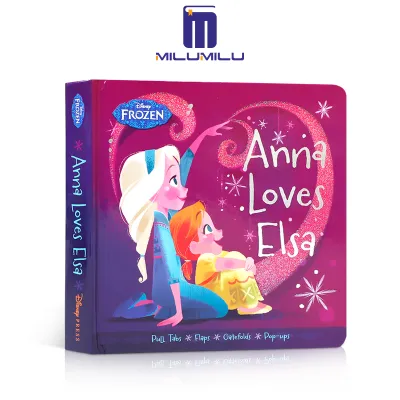
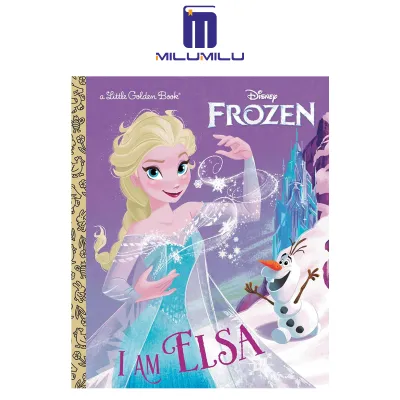
Prices are valid at publication and may change. Please refer to the product page for the latest price.
Family sharing features and parental controls should also guide your decision. Apple Books allows you to set up a dedicated Apple ID for your child and share purchases seamlessly through Apple Family Sharing without sharing passwords. Google Play Books offers a Family Library feature where up to five family members can access eligible purchased books on their individual devices. Amazon Household provides similar functionality, allowing parents to share specific Kindle books with child profiles while keeping adult content safely hidden.
Offline reading capability is a vital consideration for families in the Philippines, where internet connectivity can be inconsistent during travel or power outages caused by tropical weather. Before heading out on a long road trip or a flight, you must ensure the eBook is fully downloaded to the local storage of the device. Children’s picture books with high-resolution illustrations can range from 20MB to over 100MB, so it is wise to check your device’s available storage space before purchasing a large collection of digital storybooks.
Major Global eBook Stores Available in the Philippines
The Amazon Kindle Store is one of the largest repositories of digital books in the world and carries an extensive selection of licensed Disney and Frozen titles. To purchase Kindle books in the Philippines, you must use a web browser rather than the mobile app due to app store billing restrictions. Once purchased, the book is delivered instantly to your device via Amazon’s Whispernet system, which also syncs reading progress and bookmarks across multiple devices. Ensure your Amazon account is linked to a payment method that supports international transactions, such as a local credit card, debit card, or a virtual card from a local digital payment app.
Apple Books is the premier choice for iOS and iPadOS users, offering a visually stunning interface that makes full-color children’s books look vibrant and sharp. The store is accessible directly on your Apple device, and purchases are billed to the payment method linked to your Apple ID. Many Disney titles on Apple Books feature interactive elements, such as built-in audio narration where words light up as they are read aloud. You can easily manage your child’s access and prevent accidental purchases by configuring the built-in Screen Time and parental control settings on their iPad.
Google Play Books offers unmatched cross-platform flexibility, making it an excellent option if your family uses a mix of Android and iOS devices. You can purchase books directly through the Google Play Store web portal or the Android app using local payment methods, including local mobile wallets, telecom carrier billing, and local debit cards. The platform allows you to upload your own PDF or EPUB files as well, though official purchases are automatically added to your cloud library. The Google Play Books app also features a kid-friendly reading mode with simplified navigation and larger tap targets.
Kobo is a highly respected alternative ecosystem that appeals to readers who prefer open formats and dedicated e-ink devices. Kobo eBooks can be read on Kobo e-readers or via the free Kobo app available for iOS and Android. To access the correct catalog and view pricing in ₱, you must ensure your Kobo account’s billing address is set to the Philippines. Kobo frequently partners with local distributors and offers a straightforward web portal where you can browse, purchase, and sync books to your device over Wi-Fi.
Checking Local Philippine Bookstores for Digital Editions
Major physical bookstores in the Philippines, such as National Book Store and Fully Booked, are beloved destinations for physical books, but their digital eBook catalogs are highly limited. These local retailers primarily focus on physical inventory, paperbacks, and hardcovers, and they do not operate proprietary eBook reader hardware or large-scale digital storefronts. Consequently, finding a direct digital download of a mainstream international title like a Frozen storybook on their local platforms is rare.
When browsing the official websites of these local bookstores, you may occasionally find a dedicated “eBooks” or “Digital” category. However, these sections often feature specialized academic texts, local literature, or self-published works rather than licensed Disney properties. In some cases, these local sites may redirect you to global partner platforms where the actual digital transaction and download take place.
Some local retailers offer digital gift cards or store credits that can be purchased online. While these are convenient for gifting, they are almost always restricted to physical book purchases or specific local e-learning platforms. Always read the terms and conditions of any local bookstore gift card to verify if it can be applied to digital formats before making a purchase.
It is also crucial to exercise caution when browsing online marketplaces or local bookstore websites to avoid purchasing the wrong format. Carefully read the product description to confirm whether a listing is for a physical paperback, a hardcover, or a digital download code. Some listings might look like eBooks but are actually physical books that include a digital companion access code, which still requires physical shipping of the book itself.
Essential Checks Before Buying a Frozen Storybook
Before finalizing your purchase of a Frozen eBook, you must verify the language and localization of the specific edition. Disney books are published in numerous languages worldwide, and digital storefronts often list multiple language versions of the same title side by side. Do not rely solely on the cover image, as an English cover might occasionally be linked to a foreign-language edition in the product metadata. Always scroll down to the product details section to confirm that the language is explicitly listed as English or your preferred local language.
Interactive features are a major selling point for children’s digital books, but they require careful compatibility checks. Many Frozen eBooks are enhanced with audio narration, sound effects, or background music, often labeled as “Read-Along” or “Enhanced” editions. Check the product description to ensure these interactive elements are supported on your specific device and reading app. For example, a read-along audio feature that works perfectly on an iPad or Android tablet will not function on a basic, monochrome e-ink e-reader.
Age grading and content complexity vary widely across the Frozen digital catalog, making it essential to match the book to your child’s reading level. The franchise includes simple picture books for toddlers, step-into-reading phonics books for early readers, and longer chapter books or novelizations for older children. Review the target age group, reading level, and page count in the book’s metadata to ensure the content is appropriate for your child’s current development stage.
Finally, compare prices across different platforms and review the Digital Rights Management (DRM) restrictions. Prices should be displayed in ₱, and you should watch out for any additional foreign transaction fees that your local bank might apply. Additionally, check how many devices can simultaneously access the book under a single account. Most publishers limit this to six authorized devices, which is generally sufficient for a single household but worth verifying if you plan to load the book onto multiple family tablets.
How to Purchase and Set Up Your eBook for Reading
To begin, open your chosen digital storefront and use precise search terms to locate the correct book. Instead of searching generally for “Frozen,” use specific queries like “Frozen story book eBook,” “Frozen Kindle edition,” or the exact title of the movie tie-in, such as “Frozen II Read-Along Storybook.” This helps filter out physical toys, soundtracks, paper books, and unrelated merchandise, saving you time and preventing accidental purchases.
Before clicking the buy button, double-check your account’s region and billing settings. If your account is set to a region outside the Philippines, you may encounter payment failures, regional blocks, or incorrect pricing. Ensure your billing address matches the local payment method you intend to use, whether it is a local credit card, debit card, or a linked digital payment app.
Complete the checkout process using your preferred secure payment method. If you are purchasing a Kindle or Kobo book on an iOS device, remember that you must complete the transaction via a web browser rather than the mobile app due to platform billing policies. Once the purchase is complete, open the corresponding reading app on your child’s device to initiate the download.
Once the download begins, ensure the device is connected to a stable Wi-Fi network until the process is fully complete. Open the eBook once while still online to verify that all pages, illustrations, and audio files load correctly. Finally, configure the reading app’s settings for a child-friendly experience: adjust the font size for easy reading, enable dark mode or sepia tones to reduce eye strain during evening reading sessions, and lock the app’s parental controls to prevent accidental exits or unauthorized purchases.
Frequently Asked Questions (FAQ)
Can I share the Frozen eBook with my child's separate tablet?
Yes, you can share purchased eBooks across multiple devices within your household using the family sharing features provided by major platforms. For Apple Books, you can set up Apple Family Sharing to share purchases with your child’s individual Apple ID. On Google Play Books, you can add the book to your Family Library so it automatically appears on your child’s device. For Amazon Kindle, you can use Amazon Household to share specific titles with a child’s profile. Keep in mind that DRM restrictions typically limit simultaneous reading to a maximum of six devices registered to the same account.
Are there interactive or read-along Frozen eBooks available?
Yes, there are several interactive and read-along Frozen eBooks available, particularly on platforms like Apple Books and Google Play Books. These enhanced editions feature professional voice narration, background music, sound effects, and highlighted text that syncs with the audio as it plays. However, these interactive features require a color screen and compatible software to function. They will not work on basic, monochrome e-ink e-readers, which are designed only for standard text and static grayscale images.
Do I need a dedicated e-reader to read these storybooks?
No, you do not need a dedicated e-reader to enjoy these digital storybooks. In fact, because children’s picture books are highly visual and filled with vibrant, full-color illustrations, they are best experienced on a color tablet, such as an iPad or Android tablet, or a smartphone. Dedicated e-ink readers are excellent for text-heavy novels but struggle with children’s picture books due to their grayscale screens and slower refresh rates. You can simply download the free reading app for your chosen platform onto your existing tablet or phone to start reading.
Community discussion
Share your experience or ask a question. Comments are reviewed before publication.