
Attending your first Treasure concert is an exhilarating milestone, but stepping into the venue fully prepared requires the right fan support items to elevate your experience. To make the most of the high-energy performances and connect with the fandom, you need a mix of official merchandise, protective gear for your collectibles, and practical concert essentials. Prioritizing the official lightstick, choosing comfortable yet expressive apparel, and securing your photocards will ensure you can focus entirely on the music and the crowd.
Preparing for a K-pop concert involves understanding both fan culture and the practical realities of spending a long day at a major venue. From the moment you join the queue to the final encore, having the right gear keeps you comfortable, safe, and fully engaged. By planning your purchases early, you can avoid the stress of last-minute shopping and focus on enjoying the incredible performances of your favorite group.
The Must-Have: Official Treasure Lightstick
The official Treasure lightstick, affectionately known as the Teulight, is the single most important item to bring to the concert. This beautifully designed device, featuring a signature jewel shape that represents the fandom, does more than just illuminate the crowd. It connects wirelessly to the venue’s central control system via Bluetooth to sync with the music, creating a unified ocean of light that shifts colors in perfect harmony with the performance. Before purchasing, you must verify that you are getting the latest official version, as older or unofficial models may not support the Bluetooth synchronization features required for current tours.
Products mentioned in this guide
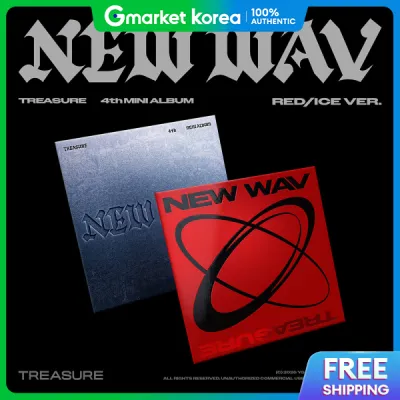
![[ + YG / WEVERSE GIFT ] TREASURE - 4th Mini Album [NEW WAV] RAW ver](https://img.lazcdn.com/g/ff/kf/S66447ea5c2c6451599faaf53794d9148u.jpg_400x400q80.jpg_.webp)
![NCAT TREASURE: REBOOT [YG TAG VER]](https://img.lazcdn.com/g/p/974706c575c75dadee044c96a838e03a.jpg_400x400q80.jpg_.webp)
Prices are valid at publication and may change. Please refer to the product page for the latest price.
When buying your lightstick, inspect the packaging and the physical item closely to verify its authenticity. Official lightsticks feature high-quality packaging with crisp printing, official holographic stickers from the entertainment agency, and unique serial numbers. The plastic molding should be smooth, without rough seams or misaligned parts, and the official branding logos must be perfectly rendered. Counterfeit versions often have slightly off-color plastics, loose battery compartments, or poorly printed logos on the box.
Preparing your lightstick before the concert is crucial for a hassle-free night. The Teulight typically requires three AAA batteries, which are usually not included in the box. Open the battery compartment to check the exact requirements and insert fresh, high-quality alkaline batteries on the day of the show. It is highly recommended to test the Bluetooth connectivity at home using the official venue control or artist lightstick application, ensuring the device pairs successfully with your smartphone before you arrive at the arena.
Always carry a spare set of batteries in your bag, as the synchronized light features can drain power quickly over a multi-hour show. When inserting the batteries into the internal battery holder, pay close attention to the positive and negative terminal markings to avoid inserting them backward, which can prevent the lightstick from turning on. Additionally, attach the included wrist strap securely to the base of the lightstick to prevent it from accidentally slipping out of your hand during high-energy dance numbers.
Concert Apparel and Wearable Fan Support
Expressing your fandom through your outfit is a major part of the concert experience, but you must balance style with practical comfort. Official merchandise apparel, such as tour t-shirts, hoodies, and caps, offers a direct way to show your support while blending in with the crowd’s aesthetic. If you prefer a more personalized look, custom fan-made accessories like decorated headbands, pin badges, and custom lanyards allow you to showcase your favorite member while keeping your outfit unique.

The climate inside and outside the venue requires careful planning, especially in the tropical heat and humidity of the Philippines. While the queueing areas outside can be intensely hot and humid, the air conditioning inside major indoor arenas can become surprisingly chilly during long hours of waiting. Wearing breathable, layered clothing allows you to adjust to these temperature shifts easily. Opt for lightweight fabrics that wick away moisture, and consider bringing a light jacket or flannel shirt that you can tie around your waist when it gets warm.
Your choice of footwear can make or break your concert experience, particularly if you have standing tickets or plan to queue early. Choose closed-toe shoes with excellent arch support, such as broken-in sneakers, to handle hours of standing, walking, and dancing. Avoid high heels, platform shoes that might cause trips, or open-toed sandals that offer no protection in crowded spaces. Additionally, keep your wearable accessories secure and minimal; bulky headbands or oversized bags can block the view of fans behind you and may not pass venue security checks.
Pockets are an incredibly useful feature to look for when planning your concert outfit. Having secure, zippered pockets allows you to keep small essentials like your phone, ticket, and cash within easy reach without constantly opening your main bag. If you plan to wear custom accessories, ensure they are pinned or fastened securely so they do not fall off in the middle of a crowded standing section.
When choosing a bag, check the venue’s specific rules regarding dimensions and transparency. Many modern arenas require clear PVC backpacks or crossbody bags, which allow security staff to inspect contents quickly. A clear bag not only speeds up your entry but also provides a fun way to display your favorite pins, keychains, and plush accessories safely inside the bag where they cannot get lost or dirty.
Protecting and Displaying Your Collectibles
Concerts are prime opportunities for trading and collecting photocards, but the bustling environment puts these paper items at high risk of damage. To protect your valuable collectibles, invest in rigid plastic toploaders and acid-free card sleeves before heading to the venue. Placing your favorite photocard in a sleeve and then a toploading case keeps it safe from bending, moisture, and accidental scratches while you navigate the crowds.
For hands-free convenience and easy display, use a decorated lanyard with a secure, clear card holder. This allows you to showcase your favorite member’s photocard proudly around your neck while keeping your hands free to hold your lightstick and phone. Ensure the card holder has a reliable seal or zip-lock closure to prevent the card from slipping out during high-energy moments or when jumping along to the music.
If you plan to purchase merchandise at the venue’s official booths, preparation is key to keeping your items pristine. Bring a durable, foldable eco-bag or a lightweight drawstring bag to store your purchases, as official booths often provide minimal packaging. Inside your main bag, organize a secure, compact storage system—such as a small plastic folder or a dedicated pouch—to keep paper goods, slogans, and tickets flat and dry, preventing them from getting crushed by other items in your bag during sudden crowd movements.
Humidity can quickly warp paper collectibles, so keeping them in a sealed plastic bag or a compact photocard binder is highly recommended. If you collect official slogan towels, keep them folded in their original plastic packaging until you are inside the venue to protect them from dirt and sweat. Taking these small precautions ensures that your precious concert souvenirs remain in mint condition long after the event ends.
When trading photocards with other fans outside the venue, practice proper trading etiquette to ensure a positive experience for everyone. Keep your tradeable cards organized in a small binder or a dedicated tin so they are easy to browse. Always handle other fans’ cards with care, and ensure any trade is mutually agreed upon before finalizing the exchange.
Where to Buy and How to Avoid Counterfeits
To guarantee your fan support items are authentic and fully functional, always prioritize official purchasing channels. The safest route is to buy directly from the entertainment group’s official global e-commerce platform or authorized local pop-up stores organized during the tour in the Philippines. Buying from these official sources ensures your lightstick is genuine, eligible for official app updates, and capable of syncing with the venue’s wireless control system.
If official channels are sold out, navigating third-party online marketplaces requires extreme caution to avoid scams. Look for reputable sellers with high ratings, positive transaction histories, and detailed reviews from other K-pop fans. Always request real-time photos of the actual product, including close-ups of the holographic sticker and the battery compartment, rather than relying on stock images. A reliable seller should be willing to provide proof of purchase or a receipt from an authorized retailer.
Be vigilant against common red flags that indicate a counterfeit product. Unusually low prices, especially listings priced significantly below the standard retail value in ₱, are a primary indicator of a replica. Inspect the product images for incorrect color shades, misaligned logos, or cheap packaging materials. Remember that if a deal seems too good to be true, it almost certainly is, and using a counterfeit lightstick means you will miss out on the synchronized light show during the concert.
When participating in local group orders organized by fanbases, verify the administrator’s track record and reputation within the local community. Look for group orders that provide clear updates, transparent pricing breakdown, and secure payment methods. Avoid sending payments to unverified personal accounts without checking for feedback from previous successful group orders.
Once you receive your lightstick from any reseller, test its Bluetooth functionality immediately by connecting it to the official app. Authentic lightsticks will pair seamlessly and allow you to control the color cycle through your phone. If the device fails to connect or does not respond to the app’s color controls, it may be a counterfeit or have a defective internal chip, and you should contact the seller for a return or exchange right away.
Pre-Concert Checklist and Venue Rules
A successful concert day relies on a well-planned packing strategy that complies with venue regulations. Before leaving your home, run through a final checklist: your official lightstick, a set of fresh spare batteries, your secured collectibles, your ticket, and essential personal items like a power bank and pocket tissues. Keeping these items organized in a single, easily accessible bag will save you time and stress at the entrance gates.
Review the venue’s official guidelines carefully, as security policies are strictly enforced and can vary between arenas. Most venues impose strict limits on bag sizes, often requiring small, clear, or transparent bags to speed up security checks. Prohibited items typically include professional cameras, long umbrellas, selfie sticks, and large fan banners or LED signs that could block the view of other attendees. Adhering to these rules ensures a smooth entry and prevents you from having to discard valuable items at the gate.
Timing your arrival is the final piece of the puzzle. Plan to arrive at the venue with a generous buffer of several hours before the show starts. This extra time allows you to navigate security checks calmly, queue for official merchandise booths, trade photocards with other fans, and find your seat or standing section. Most importantly, arriving early gives you plenty of time to turn on your lightstick, pair it with the venue’s Bluetooth system, and ensure everything is working perfectly before the lights go down.
Additionally, consider the logistics of your travel to and from the venue. Research local transport options, ride-hailing services, or shuttle buses in advance, as traffic around major arenas can become highly congested on concert days. Staying hydrated and having a light meal before entering the venue will also keep your energy levels high throughout the exciting event.
Frequently Asked Questions (FAQ)
Can I use a third-party or unofficial lightstick at a Treasure concert?
Using a third-party or unofficial lightstick is highly discouraged and often restricted by venue guidelines. Unofficial lightsticks lack the internal Bluetooth chips required to connect with the venue’s central control system, meaning your device will not sync with the music or change colors along with the rest of the crowd. Furthermore, using unofficial glowing items can disrupt the visual harmony of the performance and goes against fan community etiquette, which values a unified ocean of official colors to support the artists.
What should I do if my official lightstick stops working during the show?
If your lightstick stops working during the concert, start with quick on-site troubleshooting. Open the battery compartment, remove the batteries, and check that the metal contacts are clean and free of debris before reinserting them securely. If that fails, replace the batteries with a fresh set of high-quality alkaline batteries, as low voltage is the most common cause of connection drops and sudden shut-offs. If the issue persists, visit the official merchandise booth or the venue’s dedicated lightstick help desk, where staff may be able to assist with basic troubleshooting or pairing issues.
Community discussion
Share your experience or ask a question. Comments are reviewed before publication.