
Karaoke is a beloved tradition in Filipino households, serving as the centerpiece for birthdays, holidays, and casual weekend get-togethers. Introducing a voice changer device to your home setup can transform a standard singing session into an interactive entertainment experience, allowing users to experiment with pitch adjustments, professional-grade reverb, and playful character voices. However, finding a device that integrates seamlessly with existing microphones and speakers requires a clear understanding of audio compatibility, latency, and hardware specifications.
To achieve a satisfying home karaoke experience, the primary goal is to maintain clear, real-time vocal delivery without distracting delays. A voice changer must process your voice instantly so that what you sing into the microphone matches what comes out of the speakers. By focusing on key technical features and setup requirements, you can select a device that enhances your vocal performance while avoiding common audio pitfalls like feedback, lag, or muffled sound.
Key Selection Criteria for Karaoke Voice Changers
When evaluating a voice changer device for home karaoke, audio processing quality and latency are the most critical factors to consider. Latency refers to the brief delay between the moment you sing into the microphone and the moment the processed sound emerges from your speakers. In a live singing environment, even a minor delay of more than 20 milliseconds can disrupt a singer’s timing and pitch. Look for devices equipped with dedicated Digital Signal Processing (DSP) chips, which are designed to handle real-time audio effects with minimal latency, ensuring your performance remains synchronized with the backing track.
Products mentioned in this guide
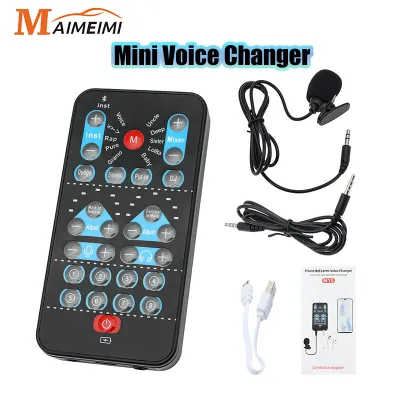
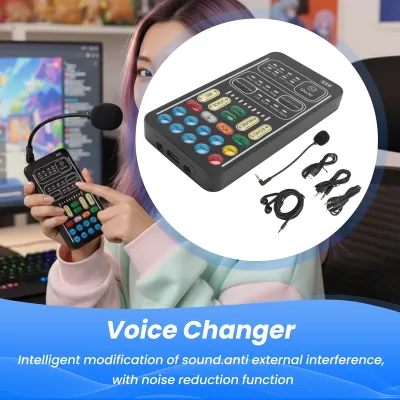
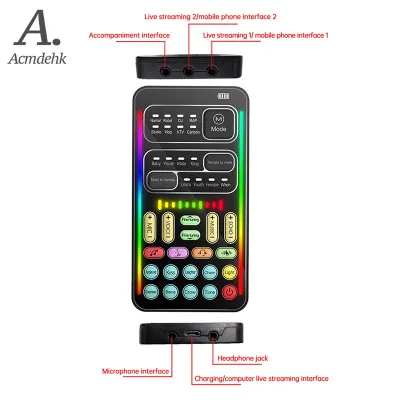
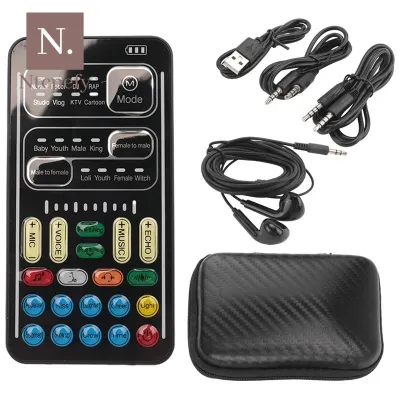
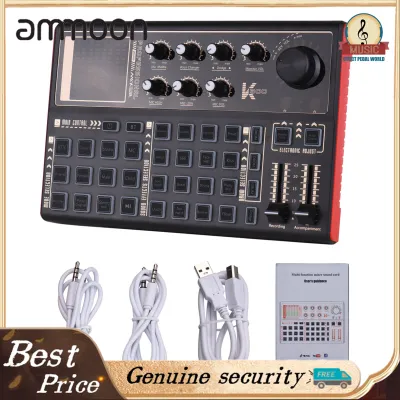
Prices are valid at publication and may change. Please refer to the product page for the latest price.
Connectivity options dictate how easily the voice changer will integrate with your current home theater, soundbar, or active speaker system. Wired connections, such as 3.5mm auxiliary (AUX) or 6.35mm (1/4-inch) audio jacks, are highly recommended because they offer the lowest latency and the most stable signal transmission. While some modern voice changers feature Bluetooth connectivity, this is generally best reserved for inputting background music from a smartphone or tablet. Using Bluetooth for the microphone input or the main audio output to the speakers often introduces significant wireless lag, making real-time singing highly impractical.
Power source design is another vital consideration, especially under local environmental conditions. The Philippines experiences high year-round humidity and warm temperatures, which can affect the lifespan and safety of electronic components. Devices powered via a standard USB connection or a dedicated AC adapter are ideal for permanent home setups, as they provide a stable power supply without the risk of battery degradation. If you opt for a portable model with a built-in rechargeable lithium-ion battery, ensure the device is stored in a cool, dry place when not in use, and avoid leaving it plugged into a charger indefinitely to prevent battery swelling.
The variety and adjustability of available voice effects will determine how versatile your karaoke sessions can be. Standard voice changers offer a range of effects, including pitch shifting (to sound like a different gender or character), echo, and reverb. For singing, high-quality reverb is far more desirable than simple echo, as reverb simulates the natural acoustics of a concert hall or studio, smoothing out vocal imperfections. Look for devices that allow you to adjust the depth and intensity of these effects using physical knobs or sliders, rather than relying on rigid, non-adjustable presets.
Recommended Voice Changer Categories for Home Setups
Selecting the right category of voice changer depends largely on your technical comfort level, budget, and the complexity of your existing karaoke equipment. Home setups in the Philippines vary widely, ranging from simple plug-and-play smart TV connections to elaborate multi-speaker sound systems. By categorizing these devices, you can easily identify which form factor matches your specific household needs and hardware configuration.

While software-based voice changers running on laptops or tablets offer extensive customization, they often introduce high latency and require complex audio routing configurations. For a reliable, family-friendly karaoke setup, dedicated hardware solutions are generally superior. Hardware devices process audio internally, reducing the load on your playback devices and providing physical controls that anyone in the family can easily adjust mid-song. Before making a purchase, always verify that the device’s input and output ports match your current microphone and speaker cables.
Standalone Hardware Voice Changers
Standalone hardware voice changers are dedicated physical units designed specifically for real-time vocal processing. These devices are ideal for users who want a straightforward, plug-and-play experience without the need to connect to a computer or mobile application. They typically feature clearly labeled buttons and dials for switching between different voice profiles, adjusting volume levels, and fine-tuning effect depths.
To integrate a standalone unit, you simply connect your microphone to the input port and run an audio cable from the output port to your speaker or amplifier. Because these units rely entirely on physical connections, cable management is key to maintaining a clean setup and preventing accidental trips during lively gatherings. Keep in mind that standalone hardware is generally limited to its built-in effect library, as these devices rarely support firmware updates or downloadable voice profiles.
Mixer-Integrated Voice Effects Processors
For households with more advanced audio setups, such as those utilizing multiple microphones or external amplifiers, a mixer-integrated voice effects processor is an excellent choice. These devices combine the functions of a multi-channel audio mixer with built-in digital voice effects. This integration allows you to connect several microphones simultaneously, making it perfect for duets or group performances.
The primary advantage of a mixer-integrated system is the level of control it provides over your sound. You can adjust the equalization (treble, mid, and bass) for each individual microphone, balance the volume of the backing track against the vocals, and apply precise amounts of reverb or pitch correction. However, these mixers require more physical space on your entertainment console and carry a steeper learning curve, making them better suited for users comfortable with manual audio calibration.
Portable and App-Connected Mini Devices
Portable mini voice changers are compact, pocket-sized devices designed for casual singing sessions, outdoor picnics, or mobile setups. These devices often connect directly to a smartphone, tablet, or laptop via a 3.5mm headphone jack or Bluetooth. They are highly convenient for impromptu gatherings where a large, stationary karaoke machine is not practical.
Despite their convenience, portable mini devices have notable limitations when used for serious karaoke. Because they often rely on the host mobile device for power or secondary audio processing, they are more prone to latency issues. Additionally, you must carefully check compatibility with your mobile operating system, as some audio routing features may not work seamlessly across all smartphone brands.
Compatibility and Setup Verification
Before connecting a new voice changer to your home karaoke system, it is essential to verify physical and electrical compatibility to prevent equipment damage and ensure optimal sound quality. Start by checking the physical input and output interfaces of all your devices. Most consumer voice changers use 3.5mm (1/8-inch) jacks, whereas professional karaoke microphones and active speakers typically utilize 6.35mm (1/4-inch) jacks or XLR connectors. If your equipment uses mismatched ports, you will need to purchase high-quality adapters or shielded patch cables to bridge the connection.
Impedance matching is another technical detail that affects audio fidelity. Connecting a high-impedance dynamic microphone to an input designed for low-impedance condenser microphones can result in an extremely quiet, muffled, or distorted vocal signal. Check the user manuals of both your microphone and the voice changer to ensure their impedance ratings are compatible. If you are connecting the voice changer digitally via USB to a smart TV or computer, verify that the host device supports the audio encoding format of the voice changer without requiring proprietary drivers.
To ensure a smooth performance and protect your hearing, follow this step-by-step testing procedure to eliminate audio feedback loops and ground hum before your guests arrive:
- Turn off all audio equipment and lower the volume knobs on your speakers, voice changer, and microphone to their minimum settings.
- Connect your microphone to the voice changer's input port, and connect the voice changer's output port to your speaker's line-in or auxiliary input.
- Power on the voice changer first, followed by your speaker system, to prevent loud power-on pops from damaging your speaker cones.
- Slowly increase the speaker volume to a moderate level, then gradually raise the microphone input and output volumes on the voice changer while speaking into the microphone.
- Position your speakers facing away from the microphone, and stand at a reasonable distance to prevent high-pitched howling (acoustic feedback).
- If you hear a low, continuous buzzing sound (ground hum), ensure all your audio devices are plugged into the same electrical outlet strip, or consider using a ground loop isolator on the audio cable.
If you encounter persistent static, unusual signal distortion, or if any device becomes excessively hot to the touch during setup, stop immediately. Disconnect the power sources and consult the manufacturer’s technical specifications or a qualified audio professional to resolve the routing conflict safely.
Frequently Asked Questions (FAQ)
Can I use a voice changer with a standard wireless karaoke microphone?
Yes, you can use a voice changer with a standard wireless karaoke microphone, provided you route the audio signal correctly through the hardware chain. The wireless microphone system consists of a handheld microphone transmitter and a stationary receiver box. Instead of plugging the receiver box directly into your speaker or amplifier, you must connect the receiver’s audio output port (usually a 6.35mm or XLR jack) to the input port of your voice changer device.
Because many consumer voice changers utilize 3.5mm input jacks, you will likely need a 6.35mm-to-3.5mm mono audio cable or adapter to complete this connection. Ensure that the output signal level of your wireless receiver matches the input sensitivity of the voice changer to avoid audio clipping or distortion. Once connected, the voice changer will process the wireless signal in real time before sending the modified audio to your speaker system.
How do I prevent audio delay or echo when using a voice changer?
To prevent distracting audio delay (latency) and unwanted echo during your karaoke sessions, prioritize physical, wired connections over wireless alternatives. Avoid using Bluetooth to transmit the microphone signal to the voice changer or to send the processed audio from the voice changer to your speakers, as wireless protocols introduce processing delays that make real-time singing difficult. Using high-quality, shielded auxiliary or XLR cables ensures near-instantaneous audio transmission.
Additionally, manage the physical placement of your equipment to avoid acoustic feedback, which can sound like a runaway echo loop. Position your speakers ahead of the singer and facing away from the microphone’s pickup field. If your voice changer device features adjustable buffer sizes or sample rates when connected to a computer, configure the settings to the lowest stable buffer size (such as 128 or 256 samples) to minimize digital processing lag without causing audio crackling.
Are there budget-friendly voice changers under ₱2,000 that work well?
Yes, there are several entry-level voice changers and external sound cards available in local online marketplaces for under ₱2,000 that are suitable for casual home karaoke. These budget-friendly devices typically offer basic pitch-shifting effects, simple reverb controls, and pre-programmed sound effects (such as laughter or applause) to liven up your gatherings. They are generally compact, USB-powered, and easy to integrate into simple home setups.
However, when purchasing a device in this price tier, it is important to manage performance expectations. Budget voice changers often use entry-level digital signal processors, which may introduce slightly higher latency or produce less natural-sounding vocal transformations compared to professional-grade equipment. Before buying, carefully check the product specification sheet to verify that it includes physical knobs for adjusting echo and microphone volume, and ensure it has the correct physical ports to match your existing microphone and speakers.
Community discussion
Share your experience or ask a question. Comments are reviewed before publication.