
Choosing between the Tank B and other guitar effects pedals comes down to how you plan to route your signal, shape your tone, and manage your gear on stage or in the studio. For guitarists looking to simplify their setup, the Tank B offers a highly portable, budget-friendly combination of preamp modeling, impulse response (IR) cabinet simulation, and essential effects. However, determining whether it is the right fit requires comparing its specific features against dedicated multi-effects processors, standalone analog preamps, and specialized IR loaders. By evaluating your connectivity needs, tone-shaping preferences, and physical rig constraints, you can select the pedal that integrates seamlessly into your workflow.
Defining the Tank B and Its Main Alternatives
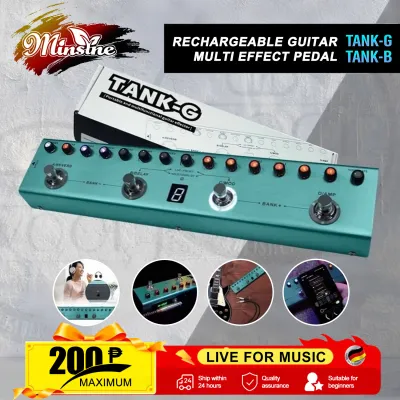
The Tank B is designed primarily as a portable multi-effects pedalboard and direct-recording tool. It combines several essential guitar utilities into a single compact chassis, including preamp models, a cabinet simulator with impulse response (IR) loading capabilities, a built-in tuner, and basic modulation, delay, and reverb effects. Its primary role is to serve as an all-in-one fly rig or a direct-to-PA solution, allowing players to perform or record without carrying a heavy physical amplifier.
When shopping, it is crucial to distinguish the Tank B from its sibling models, such as the Tank G, which is specifically voiced for bass guitar frequencies. Using a bass-optimized pedal for an electric guitar can result in a muddy midrange and a lack of high-end clarity, so always verify the model letter and target instrument before purchasing.
Products mentioned in this guide
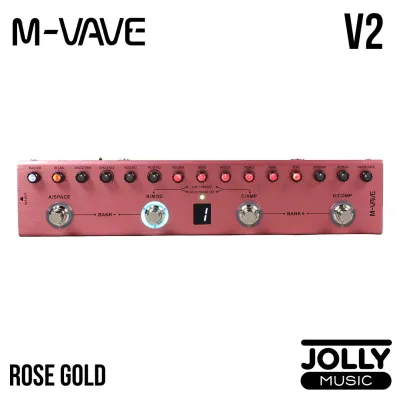
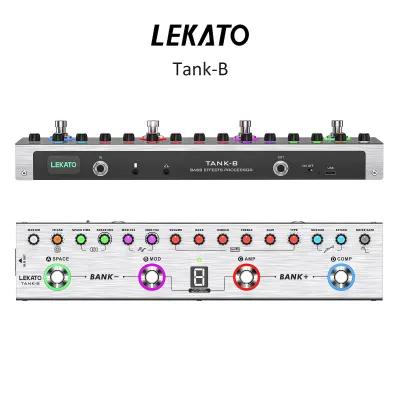
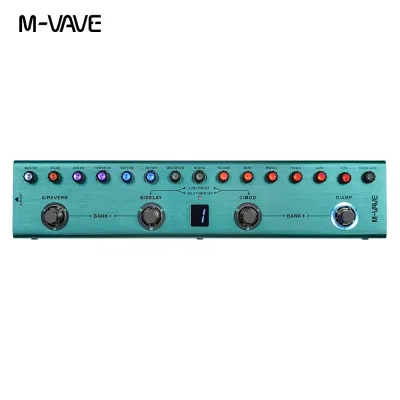
Prices are valid at publication and may change. Please refer to the product page for the latest price.
The main alternatives to the Tank B fall into three distinct categories. First are dedicated IR loaders, which focus solely on high-resolution cabinet simulation without built-in preamps or modulation. Second are full-featured multi-effects processors, which offer extensive signal routing, deep menu editing, and hundreds of effects. Third are analog preamp pedals, which recreate the physical circuitry of classic amplifiers but often lack digital cabinet simulation or direct USB recording outputs.
Critical Comparison Dimensions for Your Rig
Integrating a new pedal into your signal chain requires careful consideration of how it interacts with your existing equipment. Whether you plug directly into a mixing console, a home studio audio interface, or a traditional guitar amplifier, matching the pedal’s technical specifications to your setup prevents signal degradation, unwanted noise, and phase issues.

Tone Shaping and Impulse Response (IR) Capabilities
The heart of any modern direct-to-PA guitar rig is its cabinet simulation. When evaluating the Tank B against alternatives, start by checking the number of built-in cabinet models and the capacity for loading third-party impulse responses. Some entry-level pedals restrict you to a small number of factory presets, while others provide dedicated user slots where you can upload custom IR files (typically in .wav format) to replicate your favorite physical speaker cabinets.
Examine the EQ section and preamp voicing options of each candidate. A versatile pedal should offer independent gain staging, allowing you to transition smoothly from clean, edge-of-breakup tones to high-gain distortion. Look for units that provide a multi-band EQ (bass, middle, treble) rather than a single tone knob, as this gives you the precision needed to cut through a dense live mix.
Additionally, verify the digital processing specifications in the official user manuals. Pay close attention to latency and sample rate compatibility. High latency (measured in milliseconds) can create a distracting delay between your pick attack and the sound coming out of the monitors, while mismatched sample rates can cause digital artifacts or failure to load custom IR files.
Connectivity, Routing, and Recording Features
Your pedal’s input and output options dictate how easily you can connect to different sound systems. For live performances in local venues, a balanced XLR DI output is highly beneficial. It allows you to run a long cable directly to the house mixing board without signal loss or high-frequency roll-off. Ensure the pedal features a ground lift switch; this is essential for eliminating the annoying hum caused by ground loops, which are common in venues with older or unstable electrical wiring.
For home practice and recording, look for a dedicated headphone output and USB audio interface capabilities. A pedal that functions as a USB interface allows you to record directly into your Digital Audio Workstation (DAW) without needing an external interface. Some modern pedals also include Bluetooth connectivity, which lets you stream backing tracks from your smartphone directly through your headphones for silent practice sessions.
If you plan to use your existing delay or modulation pedals, check if the unit has an effects loop (Send/Return). An effects loop allows you to place time-based effects after the preamp stage, keeping your delays and reverbs clean and distinct. Finally, if you use complex MIDI switching systems to control your entire rig, verify whether the pedal supports MIDI input and output commands.
Power Supply, Build, and Pedalboard Footprint
Physical durability and power requirements are critical factors, especially when gigging in tropical climates like the Philippines, where high humidity and sudden temperature shifts can stress electronic components. Check the chassis material of each pedal. A solid metal enclosure offers significantly better protection against heavy stomping and transport wear than a plastic housing.
Verify the power specifications, including the required voltage (typically 9V DC) and the maximum current draw in milliamperes (mA). Some compact pedals feature an internal rechargeable battery, which offers incredible portability for outdoor gigs or street busking where wall outlets are unavailable. However, if you plan to mount the pedal on a permanent board, ensure your multi-outlet power supply can deliver the exact voltage and sufficient current to avoid digital noise or unexpected shutdowns.
Consider the physical layout and visibility of the pedal. In low-light bar environments or bright outdoor daytime gigs, a clear, high-contrast screen and illuminated footswitches are invaluable. Ensure the knobs are sturdy and spaced far enough apart that you do not accidentally adjust your gain or volume settings when stomping on a switch during a performance.
Assessing Price and Long-Term Value
When comparing costs, look beyond the initial price tag in ₱. A pedal that seems more expensive upfront may actually save you money if it eliminates the need to purchase separate accessories. For example, if a pedal includes a reliable built-in tuner, a high-quality DI box, a headphone amplifier, and an IR loader, it replaces several individual pedals that would otherwise crowd your board and require separate power cables.
Evaluate the manufacturer’s history of software support and firmware updates. Digital pedals rely heavily on companion software for managing custom IRs, editing presets, and updating the system firmware. Check online user communities to ensure the companion app is compatible with your computer’s operating system (such as Windows or macOS) or your mobile device.
Finally, review the warranty terms and the availability of local customer support. A durable build with high-quality footswitches and jacks reduces the likelihood of failure during a gig, ensuring your investment provides reliable service over years of regular use.
Decision Framework: Which Pedal Fits Your Needs?
To make the right choice, align the pedal’s capabilities with your primary playing environment and technical requirements.
Choose the Tank B if you need an ultra-portable, budget-friendly “fly rig” that combines essential preamp tones, cabinet simulation, and basic effects into a single, lightweight unit. It is an excellent option for guitarists who want to travel light to rehearsals, record direct to a computer at home, or have a reliable backup rig that fits easily into a gig bag.
Choose a dedicated multi-effects processor if your music relies heavily on complex, stacked effects, such as dual delays, lush modulations, and pitch shifting. These larger units offer far more processing power, extensive routing options, and deep editing menus, making them ideal for players who enjoy crafting intricate, customized soundscapes.
Choose a standalone analog preamp pedal if you prefer a traditional “amp-in-the-room” feel and want to run your signal directly into the front of a physical guitar amplifier. These pedals excel at replicating the dynamic response of tube amps but typically require a separate cabinet simulator or DI box if you decide to plug directly into a PA system.
Before making any purchase, audit your existing gear. If your current amplifier, load box, or audio interface already features high-quality cabinet simulation and IR loading, you may not need to pay extra for those features in a pedal. Focus your budget on the specific tools—whether modulation, overdrive, or routing flexibility—that your current setup lacks.
Frequently Asked Questions (FAQ)
Can I use the Tank B directly into a PA system without an amplifier?
Yes, but you must ensure that the cabinet simulation or IR loading feature is active. Running a raw preamp signal directly into a full-range PA speaker without cabinet simulation results in an incredibly harsh, fizzy, and unpleasant tone. The cabinet simulator acts as a low-pass filter, mimicking the frequency response of a physical guitar speaker. Additionally, check the manual for XLR output specifications and use the ground lift switch if you encounter hum from the venue’s PA system.
Do I need special software to load custom IRs into these pedals?
Yes, most pedals with IR-loading capabilities require proprietary desktop or mobile software provided by the manufacturer to transfer third-party impulse response files. These files must usually be converted to a specific sample rate and bit depth supported by the pedal’s hardware. Before purchasing, visit the manufacturer’s website to verify that their editing software is compatible with your computer or smartphone operating system and check what type of USB cable is required for the connection.
Is it better to buy a multi-effects pedal or a dedicated preamp/IR pedal?
The choice depends on your performance style and how much time you want to spend editing tones. Multi-effects pedals offer immense versatility and hundreds of sound combinations, but they often require navigating complex menus and digital screens. Dedicated preamp and IR pedals offer a more focused, straightforward layout with physical knobs, making them easier to adjust on the fly during a live performance. If you prefer simplicity and a traditional pedalboard workflow, a dedicated preamp/IR pedal is often the more practical choice.
Community discussion
Share your experience or ask a question. Comments are reviewed before publication.