
Quick Answer: Which Controller Should You Choose?
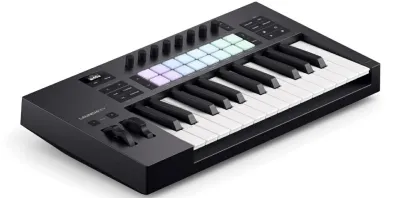
Choosing the right MIDI controller is not about finding a single universal winner, but rather about matching a keyboard’s physical design and integration features to your specific digital audio workstation (DAW) and creative habits. If your production revolves around Ableton Live or Logic Pro and you require seamless, deep integration with clip launching and session navigation right out of the box, the Novation Launchkey MK4 offers a highly optimized workflow. Its layout is designed to minimize your reliance on a computer mouse, allowing you to control your session directly from the hardware.
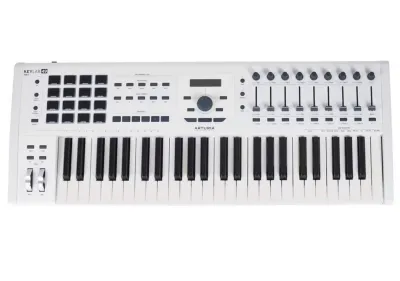
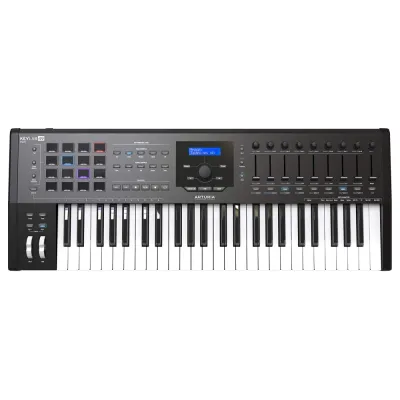
For producers who prioritize a premium keybed feel, robust construction, and deep integration with virtual instruments, the Arturia KeyLab series is an exceptional fit. It bridges the gap between a traditional keyboard instrument and a modern controller, making it highly suitable for players with a piano background. Meanwhile, if your workflow is heavily beat-oriented, relying on precise drum pad performance, MPC-style note repeat, and a compact footprint for tight desk spaces, the Akai MPK series remains an industry standard for rhythmic expression.
Core Comparison Dimensions to Verify
Before investing in a new MIDI controller, it is essential to look beyond aesthetic appeal and marketing promises. The interaction between your physical hands, your computer’s operating system, and your chosen music software determines how fluid your creative process will be. To make an informed decision, you must verify several critical hardware and software dimensions against the official manufacturer specifications.
Products mentioned in this guide
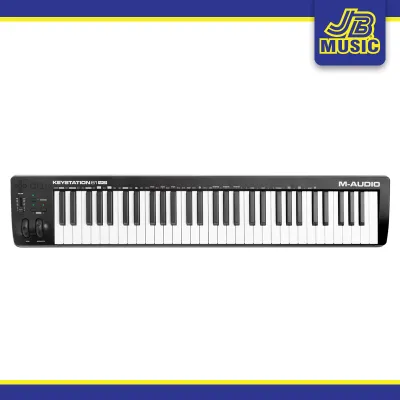
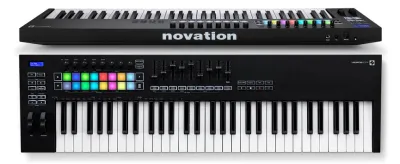
Prices are valid at publication and may change. Please refer to the product page for the latest price.

Keybed Feel and Playability
The physical keys are your primary point of contact with your music, making keybed action a critical factor to evaluate. MIDI controllers generally fall into three categories: synth-action, semi-weighted, and fully weighted hammer-action. Synth-action keys, often found on compact models, are light and springy, which is ideal for rapid synth leads, basslines, and drum programming. Semi-weighted keys add a slight resistance using weights or stiffer springs, offering a compromise that appeals to players who want more dynamic control over acoustic piano and electric piano plugins.
When comparing the Novation Launchkey MK4, Arturia KeyLab, and Akai MPK, you must check the specific key size and aftertouch capabilities of the exact model size you plan to buy. Full-size keys are essential for traditional keyboardists who want to maintain their muscle memory, while mini-keys are excellent for portability and tight desk setups. Aftertouch—a feature that allows you to modulate sound by applying pressure to a key after it is fully depressed—is not universally available across all sizes or tiers of these controller lines. You should carefully inspect the manufacturer’s specification sheet to confirm whether channel aftertouch is supported on your chosen model, as this feature adds immense expressive capability to sustained synth pads and orchestral strings.
Furthermore, physical key travel and resistance vary significantly between brands. Some keybeds feel soft and cushioned at the bottom of the key stroke, while others offer a firm, clicky response. If you are unable to test the physical units in a local music store, look for detailed user demonstrations focusing on key return speed and mechanical noise, especially if you plan to record in a quiet room with open microphones.
DAW Integration and Hardware Controls
The efficiency of your studio workflow depends heavily on how well a controller communicates with your digital audio workstation. Modern controllers use dedicated control scripts to automatically map physical knobs, faders, and pads to your DAW’s mixer, transport controls, and device parameters. Without these scripts, you may find yourself spending hours manually mapping MIDI CC parameters, which can disrupt your creative momentum.
The Novation Launchkey MK4 is engineered with deep, native integration for major DAWs, particularly Ableton Live, Logic Pro, and Cubase. Its physical layout features pads that can launch clips, control drum racks, and navigate sessions with minimal setup. The Arturia KeyLab series excels in its integration with Arturia’s own software ecosystem, but also includes dedicated DAW integration scripts that turn its faders and rotary encoders into a physical mixing console for major recording software. The Akai MPK series, famous for its MPC-style pads, offers robust integration with Akai’s MPC Beats software alongside standard DAW mapping templates that cater to beatmakers who prefer a classic hardware-sampler workflow.
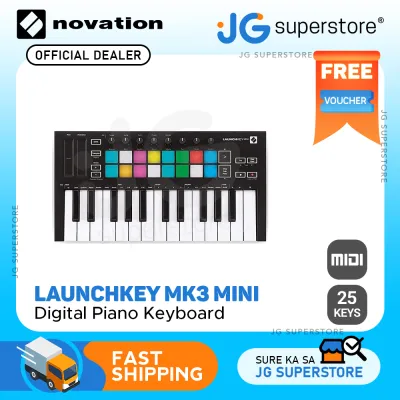
When evaluating the physical control layout, consider the quantity and placement of pads, knobs, and faders. If you frequently write automation or mix tracks on the fly, having physical faders is highly beneficial; however, these are often omitted on smaller 25-key and 37-key models. Check the physical dimensions and control counts of each model size to ensure you do not sacrifice essential physical controls for the sake of portability.
Included Software and Sound Libraries
The software bundle included with a MIDI controller can significantly offset the hardware’s initial cost, especially for beginners building their first virtual instrument library. Manufacturers regularly bundle virtual synthesizers, acoustic instrument emulations, DAW starter editions, and creative audio effects with their hardware. However, these bundles are subject to change, and you should always verify the current software offerings on the manufacturer’s official website before purchasing.
Arturia is renowned for bundling generous selections from its acclaimed software instruments, often including introductory versions of its synthesizer and keyboard modeling engines. This provides immediate access to thousands of production-ready sounds that are pre-mapped to the KeyLab’s physical controls. Novation and Akai also bundle highly capable software, including custom instrument plugins, sample packs, and introductory DAW licenses that allow you to start producing music immediately.
When assessing these bundles, it is crucial to check the system requirements of the included software against your computer’s operating system version, processor, and RAM. Additionally, verify the license transferability rules; some manufacturers allow you to transfer the bundled software licenses if you decide to sell the hardware later, while others tie the software permanently to your user account.
Matching the Controller to Your Production Workflow
To choose the right controller, you must project how each device will function within your daily production routine. Different genres and production styles demand different physical interfaces.
For beatmakers, electronic music producers, and finger drummers, pad performance and rhythmic tools are paramount. If your workflow involves chopping samples, programming intricate drum patterns, and triggering loops, the quality of the performance pads is your top priority. The Akai MPK series, drawing on decades of MPC heritage, features thick, highly sensitive, velocity-sensitive pads that excel at finger drumming. The Novation Launchkey MK4 also offers highly responsive pads that double as clip launchers, making it an excellent hybrid choice for electronic producers who perform live sets and arrange tracks on the fly.
For traditional keyboardists, pianists, and film composers, the priority shifts entirely to keybed feel, scale modes, and harmonic tools. If you spend your time playing complex chord progressions, recording expressive piano parts, or scoring orchestral arrangements, you will likely prefer the semi-weighted keybed options found in the larger Arturia KeyLab models. These controllers provide the physical resistance needed for nuanced dynamic expression. Additionally, built-in scale and chord modes—which restrict the keys to a specific musical scale or allow you to play complex chords with a single finger—can be invaluable tools for rapid composition, especially when working under tight deadlines.
For live performers, mixing engineers, and sound designers, tactile control over multiple parameters simultaneously is essential. If you perform on stage or prefer mixing “out of the box,” you need a controller with a generous array of physical faders, endless rotary encoders, and a clear built-in display. The Arturia KeyLab series often features high-contrast screens that display preset names and parameter values directly on the hardware, reducing the need to look at your computer screen during a performance. Novation’s Launchkey MK4 also provides excellent visual feedback through its updated display and color-coded pads, helping you stay oriented in low-light stage environments.
Pre-Purchase Specification and Compatibility Checklist
To avoid compatibility issues or hardware limitations after your purchase, run through this technical checklist before finalizing your decision:
- Power Requirements: Determine if the controller is fully USB bus-powered or if it requires an external power adapter. While most compact and mid-sized controllers run efficiently on USB power, larger models with motorized faders or extensive LED lighting may require a dedicated power supply or a high-power USB-C port.
- Physical Dimensions and Desk Space: Measure your studio desk carefully. In humid tropical environments, such as home studios in the Philippines, ensuring adequate ventilation around your gear is important. Ensure the controller's depth and height will fit comfortably alongside your computer keyboard and studio monitors. If you have a slide-out keyboard tray, verify the clearance height, as some controllers have tall knobs and faders that may get caught.
- OS and DAW Compatibility: Check the manufacturer's system requirements to ensure the controller's editor software and DAW integration scripts are fully compatible with your operating system version (macOS, Windows, or iPadOS) and your specific DAW version.
- MIDI I/O Ports: If you own external hardware synthesizers, drum machines, or Eurorack modules, check for physical 5-pin MIDI Out or 3.5mm TRS MIDI ports. A controller with standalone MIDI output allows you to play your hardware gear directly without needing a computer turned on.
- Pedal Inputs: Verify the number and type of pedal inputs. Most controllers offer a sustain pedal input, but if you require expression pedal control for dynamic volume swells or filter sweeps, ensure the hardware has a dedicated expression input.
Final Decision Framework
To make your final choice, align your studio constraints and workflow preferences with the following conditions:
- Choose the Novation Launchkey MK4 if: You primarily use Ableton Live, Logic Pro, or Cubase, want a highly streamlined workflow with minimal mouse usage, and need a versatile balance of responsive pads, keys, and creative chord/scale tools for modern electronic music production.
- Choose the Arturia KeyLab if: You prioritize a premium keybed feel, robust physical construction, deep integration with a vast library of classic synthesizer and keyboard sounds, and require a clear hardware display for live performance or screen-free sound design.
- Choose the Akai MPK if: Your production is centered around beatmaking, finger drumming, and MPC-style workflows, and you require ultra-sensitive drum pads and a compact, durable design that fits easily into a mobile setup or a crowded desk.
- Verify first if: Your computer's USB ports can supply sufficient power, your desk has the physical clearance for the controller's dimensions, and your specific DAW version is officially supported by the manufacturer's integration scripts. Balancing your budget in pesos (₱) against the cost of separate software licenses can also help you determine the true value of each controller's bundled software package.
Frequently Asked Questions (FAQ)
Do these MIDI controllers work with mobile music production apps?
Yes, most modern MIDI controllers from Novation, Arturia, and Akai are class-compliant, meaning they can connect to mobile devices like iPads or iPhones without installing custom drivers. However, you must verify the power draw of the controller. Mobile devices often limit the power output of their ports, which may cause the controller to fail to power up. To resolve this, you may need to use a powered USB hub or a specialized adapter, such as an Apple Camera Connection Kit with an integrated power input, to supply external power to the controller while transmitting MIDI data to your mobile app.
Can I use these controllers without a computer?
You can use these controllers without a computer only if the specific model features a physical MIDI Out port (either a standard 5-pin DIN or a 3.5mm TRS MIDI port) and you supply external power to the device. Because MIDI controllers do not generate sound on their own, they must be connected to an external hardware synthesizer, sound module, or sampler to produce audio. Additionally, you should check if the controller’s internal features, such as the arpeggiator, scale modes, or chord generators, can function in standalone mode without active editor software running on a computer host.
Community discussion
Share your experience or ask a question. Comments are reviewed before publication.