
The M-Audio Oxygen Pro is an exceptionally versatile mid-range MIDI controller, but whether it is the absolute best choice for your studio depends entirely on your specific workflow priorities. If you are a producer who needs an all-in-one hub that balances a highly playable semi-weighted keybed with extensive physical controls—including velocity-sensitive pads, faders, and knobs—this controller represents outstanding value. It is particularly well-suited for hybrid workflows where you transition quickly between playing melodies, programming drums, and mixing tracks.
However, the Oxygen Pro may not be the ideal choice if your production style demands highly specialized hardware. For instance, dedicated finger drummers might prefer controllers with larger, more sensitive pads, while classical pianists will likely find the semi-weighted keybed too light compared to a fully weighted hammer-action alternative. Similarly, producers who work exclusively within a single DAW like Ableton Live or FL Studio might benefit more from a controller engineered specifically for that software’s ecosystem. Ultimately, the Oxygen Pro excels as a versatile generalist, but specialized tasks may warrant a more focused alternative.
Key Comparison Dimensions for Mid-Range MIDI Controllers
When evaluating MIDI controllers in the mid-range price bracket—typically ranging from approximately ₱10,000 to ₱25,000 in the Philippine market—several technical and physical dimensions dictate how well a device will integrate into your studio. Understanding these factors helps you avoid buyer’s remorse and ensures the hardware matches your creative habits.
Products mentioned in this guide
Prices are valid at publication and may change. Please refer to the product page for the latest price.
Keybed action and feel represent the most critical point of contact between you and your virtual instruments. Synth-action keys are light and springy, ideal for rapid synth leads and drum programming, but they lack the resistance needed for expressive piano performances. Semi-weighted keys introduce slight mechanical resistance, providing a more substantial feel that aids dynamic control. Fully weighted or hammer-action keys mimic the physical hammers of an acoustic piano, which is essential for traditional pianists but often makes the controller heavier and more expensive.
For beatmakers and electronic music producers, the quality of the velocity-sensitive pads is paramount. High-quality pads feature minimal crosstalk (where hitting one pad accidentally triggers another) and offer polyphonic aftertouch, allowing you to modulate sound parameters by varying pressure after the initial strike. In tropical environments like the Philippines, where high humidity can sometimes cause rubberized surfaces to degrade or become sticky over time, the material quality of these pads is an important durability consideration.
DAW integration and control protocols determine how much you will rely on your computer mouse. Look for devices that support standard protocols like Mackie Control Universal (MCU) or Human User Interface (HUI), or those that offer custom integration scripts for major Digital Audio Workstations (DAWs) like Ableton Live, Logic Pro, FL Studio, and Cubase. Deep integration allows physical faders, encoders, and transport buttons to map automatically to your software’s mixer and device parameters.
Finally, the physical construction determines whether a controller can withstand regular transport between home studios and live gigs. Look for rigid plastic chassis designs that resist flexing, robust USB ports that do not wobble, and smooth, dust-resistant potentiometers and faders. If you plan to transport your controller frequently in a backpack or gig bag through humid or rainy conditions, structural sealing and weight become primary decision factors.
M-Audio Oxygen Pro: Features, Build, and Workflow
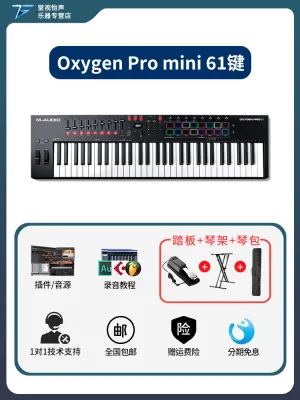
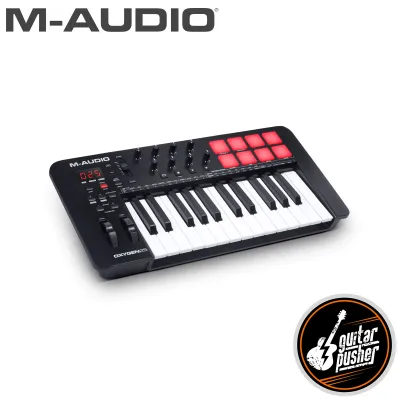
The M-Audio Oxygen Pro series is designed to serve as the central hub of a modern project studio. Available in 25, 49, 61, and 88-key configurations, this lineup targets different space requirements and playing styles. The 25, 49, and 61-key models feature semi-weighted keys with aftertouch, which is a premium inclusion at this price point, while the 88-key version offers graded hammer-action keys for a realistic piano experience.

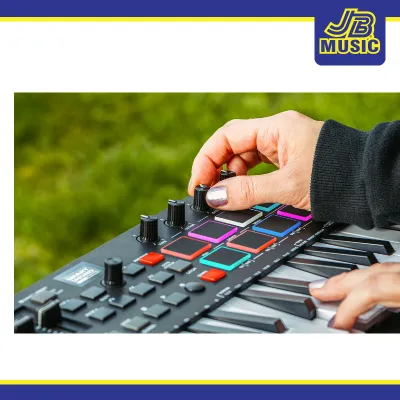
The physical interface is densely populated with controls. It features 16 RGB velocity-sensitive pads with Note Repeat, which is highly useful for programming hi-hats and triggering clips. The 49 and 61-key models include nine assignable faders and eight assignable knobs, alongside a dedicated transport section and an OLED screen that displays parameter values in real-time. This screen reduces the need to look at your computer monitor when adjusting settings or selecting presets.
One of the standout workflow features of the Oxygen Pro is its Smart Control technology. This includes Smart Chord and Smart Scale modes. Smart Chord allows you to play full chords with a single keypress, while Smart Scale restricts the active keys to a selected scale, preventing you from playing off-key notes. These features are highly beneficial for producers who are still developing their keyboard skills or need to quickly draft harmonic progressions.
Additionally, the controller features auto-mapping for popular DAWs, meaning that once you select your software from the onboard menu, the faders, knobs, and transport controls automatically configure themselves to control the mixer, pans, and plugin parameters. The package typically includes a suite of virtual instruments and DAW software, though you must verify the exact software bundle and license terms on the manufacturer’s official website or through an authorized local distributor, as software offerings can change over time.
How the Oxygen Pro Stacks Up Against Common Alternatives
To understand the value proposition of the M-Audio Oxygen Pro, it is helpful to compare it to other popular options in the mid-range market. Rather than looking at a static list of specific models that may fluctuate in availability, we can categorize the competition into three distinct design philosophies: pad-centric controllers, DAW-optimized controllers, and keybed-first controllers.
Alternatives Prioritizing Pad Layouts and Beatmaking
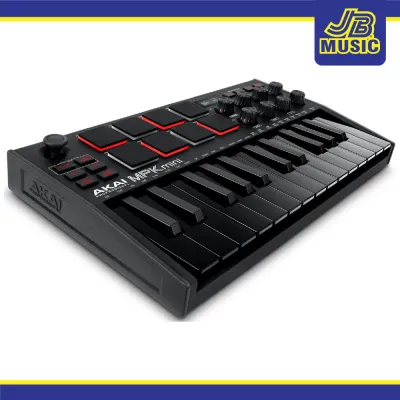
If your primary production style revolves around finger drumming, sample chopping, and step sequencing, you might look at alternatives that prioritize pad performance. Some controllers in this category feature larger, thicker pads with superior velocity curves and highly sensitive aftertouch, often inherited from legendary standalone hardware samplers.
While the Oxygen Pro offers 16 highly capable RGB pads, controllers designed exclusively for beatmaking often place the pads in a more central, ergonomic position and may omit faders or reduce the key count to save space. If you are producing hip-hop, trap, or electronic music where drum programming is the core of your workflow, check the manufacturer specifications for pad dimensions and sensor types. You may find that a pad-first controller offers a more tactile, expressive drumming experience, even if it sacrifices some of the keyboard playability or fader-based mixing controls found on the Oxygen Pro.
Alternatives Focused on Deep DAW Integration
Some manufacturers design their controllers to work hand-in-hand with specific DAWs, offering a level of integration that standard MIDI mapping cannot match. For example, if you are a dedicated Ableton Live user, you might consider alternatives that feature dedicated clip-launching grids, device control macros, and color-matched track indicators that mirror the software’s Session View perfectly.
The Oxygen Pro provides excellent general-purpose auto-mapping across multiple DAWs via MCU/HUI protocols, but it may require some manual configuration for complex plugin mapping. In contrast, proprietary DAW-focused controllers offer plug-and-play simplicity where every knob and button has a pre-defined, unchangeable function mapped to the software’s native devices. Before purchasing, verify the compatibility of any controller with your specific DAW version and operating system. If you want a seamless, screen-free workflow in a single software environment, a dedicated DAW-specific controller might serve you better than the more generalized Oxygen Pro.
Alternatives with Premium Keybed Feel
For trained pianists and keyboardists, the mechanical response of the keys is the single most important factor. While the Oxygen Pro’s semi-weighted keybed is highly regarded for its balance of synth and piano action, it may feel too light or springy for those accustomed to acoustic instruments.
Alternative controllers in this price range sometimes focus almost entirely on keybed quality, partnering with established keybed manufacturers to offer superior spring tension, longer key pivot points, and more expressive velocity response. These keyboards often strip away the pads, faders, and complex smart features to allocate their manufacturing budget toward premium key mechanisms. If your primary goal is to perform expressive piano pieces, record virtual orchestral libraries, or practice traditional keyboard techniques, you should prioritize a controller that emphasizes keybed feel over physical faders and drum pads.
Decision Framework: Choose Based on Your Production Needs
Selecting the right MIDI controller requires matching the hardware’s strengths to your daily production tasks. Use the following conditional scenarios to determine if the M-Audio Oxygen Pro or an alternative is the best fit for your home studio:
- Scenario A: The Multi-Genre Producer (Choose the M-Audio Oxygen Pro)
If you compose melodies, program drum beats, and mix your tracks within a single project, you need a versatile all-rounder. The Oxygen Pro excels here because it does not compromise heavily on any single front. You get a highly playable semi-weighted keybed with aftertouch, a full set of 16 drum pads, and physical faders for mixing. This balanced layout makes it an exceptional central controller for home studios where space and budget do not allow for multiple dedicated devices. - Scenario B: The Beatmaker and Finger Drummer (Choose a Pad-Focused Alternative)
If your workflow starts and ends with drum programming, sample slicing, and triggering loops, a controller with larger, more sensitive pads and a more compact key footprint may be more practical. This setup allows you to keep the controller close to your computer keyboard or mouse, optimizing your workspace ergonomics. - Scenario C: The Live Performer and DAW Power User (Choose a DAW-Optimized Alternative)
If you perform live electronic music or rely heavily on complex DAW macros and clip launching, look for a controller designed specifically for your software. The tight integration of color-coded clip grids and automatic device mapping will streamline your performance and reduce setup times on stage. - Scenario D: The Pianist and Composer (Choose a Keybed-First Alternative)
If you are recording intricate piano arrangements or require highly precise velocity control for virtual instruments, prioritize a keybed-focused controller. The realistic physical resistance of a premium keybed will translate your performance far more accurately than a generalized controller.
To help visualize these trade-offs, consider the following comparison matrix of mid-range controller types:
| Controller Focus | Keybed Feel | Pad Quality | DAW Integration | Best Suited For |
|---|---|---|---|---|
| M-Audio Oxygen Pro | Semi-weighted with aftertouch; highly versatile | Excellent (16 RGB pads with Note Repeat) | Broad auto-mapping (MCU/HUI) across major DAWs | Multi-genre producers, hybrid studios |
| Pad-Centric | Synth-action; often compact or fewer keys | Premium (Large, highly sensitive pads) | Focused on clip launching and step sequencing | Beatmakers, electronic music producers |
| DAW-Optimized | Synth-action or basic semi-weighted | Good (Varies by model; often grid-based) | Deep, native integration with specific DAWs | Live performers, single-DAW users |
| Keybed-First | Premium semi-weighted or hammer-action | Basic or none | Minimal; manual mapping often required | Classical pianists, film composers |
Pre-Purchase Compatibility and Setup Checks
Before finalizing your purchase of the M-Audio Oxygen Pro or any alternative MIDI controller, you must perform several compatibility and environmental checks to ensure smooth integration into your setup.
First, verify the connection interface and power requirements. The Oxygen Pro is primarily powered via USB bus power, drawing electricity directly from your computer. If you are using a compact laptop or a USB hub, ensure the hub is externally powered to prevent connection dropouts or insufficient power warnings. If you plan to use the controller with external hardware synthesizers without a computer, verify that the model you choose features a physical 5-pin DIN MIDI Out port and check the manufacturer’s specifications for compatible 9V DC external power adapters, paying close attention to polarity and amperage requirements.
Second, check operating system and DAW compatibility. While most modern MIDI controllers are class-compliant (meaning they do not require custom drivers to function), advanced features like auto-mapping and firmware updates often require dedicated software utilities. Visit the manufacturer’s official support page to confirm that your operating system version (macOS or Windows) and your specific DAW version are fully supported.
Finally, consider your local studio environment. In tropical regions like the Philippines, high humidity and dust can affect electronic contacts and moving parts over time. It is highly recommended to use a dust cover or a dedicated gig bag when the controller is not in use. Avoid placing the controller in direct sunlight, which can degrade rubberized fader caps and plastic housings. Always refer to the manufacturer’s care instructions for cleaning and maintenance to preserve the longevity of your investment.
Frequently Asked Questions (FAQ)
Does the M-Audio Oxygen Pro work with mobile music production apps?
Yes, the M-Audio Oxygen Pro can connect to mobile devices running iOS, iPadOS, or Android, provided the mobile music production app supports standard MIDI input. To connect the controller to an iOS device with a Lightning port, you will typically need an official Apple Lightning to USB Camera Adapter. For USB-C devices, a standard USB-C to USB-A adapter or a direct USB-C to USB-B cable is required. Because the Oxygen Pro draws significant power to operate its LED screen, RGB pads, and keys, you will likely need to connect it to a powered USB hub rather than plugging it directly into your mobile device, which may trigger a power-draw limitation error.
Can I use the Oxygen Pro without a computer?
Yes, you can use the M-Audio Oxygen Pro without a computer, but because it is a MIDI controller, it does not contain an internal sound engine and cannot produce audio on its own. To use it in a standalone hardware setup, you must connect its 5-pin DIN MIDI Out port to the MIDI In port of an external hardware synthesizer, sound module, or sampler. Additionally, because there is no computer to supply power over USB, you must power the controller externally. You can achieve this by connecting the USB port to a standard USB power adapter or using a compatible external power supply as specified in the user manual.
Community discussion
Share your experience or ask a question. Comments are reviewed before publication.