
Choosing between a latching and a momentary footswitch pedal depends entirely on the specific gear you own and the functions you want to control. A latching pedal acts like a standard light switch, staying on or off until you press it again, which is ideal for changing amplifier channels. A momentary pedal only remains active while your foot is physically pressing the button down, making it the standard choice for tap tempo, preset scrolling, or triggering brief effects.
Before purchasing any footswitch pedal, you must verify your equipment’s technical requirements. Plugging the wrong type of switch into your amplifier or multi-effects processor can lead to frustrating performance issues, such as having to hold a button down constantly just to stay on an overdrive channel. Understanding how these two mechanisms operate electrically and mechanically will ensure you select a compatible accessory that integrates seamlessly into your rig.
How Latching and Momentary Footswitches Actually Work
At the heart of every footswitch pedal is a mechanical contact assembly designed to handle physical foot pressure. A latching switch, often referred to as an alternate-action switch, features a physical locking mechanism inside the chassis. When you step on it, the switch clicks and locks into its new position, holding that state even after you lift your foot. It requires a second physical press to unlock the mechanism and return the switch to its original state. In contrast, a momentary switch uses a spring-loaded mechanism that immediately pushes the button back up the moment you release your foot.
Products mentioned in this guide
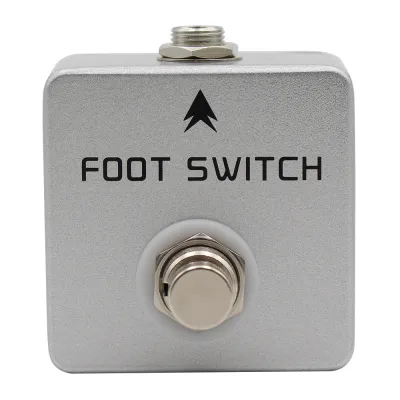
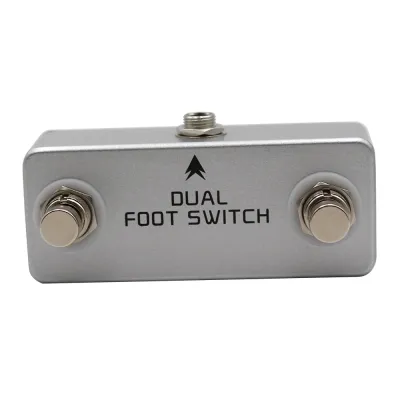
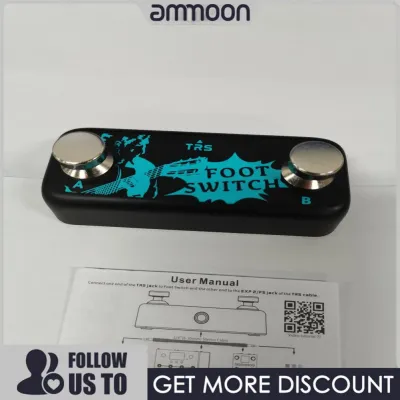
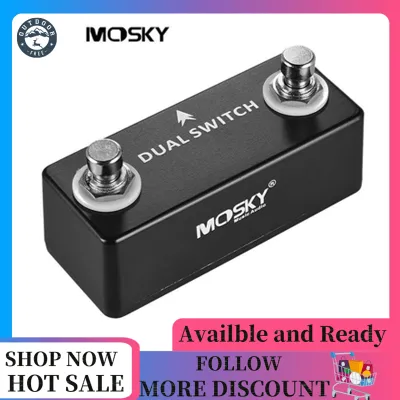
![[Hot sale]MOSKY DUAL SWITCH Dual Footswitch Foot Switch Pedal Full Metal Shell](https://img.lazcdn.com/g/p/b3019f7ef64a87b9c0daf82ea962fb1d.png_400x400q80.png_.webp)
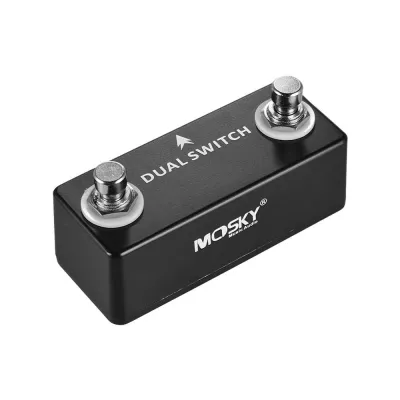
Prices are valid at publication and may change. Please refer to the product page for the latest price.
This mechanical difference directly dictates how electrical signals travel through your instrument cable. A latching switch maintains a continuous circuit state, keeping the connection either fully open or fully closed. This continuous state tells your amplifier to remain on a specific setting, such as keeping a reverb circuit engaged. A momentary switch, however, only alters the circuit state for the exact duration of the physical press. It sends a brief electrical pulse or a temporary ground connection to the receiving device, which the device’s internal computer interprets as a command to trigger an action, such as registering a single beat for tap tempo.
Identifying these switches visually or tactically before plugging them in can save time during setup. Latching switches typically have a deeper physical travel and produce a distinct, heavy mechanical click that you can feel through the sole of your shoe. They often feature built-in LED indicators on the pedal housing to show whether the circuit is currently active, as the pedal itself holds the state. Momentary switches, especially those designed for keyboard sustain or digital tap tempo, often have a softer, quieter press with minimal travel. Many momentary pedals use a flat, pad-style design or a smooth, clickless metal button, and they rarely feature onboard LEDs because the pedal does not maintain an active state on its own.
Checking Compatibility with Your Amplifier or Effects Unit
To avoid purchasing an incompatible footswitch pedal, you must locate the exact hardware specifications of your receiving device. Start by examining the rear panel of your amplifier or multi-effects processor, looking closely at the labels next to the 1/4-inch jacks. Labels like “Foot Switch,” “FS,” “Exp/FS,” or “Ctrl” indicate where the pedal connects. If the panel does not specify the switch type, consult the user manual or the manufacturer’s official website. Look for the technical specifications section, which will explicitly state whether the jack requires a latching (sometimes called latch-type or latching-only) or momentary (often listed as unlatch, momentary, or pulse) switch.

The type of cable you use to connect the pedal is just as critical as the switch mechanism itself. Standard footswitch connections utilize either Tip-Sleeve (TS) mono cables or Tip-Ring-Sleeve (TRS) stereo cables. A single-button footswitch without an LED indicator typically relies on a TS cable, which carries a single control signal. If your pedal features two buttons, or if it requires power from the amplifier to illuminate an LED indicator, it will almost certainly require a TRS cable. Using a TS cable in a TRS jack can short out the secondary ring connection, rendering the second button or the LED completely non-functional.
While many traditional analog amplifiers use standard 1/4-inch analog jacks, modern digital amplifiers and multi-effects processors often utilize proprietary connection systems. These systems may use multi-pin DIN connectors, RJ45 ethernet-style cables, or specialized digital interfaces to communicate. If your amplifier features a proprietary digital port, standard universal footswitch pedals will not work. In these cases, you must use the specific controller designed by the manufacturer for that exact model line to ensure proper communication and prevent damage to the digital control board.
Connecting a momentary switch to an input designed exclusively for a latching switch, or vice versa, will not damage your gear physically, but it will cause highly erratic behavior. For example, if you plug a momentary pedal into a latching channel-switch input, the amplifier will only switch to the overdrive channel while your foot is holding the pedal down; the moment you lift your foot, the amp will snap back to the clean channel. Conversely, plugging a latching pedal into a momentary tap-tempo input will require you to press the pedal twice for every single tempo beat, making it impossible to sync your delay times accurately. If you experience these issues, stop using the pedal immediately and verify the hardware requirements.
Latching vs. Momentary: Use Cases and Practical Differences
Latching footswitch pedals are the traditional choice for analog control setups where you need to set a state and leave it. The most common application is switching between the clean and dirty channels of a guitar amplifier during a performance. They are also highly effective for toggling global amplifier features on and off, such as a built-in spring reverb tank, an effects loop, or a solo volume boost. Because the pedal physically holds the circuit closed, you can step on the switch at the start of a song section and focus entirely on your playing without worrying about keeping your foot near the pedalboard.
Momentary footswitch pedals excel in modern, digital, and time-based setups where rapid, precise triggering is required. Musicians rely heavily on momentary switches to tap in the tempo for delay pedals, modulation effects, and drum machines. They are also essential for controlling looper pedals, where a single, precise tap starts recording, stops playback, or triggers an undo function. Additionally, momentary switches are used to scroll through preset banks on digital multi-effects processors, mute the signal path for silent tuning, or engage temporary effects like a pitch-shifter bend that should only last for a single note.
The physical experience of using these pedals on stage can vary significantly depending on the venue environment. In warm, humid tropical climates, outdoor gigs can make stage setups damp, making clear tactile feedback crucial. A latching pedal provides a reassuring physical “thunk” underfoot, allowing you to know instantly that the channel has changed even if stage monitors are loud and you cannot clearly hear the transition. Momentary pedals, which require frequent, rapid tapping, benefit from smooth, clickless designs that reduce foot fatigue during long sets. However, because they lack physical locking, you must rely on the connected device’s screen or your own timing to confirm the action was registered.
To help visualize these differences, the table below outlines the primary characteristics of each footswitch type:
| Feature | Latching Footswitch | Momentary Footswitch |
|---|---|---|
| Mechanical Action | Clicks and locks into place; requires a second press to release. | Springs back immediately when foot pressure is removed. |
| Electrical Signal | Maintains a continuous open or closed circuit state. | Sends a temporary electrical pulse or ground connection. |
| Primary Use Cases | Amp channel switching, global reverb/effects loop bypass. | Tap tempo, preset scrolling, looper control, tuner mute. |
| Tactile Feedback | Heavy mechanical click; deep physical button travel. | Soft, quiet, or clickless press; rapid spring return. |
| Standard Cable | TS (mono) for single switch; TRS (stereo) for dual/LED. | TS (mono) for single switch; TRS (stereo) for dual/multi-function. |
Decision Guide: Which Footswitch Pedal Should You Get?
To make the final decision, evaluate your primary performance needs alongside the technical specifications of your amplifier or effects unit. If your main goal is to switch between your amplifier’s clean and overdrive channels, or to turn a dedicated effects loop on and off, and your amplifier’s manual specifies a latching circuit, you should purchase a latching footswitch pedal. This setup ensures that your channel selections remain stable throughout your performance without requiring constant physical contact with the pedal.
Conversely, you should choose a momentary footswitch pedal if your setup centers around digital processing, time-based effects, or live looping. If you need to tap in delay times, scroll through preset banks on a multi-effects board, or trigger temporary effects, a momentary switch is the correct tool. Ensure that your digital processor is configured to receive momentary signals, as most modern multi-effects units allow you to assign these switches to a wide variety of utility functions.
Before buying a single-purpose pedal, check if your equipment or the pedal you are considering features a selectable polarity or mode switch. Some universal footswitch pedals feature a small slider on the bottom or back panel labeled “Latch/Momentary” or “N.O./N.C.” (Normally Open/Normally Closed). Purchasing a pedal with these selectable options provides maximum flexibility, allowing you to repurpose the same physical hardware if you upgrade your amplifier or change your effects processor in the future. Whether you are looking to spend a few hundred ₱ on a basic utility pedal or investing in a more robust multi-button controller, verifying compatibility first prevents wasted budget.
Finally, always stop and consult the manufacturer’s documentation if your gear utilizes a proprietary digital connection rather than a standard 1/4-inch analog jack. Attempting to force a standard universal footswitch into a proprietary digital port using adapters can result in communication errors or electrical damage to the sensitive control circuits. When dealing with complex digital modeling amplifiers, investing in the manufacturer’s dedicated controller is the safest and most reliable path to full functionality.
Frequently Asked Questions (FAQ)
Can I use a momentary switch on an amp that expects a latching switch?
Using a momentary switch on an amplifier that expects a latching switch will not damage the amplifier’s internal circuitry, but it will make the switching function highly impractical. Because the momentary switch only completes the circuit while your foot is physically pressing down on the button, the amplifier will only stay on the selected channel for that exact duration. The moment you lift your foot, the amplifier will immediately revert to its default channel. To keep the channel engaged, you would have to stand on the pedal continuously throughout the song, which is physically exhausting and limits your movement on stage. Always check your amplifier’s manual to confirm the required switch type before attempting to use a mismatched pedal.
Are all footswitch pedals universal across different brands?
No, footswitch pedals are not universally compatible across all brands and equipment types. While many traditional analog amplifiers use standard 1/4-inch TS or TRS jacks that can work with basic third-party analog switches, modern digital amplifiers and multi-effects processors often require proprietary controllers. These digital units communicate using specialized protocols, multi-pin DIN cables, or RJ45 connections that standard analog footswitches cannot support. Additionally, even among standard analog switches, different manufacturers may use different polarity standards (normally open versus normally closed), which can cause a universal switch to operate backward unless it features a polarity toggle switch on the chassis.
Do I need a stereo (TRS) or mono (TS) cable for my footswitch?
The cable you need depends entirely on the number of switches on your pedal and whether the pedal requires power for LED indicators. A single-button footswitch that simply toggles a single function without any built-in lights typically requires a standard mono (TS) instrument cable. However, if your footswitch has two or more buttons, or if it features status LEDs that draw power directly from the amplifier, you will need a stereo (TRS) cable. The TRS cable features an extra conductor ring that allows the amplifier to send power to the LEDs and receive separate control signals from multiple switches simultaneously over a single cable.
Community discussion
Share your experience or ask a question. Comments are reviewed before publication.