
For an adult beginner, the most critical keyboard features are a full 88-key layout, fully weighted or hammer-action keys, and touch sensitivity. These hardware specifications ensure that you develop proper finger strength, hand coordination, and dynamic control from day one, allowing for a seamless transition to an acoustic piano later. While digital features like app connectivity and high polyphony support your learning journey, the physical feel of the keys remains the single most important factor in building correct muscle memory.
Starting your musical journey as an adult brings unique advantages, such as disciplined practice habits and a clear understanding of your learning goals. However, navigating the vast market of digital keyboards can be overwhelming. Focusing on core hardware specifications rather than flashy digital extras will help you invest in an instrument that supports your progress for years to come, rather than one you will outgrow in a few months.
Core Hardware Features Every Adult Beginner Should Prioritize
The physical interface of your keyboard directly shapes your playing technique. Unlike children, adult beginners possess fully developed hand strength but must work on flexibility and independent finger control. Choosing the right hardware features from the start prevents the development of bad habits that are difficult to correct later.
Products mentioned in this guide
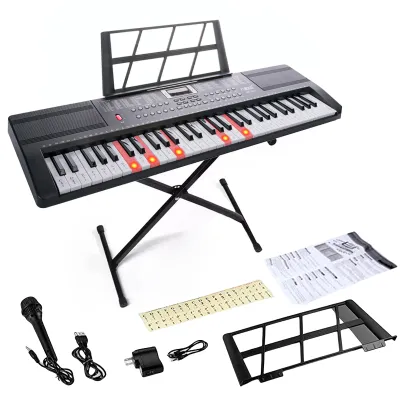
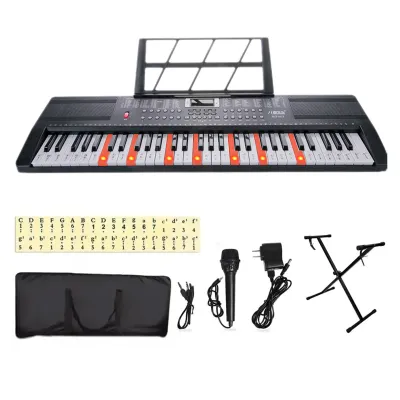
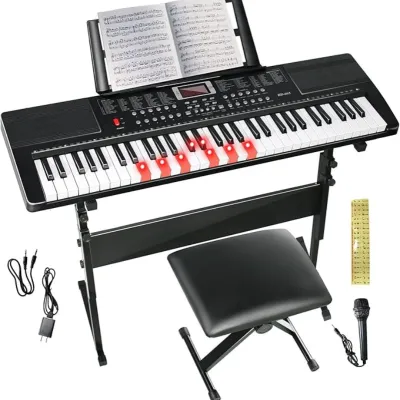
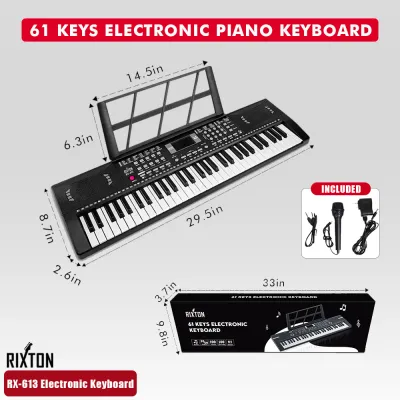
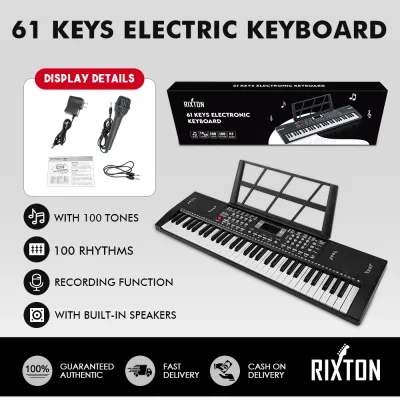
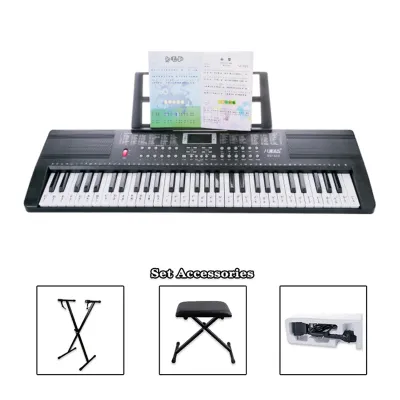
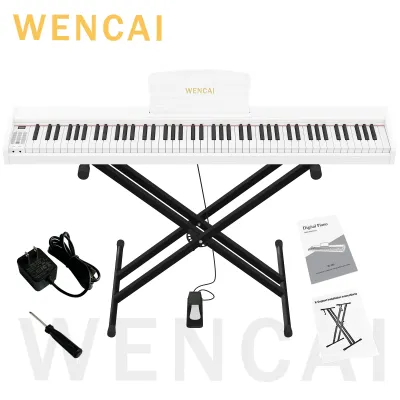
Prices are valid at publication and may change. Please refer to the product page for the latest price.
Key count is the first major decision you will face. Keyboards typically come in three standard sizes: 61 keys, 76 keys, and 88 keys. A 61-key keyboard is highly portable and sufficient for basic pop melodies or electronic music, but it quickly becomes limiting as you progress to classical pieces or complex arrangements. A 76-key option offers slightly more range but still lacks the complete register. A full 88-key layout is the standard for acoustic pianos. Prioritizing an 88-key keyboard ensures you can play any piece of music without running out of notes, and it helps you develop correct spatial awareness across the entire instrument.
Key action determines how the keys feel when pressed and how closely they mimic an acoustic piano. Non-weighted keys offer no resistance and are common on budget electronic keyboards; they are easy to press but do not build finger strength. Semi-weighted keys use springs to add some resistance, offering a middle ground but still lacking the authentic feel of a piano. Fully weighted or hammer-action keys use actual mechanical weights to replicate the physical hammers of an acoustic piano. This resistance is crucial for adult beginners, as it trains your hand muscles and allows you to transition smoothly to any traditional piano.
Touch sensitivity, also known as velocity sensitivity, is the keyboard’s ability to change its volume based on how hard or soft you strike a key. If you press a key gently, it should produce a quiet whisper; if you strike it firmly, it should produce a loud, bright tone. Without touch sensitivity, every note sounds at the exact same volume, making it impossible to play with emotion, highlight a melody over an accompaniment, or practice dynamic expression. Always verify that a keyboard has adjustable touch sensitivity before making a purchase.
Sound Quality and Digital Connectivity for Learning
While the physical feel of the keys builds your technique, the sound engine and connectivity options keep you engaged and facilitate modern learning methods. A keyboard that sounds artificial can quickly discourage practice, while poor connectivity limits your ability to use interactive learning tools.

Polyphony refers to the maximum number of individual notes or voices the keyboard can produce at the exact same time. When you play a chord while holding down the sustain pedal, each note continues to ring out, consuming polyphony. If your keyboard has low polyphony, older notes will be abruptly cut off to make room for new ones, resulting in a choppy sound. For adult beginners, a minimum of 64-note polyphony is recommended, though 128-note polyphony is ideal for classical repertoire and layered sounds, ensuring smooth transitions and rich, sustained chords.
The quality of the sound engine determines how realistic the instrument sounds. Basic keyboards use synthesized tones that sound thin and electronic. Higher-quality digital pianos use stereo sampling, which involves recording actual acoustic grand pianos at multiple volume levels. When evaluating a keyboard, listen to the decay of the notes—how the sound fades away naturally—and check if the tone changes character, not just volume, when played with different levels of force. A realistic sound engine trains your ears to recognize proper tone production and makes practice sessions far more rewarding.
Modern digital keyboards offer various connectivity options to enhance your learning experience. USB-MIDI is a standard connection that allows you to connect your keyboard to a computer, tablet, or smartphone using a cable. This connection lets you interact with learning software, notation programs, and recording applications. Bluetooth MIDI offers a wireless alternative, reducing cable clutter, though it can sometimes introduce minor latency. Additionally, look for dedicated audio outputs or headphone jacks. A high-quality headphone output is essential for quiet practice, allowing you to focus without disturbing others in your household.
Matching Keyboard Form Factors to Your Space and Goals
The physical design of the keyboard should match your living environment, lifestyle, and long-term musical goals. Choosing the wrong form factor can lead to discomfort during practice or logistical challenges in your home.
Slab-style keyboards are highly portable, compact, and versatile. They consist of just the keyboard unit itself, allowing you to place them on a portable stand and store them away when not in use. This form factor is ideal for those with limited living space or those who need to transport their instrument for rehearsals or gigs. In contrast, digital console pianos, or cabinet-style pianos, are designed as permanent pieces of furniture. They feature integrated wooden stands, built-in pedal boards, and larger speaker systems. Console pianos offer superior stability and a more traditional look, making them excellent for dedicated practice spaces.
When choosing a portable slab keyboard, pay close attention to its weight, dimensions, and the type of stand you use. A heavy 88-key keyboard requires a sturdy, double-braced X-stand or a Z-stand to prevent wobbling while playing. A shaky stand can ruin your posture and make it difficult to play with precision. Ensure you measure your available space and verify that the stand can be adjusted to the correct height, allowing your elbows to sit slightly above the keys when your shoulders are relaxed.
The sustain pedal is an essential accessory that allows notes to ring out after you release the keys. Many budget keyboards come with a cheap, plastic footswitch that slides around on the floor and only offers an on-off function. For serious learning, invest in a dedicated damper pedal that resembles an acoustic piano pedal. These pedals offer realistic physical resistance and often support half-pedaling, a technique that allows for subtle control over the amount of sustain, which is vital for intermediate and advanced classical pieces.
Building a Conditional Shortlist Based on Your Budget
Balancing your budget with essential features requires distinguishing between what you need to learn effectively and what is simply nice to have. By focusing on core features, you can avoid overpaying for functions you may never use.
Many keyboards marketed to beginners are packed with hundreds of sound effects, automatic accompaniment rhythms, built-in lesson screens, and flashing key lights. While these features can be fun, they are often unnecessary for adult beginners focused on learning proper piano technique. Skipping these premium digital extras allows you to allocate more of your budget toward high-quality key action and realistic sound sampling, which are far more critical for long-term development.
To help you organize your search, consider this conditional framework based on your primary musical goals:
| Primary Goal | Key Action Required | Key Count | Essential Connectivity | Recommended Form Factor |
|---|---|---|---|---|
| Casual Playing & Pop Melodies | Semi-weighted or fully weighted | 61 to 88 keys | USB-MIDI, Headphone jack | Portable slab with lightweight stand |
| Serious Classical Study | Fully weighted / Hammer action | 88 keys | USB-MIDI, Damper pedal input | Console style or heavy slab with sturdy stand |
| Music Production & Songwriting | Semi-weighted or fully weighted | 61 to 88 keys | USB-MIDI, Bluetooth MIDI | Portable slab near computer setup |
Before finalizing your purchase, especially in the Philippines, it is crucial to verify practical ownership details. Check the manufacturer’s warranty terms and confirm the location of authorized service centers. Electronic instruments can be sensitive to voltage fluctuations and high humidity, so knowing you have local support for repairs or maintenance provides peace of mind. Additionally, review the return policies of the online marketplace or local music store to ensure you can exchange the instrument if it arrives with any defects.
Frequently Asked Questions (FAQ)
Do I need an 88-key keyboard to start learning piano?
While you can learn the absolute basics of finger placement and simple melodies on a 61-key or 76-key keyboard, you will likely outgrow it within your first year of study. Standard piano repertoire quickly expands beyond five octaves, requiring the full range of an 88-key keyboard. Furthermore, practicing on a full-size keyboard helps you develop correct spatial awareness and arm positioning, which are essential for playing intermediate pieces smoothly.
Can I use a standard MIDI controller instead of a digital piano?
Yes, you can use a MIDI controller, but it requires additional equipment to produce sound. Unlike digital pianos, standard MIDI controllers do not have built-in speakers or sound engines. To practice, you must connect the controller to a computer, tablet, or smartphone running virtual instrument software, and listen through headphones or external speakers. This setup can be highly customizable for music production, but the extra steps required to turn it on and play can sometimes create a barrier to quick, spontaneous practice sessions.
What is the best way to connect my keyboard to learning apps?
The most reliable way to connect your keyboard to learning applications is through a direct USB cable, such as a USB-to-Host cable connected to your tablet or computer. This wired connection offers the lowest latency and the most stable data transfer. While Bluetooth MIDI is convenient and eliminates cables, it can occasionally suffer from minor lag or interference, which can be distracting when trying to match your playing to real-time visual prompts on a screen.

Community discussion
Share your experience or ask a question. Comments are reviewed before publication.