
The Quick Verdict: Who Actually Needs a Wireless Guitar System?
Deciding whether to cut the cord and go wireless is a major turning point for any guitarist or ukulele player. While the freedom of roaming a stage without a physical tether is incredibly appealing, a wireless system is not a universal upgrade for every player. The decision ultimately depends on where you play, how much you move, and your tolerance for managing electronic accessories.
If you regularly perform on spacious stages, find yourself constantly untangling cords during high-energy rehearsals, or need to interact with an audience, a wireless guitar transmitter can transform your performance. However, if your playing is primarily stationary—such as home recording, bedroom practice, or seated studio sessions—the traditional instrument cable remains the most reliable, cost-effective, and sonically pure connection available. Going wireless introduces new variables like battery levels and signal interference, meaning the upgrade is only practical if the physical freedom outweighs the extra preparation.
5 Signs You Have Outgrown Your Guitar Cable
As your playing style and performance environments evolve, specific friction points can make a traditional cable feel restrictive. Recognizing these signs helps determine if it is time to upgrade.
Products mentioned in this guide
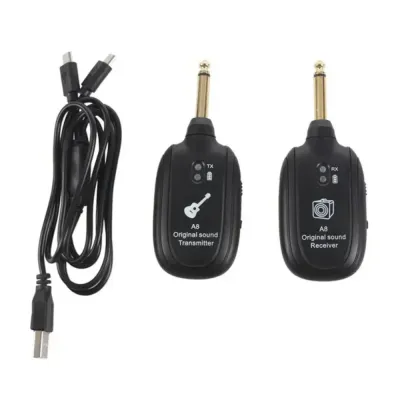
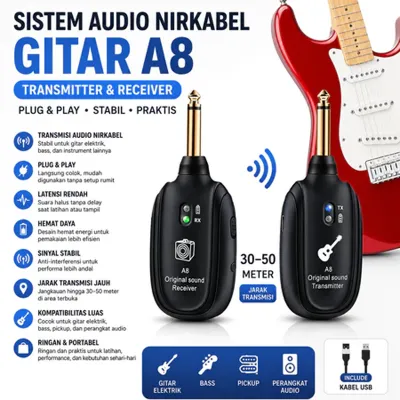
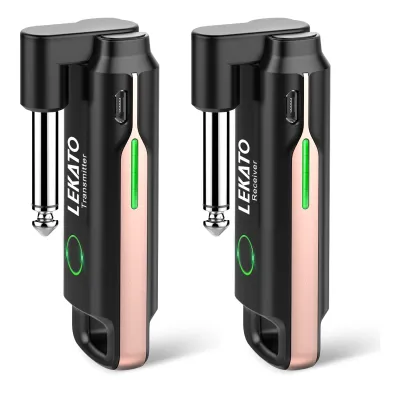
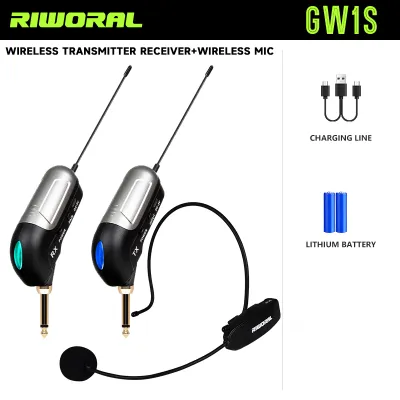
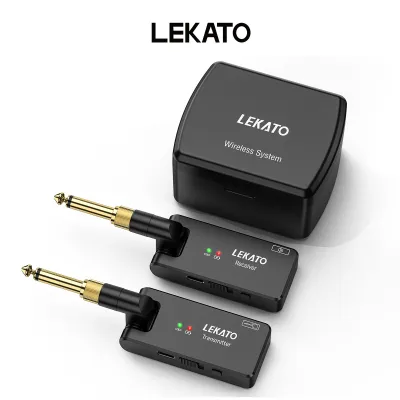
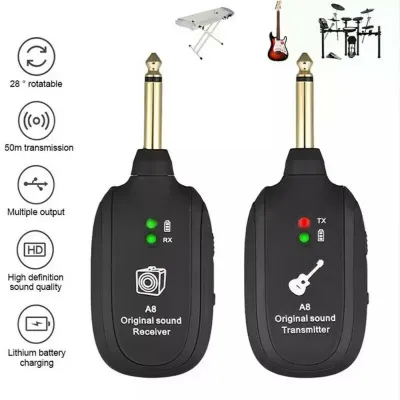
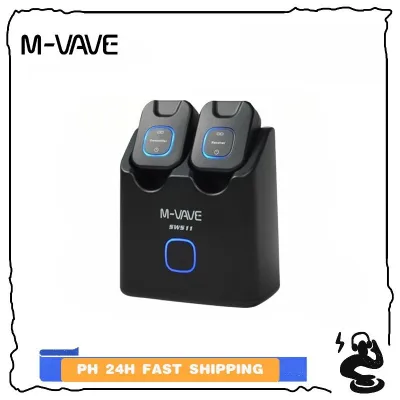
Prices are valid at publication and may change. Please refer to the product page for the latest price.

1. Frequent Tripping Hazards and Stage Clutter In tight performance spaces, such as crowded local bar stages, cables quickly turn into safety hazards. If you find yourself constantly stepping over your own cord, or if bandmates trip over your line, a wireless system eliminates this physical clutter. This is especially true in humid tropical environments where sweat-slicked stages make slipping a real danger.
2. Rapid Cable Degradation and Signal Crackle High humidity and heat accelerate wear on copper cables and soldered joints. If you frequently experience crackling sounds, intermittent signal loss, or find yourself repairing broken solder joints every few months, your environment is taking a toll on your wired gear. A wireless transmitter plugs directly into your jack, reducing the physical strain that ruins long cable runs.
3. Setup and Teardown Fatigue Wrapping, untangling, and organizing multiple long instrument cables after a long gig or rehearsal session can become exhausting. If managing cables actively drains your energy, transitioning to a compact transmitter and receiver set simplifies your workflow, allowing you to pack up your gear in a fraction of the time.
4. Restricted Movement During Live Performances If your performance style involves moving around the stage, stepping into the crowd, or interacting dynamically with bandmates, a standard cable acts as a literal leash. When you feel physically restricted or find yourself constantly spinning to avoid wrapping the cable around your legs, your performance suffers.
5. The Need for Spatial Monitoring When setting up sound in a new venue, walking out into the audience area helps you hear how your guitar sits in the overall mix. A wired setup keeps you glued to the stage, forcing you to rely entirely on others. A wireless transmitter allows you to step off the stage during soundcheck to evaluate your tone from the listener’s perspective.
When Sticking to a Wired Connection Makes More Sense
Despite the convenience of wireless technology, a high-quality instrument cable remains the superior choice for several scenarios. Before purchasing a transmitter, consider whether your playing environment demands the absolute reliability of a physical wire.
For studio recording environments, signal purity is the highest priority. Every wireless system compresses and digitizes your analog guitar signal to some degree before transmitting it, which can subtly alter your tone or introduce minor latency. In a controlled recording environment where you are sitting down to capture the perfect take, a premium wired cable ensures that your raw tone reaches your audio interface or amplifier without any digital conversion or risk of dropouts.
Complex pedalboard configurations can also present compatibility challenges. Some wireless receivers alter the impedance of your signal chain, which negatively affects how vintage fuzz pedals, wah-wahs, or specific buffers respond to your guitar’s volume control. If your tone relies heavily on the delicate interaction between your guitar’s passive pickups and your pedalboard, a wired connection preserves this electrical relationship perfectly.
Budget allocation is another critical factor. High-quality, reliable wireless systems that resist interference and maintain signal integrity can be a significant investment, often costing several thousand pesos (₱). If you are working with a limited budget, those funds are usually better spent on core tone-shaping equipment, such as a better amplifier, a versatile multi-effects pedal, or upgrading your guitar’s pickups, rather than a budget wireless system that may suffer from dropouts.
Finally, venues with heavy, unmanaged radio frequency (RF) interference pose a major risk to wireless systems. If you frequently play in urban areas packed with Wi-Fi routers, mobile phone towers, and complex lighting rigs, cheap wireless transmitters can struggle to find a clean channel. In these high-interference environments, a physical cable remains the only way to guarantee a completely uninterrupted, buzz-free performance.
Essential Specifications to Verify Before Buying
If you decide a wireless system is the right choice, carefully evaluate technical specifications to ensure compatibility with your instrument and playing venues instead of relying on generic marketing claims.
Frequency Bands and Local Interference Wireless guitar transmitters typically operate on UHF (Ultra High Frequency), 2.4 GHz, or 5.8 GHz bands. The 2.4 GHz band is highly common and globally license-free, but it is also shared by home Wi-Fi routers, Bluetooth devices, and microwave ovens, making it prone to interference in crowded venues. The 5.8 GHz band is generally less congested but has a slightly shorter range. UHF systems offer excellent range and reliability but may require specific frequency coordination or licensing depending on local regulations. Check the typical wireless environment of your rehearsal spaces and venues before selecting a band.
Latency Thresholds Latency is the tiny delay between the moment you strike a string and the moment you hear the sound from your amplifier. While analog cables have zero latency, digital wireless systems must convert, transmit, and decode the signal. Look at the manufacturer-stated latency, which is measured in milliseconds (ms). Most players cannot perceive latency below 5 to 6 milliseconds, but if you are highly sensitive to timing or play extremely fast, complex passages, you will want to verify that the system’s latency is kept to an absolute minimum.
Battery Life and Charging Formats For gigging musicians, battery reliability is paramount. Examine whether the transmitter and receiver use built-in lithium-ion batteries or replaceable AA/AAA cells. Built-in batteries are convenient and rechargeable via USB, but if they run out of power mid-gig, you cannot simply swap them out. If you choose a built-in system, verify the rated operating time and look for clear battery life indicators (such as LED meters) on the device so you are never caught off guard on stage.
Connector Types and Physical Clearance Guitars have widely varying jack plate designs. A recessed jack on a Stratocaster-style guitar requires a different physical clearance than a surface-mounted jack on a Les Paul or the bottom-edge jack of an acoustic-electric guitar or ukulele. Ensure the transmitter’s plug design—whether it is a folding plug, a flexible cable dongle, or a rigid straight plug—can fully insert into your instrument’s jack without hitting the body or putting unnecessary leverage on the internal connection.
Testing and Integrating Your New Wireless Setup
Do not take a new wireless system to a high-stakes gig without thorough testing. Integrating digital gear into your signal chain requires a systematic approach to ensure reliability.
Begin by conducting a comprehensive walk test in your rehearsal space or the actual venue before the audience arrives. Plug the receiver into your pedalboard or amplifier, turn on the transmitter, and walk around the entire performance area while playing. Pay close attention to any signal dropouts, momentary crackles, or dead zones, especially when you put your body or physical obstacles between the transmitter and the receiver.
Next, test for interference by turning on nearby electronic devices, including Wi-Fi routers, smartphones, and stage lighting controllers. If your wireless system allows for manual channel switching, cycle through the available channels to find the clearest frequency. If you notice a high-pitched whine or intermittent clicking, you may need to reposition the receiver away from power strips, digital pedals, or wireless routers.
Always establish a robust backup plan. No matter how advanced or expensive your wireless system is, unexpected RF interference or battery failure can happen. Keep a standard, high-quality instrument cable plugged into your amplifier or pedalboard input, neatly coiled and easily accessible on stage. If your wireless signal drops out mid-song, you should be able to quickly unplug the transmitter, grab your backup cable, and plug directly into your guitar within seconds.
Frequently Asked Questions (FAQ)
Will a wireless transmitter work with my active pickups?
Active pickups utilize an internal, battery-powered preamp with a hot output level, whereas passive pickups rely on physical string vibration over magnets. Because active pickups have a much stronger signal, they can easily overload the input stage of some wireless transmitters, leading to digital clipping or distortion.
Before purchasing, consult your guitar’s manual and the transmitter’s technical specifications. You must verify that the transmitter has sufficient input headroom to handle active signals, or look for models that feature an input gain control or a dedicated active/passive switch. Additionally, some active pickup jacks use stereo wiring to switch the internal battery on; certain wireless plugs can short-circuit this connection, draining your guitar’s battery or preventing the system from turning on entirely.
Do I need to turn off the transmitter when not playing?
Yes, turn off your transmitter during set breaks or extended silence. Unlike a standard cable, a wireless transmitter continuously broadcasts and consumes battery power as long as it is switched on, regardless of whether you are playing.
While some modern wireless systems feature automatic sleep or standby modes that power down the unit after a few minutes of inactivity, you should always check your specific user manual to confirm how these power-saving features behave. Manually switching off the transmitter not only preserves precious battery life for your actual performance but also prevents any unwanted static, RF interference, or handling noise from being amplified through your sound system while your instrument is resting on its stand.
Community discussion
Share your experience or ask a question. Comments are reviewed before publication.