
Verifying the authenticity of an ENHYPEN lightstick requires a careful examination of its physical packaging, build quality, and smart connectivity features. As K-pop concerts return to full scale, counterfeit merchandise has become increasingly sophisticated, making it easy to accidentally purchase a fake when buying from unauthorized sellers or secondhand markets. The most reliable way to confirm authenticity is through the official mobile application pairing process, but several physical indicators can help you spot a counterfeit before you even turn the device on.
Understanding how to distinguish a genuine item from a replica protects your investment and ensures you can fully participate in the interactive concert experience. This guide outlines the essential steps to verify your collectible, from evaluating online listings to performing functional tests at home.
The Risks of Buying Counterfeit K-Pop Lightsticks
Purchasing a counterfeit lightstick carries several practical, financial, and safety risks that can quickly ruin your concert experience. Unregulated manufacturing processes often result in poor electrical design and substandard internal components. In warm, humid tropical climates like the Philippines, cheap battery compartments and low-grade wiring are highly susceptible to overheating, short-circuiting, or battery acid leakage, which can permanently damage the device and pose safety hazards during use.
Products mentioned in this guide
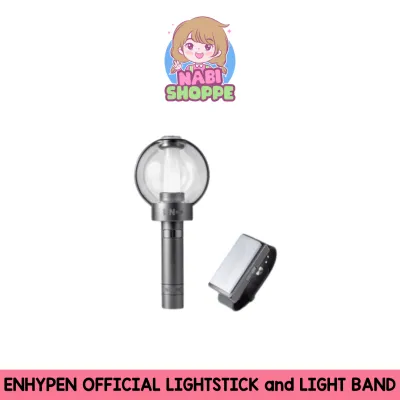
![[ONHAND] ENHYPEN Official Lightstick Sealed Engene Bong](https://img.lazcdn.com/g/p/0d2084464bb671a2684c34f24fac6efe.png_400x400q80.png_.webp)
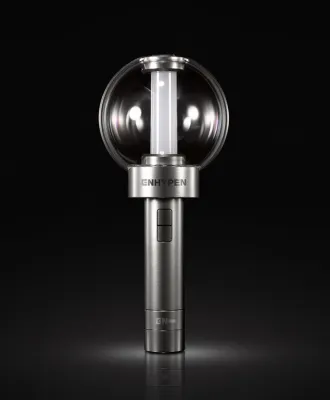
![[ON-HAND] ENHYPEN Official Lightstick Keyring Ver.2 – Licensed Keychain Lightstick](https://img.lazcdn.com/g/p/da491188df8c1e576ec9cdde6342e87c.png_400x400q80.png_.webp)
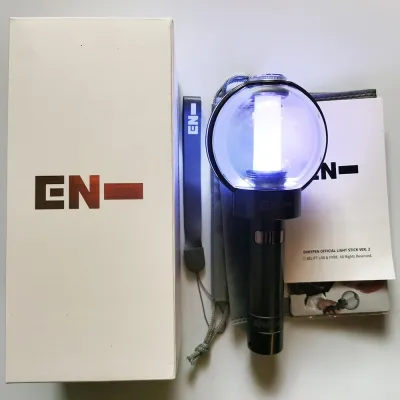
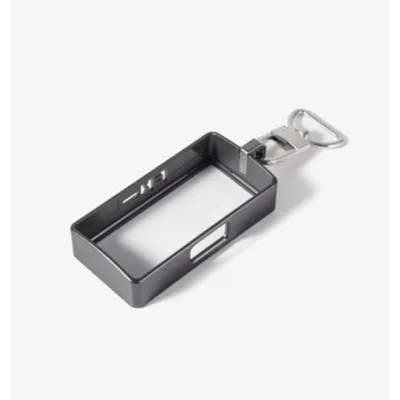

Prices are valid at publication and may change. Please refer to the product page for the latest price.
Furthermore, counterfeit lightsticks are unable to synchronize with the central control systems used during live performances. When the venue lights dim and the crowd’s lightsticks change colors in unison to the music, a counterfeit unit will remain static, fail to connect, or display incorrect colors, leaving you disconnected from the shared fan experience. This lack of synchronization occurs because fake devices lack the proprietary wireless chips required to receive the venue’s control signals.
Finally, the overall durability of counterfeit merchandise is significantly lower than that of official goods. Counterfeiters typically use cheap, lightweight plastics that crack easily under pressure or during transport in a crowded bag. The internal soldering is often fragile, meaning a minor drop or vibration can disconnect the battery terminals or break the LED assembly entirely, rendering the item useless after just one event.
How to Evaluate Sellers and Listings Before Purchasing
Protecting yourself from counterfeit merchandise begins long before you make a purchase. When browsing online marketplaces or secondhand platforms, the price is often the first major indicator of authenticity. Official lightsticks have a standard retail price, and any listing priced significantly below this rate in Philippine Pesos (₱) should be treated with extreme suspicion. Be skeptical of claims like “factory overruns,” “unboxed warehouse stock,” or “direct from manufacturer,” as official agencies do not distribute authorized merchandise through these channels.

Before committing to a purchase, thoroughly analyze the seller’s profile, ratings, and historical reviews. Look for detailed feedback from previous buyers, specifically searching for mentions of lightstick authenticity, successful concert pairing, or reliable packaging. A legitimate seller should be willing and able to provide the original proof of purchase, such as an official order confirmation email or a physical receipt from an authorized distributor, with sensitive personal information blacked out.
Additionally, pay close attention to the product descriptions and photos in the listing. Avoid listings that rely solely on official stock photos or low-resolution images. A trustworthy seller will provide clear, real-time photos of the actual item they have in stock, including close-ups of the security seals and packaging corners. Vague descriptions that avoid using terms like “100% official” or use ambiguous phrasing like “concert-ready,” “high-quality replica,” or “OEM version” are clear indicators of a counterfeit product.
Physical Inspection Checklist: Packaging and Build Quality
Once your package arrives, a systematic physical inspection can help you verify its authenticity before you even insert batteries. Begin by examining the outer packaging for official security seals, holographic stickers, or authenticity tags. Genuine ENHYPEN lightsticks feature official licensing stickers that reflect light with a sharp, clear rainbow spectrum and display distinct, high-resolution logos. Counterfeit stickers often look dull, have blurry printing, lack the color-shifting properties when tilted, or may be missing entirely.
Next, evaluate the print quality, color accuracy, and material weight of the box. Official packaging is constructed from thick, high-grade cardboard that resists denting and protects the contents during transit. The printed text and graphics on the box should be crisp, with accurate color saturation and no signs of pixelation or color bleeding. The included instruction manual should also feature clean typography, accurate translations, and high-quality paper rather than cheap, thin sheets with faded ink.
Finally, inspect the lightstick itself, focusing on the logo engraving, button alignment, and plastic molding. Genuine units are made from premium, matte-finished plastics that feel sturdy and balanced in your hand. Check the engraved logos and text on the handle and head; official engravings are clean, deep, and perfectly centered. Counterfeit lightsticks often exhibit shallow, uneven lettering, misaligned buttons that feel mushy when pressed, or rough, sharp plastic edges along the molded seams where the two halves of the device meet.
Functional Testing: App Connectivity and Light Modes
The most definitive way to confirm that your lightstick is genuine is by testing its electronic and smart features. Start by checking the Bluetooth pairing behavior with the official merchandise or fan community app designated by the agency. Turn on your phone’s Bluetooth, open the official app, and follow the lightstick connection prompts. Genuine lightsticks contain proprietary Bluetooth hardware that registers seamlessly with the official software, allowing the app to recognize the device instantly.
Once the connection is established, observe whether the app prompts you to perform a firmware update. Official apps regularly check the lightstick’s internal software version to ensure compatibility with upcoming concert systems. If a firmware update is available, a genuine lightstick will successfully download and install the update through the app interface. Counterfeit lightsticks, even those that manage to establish a basic Bluetooth connection to your phone, will fail to recognize or process these official firmware updates.
Lastly, test all the built-in light modes, color accuracy, and brightness levels against official demonstration videos. Genuine lightsticks produce vibrant, consistent colors and a powerful, clean light output across the entire dome. Counterfeit units often display washed-out colors, uneven brightness, or a noticeable flicker when switching between modes. The physical button should cycle through the modes smoothly, with each press resulting in an immediate and accurate change in the light pattern.
Steps to Take If You Receive a Suspected Fake
If your physical inspection or functional testing leads you to believe you have received a counterfeit lightstick, taking immediate and documented action is crucial for securing a refund. Always record a continuous, unedited video of yourself unboxing the package from the moment you cut the shipping tape. Ensure the shipping label is clearly visible in the frame, and document any physical defects, packaging anomalies, or failed app connection attempts on camera to serve as indisputable evidence.
Next, navigate to your ecommerce platform’s dispute resolution center or buyer protection portal. Do not click any buttons that confirm the receipt of the item or complete the transaction, as this often releases the funds to the seller and limits your recourse. Open a formal return or refund request, uploading your unboxing video, clear photos of the packaging flaws, and screenshots of the failed Bluetooth pairing screen as supporting evidence.
Understanding the platform’s refund conditions is essential for a successful resolution. Most major online marketplaces offer guaranteed refunds for counterfeit items under their buyer protection policies, provided you submit sufficient proof within the allowed return window. However, if you purchased the item directly from an individual seller via social media or a classifieds site, you may need to negotiate directly with the seller, which highlights the importance of using secure payment methods that offer built-in buyer protection.
Frequently Asked Questions (FAQ)
Can a fake lightstick connect to the official concert app?
While some advanced counterfeit lightsticks may mimic basic Bluetooth pairing to connect to your phone’s default Bluetooth menu, they typically fail to register within the official concert synchronization app. They lack the proprietary internal chips and secure handshake protocols required to communicate with the official software, meaning they cannot receive the specific data packets needed for seat mapping and central color control during live performances.
Is it safe to use third-party replacement batteries in my lightstick?
Yes, it is safe to use third-party batteries, provided they match the manufacturer’s exact specifications, which typically require standard AAA alkaline batteries. Avoid using cheap, unbranded, or damaged batteries, as well as rechargeable batteries with incorrect voltage ratings, as these can cause power fluctuations. In humid environments, always remove the batteries from the compartment when the lightstick is not in use to prevent corrosion, leakage, and permanent damage to the internal circuitry.
Community discussion
Share your experience or ask a question. Comments are reviewed before publication.