
Quick Summary: Spotting Authentic vs. Pirated DVDs
Spotting genuine dvd original movies online requires a careful eye, especially when browsing local ecommerce platforms where counterfeit physical media can easily slip through. While digital streaming dominates, many collectors in the Philippines still cherish physical discs for their superior bitrates, bonus features, and offline reliability. However, the convenience of online shopping comes with the risk of purchasing low-quality bootlegs instead of licensed studio releases.
To protect your collection, you must evaluate three distinct phases of your purchase: the online listing itself, the physical packaging upon delivery, and the disc’s behavior during playback. A single minor imperfection does not always mean a disc is counterfeit, as manufacturing standards can vary across regions and release years. Instead, you should look for a combination of red flags across these three pillars to make an accurate assessment.
Evaluating Online Listings Before You Buy
Your first line of defense begins before you even add an item to your virtual cart. Price is often the most immediate indicator of a disc’s authenticity. If a seller lists a rare, multi-disc box set or a newly released Hollywood blockbuster for a suspiciously low price—such as under ₱100—it is highly likely to be a bootleg. Genuine imported DVDs incur shipping, licensing, and distribution costs that make ultra-low pricing economically unfeasible for legitimate sellers.
Products mentioned in this guide

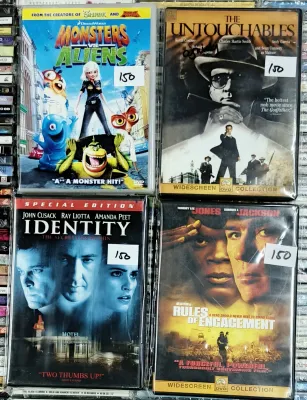
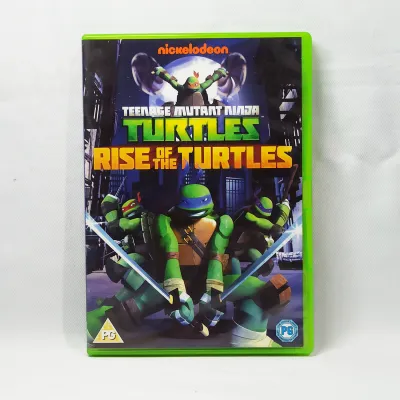



Prices are valid at publication and may change. Please refer to the product page for the latest price.

Examine the product listing details with a critical eye. Counterfeit listings frequently rely on low-resolution stock images or generic promotional posters rather than actual photos of the physical case. The descriptions are often sparse, lacking essential technical specifications such as the publisher, release year, audio formats, and region codes. If a listing uses vague terms like “high-quality copy,” “all-region version,” or “reproduced edition,” treat these as explicit warnings of a non-original product.
Take time to investigate the seller’s profile and customer feedback. Look for official store badges or authorized distributor marks provided by the ecommerce platform, which offer a higher level of security. Read through the customer reviews, paying close attention to any uploaded photos or videos from previous buyers. Be skeptical of highly repetitive, generic five-star reviews, and actively search for lower-rated feedback that mentions poor print quality, playback freezing, or unreadable discs.
Inspecting the Packaging and Disc Upon Delivery
Once your package arrives, you should carefully inspect the physical product before opening it or confirming receipt on your shopping app. Start with the outer shrink wrap and casing. Original DVDs typically use high-quality, neat shrink wrapping that is tightly sealed, often featuring a clean Y-fold seam at the top and bottom edges. In contrast, counterfeit copies are frequently wrapped in loose, crinkly plastic that has been crudely heat-sealed with uneven, melted edges.
Examine the cover art insert closely under good lighting. Authentic releases feature sharp, high-resolution printing with vibrant colors, legible fine print, and clear spine text. Counterfeit covers are often printed on cheap, thin paper using standard home inkjet printers, resulting in blurry text, pixelated images, color bleeding, or visible scanning lines. Check the back cover for spelling mistakes, grammatical errors, or mismatched studio logos, which are common telltale signs of a rushed bootleg operation.
Open the case and inspect the disc itself, focusing on the clear plastic hub near the center hole. Genuine DVDs are manufactured in licensed pressing plants and almost always feature an IFPI (International Federation of the Phonographic Industry) code stamped into the plastic. This tiny, reflective code identifies the specific machinery used to press the disc. You should also look for clean, laser-etched manufacturing stamps, matrix numbers, and official studio logos on the inner ring. Counterfeit discs, which are typically burned on standard recordable media (DVD-R), usually have blank hubs, purple or dark blue recording surfaces, and visible circular burning rings on the data side.
Finally, evaluate any included booklets, inserts, or chapter guides. Original inserts are printed on thick, semi-glossy paper with precise cuts and folds. Bootleg inserts, if they are included at all, are often single-sided sheets of low-grade paper with uneven borders and incorrect copyright dates. In the humid tropical climate of the Philippines, cheap paper inserts and low-quality cover prints are also highly susceptible to warping, sticking, and ink transfer inside the plastic sleeve.
Verifying Authenticity During Playback
The final verification step occurs when you insert the disc into your DVD player or computer drive. Pay close attention to the initial boot-up sequence. A genuine DVD will typically load with official studio animated logos, followed by standard, unskippable anti-piracy warning screens and copyright notices. Counterfeit discs often bypass these introductory sequences entirely, booting directly to a poorly designed menu or starting the movie immediately without any warnings.
Test the interactive menu system for responsiveness and design quality. Authentic DVDs feature professional, high-definition menus with smooth transitions, background music, and functional navigation links for scene selection, audio setups, and bonus features. Bootleg menus are often static, low-resolution screens with generic fonts, broken links, or completely missing submenus. If the menu looks like a basic template from consumer disc-burning software, the disc is likely a copy.
Observe the actual video playback and technical details. Original DVDs are mastered to strict standards, offering stable playback, correct aspect ratios (such as 16:9 widescreen), and multiple language tracks. Counterfeits often suffer from compression artifacts, pixelation, and sudden audio drops. Watch out for hardcoded subtitles that cannot be turned off, or subtitles with frequent spelling errors, as these often indicate a ripped source file. Additionally, check if the advertised bonus features, director commentaries, and behind-the-scenes footage are actually present and playable, as bootleggers frequently strip this content to fit the movie onto a cheaper, single-layer disc.
Steps to Take If You Receive a Suspected Fake
If your inspection reveals that you have received a counterfeit disc, you should act quickly to secure a refund. Begin by documenting all the physical discrepancies you have identified. Take clear, well-lit photographs of the blurry cover art, the blank or purple underside of the disc, the missing IFPI codes on the hub, and any visible playback errors or low-quality menus on your screen. This visual evidence will be crucial when presenting your case to the seller or the platform’s dispute team.
Initiate a formal return or refund request directly through the ecommerce platform’s built-in buyer protection system. Do not click the button to confirm that you have received or accepted the order, as this can release the payment to the seller and complicate the dispute process. State clearly that the item received is a counterfeit product, and upload your documented photos as proof. Most major online marketplaces have strict policies against the sale of pirated media and will mediate the dispute to help you get your money back.
After the dispute is resolved, leave a factual, objective review on the seller’s product page. Describe the specific physical and playback issues you encountered, and upload a photo of the counterfeit item to warn other collectors. Keep your review focused entirely on the product’s characteristics and your verification findings, avoiding emotional language or personal attacks, to ensure your feedback remains compliant with the platform’s community guidelines.
Frequently Asked Questions (FAQ)
Are all DVDs without a holographic sticker considered fake?
No, the absence of a holographic sticker does not automatically mean a DVD is fake. While certain film studios and regional distributors historically used holographic security labels to deter piracy, packaging standards have evolved. Many modern, legitimate releases omit these stickers entirely to reduce production costs. Instead of relying solely on external stickers, you should verify authenticity by checking for official IFPI codes stamped into the clear plastic hub of the disc and examining the overall print quality of the packaging.
Can a region-free DVD player play counterfeit discs?
Yes, a region-free DVD player can physically spin and attempt to read a counterfeit disc, but it does not guarantee smooth playback. Region-free players are designed to bypass official geographic playback restrictions (such as Region 1 or Region 3 coding) found on genuine discs. However, counterfeit DVDs are often burned onto low-grade recordable media with poor data density. Even if your player ignores region locks, it may still struggle with the physical imperfections, read errors, and corrupted files common to pirated copies.
Community discussion
Share your experience or ask a question. Comments are reviewed before publication.