
Quick Guide: Matching TC Electronic Pedals to Your Guitar Style
Matching a TC Electronic effects pedal to your guitar playing style requires analyzing your musical genre, your existing amplifier setup, and your physical playing environment. Rather than relying on brand reputation alone, you must evaluate how specific pedal features align with your tonal goals. Whether you perform in humid, open-air venues in the Philippines or record in a controlled home studio, selecting the right pedal involves assessing your signal chain, power requirements, and physical space.
To simplify your search, you can map common musical genres to primary effect categories. Ambient, post-rock, and modern worship guitarists typically require spatial effects like digital delay and reverb to create expansive soundscapes. Classic rock, blues, and heavy metal players rely heavily on gain-staging tools, including soft-clipping overdrives and high-gain distortions, to achieve sustain and harmonic saturation. Experimental players often look to modulation, pitch shifting, and loopers to add texture and structure to their performances. Ultimately, your personal tonal preferences and existing gear configuration should dictate your final choice.
Identify Your Core Tonal Needs and Playing Style
Before browsing specific pedal models, conduct a thorough audit of your current guitar rig to pinpoint exact sonic limitations. Many players purchase new gear hoping for a complete tonal transformation, only to find that their new acquisition clashes with their existing amplifier or guitar pickups. Start by identifying the primary bottleneck in your current setup. For instance, if your guitar solos feel thin and fail to cut through a loud band mix, you may need a mid-focused overdrive or a clean boost rather than a high-gain distortion. If your rhythm playing sounds dry and lacks depth, a subtle delay or reverb might be the missing element.
Products mentioned in this guide
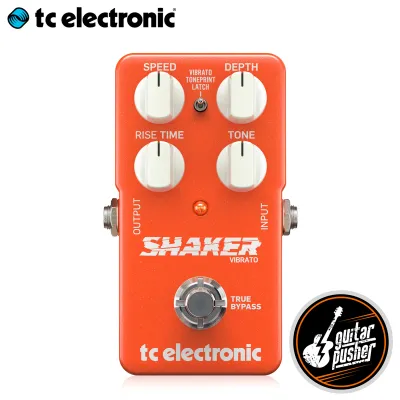
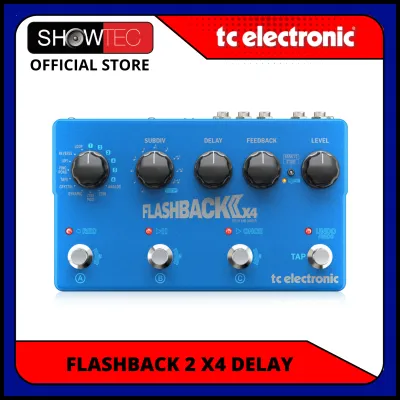
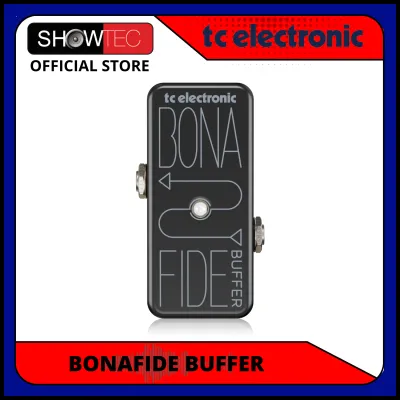
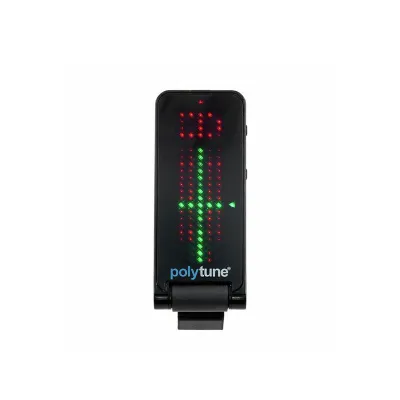
Prices are valid at publication and may change. Please refer to the product page for the latest price.

Next, define the primary role the new pedal will play in your signal chain. Some pedals are designed as always-on foundation units that subtly enhance your core tone, such as a high-quality buffer, a transparent compressor, or a light overdrive. Other pedals serve as occasional special effects, such as a dramatic flanger, a pitch shifter, or an ambient shimmer reverb. Understanding this distinction prevents you from cluttering your pedalboard with complex devices that you rarely activate.
Finally, consider the physical and musical context of your performances. If you frequently play live gigs in warm, high-humidity tropical environments like the Philippines, your gear faces unique physical challenges. High humidity can affect the performance of open-frame jacks and potentiometers, making robust chassis construction and reliable switching mechanisms essential. Furthermore, a live mix in a large venue requires different tonal shaping than a direct-to-computer home recording setup. Live performances often benefit from prominent midrange frequencies and tight low-end control, while studio recordings allow you to experiment with wide stereo imaging and delicate, high-fidelity ambient trails.
Navigate TC Electronic Pedal Categories by Effect Type
TC Electronic categorizes its extensive product line into distinct families based on their internal circuitry and primary sonic functions. Navigating these categories systematically allows you to filter out irrelevant options and focus on the specific technology that addresses your tonal needs. Rather than choosing a pedal based solely on its popularity, evaluate how its specific category characteristics match your playing style.
Reverb and Delay for Ambient and Lead Styles
Spatial effects are crucial for players who want to create a sense of physical space or add sustain to soaring lead lines. Ambient, post-rock, shoegaze, and modern worship styles rely heavily on deep, cascading reverbs and rhythmic delays to build lush soundscapes. When evaluating TC Electronic’s spatial offerings, look closely at the available algorithms. A versatile pedal should offer classic emulations like spring, plate, and hall, alongside modern options like modulated or shimmer reverbs.
For delay pedals, check the maximum delay time and the availability of tap tempo. Tap tempo allows you to sync delay repeats to the tempo of your band in real time, which is essential for rhythmic, dotted-eighth-note delay patterns. Additionally, verify if the pedal supports subdivision controls, allowing you to switch between quarter notes, eighth notes, and triplets easily. If you plan to run a stereo rig, ensure the pedal features dual inputs and outputs to deliver a true spatial image.
Overdrive, Distortion, and Fuzz for Rock and Metal
Gain-staging pedals are the heart of rock, blues, and metal tones. When selecting a drive pedal, you must understand how its clipping characteristics interact with your amplifier. Overdrive pedals typically use soft-clipping circuitry to mimic the natural, warm breakup of a tube amplifier. These are ideal for blues, classic rock, or as a boost to push an already overdriven amplifier into saturation.
Distortion and fuzz pedals utilize hard-clipping circuitry to generate intense harmonic saturation, independent of your amplifier’s volume. This is necessary for heavy metal, grunge, and alternative rock styles that require tight, aggressive rhythm tones and endless sustain. When comparing gain pedals, check the EQ control configuration. Some models feature a simple single-knob tone control, while others offer active three-band EQ controls that allow you to boost or cut specific frequencies, such as scooping the mids for modern metal or boosting them to cut through a dense mix.
Modulation, Pitch, and Looper Utilities
Modulation effects—such as chorus, flanger, phaser, and tremolo—add movement, texture, and depth to your guitar signal. They are highly effective for clean rhythm parts, funk grooves, and psychedelic lead lines. Pitch-shifting pedals allow you to transpose your signal, create harmony lines, or simulate a 12-string guitar. When choosing modulation or pitch effects, verify the bypass design. True bypass keeps your signal completely unaffected when the pedal is off, while a high-quality buffered bypass prevents high-frequency signal loss over long cable runs.
Looper pedals and utility tools serve as invaluable assets for practice, songwriting, and solo performances. A simple, single-footswitch looper is excellent for practicing solos over chord progressions at home. When selecting a utility pedal, prioritize ease of use and foot-switch responsiveness, as precise timing is critical when recording and overdubbing loops live.
Verify Key Features and Rig Compatibility Before Buying
Before finalizing your purchase from an authorized local music retailer or online marketplace, you must perform a technical compatibility check. Ensuring that a pedal integrates seamlessly with your existing power supply, pedalboard space, and signal routing prevents costly damage and performance issues. Whether you are looking at entry-level utility pedals around ₱3,500 or advanced stereo processors, verifying compatibility is key.
- TonePrint Technology: Many digital TC Electronic pedals feature TonePrint technology, which allows you to beam custom artist presets or edit deep internal parameters via a mobile app or USB connection. Before buying, verify if the specific model supports this feature, as some entry-level or purely analog models do not. Check the manufacturer's website to ensure the TonePrint app is compatible with your smartphone's operating system. This technology is highly beneficial for customizing modulation curves, delay feedback behavior, or EQ curves beyond what the physical knobs allow.
- Power Requirements: Power compatibility is critical. You must verify three key specifications: voltage, current draw, and polarity. Most standard pedals operate on 9V DC power, but some specialized units require 12V or 18V. Connecting a high-voltage power supply to a 9V pedal can permanently destroy its internal circuitry. Next, check the current draw in milliamperes (mA). Simple analog overdrive and distortion pedals typically draw very little current, often under 20mA. In contrast, digital delay, reverb, and modulation pedals require significantly more power, sometimes ranging from 100mA to over 300mA. Ensure your power supply can deliver the required current on each individual output. Finally, verify the polarity; the vast majority of guitar pedals use center-negative barrel connectors, but you must double-check the label on the pedal chassis to avoid reverse-polarity damage.
- Form Factor and I/O: Physical space on your pedalboard is a finite resource. TC Electronic offers pedals in various enclosure sizes, including standard chassis, large multi-switch units, and ultra-compact mini formats. Mini pedals save space but come with trade-offs: they cannot accommodate an internal 9V battery, requiring external power, and feature smaller, closely spaced knobs. Additionally, inspect the input and output (I/O) jacks. If you run a stereo amplifier setup or place your spatial effects in a stereo effects loop, choose pedals with dual input and output jacks. If you use a programmable MIDI switcher, verify if the pedal supports MIDI over TRS or standard 5-pin DIN cables for remote preset switching and tempo synchronization.
Plan Your Pedalboard Integration and Signal Chain
Once you have selected and verified your pedal, proper placement within your signal chain is essential to achieve the best possible sound quality and minimize unwanted noise. While there are no rigid rules, following established signal chain guidelines ensures that your effects interact predictably.
A standard, reliable signal chain configuration typically follows this order:
- Dynamics and Filters: Place tuners, wah-wah pedals, compressors, and pitch shifters first. These units need to track the clean, uncorrupted signal directly from your guitar pickups to function accurately.
- Gain Stages: Place overdrives, distortions, and fuzz pedals next. Placing these after dynamics ensures they receive a consistent, controlled signal level, resulting in more predictable sustain and saturation.
- Modulation: Position chorus, flanger, phaser, and tremolo pedals after your gain stages. Modulating an already distorted signal generally sounds cleaner and more defined than distorting a pre-modulated signal, which can quickly become muddy.
- Time-Based Effects: Place delays and reverbs at the very end of your signal chain. This ensures that your entire tone—including any gain and modulation—is repeated and decayed naturally, mimicking the acoustics of a physical room.
If your amplifier features an effects loop, consider placing your modulation, delay, and reverb pedals inside the loop instead of running them directly into the front input. This bypasses the amplifier’s preamp stage, keeping your spatial effects clean and clear even when using the amplifier’s high-gain channel.
In the tropical climate of the Philippines, environmental factors play a significant role in long-term pedalboard reliability. High humidity and salty coastal air can accelerate the oxidation of metal contacts, leading to crackling jacks, signal dropouts, and scratchy potentiometers. To mitigate this, use high-quality, shielded patch cables with gold-plated or nickel-plated connectors. Keep your pedalboard in a dry, well-ventilated area when not in use, and consider using silica gel packs inside your pedalboard case to absorb excess moisture.
Before mounting your new pedal permanently to your board, test it in isolation. Connect your guitar directly to the new pedal, and the pedal directly to your amplifier. This simple test allows you to establish a baseline for the pedal’s noise floor, understand how its controls sweep across their ranges, and verify that all switches and jacks function correctly without the interference of other cables or power supplies.
Frequently Asked Questions (FAQ)
How do I update the firmware on my TC Electronic pedal?
To update the firmware on your pedal, you must first consult the official user manual for your specific model to verify the exact connection steps and software requirements. Generally, the process involves downloading the dedicated firmware updater application from the manufacturer’s official website onto a compatible computer. Connect the pedal to your computer using a standard USB cable. Many models require you to hold down the bypass footswitch while inserting the power cable to enter bootloader mode. Once the updater software detects the connected pedal, follow the on-screen instructions to apply the update. Never disconnect the USB cable or interrupt the power supply during this process, as doing so can corrupt the pedal’s internal memory and render the device inoperable.
Can I use TC Electronic mini pedals with a standard daisy chain power supply?
Yes, many mini pedals can be powered using a standard 9V center-negative daisy chain, but you must proceed with caution. Mini pedals do not have space for internal batteries, so they rely entirely on external power. Before connecting multiple pedals to a single daisy chain adapter, calculate the total current draw of all connected units in milliamperes (mA) and ensure it does not exceed the maximum output rating of your power adapter. Additionally, be aware that daisy-chaining digital pedals (such as mini tuners, delays, or digital reverbs) alongside analog overdrive or distortion pedals often introduces unwanted ground loop hum and high-frequency digital noise into your audio signal. For quiet, noise-free performance, using an isolated multi-output power supply is highly recommended.
Community discussion
Share your experience or ask a question. Comments are reviewed before publication.