
Starting your Japanese language journey in the Philippines requires structured, accessible, and high-quality digital materials. With the rise of digital reading devices, tablets, and printable PDFs, learners can bypass the wait times of importing physical workbooks and begin practicing immediately. Choosing the right digital resources ensures you build accurate muscle memory and character recognition from day one.
To make an informed choice, you must evaluate the instructional design, format compatibility, and local platform availability of these digital resources. Selecting the right tool involves looking beyond the cover design and verifying the actual content structure, file formats, and interactive features. By focusing on these essential elements, you can find a digital workbook that fits your learning style and device setup perfectly.
What Makes a Good Digital Hiragana Practice Resource?
A comprehensive digital workbook must cover the entire foundational Japanese syllabary. This includes the 46 basic hiragana characters, which represent the primary phonetic sounds of the language. Without a complete set, a beginner risks developing gaps in their reading and writing foundation, making it difficult to progress to more advanced Japanese texts.
Products mentioned in this guide
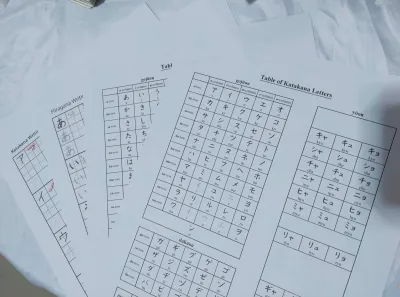
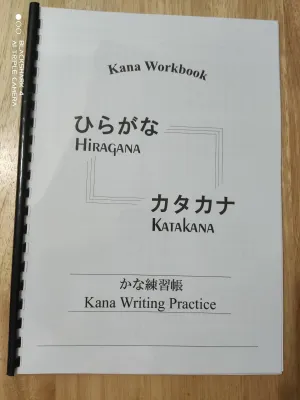
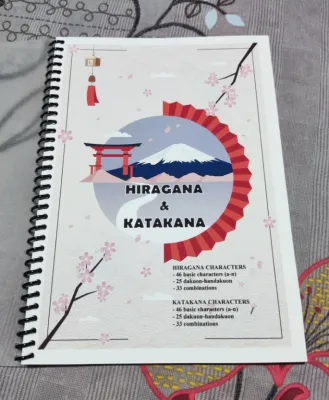
Prices are valid at publication and may change. Please refer to the product page for the latest price.
Look for resources that clearly explain the phonetic value of each character. Each character should be paired with its romaji (romanized spelling) equivalent and clear guidance on pronunciation. This helps you connect the visual shape of the character with its spoken sound immediately, preventing the habit of mispronouncing characters as you write them.
The material should follow a logical, step-by-step progression. It is best to start with the five basic vowels before moving on to consonant-vowel combinations like the K-group, S-group, and T-group. This systematic approach prevents cognitive overload and allows you to build on previous lessons in a structured manner.
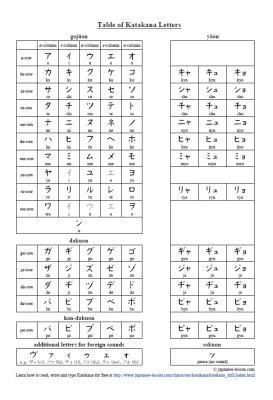
Advanced sections should introduce modified sounds, such as dakuon (voiced sounds) and handakuon (semi-voiced sounds), as well as yoon (contracted sounds). A resource that skips these variations will leave you unprepared for real-world Japanese vocabulary. Ensure the digital book explicitly lists these variations in its table of contents before you commit to a purchase.
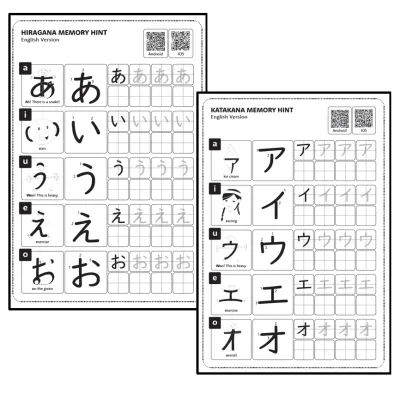
Memory aids and mnemonics are incredibly valuable for English-speaking learners. Visual associations, such as comparing a character’s shape to a familiar physical object, help bridge the gap between unfamiliar symbols and recognizable concepts. The best digital sheets integrate these visual or narrative cues directly alongside the writing grids to accelerate your memorization process.
Essential Features to Check Before Buying Hiragana eBooks
Before purchasing any digital hiragana workbook, you must verify the presence of detailed stroke order diagrams. Japanese writing relies heavily on the correct sequence and direction of strokes to ensure legibility and balance. Look for diagrams that feature numbered steps and clear directional arrows for every single character, rather than just showing the final shape.

The layout of the practice pages requires careful inspection. A high-quality digital sheet provides a balanced mix of tracing guides and blank grid squares. Tracing over faint or dotted lines helps your hand adapt to the correct proportions, while empty grids encourage independent recall and freehand practice.
Grid lines are particularly important for beginners. Japanese characters are designed to fit within a square space, and a grid divided into four quadrants helps you position each stroke accurately. Avoid workbooks that only offer blank, unlined spaces, as these make it difficult to gauge proper character balance and alignment.
Look for reading practice sections that use basic vocabulary to reinforce character recognition in context. Practicing individual characters in isolation is only half the battle; you need to see how they combine to form simple words. This contextual practice transitions you from mechanical writing to functional reading, making the learning process much more engaging.
Verify if the eBook includes companion audio files or accessible links for pronunciation verification. Hearing a native speaker pronounce the sounds while you write reinforces auditory learning and prevents you from internalizing incorrect pronunciation habits. Some modern eBooks embed these audio clips directly, while others provide QR codes or download links to external audio resources.
Choosing the Right File Format and Device Compatibility
The file format of your digital practice sheet determines how you can interact with the material. Fixed-layout PDFs are generally the gold standard for writing workbooks. They preserve the exact positioning of grids, stroke diagrams, and text, making them ideal for viewing on large tablets or printing out on physical paper.
In contrast, reflowable ePub files are designed to adapt to different screen sizes by shifting text around. While excellent for standard novels, reflowable formats can distort writing grids and separate stroke diagrams from their corresponding practice spaces. Always check the product description to ensure the eBook uses a fixed layout if you plan to use it as an interactive workbook.
Consider how the digital resource integrates with your specific hardware and software. Some interactive workbooks are optimized for note-taking applications, allowing you to import the PDF and write directly on the screen using a stylus. Verify that the file is not password-protected or restricted in a way that prevents annotation in your preferred app.
Screen size is a critical factor for legibility and comfortable practice. Detailed stroke order diagrams and small phonetic guides can become difficult to read on compact smartphone screens. For a comfortable learning experience, a tablet with a screen size of at least ten inches is recommended, ensuring you can see the fine details of each stroke without constant zooming.
Buying and Downloading eBooks on Philippine Platforms
When purchasing digital Japanese learning materials in the Philippines, you must first verify regional access rights and digital rights management (DRM) restrictions. Some international eBook stores restrict access to certain titles based on your geographical location. Ensure the platform you choose allows full downloading and viewing of the file within the country.
Local digital reading platforms and online marketplaces offer a variety of convenient payment methods. You can easily complete your purchase using local e-wallets like GCash or Maya, as well as standard debit and credit cards. Always use secure, authorized platforms to avoid fraudulent transactions and ensure you receive a legitimate, high-quality file.
Budgeting for your digital resources depends on the depth of instruction you require. Basic character grids and simple tracing sheets are often available for under ₱100, or even as free downloads. However, comprehensive, structured workbooks that include detailed mnemonics, vocabulary exercises, and audio links typically range from ₱250 to ₱800. Investing in a well-structured paid resource often saves time and provides a more cohesive learning path.
Keep in mind that high-quality, image-heavy workbook files can consume significant storage space on your device. Because these PDFs contain numerous high-resolution graphics for stroke diagrams and grids, they are much larger than standard text-only eBooks. Check your tablet or e-reader’s available memory before downloading to ensure a smooth installation and quick loading times.
How to Use Digital Practice Sheets Effectively
Consistency is the key to mastering hiragana, so establishing a daily practice schedule is essential. Instead of trying to memorize all 46 characters in a single weekend, focus on a small, manageable batch of five characters per day. Spending fifteen to twenty minutes of focused practice daily yields far better long-term retention than occasional, marathon study sessions.
You must decide whether to write directly on a tablet with a stylus or print the PDF sheets for traditional pen-and-paper practice. Writing on a tablet offers the convenience of endless reuse, as you can easily erase your mistakes and start over. However, the smooth surface of a glass screen behaves differently than paper, which can affect your control over fine pen strokes.
If you find the glass screen too slippery, consider using a matte, paper-like screen protector to add realistic friction. Alternatively, printing out selected pages of your PDF workbook allows you to practice with traditional pencils or pens. This physical feedback is highly effective for building muscle memory and mastering the distinct stroke endings of Japanese writing.
Self-checking is a vital habit when studying without a teacher. After completing a row of characters, compare your work directly against the stroke order diagrams and model characters in your eBook. Pay close attention to the proportions of each character, the spacing between strokes, and the overall balance within the grid to correct mistakes before they become ingrained habits.
Frequently Asked Questions (FAQ)
Can I use a stylus and tablet for digital hiragana practice?
Yes, using a stylus and tablet is an excellent way to practice hiragana digitally. It allows you to reuse the same practice sheets indefinitely by clearing the digital ink. However, the lack of friction on a standard glass screen can make precise stroke control challenging at first. To improve your experience, you can use a matte screen protector that mimics the texture of physical paper, helping you build accurate muscle memory for each character’s unique strokes.
Are free printable hiragana sheets as good as paid eBooks?
Free printable sheets are useful for basic repetition and extra writing space, but they often lack the instructional depth of paid eBooks. Paid digital workbooks typically provide comprehensive learning tools, including detailed stroke order diagrams, visual mnemonics, vocabulary exercises, and companion audio links. If you are a complete beginner, investing in a structured paid eBook ensures you learn the correct foundations, while free sheets are best used as supplementary practice grids.
Do I need an internet connection to use downloaded practice sheets?
Once you have successfully downloaded a PDF or ePub practice sheet to your device, you do not need an active internet connection to use it. This offline capability makes it easy to study anywhere, whether you are commuting or relaxing in a cafe. However, keep in mind that some companion features, such as streaming audio pronunciation links or interactive online quizzes embedded in the eBook, may still require an active Wi-Fi or mobile data connection to function.
Community discussion
Share your experience or ask a question. Comments are reviewed before publication.