
Starting your journey as a guitarist in the Philippines is an exciting milestone, but building your first tone setup can quickly become overwhelming. Between choosing the right overdrive, delay, chorus, and reverb, the cost of individual stompboxes can add up rapidly, not to mention the complexity of managing multiple cables and power adapters. For beginners, a multi-effects guitar pedal offers a practical, all-in-one solution that packs hundreds of classic and modern sounds into a single, user-friendly device. These versatile processors allow you to explore a vast landscape of tones, helping you discover your personal musical style without a massive upfront financial investment. By understanding the key features, connectivity options, and hardware requirements, you can confidently select a pedal that fits your budget in Philippine Pesos (₱) and supports your daily practice routine.
Why a Multi-Effects Pedal Makes Sense for Beginners
Buying individual analog pedals is a beloved tradition for experienced players, but it is rarely practical for someone just starting out. A single high-quality overdrive or delay pedal can easily cost anywhere from ₱3,000 to ₱8,000. When you add the cost of a tuner, a modulation pedal, patch cables, a dedicated pedalboard, and an isolated power supply to prevent unwanted noise, your total investment can easily surpass ₱20,000. In contrast, an entry-level multi-effects processor provides all of these tools—and many more—for a fraction of the price, often starting at under ₱5,000.
Setting up a traditional pedalboard also requires a solid understanding of signal flow, as the order in which you connect your pedals drastically alters your final sound. A loose patch cable or a dusty jack can introduce frustrating hums, buzzes, or complete signal loss that can take hours to troubleshoot. Multi-effects units eliminate this physical headache entirely by routing your signal digitally inside a single enclosure. You can experiment with placing a delay before a distortion or a chorus after a reverb with a simple button press, allowing you to learn the rules of signal routing without touching a single cable.
Products mentioned in this guide
![[ready stock] CUVAVE/ M-Vave CUBE BABY Portable Multifunctional Electric Guitar Combined Effect Pedal with Wireless Music Playback Phone Recording Audio Interface Function](https://img.lazcdn.com/g/p/278a3838bcd4c894bc17cf8b63fd5699.jpg_400x400q80.jpg_.webp)
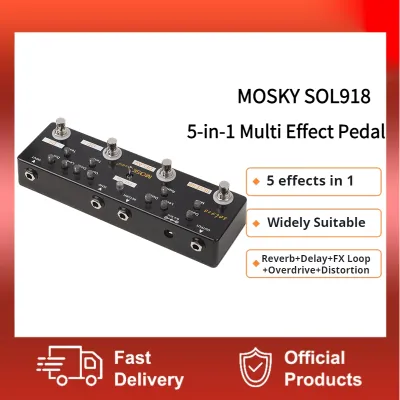
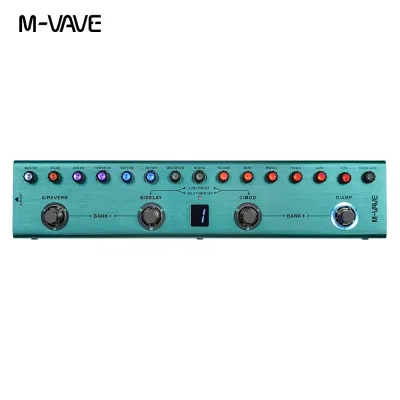
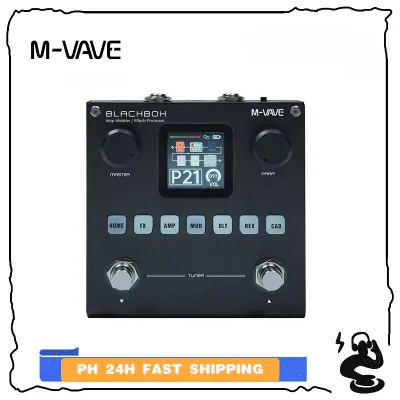
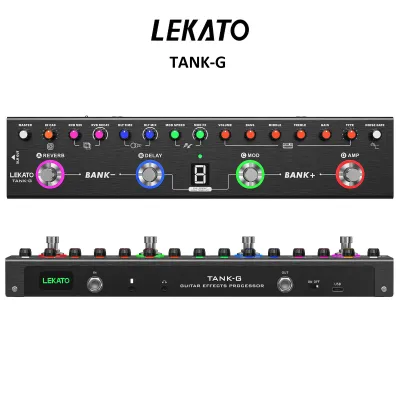
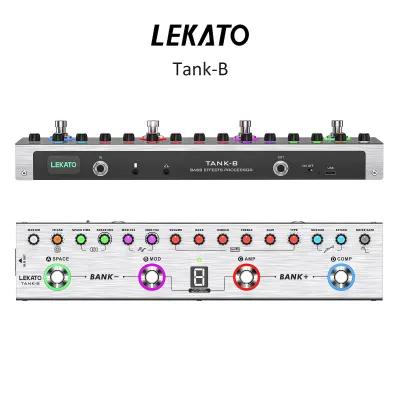
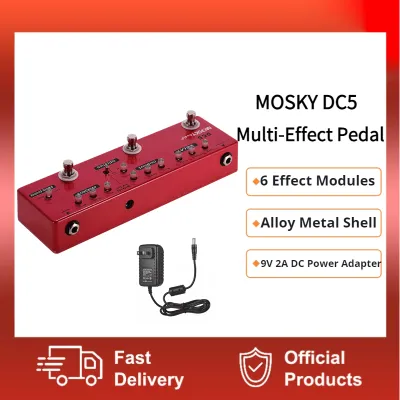
Prices are valid at publication and may change. Please refer to the product page for the latest price.
When you are new to the guitar, terms like “flanger,” “tape echo,” “spring reverb,” or “fuzz” can feel like a foreign language. Multi-effects pedals come pre-loaded with dozens of factory presets designed to mimic iconic guitar tones from famous songs and genres. By scrolling through these presets, you can instantly hear how different effects combine to create specific textures. This hands-on exploration serves as an invaluable educational tool, helping you train your ears and understand exactly how to dial in the sounds you hear on your favorite tracks.
Core Features to Prioritize for Your First Rig
Selecting your first multi-effects processor requires looking past the flashy marketing and focusing on the core features that will actually make your daily practice sessions more productive and enjoyable.

Essential Effects and Amp Modeling
A great beginner pedal should cover all the foundational effect categories with high-quality digital algorithms. Look for a unit that offers a wide selection of dynamic effects (like compressors and noise gates), drive effects (overdrives, distortions, and fuzzes), modulation (chorus, flanger, phaser, and tremolo), and time-based effects (delays and reverbs). Having a built-in chromatic tuner is also non-negotiable, as keeping your instrument in tune is the most critical step of any practice session.
Beyond individual effects, modern multi-effects processors feature amp and cabinet modeling. This technology digitally recreates the tonal characteristics of famous guitar amplifiers and speaker cabinets. If you do not own a traditional guitar amplifier, or if you need to practice quietly, amp modeling allows you to plug your pedal directly into headphones or a home stereo system while maintaining the rich, organic feel of a real guitar rig. Ensure the pedal you choose allows you to easily toggle these simulations on and off depending on what you are plugging into.
The ease of editing these tones is just as important as the sounds themselves. Many budget-friendly units feature small, monochrome screens and complex menus that can be frustrating to navigate. Prioritize pedals that offer an intuitive physical interface with dedicated knobs for adjusting gain, tone, and volume. Additionally, check if the manufacturer provides a companion desktop or mobile application. Editing your presets on a computer screen or smartphone via a USB connection is significantly faster and more visual than menu-diving on a tiny pedal screen.
Practice Tools and Connectivity
Daily practice can sometimes feel repetitive, which is why built-in practice tools are incredibly valuable for keeping you motivated. A built-in looper is one of the most powerful learning aids available, allowing you to record a chord progression and loop it continuously so you can practice playing melodies, scales, or solos over the top. Even a basic looper with 30 to 40 seconds of recording time is more than enough to help you develop your rhythm, timing, and improvisational skills.
Alongside a looper, look for a pedal that includes a built-in drum machine or metronome. Practicing with a realistic drum beat is far more engaging than playing to a sterile metronome click, and it helps you build a stronger internal sense of groove and timing. Many entry-level processors offer dozens of drum patterns across various genres, including rock, blues, jazz, and pop, allowing you to match the rhythm to the style of music you are currently learning.
Connectivity is the final piece of the practice puzzle. A dedicated auxiliary input (Aux In) or a built-in Bluetooth audio receiver is essential for modern learning. This feature allows you to connect your smartphone, tablet, or laptop directly to the pedal, mixing the audio from backing tracks, YouTube tutorials, or online guitar lessons with your live guitar signal. When combined with a high-quality headphone output, you can practice silently at any hour of the day or night without disturbing your family or neighbors.
Matching the Pedal to Your Practice Environment
Before purchasing a multi-effects pedal, you must consider where and how you will be using it most of the time. The physical format of the processor plays a massive role in its usability. Desktop units are compact, lightweight, and designed to sit comfortably next to your computer monitor or on your practice desk. They are ideal for players who primarily practice sitting down and prefer adjusting settings with their hands. However, if you plan to stand up while playing, practice transitions between clean and distorted sounds, or eventually jam with friends, a floorboard unit with physical footswitches is a much better choice.
Your monitoring setup—how you actually hear your guitar—is another critical factor. In many Philippine households, especially in densely populated residential areas or apartments, playing through a loud guitar amplifier is not always feasible. If silent practice is your primary goal, you will want to invest in a good pair of studio headphones to pair with your pedal. Look for a processor with a high-quality headphone amplifier circuit that can drive your headphones cleanly, providing a wide, immersive stereo field that makes practicing feel natural rather than boxy or fatiguing.
If you do want to play out loud without a traditional guitar amp, you have several modern options. You can connect the stereo outputs of your multi-effects pedal directly to a pair of active studio monitors or a home theater system. Alternatively, you can use a Flat Response (FRFR) speaker, which acts like a clean, powerful PA speaker designed to reproduce the amp and cabinet models of your pedal accurately without adding any extra coloration to your tone.
For those who plan to take their pedal to band rehearsals, church services, or school performances, physical output options become paramount. Ensure the pedal features standard 1/4-inch line outputs that can handle long cable runs to a mixing console or a stage snake. Having a dedicated output mode that allows you to bypass the cabinet simulation while keeping the amp modeling active is also incredibly useful if you need to plug directly into the “Effects Return” jack of a physical guitar amplifier on stage.
Hardware and Interface Checklist Before You Buy
When browsing online marketplaces or visiting local music stores, it is easy to get distracted by the number of effects a pedal offers. However, the physical hardware specifications are what determine the unit’s long-term durability and daily reliability. The first item on your checklist should be the power supply requirements. The Philippine electrical grid operates at 220V/60Hz, so you must ensure that any included wall adapter is compatible with this voltage. Many budget-friendly pedals run on standard 9V DC power, but some do not include the power adapter in the box to keep retail costs low. Always verify if the adapter is included, or budget extra to purchase a compatible, regulated 9V center-negative power supply to avoid damaging your new gear.
Next, evaluate the inclusion of an expression pedal. An expression pedal is a foot-operated treadle built into the side of the unit that allows you to control parameters in real-time, such as sweeping a wah-wah filter, adjusting the volume for ambient swells, or shifting the pitch of your notes. While some ultra-compact multi-effects units omit the expression pedal to save space, having one built-in offers immense creative freedom. If you choose a model without an expression pedal, check the rear panel to see if it features an “Exp In” jack, which allows you to connect an external expression pedal later as your playing skills progress.
USB connectivity is another crucial area to inspect, as not all USB ports on guitar pedals serve the same purpose. Some basic models use USB solely for firmware updates or transferring presets from a computer. More advanced entry-level units feature a full USB audio interface capability. This allows you to connect the pedal directly to your computer or laptop via a USB cable, enabling you to record your guitar directly into a Digital Audio Workstation (DAW) like Reaper, GarageBand, or Audacity without needing to buy a separate external audio interface. If you have any interest in recording your own music or creating content, a pedal with USB audio capabilities is a massive value-add.
Finally, do not overlook the physical build quality of the chassis and footswitches. Multi-effects pedals are designed to be stepped on, so the materials used in their construction matter. Budget units often feature plastic housings to keep weight and manufacturing costs down. While a plastic pedal is perfectly fine for gentle bedroom use, it may not withstand the rigors of travel or energetic live performances. If you plan to carry your pedal in a backpack to rehearsals or gigs, looking for a unit with a rugged metal chassis and heavy-duty metal footswitches will ensure your investment lasts for years to come.
Building Your Shortlist: Feature Profiles by Player Goal
To help narrow down your options in the diverse Philippine market, it is helpful to categorize multi-effects pedals based on your primary playing goals. By identifying which profile best describes your current situation, you can focus on the specific features that offer the highest value for your money.
Profile 1: The Bedroom Practitioner
If your primary goal is to learn the guitar in the comfort of your room, your priority should be convenience, compact size, and silent practice tools. Look for a highly portable unit that fits easily on a desk or a small floor space. Essential features for this profile include a dedicated headphone output, a built-in drum machine with a wide variety of rhythms, an auxiliary input or Bluetooth for playing along with backing tracks, and a simple, non-intimidating interface. For this setup, a budget of ₱3,000 to ₱5,000 is typically the sweet spot, offering all the necessary practice tools without unnecessary stage-focused connectivity.
Profile 2: The Aspiring Gigging Musician
If you plan to join a band, play at your local church, or perform at school events, you need a pedal built for the stage. Your priority should be physical durability, ease of control while standing, and reliable output options. Look for a unit with a rugged metal chassis, at least three or four physical footswitches to easily toggle individual effects or switch presets mid-song, and a built-in expression pedal for real-time volume and wah control. Balanced outputs (such as XLR or high-quality 1/4-inch jacks) are also crucial for sending a clean signal to the venue’s mixing board over long cable runs. For a gig-ready setup, expect to look at mid-range options priced between ₱6,000 and ₱12,000.
Profile 3: The Home Studio Beginner
If you are interested in recording your own music, creating guitar covers for social media, or diving deep into digital tone crafting, your focus should be on digital connectivity and processing power. Prioritize a multi-effects pedal that functions as a high-quality USB audio interface with low-latency drivers. Look for units that support third-party Impulse Responses (IRs), which allow you to load custom speaker cabinet simulations for incredibly realistic recorded tones. A robust desktop editing software is also essential, as it allows you to fine-tune complex signal chains and manage your preset library with ease. This profile typically points toward advanced entry-level or intermediate processors ranging from ₱8,000 to ₱15,000.
Frequently Asked Questions (FAQ)
Do I need a separate amplifier if I buy a multi-effects pedal?
No, you do not strictly need a traditional guitar amplifier to use a multi-effects pedal. Because modern processors include built-in amp and cabinet modeling, they are fully capable of generating a complete, polished guitar tone on their own. You can plug your headphones directly into the pedal for silent practice, or connect the outputs to active studio monitors, a home stereo system, or a PA system for playing out loud. However, if you do choose to plug your pedal into a traditional guitar amplifier, it is usually best to turn off the pedal’s cabinet simulation feature to prevent your tone from sounding overly muddy or dark.
How important is a built-in expression pedal for a beginner?
While a built-in expression pedal is not strictly mandatory for learning the basics of the guitar, it is highly recommended if you want to explore a wider range of musical genres. An expression pedal allows you to control dynamic effects like wah-wah, volume swells, and pitch shifting in real-time with your foot, which is essential for playing classic rock, funk, and ambient music. If you are on a tight budget or need an ultra-compact setup, you can start with a smaller pedal that lacks an expression pedal, but make sure it has an external expression input so you can add one later if you decide you need it.
Can I use these pedals directly with a computer for recording?
Yes, but only if the specific multi-effects pedal features a built-in USB audio interface. When a pedal has this capability, it can convert your analog guitar signal into a digital format and send it directly to your computer over a standard USB cable. This allows you to record your playing directly into recording software (DAW) without needing to purchase a separate external audio interface. Before buying, always check the product specifications to confirm that the USB port supports multi-channel audio recording and playback, rather than just firmware updates or preset editing.
Community discussion
Share your experience or ask a question. Comments are reviewed before publication.