
Starting your drumming journey with an electronic drum kit is one of the most practical decisions a modern beginner can make. Unlike traditional acoustic drums, which are loud and require significant space, electronic kits allow you to practice quietly using headphones while offering a wide variety of built-in sounds. Alesis has established itself as a prominent brand in this space, offering several entry-level configurations designed specifically for those who are just starting out.
Choosing the right setup requires understanding how different configurations, pad materials, and module features align with your learning goals, living environment, and budget. In a tropical climate like the Philippines, where high humidity can affect musical instruments and close-quarter residential layouts make noise management essential, selecting the right electronic kit involves several unique considerations. By focusing on key hardware specifications and practical setup requirements, you can find a kit that supports your progress from your very first drum stroke to your first full song.
Understanding Alesis Drum Configurations for New Drummers
When browsing beginner electronic drum sets, the first thing you will notice is the physical layout of the pads. A standard electronic drum kit typically mimics a traditional five-piece acoustic drum set. This configuration includes a snare drum pad, three tom pads, a bass drum (or kick) mechanism, and three cymbal pads representing the hi-hat, crash, and ride cymbals. For a beginner, starting with this standard layout is highly recommended because it ensures that the muscle memory you develop during practice translates directly to acoustic drum kits in rehearsal studios or performance venues.
Products mentioned in this guide
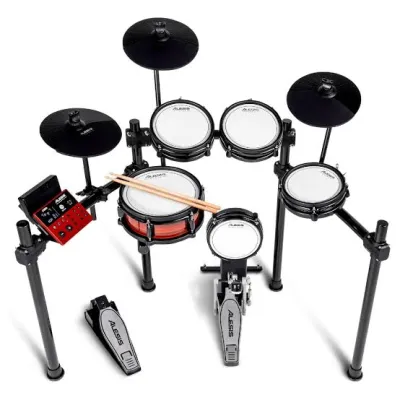

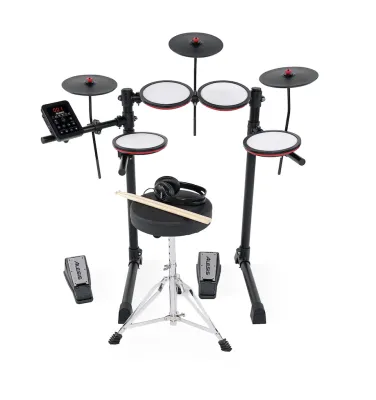
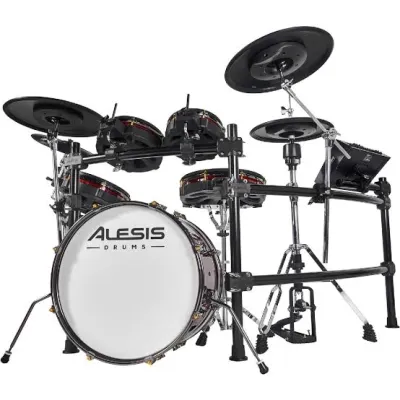
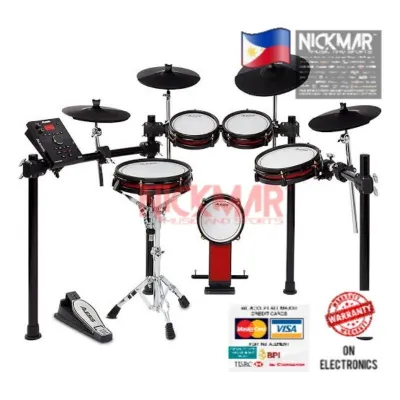
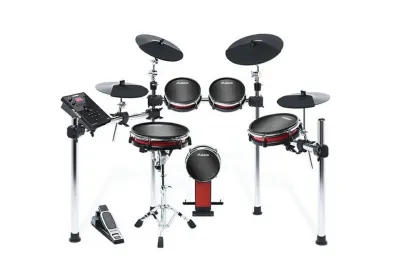
Prices are valid at publication and may change. Please refer to the product page for the latest price.
The material of the drum pads is one of the most critical factors influencing both playability and price. Older or highly budget-oriented electronic kits often feature hard rubber pads. While rubber pads are incredibly durable and offer a consistent response, they provide a very stiff rebound that can cause wrist fatigue during long practice sessions. More importantly, striking rubber pads produces a distinct, loud acoustic “thwack” that can easily be heard through thin walls or open windows.
In contrast, mesh drum heads have become the preferred standard for modern electronic kits. Mesh heads consist of a woven fabric stretched over the pad frame, which closely mimics the tension and feel of a real acoustic drumhead. They offer a much more natural rebound, allowing you to practice proper stick control and dynamics. Additionally, mesh heads are significantly quieter than rubber pads when struck, making them ideal for practicing in shared households or apartments where keeping ambient noise to a minimum is a priority.
Another vital component to evaluate is the kick drum pedal mechanism. Entry-level kits generally use one of two designs: a standalone trigger pedal or a physical kick drum tower paired with a standard bass drum pedal. Trigger-only pedals are compact, lightweight, and virtually silent because they do not involve a physical beater striking a pad. However, they lack the physical resistance and rebound of a real bass drum. If your goal is to eventually play acoustic drums, choosing a kit with a physical kick tower and a real bass drum pedal is highly advantageous, as it allows you to develop the necessary ankle strength and control.
Evaluating Sound Modules and Connectivity for Practice
The sound module, often referred to as the “drum brain,” is the control center of your electronic kit. It translates the physical strikes on your pads into digital sounds. For beginners, the complexity of the module should be balanced with practical learning tools. A good beginner module does not need thousands of obscure sounds; instead, it should focus on delivering high-quality, realistic acoustic drum kits alongside structured practice features.

Look for a module that includes a built-in metronome and coaching functions. Developing a strong sense of timing is the single most important skill for a beginner drummer. Coaching modes that grade your timing accuracy, provide rhythm guides, or offer play-along patterns can make daily practice sessions much more engaging and productive than simply playing to a silent room. These features act as a virtual instructor, helping you identify whether you are rushing or dragging the beat.
Connectivity options are equally important for modern learning workflows. A standard auxiliary input (aux in) allows you to connect your smartphone or tablet via a 3.5mm cable, enabling you to play along with your favorite songs or backing tracks. For silent practice, ensure the module has a dedicated headphone output. A USB-MIDI port is also essential, as it allows you to connect the drum kit directly to a computer, laptop, or tablet. This connection enables you to use interactive drumming apps, educational software, or digital audio workstations to record your progress.
Finally, consider the expandability limits of the sound module. As your skills grow, you may want to add an extra crash cymbal or a fourth tom pad to your setup. Many entry-level modules have a fixed number of inputs, meaning you cannot add more pads without replacing the entire module. Check the back panel of the module for extra input jacks, typically labeled as “Crash 2” or “Tom 4.” Knowing these limits beforehand prevents you from outgrowing your instrument too quickly.
Adapting Your Alesis Kit to Your Space and Noise Constraints
Before purchasing an electronic drum kit, it is essential to measure your intended practice space. A standard beginner electronic kit mounted on a rack typically requires a floor footprint of approximately 1.2 meters by 1.2 meters once fully assembled and adjusted for a comfortable playing position. If you live in a compact space, such as a studio apartment or a shared room, look for kits that feature lightweight, folding racks. These designs allow you to fold the sides of the rack inward, significantly reducing the footprint so the kit can be tucked against a wall when not in use.
While electronic drums are designed for quiet practice, they are not completely silent. The physical impact of your drumsticks on the pads, and especially your foot on the kick pedal, generates low-frequency vibrations that travel through the floor. In multi-story homes or apartment buildings, this structural noise can easily disturb neighbors or family members downstairs. To manage this, consider placing a thick, non-slip rubber utility mat or a dedicated drum rug underneath the entire setup. For extreme cases, some players construct a simple isolation platform using interlocking foam tiles or wooden boards separated by tennis balls to absorb the downward kinetic energy.
Environmental factors also play a role in the longevity of your electronic drum kit, particularly in tropical climates. High humidity can cause moisture to build up on sensitive electronic components and metal hardware, potentially leading to corrosion or trigger malfunctions over time. To protect your investment, set up your drum kit in a well-ventilated room, away from direct sunlight and open windows where rain might blow in. Using a simple dust cover when the kit is not in use can also prevent dust and moisture from settling on the drum pads and module interfaces.
Power supply safety is another critical aspect of your home setup. Electronic drum modules are sensitive to power surges and voltage fluctuations, which can occur during tropical storms or local grid adjustments. Always connect your drum module’s power adapter to a high-quality surge protector rather than directly into a wall outlet. Keep the power cables and pad trigger cables neatly organized along the rack tubes using the included cable clips or velcro ties. This not only keeps your practice space looking tidy but also prevents accidental tripping hazards that could damage the cable jacks or pull the module down.
Pre-Purchase Verification and Accessory Checklist
One of the most common mistakes beginners make when buying an electronic drum kit is assuming that everything needed to start playing is included in a single box. While some retail packages are sold as complete bundles, many standard kits include only the drum pads, the rack, the module, and the connection cables. Before finalizing your purchase, carefully read the product specifications to verify exactly what is included in the box.
To avoid disappointment on delivery day, prepare a checklist of essential accessories that may need to be purchased separately. First and foremost is a drum throne (a dedicated, adjustable stool). Practicing on a standard household chair or stool is highly discouraged, as they do not provide the correct height or stability, which can lead to poor posture and back strain. A basic, sturdy drum throne typically costs between ₱1,500 and ₱3,500. You will also need a pair of drumsticks, which may or may not be included, and a pair of comfortable headphones for silent practice. If you plan to play out loud, you will need to allocate budget for a dedicated drum amplifier, which can range from ₱5,000 upward depending on the power and brand.
If you plan to connect your drum kit to a computer or tablet for learning apps, verify the device compatibility requirements. Most modern Alesis modules feature a class-compliant USB-MIDI port, meaning they do not require special drivers and will work automatically with Windows, macOS, iOS, and Android devices. However, you will need to ensure you have the correct adapter cable, such as a USB Type-B to Type-C cable or an Apple Lightning-to-USB camera adapter, depending on your device’s ports.
Finally, always purchase your electronic drum kit from an authorized local retailer or distributor. Buying from official channels ensures that you receive a genuine product and, more importantly, access to valid local warranty support. Electronic drum pads and modules are subject to repetitive physical impacts, and having a local warranty means you can easily get replacement parts or professional repairs without the hassle and high cost of shipping the equipment overseas.
Frequently Asked Questions (FAQ)
Do I need a separate amplifier for an Alesis electronic drum set?
You do not need an external amplifier if you plan to practice silently using headphones. The sound module is designed to output high-quality stereo audio directly to standard headphones, which is the most common setup for home practice. However, because electronic drum sets do not have built-in speakers, you will need a dedicated drum amplifier or a portable PA system if you want to play out loud for others or practice along with other musicians in the same room.
Can I use standard acoustic drumsticks on Alesis mesh and rubber pads?
Yes, you can use standard wooden or nylon-tip drumsticks on both mesh and rubber pads. However, it is highly recommended to use a brand-new, dedicated pair of sticks for your electronic kit. If you use sticks that have previously been played on acoustic drums, any splinters, cracks, or rough edges on the wood can easily snag and tear the delicate woven mesh heads. Nylon-tip sticks are often preferred for electronic kits because they have a perfectly smooth surface that minimizes wear on the pads.
How do I connect my Alesis drum module to a computer or tablet?
To connect your drum module to a computer or tablet, you will need a standard USB cable (typically a USB Type-B to Type-A cable, commonly known as a printer cable). Connect the square Type-B end into the USB-MIDI port on the back of the drum module, and connect the other end to your computer or tablet, using an appropriate adapter if your device only has Type-C or Lightning ports. Once connected, open your chosen music software or learning application, navigate to the audio or MIDI settings, and select your Alesis drum module as the active MIDI input device.
Community discussion
Share your experience or ask a question. Comments are reviewed before publication.