
Finding the right standalone digital English dictionary in the Philippines requires balancing your specific language goals with the technical limitations of your devices. Unlike physical dictionaries, which are susceptible to humidity, mold, and paper-eating pests in tropical climates, digital editions offer instant searchability, portability, and interactive features. To make an informed purchase online, you must evaluate the dictionary’s depth, verify its compatibility with your e-reader or smartphone, and ensure you are buying from an authorized digital storefront that supports downloads in the local region.
By focusing on verified specifications rather than marketing claims, you can secure a digital reference tool that serves as a reliable companion for academic, professional, or personal growth. This guide outlines the essential steps to evaluate, select, and purchase a standalone digital dictionary that fits your reading ecosystem and learning objectives.
How to Match a Digital English Dictionary to Your Learning Goals
Before browsing online bookstores or app marketplaces, clarify how you intend to use the dictionary. Digital dictionaries are generally categorized into learner, collegiate, and unabridged editions, each serving a distinct audience and level of language proficiency. Selecting the wrong type can lead to frustration, either from overly simplistic definitions or from academic jargon that obscures the meaning of a word.
Products mentioned in this guide
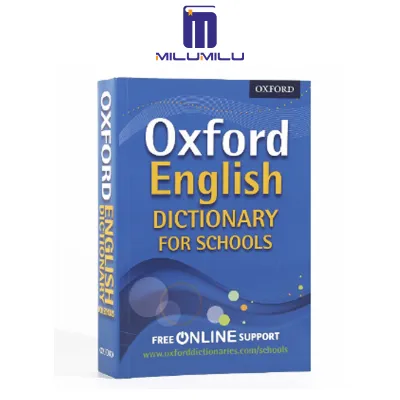
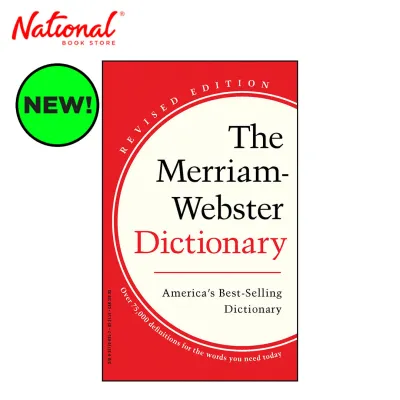
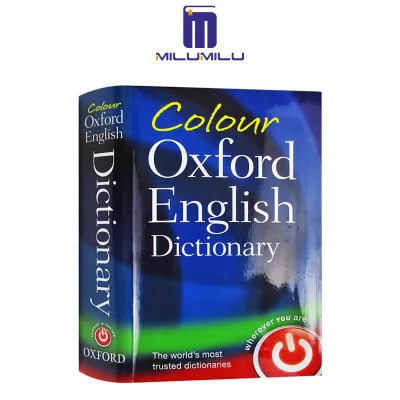
Prices are valid at publication and may change. Please refer to the product page for the latest price.
Learner’s dictionaries are specifically designed for non-native speakers, students, and those looking to build a strong foundation in English. These editions focus on a core vocabulary of high-frequency words, providing simplified definitions written with a limited vocabulary. They also feature extensive phonetic guides, often using the International Phonetic Alphabet (IPA), to help you master correct pronunciation. If you are preparing for English proficiency exams like the IELTS or TOEFL—which are highly popular in the Philippines for academic and professional advancement—a learner’s dictionary is often the most practical choice.
Collegiate dictionaries target university students, professional writers, and advanced language learners. These editions expand the vocabulary pool significantly, incorporating technical terminology, historical etymologies, and literary words. The definitions are more precise and nuanced, reflecting academic standards. If your daily tasks involve drafting business proposals, writing academic papers, or translating complex documents, a collegiate-level digital dictionary provides the depth and authority required for professional-grade work.
Unabridged dictionaries represent the most comprehensive tier of language reference, aiming to document every recorded word in the English language, including obsolete terms, regional dialects, and highly specialized scientific jargon. While incredibly detailed, these editions can be overwhelming for daily use and require substantial storage space on digital devices. They are best suited for researchers, educators, and dedicated word enthusiasts who require an exhaustive historical record of the language.
Beyond basic definitions, evaluate the supplementary content included in the digital edition. A high-quality digital dictionary should feature an integrated thesaurus to help you find synonyms and antonyms without switching files or apps. Look for editions that include collocation guides, which demonstrate how words naturally pair together in English sentences. Detailed grammar notes, usage warnings, and contextual example sentences are also invaluable for understanding how a word behaves in different social or professional settings.
Choosing the Right Format and Platform for Your Devices
Once you have identified the appropriate dictionary type, you must select a format that aligns with your existing hardware and reading habits. Digital dictionaries are primarily distributed in two formats: standard eBook files (such as ePub or PDF) and dedicated offline software applications. Each format offers distinct advantages and limitations regarding navigation, search speed, and device compatibility.

Standard eBook formats like ePub are highly versatile and compatible with most dedicated e-readers, including Kindle, Kobo, and various Android-based electronic ink devices. Because ePub files feature reflowable text, they adapt seamlessly to different screen sizes, making them comfortable to read under bright tropical sunlight or in low-light conditions. However, navigating a massive dictionary via a standard ePub table of contents can be slow and cumbersome. To use an ePub dictionary effectively, verify if your e-reader’s operating system allows you to set the purchased file as the default lookup dictionary for instant word definitions while reading other books.
PDF dictionaries preserve the exact layout of the printed page, which is beneficial for viewing complex tables, phonetic charts, and side-by-side columns. However, this fixed layout makes PDFs difficult to read on smaller smartphone screens, as you will constantly need to pinch, zoom, and scroll horizontally. PDF files also lack the interactive search capabilities of other digital formats, making them less efficient for quick lookups during fast-paced study sessions.
Dedicated offline dictionary applications, available on iOS, Android, macOS, and Windows, offer a highly seamless user experience. These apps feature custom-built search engines that deliver near-instantaneous results as you type. Many apps also include fuzzy matching algorithms, which suggest the correct word even if you misspell it. This interactive functionality makes applications highly advantageous compared to static eBook files for active learning and quick reference.
Before completing your purchase, carefully review the digital rights management (DRM) restrictions and platform lock-in associated with the product. Dictionaries purchased through proprietary ecosystems, such as the Kindle Store or Apple Books, are typically locked to those specific platforms. If you plan to transition between different operating systems—such as using an Android smartphone and an iPad tablet—look for cross-platform applications or DRM-free eBook files that can be opened in open-source reading applications.
Key Technical and Content Features to Verify Before Checkout
Purchasing a digital dictionary online requires a careful inspection of the product specifications listed on the seller’s page. Because you cannot flip through the digital pages before buying, you must rely on these technical details to ensure the product meets your expectations. Paying close attention to these features will prevent buyer’s remorse and ensure a smooth user experience.
The most critical technical feature to verify is true offline functionality. In the Philippines, internet connectivity can be inconsistent due to seasonal typhoons, power outages, or remote locations. A reliable digital dictionary must store its entire database locally on your device, allowing you to look up words without an active Wi-Fi or mobile data connection. Read the product description carefully to confirm that the core dictionary database does not rely on cloud-based queries to display definitions.
Next, check the implementation of audio pronunciations. High-quality digital dictionaries offer spoken audio files for both British and American English pronunciations. However, some publishers compress the initial download size of their applications by hosting audio files online, requiring an internet connection to play them. If offline audio is important to you, verify if the application allows you to download the complete audio package directly to your device’s local storage, and ensure your device has sufficient free space to accommodate these files.
Advanced search filters and navigation tools are also essential for maximizing the utility of a digital dictionary. Look for products that support wildcard lookups, which allow you to use symbols like asterisks or question marks to find words when you only know a few letters. Anagram searches, search history logs, and bookmarking features for saving vocabulary lists are also highly beneficial. Additionally, verify if the dictionary supports cross-referencing, which allows you to tap any word within a definition to immediately jump to that word’s entry.
Finally, review the publisher’s policy regarding content updates and software maintenance. Language is dynamic, with new words and meanings entering the lexicon regularly. Dedicated dictionary apps should receive periodic database updates to reflect these changes. Furthermore, operating system updates on smartphones and tablets can sometimes break older applications. Check the “Version History” or “Last Updated” section on the app store to ensure the publisher actively maintains the software, fixes bugs, and ensures compatibility with modern operating systems.
Where to Buy Authorized Digital Dictionaries in the Philippines
To help ensure file integrity, secure transactions, and access to future updates, always purchase digital dictionaries from authorized sources. The online marketplace contains numerous unauthorized listings, pirated PDF files, and shared cloud drive links that violate copyright laws and expose your devices to security risks. Buying from legitimate platforms ensures you receive a complete, high-quality product while supporting the lexicographers who compile these resources.
For dedicated dictionary applications, the safest and most direct routes are the official app stores integrated into your device’s operating system, such as the Apple App Store, Google Play Store, or Microsoft Store. When purchasing through these platforms, verify that the developer listed under the app title matches the official publisher of the dictionary. This simple check protects you from downloading look-alike applications that may contain intrusive advertisements or outdated databases.
If you prefer eBook formats for your e-reader, purchase directly from established digital bookstores like the Amazon Kindle Store, Kobo Writing Life, or Google Play Books. These platforms offer secure payment processing, automatic delivery to your connected devices, and cloud backups of your purchases. When browsing these stores, look for publisher-verified badges and read customer reviews that specifically discuss the formatting quality of the eBook, as poorly formatted digital dictionaries can be incredibly difficult to navigate.
Be cautious of regional licensing restrictions and geo-blocking when purchasing digital content online. Some publishers restrict the sale of specific digital editions to certain countries or regions. Before finalizing your purchase, ensure your account region is set correctly to the Philippines and that the product page does not display warning messages regarding regional unavailability. Using local payment methods, such as Philippine credit cards or verified digital wallets, typically ensures that you are purchasing a license authorized for use within the country, granting you full access to downloads and subsequent updates.
Frequently Asked Questions (FAQ)
Can I transfer my digital dictionary to a new device?
Yes, in most cases, you can transfer your digital dictionary to a new device, but the process depends on the format and the platform’s digital rights management (DRM) policies. If you purchased a dedicated application through the Apple App Store or Google Play Store, your purchase is linked to your personal account, allowing you to download the app on multiple devices running the same operating system. For eBooks purchased through platforms like Kindle or Kobo, you can access your dictionary on any device running the respective e-reader app, provided you sign in with the same account. However, transferring files directly between different ecosystems—such as moving a Kindle-locked file to a Kobo e-reader—is generally restricted by DRM, so it is important to check the platform’s device limits and authorization steps before purchasing.
Do standalone digital dictionaries include regular content updates?
The availability of content updates depends heavily on whether you purchase a dedicated software application or a static eBook file. Dedicated dictionary applications often receive periodic database updates from the publisher to incorporate new vocabulary, revised definitions, and software compatibility patches. These updates are typically delivered automatically through your device’s app store. In contrast, static eBook formats (such as ePub or PDF) function like digital prints of a specific edition; they rarely receive content updates unless the publisher releases an entirely new edition, which would require a separate purchase. Always check the product description on the storefront to understand the publisher’s update policy.
Are digital dictionaries more cost-effective than physical copies?
Digital dictionaries are generally highly cost-effective compared to their physical counterparts, especially for readers in the Philippines. Heavy, multi-volume print dictionaries often incur substantial international shipping fees and potential import duties when ordered online. Furthermore, physical books are vulnerable to damage from high humidity, mold, and insects, which can shorten their lifespan in tropical climates. Digital editions eliminate shipping costs entirely, offer instant delivery, and do not degrade over time. While a premium physical collegiate dictionary might cost upwards of ₱2,500 excluding shipping, its digital counterpart is often available for a fraction of that price, typically ranging from ₱500 to ₱1,500 with zero delivery fees. When you factor in the added value of interactive search tools, instant cross-referencing, and portability, digital dictionaries offer excellent long-term value for your investment.
Community discussion
Share your experience or ask a question. Comments are reviewed before publication.