
Learning Japanese opens up a world of professional opportunities, cultural appreciation, and media enjoyment. For many aspiring bilinguals in the Philippines, mastering the two foundational phonetic writing systems—hiragana and katakana, collectively known as kana—is the very first step. While traditional paper textbooks remain popular, digital eBooks have revolutionized how language learners study. An eBook allows you to carry your entire study library on a smartphone, tablet, or e-reader, making it easy to practice during a daily commute, during a lunch break, or while relaxing in a local coffee shop.
However, not all digital books are created equal. A poorly formatted eBook can make complex characters look blurry, lack essential audio guides, or fail to render correctly on your specific device. To find the best digital resources for your language journey, you must evaluate how these books present stroke orders, whether they offer interactive elements, and how well they align with your personal study habits. By focusing on compatibility, pedagogical structure, and interactive features, you can select a digital resource that transforms your device into a highly effective personal language tutor.
Key Features to Look for in Katakana and Hiragana eBooks
When evaluating digital kana resources, look beyond simple lists of characters. The best eBooks leverage digital technology to make learning active rather than passive.
Products mentioned in this guide
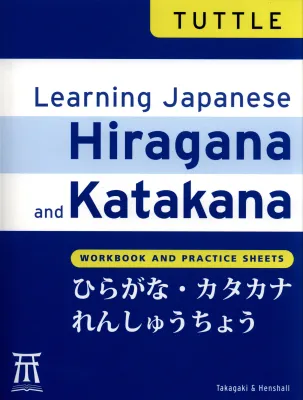
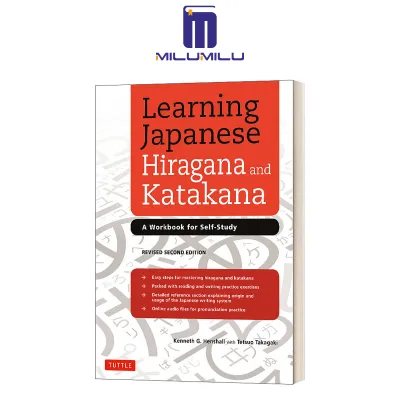
Prices are valid at publication and may change. Please refer to the product page for the latest price.
First, examine the quality of the stroke order guides. Writing hiragana and katakana requires a specific sequence and direction for each stroke to ensure the characters are legible and balanced. While static diagrams with numbered arrows are standard, advanced eBooks feature step-by-step vector illustrations. These visual aids show the precise movement of the pen, including where to press down, lift, or sweep. This is particularly important for distinguishing similar-looking characters, such as the katakana characters for “shi” and “tsu,” where the direction of the strokes is the primary way to tell them apart.
Second, prioritize eBooks that offer integrated audio pronunciation. Relying solely on romanized approximations can lead to pronunciation errors that are difficult to correct later. For example, the Japanese “r” sound is a lateral flap that sits between the English “r,” “l,” and “d” sounds—a nuance that text alone cannot convey. High-quality eBooks include embedded audio clips that play native pronunciation with a single tap, or provide clean QR codes that link directly to high-definition audio streams.
Third, look for visual mnemonics and storytelling. Memorizing 92 distinct characters can feel overwhelming. Mnemonic devices associate the shape of a character with a familiar object or concept. For instance, an eBook might show how a specific hiragana character resembles a humble hill, or how a katakana character looks like a physical key. These visual hooks anchor the characters in your long-term memory, significantly reducing the time it takes to recognize them during reading practice.
Finally, verify the inclusion of spaced repetition quizzes and interactive exercises. Passive reading rarely leads to active recall. The best eBooks feature built-in review sections, self-assessment checklists, and fill-in-the-blank exercises that challenge you to recall characters at increasing intervals, cementing them in your memory.
Matching eBook Types to Your Learning Style
Every language learner processes information differently, and digital publishers cater to these differences through various eBook formats. Understanding your learning style will help you choose the right type of digital resource.

Workbook-style interactive PDFs are ideal for active, hands-on learners. If you use a touch-screen tablet equipped with a stylus, these files allow you to write directly on the digital page. You can trace over stroke guides, complete writing drills, and erase your attempts to practice again. This format replicates the tactile experience of a physical workbook without the clutter or the need to print out hundreds of practice sheets. To enhance this experience, many learners in tropical climates use matte, paper-like screen protectors to reduce glare and provide a more natural writing resistance.
Narrative-based mnemonic guides are tailored for visual and conceptual learners. Instead of repetitive writing drills, these books focus on the stories behind the characters. They often explore the historical origins of the scripts, showing how complex characters were simplified over centuries into modern hiragana and katakana. This contextual approach builds a deeper cognitive connection, making it easier to recall characters when reading full sentences.
Drill-focused digital flashcards and app-integrated eBooks are optimized for rapid, repetitive memorization. These resources are designed for quick study sessions on the go. They often feature hyperlinked indexes that allow you to jump instantly between flashcard pages, testing your recognition speed. They are highly efficient for busy professionals or students who want to squeeze five minutes of study into a hectic schedule.
| eBook Type | Engagement Level | Device Requirements | Best Use Case |
|---|---|---|---|
| Interactive Workbooks | High (Active Writing) | Tablet with stylus support | Learners who want to master writing and stroke precision |
| Mnemonic Guides | Medium (Visual Association) | Any e-reader, tablet, or phone | Visual learners who prefer conceptual memory hooks |
| Drill-Focused eBooks | High (Rapid Recall) | Smartphone or compact e-reader | Busy learners studying during commutes or short breaks |
Format, Region, and Device Compatibility Checks
Before purchasing any digital language book, you must perform technical compatibility checks to avoid frustration. Digital publishing standards vary, and a book that looks beautiful on a tablet might be completely unreadable on an e-ink reader.
First, verify Digital Rights Management (DRM) restrictions and regional availability. Some international publishers restrict their digital inventory to specific regional storefronts. When purchasing through global digital bookstores, ensure the title is authorized for download in your region. Additionally, check if the eBook is locked to a proprietary reading application. If you prefer to keep all your study materials in a single, open-source reading app, look for DRM-free PDF or ePub options.
Second, consider the hardware limitations of your reading device. E-ink readers are incredibly gentle on the eyes, making them perfect for long reading sessions. However, they have slow screen refresh rates and typically display only grayscale. This makes them poorly suited for interactive workbooks that require stylus input, or mnemonic guides that rely on color-coded illustrations to highlight stroke differences. For media-rich eBooks with embedded audio and interactive writing fields, a modern tablet or smartphone is highly recommended.
Third, confirm that your reading application natively supports Japanese character rendering and vertical text layouts. Japanese is traditionally written vertically and read from right to left, though modern educational materials often use horizontal layouts. If your reading software lacks proper font support, Japanese characters may render as blank boxes—often referred to as “tofu”—or default to simplified Chinese fonts, which can feature subtle but incorrect stroke variations. Stick to standard formats like EPUB3, which has robust native support for vertical text and embedded media.
Building Your Kana Study Shortlist
To finalize your purchase decision, construct a clear framework based on your current proficiency level, learning goals, and budget.
If you are an absolute beginner with zero prior exposure to Japanese, prioritize standalone script guides. These books dedicate their entire page count to hiragana and katakana, offering deep dives into stroke order, pronunciation nuances, and basic vocabulary. Conversely, if you are preparing for a structured language course, you might prefer a comprehensive beginner textbook. These textbooks usually include introductory kana chapters before transitioning directly into grammar, dialogue, and kanji. While the kana coverage in comprehensive textbooks is faster-paced, it provides a seamless transition to broader language studies.
Always verify publisher authorization and avoid downloading unauthorized, poorly formatted public domain scans from unverified online sources. These files are often low-resolution, making it difficult to distinguish subtle character details, such as the difference between similar-looking hiragana characters. Furthermore, older scans may feature outdated orthography or incorrect stroke guidelines that do not align with modern educational standards.
Finally, set a realistic budget. Basic, static digital guides and introductory PDFs typically range from ₱150 to ₱400. These are excellent for budget-conscious learners who want a simple reference tool. Premium interactive workbooks, complete with embedded audio, stylus-friendly writing grids, and comprehensive mnemonic systems, generally range from ₱800 to ₱2,000. Investing in a high-quality, authorized digital resource ensures you build a flawless foundation, saving you time and frustration as you advance to intermediate Japanese.
Frequently Asked Questions (FAQ)
Do I need a special e-reader to study Japanese characters?
You do not need a specialized Japanese e-reader, but your device must have a high-resolution screen to display characters clearly. Standard e-ink readers are excellent for static text, but they struggle with interactive stroke animations and color-coded mnemonics. If you plan to use interactive workbooks where you trace characters, a tablet or smartphone with a high pixels-per-inch display is essential. High resolution ensures you can clearly see the fine details of complex characters, preventing you from misreading similar shapes during your study sessions.
Should I learn hiragana and katakana at the same time or separately?
The pedagogical consensus is to master hiragana first before introducing katakana. Hiragana is the backbone of the Japanese language, used for grammatical particles, verb conjugations, and native words. Trying to learn both 46-character systems simultaneously can lead to cognitive overload and confusion, as some characters look similar but represent different sounds. Look for eBooks that structure their lessons modularly, allowing you to focus entirely on hiragana before unlocking the katakana sections.
Community discussion
Share your experience or ask a question. Comments are reviewed before publication.