
Choosing your first wireless transmitter and receiver system is an exciting step toward a clutter-free practice space. For beginner guitarists and ukulele players, cutting the cord means no more tangled cables underfoot, easier movement around your room, and a much cleaner setup. To find the right system, you need to focus on a few essential features: stable signal transmission, low latency, and a physical design that fits your instrument’s output jack without blocking your controls.
Practicing in a warm, humid environment like the Philippines makes a streamlined, comfortable setup even more valuable. By understanding how these compact devices work and which technical specifications actually impact your daily practice, you can confidently select a reliable system that fits your budget and learning goals.
Decoding the Basic Setup: Transmitter and Receiver Roles
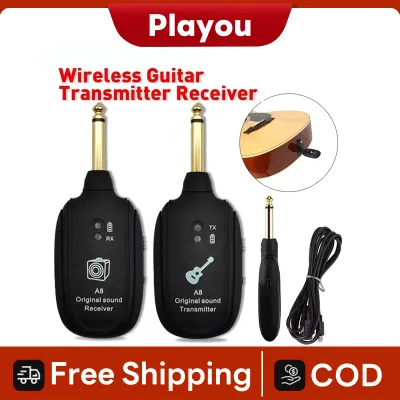
A wireless system replaces your standard instrument cable by splitting its job between two distinct components. The transmitter is the unit that plugs directly into your guitar or ukulele’s output jack. Its primary job is to capture the analog electrical signal produced by your instrument’s pickups and convert it into a digital or analog radio signal for wireless broadcast.
Products mentioned in this guide
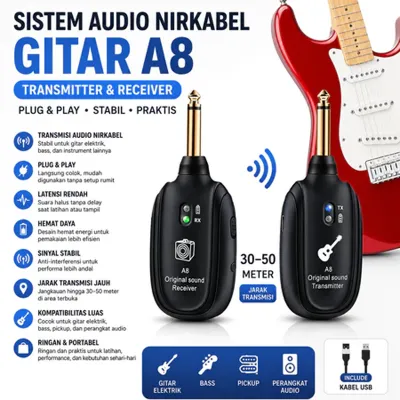
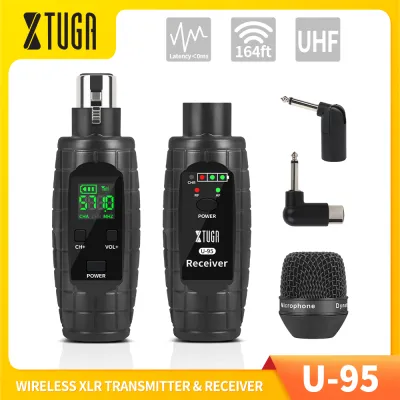
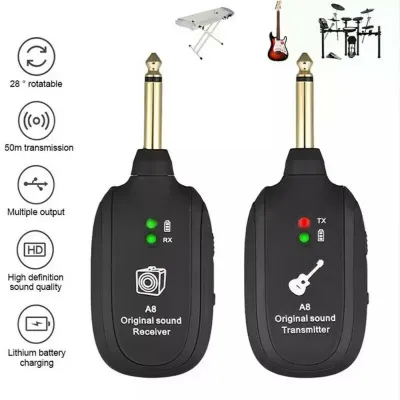
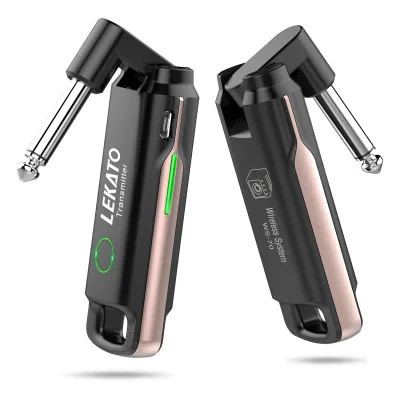
Prices are valid at publication and may change. Please refer to the product page for the latest price.
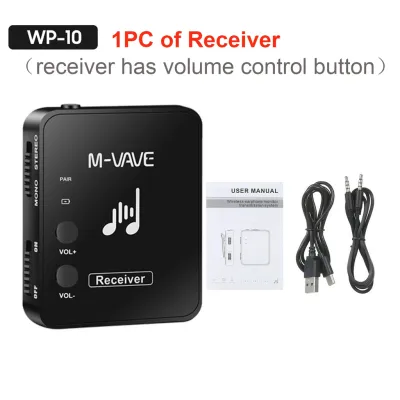
The receiver is the companion unit that plugs into your amplifier, pedalboard, or audio interface. It captures the wireless signal sent through the air by the transmitter and converts it back into an audio signal that your amplifier can play.
For beginners, modern plug-and-play systems have made this process incredibly simple. Most entry-level models feature automatic pairing, meaning you simply turn both units on, and they automatically find a shared channel to connect. This user-friendly design eliminates the need for manual frequency tuning, allowing you to start playing within seconds of powering up.
Key Specifications That Actually Matter for Beginners
While professional wireless systems come with complex menus and advanced settings, beginners only need to focus on a few core specifications. Prioritizing signal stability, low latency, and battery convenience will ensure your home practice sessions remain smooth and uninterrupted.

Frequency Bands and Signal Stability
Wireless systems operate on different radio frequency bands, with 2.4GHz, 5.8GHz, and UHF (Ultra High Frequency) being the most common. The 2.4GHz band is highly popular and widely compatible, but it shares bandwidth with household Wi-Fi routers, smartphones, and smart home devices. In dense residential areas or concrete-walled homes, this crowded band can occasionally experience signal dropouts.
Choosing a 5.8GHz system offers a practical alternative, as this band is generally less congested than 2.4GHz, though it has a slightly shorter effective range through physical obstacles. UHF systems provide excellent stability and are highly resistant to Wi-Fi interference, but they can sometimes be bulkier and require checking local frequency regulations.
Regardless of the band you choose, wireless signals perform best with a clear line-of-sight between the transmitter and receiver. Physical obstacles like heavy wooden furniture or concrete walls can degrade signal strength. If you experience persistent interference or dropouts during home practice, adjusting your local router settings or moving away from active household appliances can often resolve the issue.
Latency and Audio Fidelity
Latency is the tiny delay between the moment you pluck a string and the moment you hear the sound come out of your amplifier. This delay is measured in milliseconds (ms). For an optimal learning experience, look for systems that specify a latency of under 10ms. At this level, the delay is virtually imperceptible to the human ear, ensuring your timing and rhythm remain perfectly synchronized.
Audio fidelity refers to how accurately the wireless system preserves your instrument’s natural tone. Most digital wireless systems offer 24-bit or 16-bit audio resolution. While 24-bit systems provide a wider dynamic range, a 16-bit system is more than adequate for standard practice amplifiers and early learning stages.
It is normal for budget-friendly wireless systems to introduce a very slight amount of signal compression. For beginners, this minor change in tone is rarely noticeable and will not hinder your ability to practice, learn chords, or develop your playing technique.
Battery Life and Charging Convenience
Power management is a crucial factor in keeping your practice sessions seamless. Most modern beginner wireless systems feature built-in rechargeable lithium batteries, which are highly convenient and eliminate the ongoing cost of buying disposable alkaline batteries.
When evaluating battery life, keep in mind that manufacturer playtime estimates are typically recorded under ideal laboratory conditions. In real-world environments, especially in warm and humid tropical climates, battery efficiency can vary slightly. It is wise to look for systems that offer a realistic continuous playtime that easily covers your longest practice sessions.
For maximum convenience, prioritize systems that charge via standard USB-C cables. A USB-C interface allows you to use the same charging blocks, computer ports, or portable power banks that you use for your mobile phone, simplifying your gear setup and reducing cable clutter on your desk.
Physical Design and Instrument Compatibility
Before purchasing a wireless system, you must ensure the physical design of the transmitter is compatible with your specific instrument. Guitars and ukuleles feature a wide variety of output jack placements, and a poorly fitting transmitter can obstruct your controls or feel uncomfortable while playing.
Transmitters generally come with either straight plugs or adjustable, rotatable plugs. Straight plugs work well for recessed jacks, such as those found on Stratocaster-style electric guitars. However, for face-mounted jacks or side-mounted jacks common on acoustic-electric guitars and ukuleles, a rotatable plug that can pivot up to 220 degrees is highly recommended because it can fold flat against the instrument’s body.
Ensure the body of the transmitter does not block your volume knobs, tone controls, or tremolo arm. A bulky transmitter that crowds your controls can interfere with your playing hand and make quick adjustments difficult during a song.
Standard wireless systems use a 1/4-inch (6.35mm) audio plug. If you are playing a smaller instrument like an acoustic-electric ukulele that uses a smaller 1/8-inch (3.5mm) output jack, you will need to verify compatibility or purchase a reliable adapter. Additionally, consider the weight of the transmitter; a lightweight design is essential for smaller, delicate instruments to prevent putting unnecessary physical strain on the output jack.
Specs You Can Safely Ignore as a Beginner
When shopping for your first wireless system, it is easy to get overwhelmed by high-end technical specifications. Many of these features are designed for professional touring musicians and will unnecessarily inflate the price of the unit without offering any practical benefit for home practice.
Multi-channel routing and complex automatic frequency scanning are essential when dozens of wireless devices are operating on the same stage, but they are unnecessary for solo practice. A simple system that offers four to six selectable channels is more than enough to help you find a clear signal at home.
Similarly, you can safely ignore extreme range claims. Some professional systems boast operational ranges of 30 to 50 meters or more. For bedroom practice, garage jams, or small living room performances, a standard range of 10 to 15 meters is perfectly sufficient and highly reliable.
Finally, advanced signal encryption and rackmount receiver formats are unnecessary expenses for beginners. Standard digital transmission provides plenty of privacy and security for casual playing, and compact, plug-style receivers are much easier to transport and set up than heavy rackmount gear.
Building Your Shortlist: A Practical Pre-Purchase Checklist
Before finalizing your purchase from an online marketplace or local music store, use this practical checklist to ensure a seamless setup:
- Check Jack Clearance: Look closely at your instrument's output jack. Confirm whether a straight or rotatable plug is needed to avoid blocking your knobs or hitting your leg while seated.
- Verify Package Contents: Ensure the system includes a dual-ended charging cable, which allows you to charge both the transmitter and receiver simultaneously from a single USB port.
- Review the Return Policy: Because local wireless interference from household appliances or concrete walls can be unpredictable, verify that the seller offers a clear return or exchange policy.
- Confirm Power Requirements: Check if the receiver plugs directly into your amplifier's input jack or if it requires an external power source, ensuring it integrates easily with your current practice space.
Frequently Asked Questions (FAQ)
Can I use a wireless system with an acoustic guitar?
Yes, you can use a wireless system with an acoustic guitar, provided the instrument has an active pickup system with an onboard preamp and a standard 1/4-inch output jack. If your acoustic guitar is purely acoustic and does not have built-in electronics, you cannot plug a transmitter directly into it. In that case, you would first need to install a temporary soundhole pickup or use an external instrument microphone.
Do I need a separate transmitter for every instrument?
Not necessarily. While you cannot use two transmitters at the same time on the same receiver channel due to signal interference, you can easily unplug a single transmitter from one guitar and plug it into another during a practice break. If you plan to switch instruments quickly during a live performance, you can look for systems that allow multiple transmitters to pair with a single receiver on switchable channels, but manually swapping one transmitter remains the most budget-friendly option for beginners.
Community discussion
Share your experience or ask a question. Comments are reviewed before publication.