
To choose the right wireless guitar transmitter for live gigs and band practice, you must evaluate four critical pillars: latency, frequency band stability, hardware compatibility, and power reliability. In the Philippines, where live music venues range from air-conditioned bars to humid outdoor stages, your wireless system must also withstand high ambient temperatures and crowded radio frequency (RF) environments. Selecting a system with latency under six milliseconds, a clear frequency band (such as 2.4 GHz or regulated UHF), and a form factor that fits your guitar’s jack socket ensures a seamless transition from a traditional cable to wireless freedom.
Core Performance Metrics for Stage and Rehearsal Spaces
When transitioning from a high-quality instrument cable to a wireless system, your primary goal is to maintain the integrity of your guitar signal. The performance of a wireless transmitter relies on several technical specifications that directly impact how your instrument sounds and feels during a performance.
Evaluating Latency Specifications Latency is the delay between the moment you strike a guitar string and the moment the sound emerges from the amplifier. In a live gig or a fast-paced band rehearsal, even a minor delay can disrupt your timing and affect your playing precision. Digital wireless systems convert your analog guitar signal into digital data, transmit it through the air, and convert it back to analog at the receiver. This process takes time. For an imperceptible playing experience, look for systems that specify a latency of under six milliseconds. If you already use digital multi-effects processors or digital wireless in-ear monitors, keep in mind that latency is cumulative; keeping your transmitter’s latency as low as possible prevents noticeable audio lag.
Products mentioned in this guide
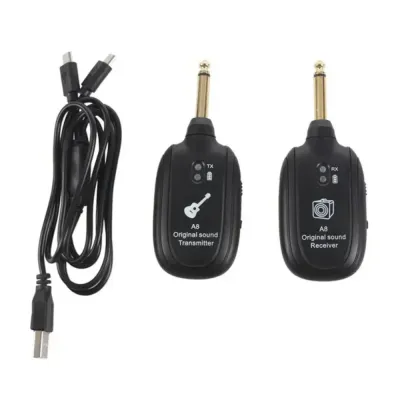
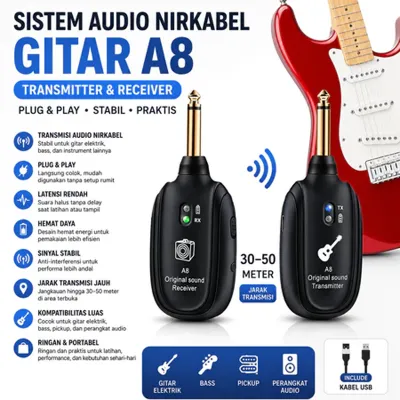
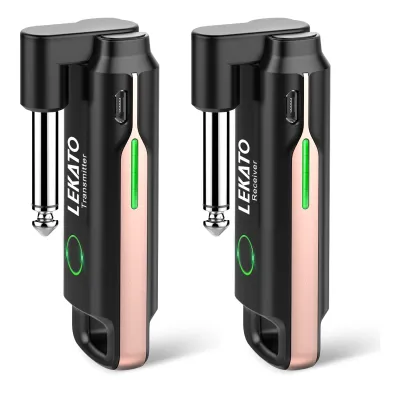
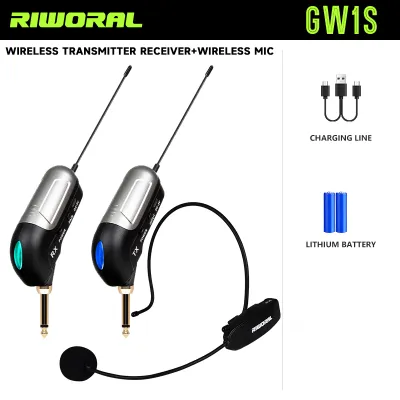
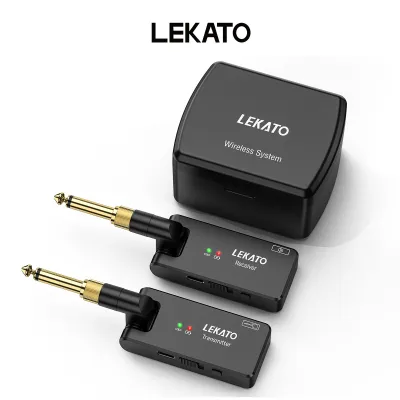
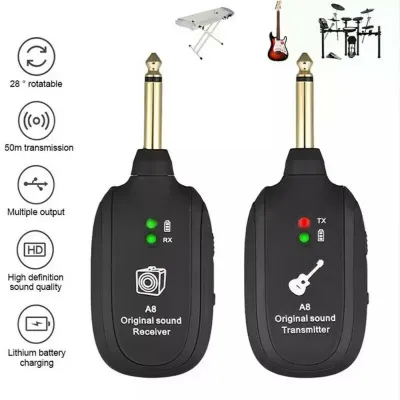
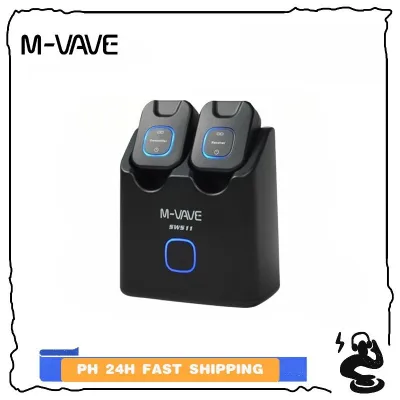
Prices are valid at publication and may change. Please refer to the product page for the latest price.
Checking Dynamic Range and Frequency Response A high-quality wireless transmitter must preserve the full tonal spectrum of your guitar, whether you are playing a bright acoustic-electric or a heavy electric guitar with high-gain distortion. Frequency response determines the range of pitches the system can transmit. A standard range of 20 Hz to 20 kHz covers the entire audible spectrum, ensuring that both the deep low-end of a bass guitar and the high-frequency harmonics of an electric guitar are preserved. Dynamic range, measured in decibels (dB), represents the difference between the quietest and loudest sounds the system can handle without distorting. A dynamic range of 100 dB or higher is generally recommended to capture the natural dynamics of your playing style without compressing your signal.
Understanding Signal-to-Noise Ratio Limits In high-volume band environments, background noise can quickly ruin a performance. The signal-to-noise ratio (SNR) measures the strength of your desired audio signal relative to the background noise or hiss introduced by the wireless transmission. A low SNR can result in an audible hiss during quiet passages or when you roll down your guitar’s volume knob. For clean, professional audio, aim for a system with an SNR of 105 dB or greater. This ensures that your signal remains pristine and free from unwanted background static, even when your amplifier is set to high gain or high volume levels.
Frequency Bands and Interference Management
The wireless spectrum is crowded with signals from mobile phones, Wi-Fi routers, and other electronic devices. Choosing the right frequency band is essential to prevent signal dropouts and interference during a gig.

Comparing 2.4 GHz Global Bands and UHF Options Wireless guitar systems primarily operate in either the 2.4 GHz digital band or the Ultra High Frequency (UHF) band. The 2.4 GHz band is globally license-free and highly convenient for plug-and-play operation. However, because 2.4 GHz is also used by consumer Wi-Fi, Bluetooth devices, and venue routers, it can become congested in crowded bars or urban rehearsal spaces. UHF systems, which operate in lower frequency ranges, offer longer wavelengths that penetrate obstacles more effectively and generally provide a longer operating range. UHF is often preferred for larger outdoor stages or venues with high wireless traffic, though it may require manual frequency coordination.
Identifying Auto-Scanning and Channel-Hopping Features To combat interference in unpredictable environments, many modern wireless systems include automatic channel-scanning or frequency-hopping technology. Auto-scanning allows the receiver to analyze the local RF environment and select the clearest available channel before you start playing. Channel-hopping systems continuously monitor the signal quality during use and seamlessly switch to a clear frequency if interference is detected. These features are highly valuable for gigging musicians who perform in different venues and do not have the time or technical expertise to manually coordinate frequencies before a show.
Verifying Local Regulations and Environmental Factors When using UHF wireless systems in the Philippines, it is important to be aware of local telecommunications guidelines. The National Telecommunications Commission (NTC) regulates the radio frequency spectrum to prevent interference with public broadcasting and telecommunications networks. Before purchasing a UHF system, verify that its operating frequency falls within the authorized bands for low-power wireless audio devices in the country. Additionally, consider the physical environment of local venues. Tropical humidity and concrete-and-steel building construction can absorb or reflect RF signals. Choosing a system with a strong, stable transmitter output and positioning your receiver with a clear line of sight to the stage can help mitigate these environmental challenges.
Analog vs. Digital Transmission: Understanding the Trade-offs
Both analog and digital wireless systems have distinct operational characteristics. Understanding these trade-offs will help you choose the system that best aligns with your tone preferences and performance habits.
Assessing Digital Audio Compression Digital wireless systems convert your guitar’s analog signal into digital packets. To transmit this data efficiently, some systems use compression algorithms. While high-quality digital systems offer near-lossless transmission, lower-end digital systems may introduce compression that subtly alters the feel and response of high-gain electric guitar tones or dampens the natural resonance of acoustic instruments. If you are highly sensitive to how your amplifier responds to your playing dynamics, look for digital systems that specify uncompressed 24-bit digital transmission to ensure your tone remains transparent.
Evaluating Analog Systems and RF Noise Analog wireless systems transmit your audio signal using frequency modulation (FM), similar to radio broadcasts. Because analog systems do not convert the signal to digital, they have virtually zero latency. However, to fit the wide dynamic range of a guitar into an analog radio signal, these systems use a process called “companding” (compressing the signal at the transmitter and expanding it at the receiver). If not designed well, companding can introduce a subtle “breathing” artifact to your tone. Furthermore, analog systems are more susceptible to radio frequency interference, which can manifest as static, clicks, or background hum if another device is transmitting on a nearby frequency.
Comparing Battery Life and Power Management Power management is a crucial consideration for long rehearsals and multi-set gigs. Digital transmitters generally consume more power than analog transmitters due to the processing required for digital conversion and encryption. Many modern digital systems feature built-in rechargeable lithium-ion batteries, which offer convenient charging via USB but have a fixed lifespan and cannot be quickly swapped mid-gig. Analog transmitters often rely on standard AA or AAA batteries. While this requires purchasing disposable batteries or maintaining a set of rechargeable NiMH batteries, it allows you to quickly swap in fresh batteries if your power runs low during a performance.
Hardware Compatibility and Form Factor Checks
A wireless transmitter is only useful if it physically fits your instrument and integrates smoothly with your existing stage setup.
Matching Plug Orientations to Guitar Jacks Guitar input jacks come in various designs and locations. A Fender Stratocaster features a recessed, angled jack plate on the face of the body, while a Gibson Les Paul has a flat jack on the side rim. Acoustic-electric guitars often have the jack integrated into the strap button at the bottom of the body. When choosing a transmitter, ensure its physical design is compatible with your guitar’s jack. Many transmitters feature a flexible, swiveling plug that can adjust to different angles, making them highly versatile. If your transmitter has a rigid, straight plug, it may stick out awkwardly from a side-mounted jack, increasing the risk of accidental damage if you bump into a stage monitor or a bandmate.
Verifying Compatibility with Active Pickups If you play a guitar or bass equipped with active pickups or an onboard preamp, you must check for electrical compatibility. Some plug-in wireless transmitters use the ring terminal of the stereo jack to detect connection or to ground the system. When plugged into an active guitar, this can cause a high-pitched whine, severe distortion, or even drain the guitar’s battery rapidly. To avoid this, look for transmitters specifically rated for use with active electronics, or use a short mono extension cable to isolate the transmitter from the guitar’s active circuitry.
Planning Receiver Placement and Pedalboard Integration Consider how the wireless receiver will fit into your signal chain. Pedal-format receivers are designed to sit directly on your pedalboard, drawing power from your multi-pedal power supply (typically requiring standard 9V DC power) and acting as the first pedal in your chain. These receivers often double as instrument tuners, saving valuable pedalboard space. Desktop or rackmount receivers, on the other hand, are ideal if you prefer to place the receiver near your amplifier or in a dedicated gear rack. Ensure you have the appropriate power supply and physical space allocated for whichever receiver format you choose.
Building Your Shortlist: Matching Specs to Your Gigging Needs
To find the right wireless system, you must match the technical specifications to your specific playing environments and budget.
Defining Requirements by Venue Size For small, indoor rehearsal spaces or intimate acoustic gigs, a compact 2.4 GHz plug-and-play system is often highly sufficient. The short distances and limited physical obstacles mean you do not need an expansive operating range. However, if you regularly perform on large outdoor stages, at local festivals, or in large event halls, you will benefit from a professional UHF system with external antennas. These systems provide the range and signal penetration necessary to maintain a stable connection even when you move far away from your amplifier or pedalboard.
Aligning Budget Tiers with Essential Features Establish a realistic budget based on your performance frequency and reliability requirements.
- Entry-Level (Under ₱3,000): These systems are typically compact, plug-in 2.4 GHz units with built-in rechargeable batteries. They are excellent for home practice, casual rehearsals, and small indoor gigs, but may lack advanced interference avoidance.
- Mid-Range (₱3,000 to ₱8,000): In this tier, you will find more robust digital systems and entry-level UHF systems. They offer better build quality, improved latency specs, and more reliable channel-switching capabilities suitable for regular gigging.
- Professional (Above ₱8,000): These systems feature metal construction, advanced frequency scanning, pedalboard-friendly receivers, and exceptional audio fidelity. They are designed for touring musicians who require absolute reliability night after night.
Pre-Purchase Verification Checklist Before finalizing your purchase from a local music store or an authorized online distributor in the Philippines, run through this quick checklist:
- Warranty Coverage: Ensure the product comes with an official manufacturer or distributor warranty to protect against manufacturing defects.
- Local Support: Verify if the brand has an authorized service center or local distributor in the country to facilitate repairs or replacement parts.
- Return Policy: Check the seller's return policy in case you experience immediate compatibility issues with your specific guitar or active pickups.
- Package Contents: Confirm that the package includes all necessary charging cables, power adapters, and mounting hardware.
Frequently Asked Questions (FAQ)
Do wireless transmitters affect my guitar's active pickup battery life?
Some plug-in wireless transmitters can interact with the active electronics of your guitar. Because active pickups rely on a stereo jack to switch on the internal 9V battery when a mono cable is inserted, certain transmitter plugs can misinterpret this connection. This can lead to rapid battery drain or unwanted electrical noise. To prevent this, always unplug the transmitter from your guitar when you are not playing. If compatibility issues persist, using a short female-to-male mono patch cable between your guitar jack and the transmitter will safely isolate the active preamp.
Can I use multiple wireless systems on the same stage without interference?
Yes, you can run multiple wireless systems simultaneously, provided they are set to different channels or frequency bands. If your band has multiple members using wireless systems for guitars, bass, or in-ear monitors, you must coordinate your frequencies. For 2.4 GHz systems, check the manufacturer’s specifications to see how many compatible channels can run at the same time—usually between four and eleven systems. For UHF systems, utilizing the receiver’s auto-scan function on each unit sequentially will help identify and lock onto non-overlapping frequencies for a clean, interference-free performance.
How do I maintain the transmitter and receiver for long-term reliability?
To ensure your wireless system remains reliable through years of hot, humid gigs, establish a regular maintenance routine. For systems with built-in lithium-ion batteries, avoid leaving them completely discharged for long periods, as this can permanently degrade battery capacity. Keep physical connectors clean by wiping them with a dry microfiber cloth to remove sweat and moisture after every performance. If your system uses external antennas, always pack them carefully to prevent bending or snapping, and store the entire system in a padded case to protect the delicate internal electronics from physical shock and tropical humidity.
Community discussion
Share your experience or ask a question. Comments are reviewed before publication.