
Finding classic Filipino movies on VCD (Video CD) and DVD is entirely possible, but it requires shifting your approach from mainstream retail shopping to navigating specialized collector networks, vintage shops, and independent archival releases. Because mass production of these legacy formats has largely ceased in the Philippines, building a physical media collection today is a journey of active scouting, verification, and careful preservation. For dedicated cinephiles, these physical discs represent more than just nostalgia; they are vital physical archives of a rich cinematic history that streaming platforms often overlook.
While digital convenience has reshaped how the public consumes media, physical formats offer permanent ownership free from the volatility of streaming licensing agreements. Many landmark works of Philippine cinema—ranging from mid-century classics to the golden age of the 1970s and 1980s, as well as independent films from the early 2000s—remain locked on optical discs. Securing these titles requires an understanding of where legacy media now circulates, how to evaluate the technical differences between formats, and how to protect fragile physical assets from environmental wear.
Understanding the Market for Classic Filipino Physical Media
The landscape of physical home video in the Philippines has undergone a dramatic transformation. During the late 1990s and throughout the 2000s, shopping malls across the country housed major retail chains where rows of VCDs and DVDs of local films were readily accessible. Today, those retail shelves have vanished, replaced by digital storefronts and streaming services. Consequently, the vast majority of classic Filipino titles on physical media are out of print, meaning they are no longer actively manufactured or distributed by the original home video labels.
Products mentioned in this guide
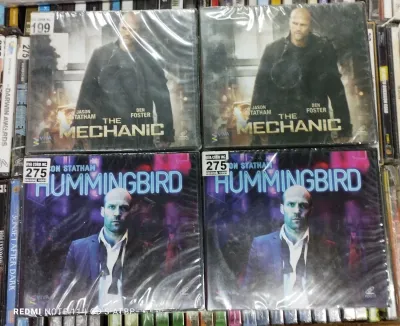
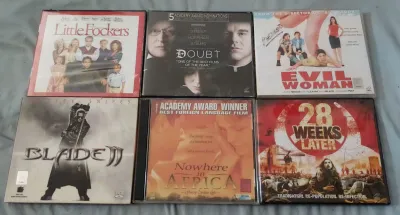
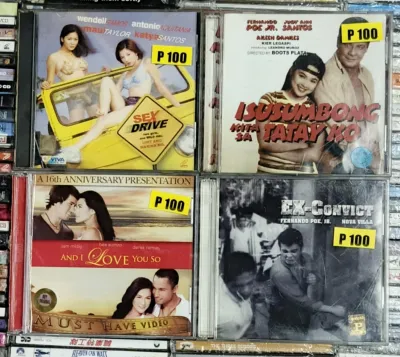
Prices are valid at publication and may change. Please refer to the product page for the latest price.
Because these discs are out of print, they primarily circulate within a secondary collector market. This market operates on different principles than traditional retail; availability is highly fluid, and pricing is determined by rarity, condition, and demand. A mainstream comedy from the early 2000s might be easily found for under ₱100, whereas a critically acclaimed drama from a celebrated director might command premium collector prices in specialized circles.
This transition from mass market to niche hobby means that physical media hunting requires a proactive mindset. You cannot rely on a single source or expect to find a complete catalog in one place. Instead, collectors must learn to enjoy the hunt, which involves visiting vintage shops, browsing online listings daily, and building relationships with other physical media enthusiasts who frequently trade or sell duplicates from their personal libraries.
Furthermore, the physical media landscape in the Philippines is deeply tied to the history of local film preservation. Many older films were never digitized or restored, meaning the surviving VCD or DVD releases represent the only accessible copies of these works. For researchers, historians, and passionate cinephiles, locating these discs is not merely about collecting; it is a form of cultural preservation that ensures these cinematic works are not entirely lost to time.
Where to Source Authentic VCDs and DVDs in the Philippines
Sourcing authentic physical media in the Philippines requires exploring a mix of physical locations, online communities, and official archival channels. Because counterfeit copies were highly prevalent during the peak era of optical discs, knowing where and how to shop is essential to building a legitimate, high-quality collection.

Brick-and-Mortar Hubs and Vintage Markets
Physical shopping districts and vintage media stores remain excellent places to hunt for physical media. In metropolitan areas like Manila, specialized vintage shops, antique hubs, and second-hand markets often carry crates of old optical discs. Locations such as Cubao Expo in Quezon City, select vintage stalls in Greenhills, and various thrift shops (often referred to locally as surplus or ukay-ukay style media bins) are known gathering spots for collectors.
When visiting these physical hubs, expect highly unpredictable stock. You must be prepared to sift through hundreds of unrelated titles to find a single classic Filipino film. However, the advantage of brick-and-mortar shopping is the ability to physically inspect the disc’s condition, examine the packaging for authenticity, and negotiate prices directly with vendors who understand the local collector market.
Online Marketplaces and Collector Groups
Online platforms have become the primary venue for buying, selling, and trading legacy media formats. Dedicated groups on social media platforms serve as active hubs where collectors post their latest acquisitions, list items for sale, or post “want lists” for specific titles. General online marketplaces and auction sites also host listings from individual sellers clearing out old household items.
When purchasing through online marketplaces, exercising caution is vital to avoid scams or receiving damaged goods. Always check the seller’s rating, transaction history, and customer feedback. Request detailed, high-resolution photos of both the cover art and the data side of the disc under direct light. If possible, ask the seller for a short video showing the disc successfully loading and playing in a compatible player. To protect your funds, utilize secure payment methods offered by the platform that include buyer protection, rather than relying on direct, unverified bank transfers to unknown individuals.
Archival and Independent Releases
For collectors seeking pristine quality and absolute authenticity, monitoring official archival releases is highly recommended. Cultural institutions, national film archives, and independent restoration initiatives occasionally produce limited-run physical releases of restored classic Filipino films. These releases are often distributed directly through the institutions’ official websites, specialized museum shops, or independent cultural hubs.
While these physical releases are less frequent and typically produced in limited quantities, they represent the gold standard of physical media collecting. Purchasing directly from these authorized sources ensures that you receive a high-quality, legitimate product while directly supporting local film preservation and restoration projects. Keep in mind that these physical runs sell out quickly, so subscribing to newsletters and following the official social media channels of local film archives is essential to catch these limited drops.
VCD vs. DVD: Comparing Quality, Packaging, and Collectibility
When building a collection of classic Filipino films, you will frequently encounter both VCD and DVD formats. Understanding the technical, aesthetic, and historical differences between these two mediums is crucial for making informed purchasing decisions and prioritizing your collection goals.
Audio and Video Fidelity
The technical specifications of VCD and DVD formats differ significantly, impacting how these films look and sound on modern home theater equipment.
- VCD (Video CD): Introduced in the 1990s, VCDs utilize MPEG-1 video compression with a fixed resolution of 352×240 pixels (for NTSC television standards). The video quality is comparable to or slightly below that of a well-kept VHS tape, characterized by visible pixelation, compression artifacts, and limited color depth. Audio is typically compressed stereo or dual-mono, which may sound flat or muddy on modern sound systems.
- DVD (Digital Versatile Disc): DVDs utilize MPEG-2 video compression, offering a standard-definition resolution of 720×480 pixels (NTSC). This provides a substantial leap in clarity, color accuracy, and detail over VCDs. DVDs also support superior audio codecs, including Dolby Digital and DTS, allowing for multi-channel surround sound or high-bitrate stereo tracks that deliver a much more immersive listening experience.
Packaging, Extras, and Physical Presentation
The physical presentation of these formats reflects their respective eras and target markets, contributing greatly to their appeal as collectible items.
- VCD Packaging: Because a standard VCD can only hold about 74 to 80 minutes of video, a typical feature-length film requires two discs. These were commonly packaged in double-disc jewel cases (similar to CD cases) or slim plastic cases. The packaging is generally basic, often consisting of a simple cover insert with minimal artwork and no additional booklets or physical inserts. Bonus features are virtually non-existent on VCDs due to strict storage capacity limits.
- DVD Packaging: DVDs are typically housed in taller, sturdier plastic keep cases, which allow for more prominent cover art, detailed back-cover specifications, and spine text that looks organized on a shelf. DVDs frequently include multi-page booklets, promotional inserts, or chapter index cards. Furthermore, the higher storage capacity of DVDs allows manufacturers to include valuable bonus content, such as behind-the-scenes documentaries, director commentaries, deleted scenes, and interactive menus.
Collectibility and Nostalgia Factors
Both formats hold distinct value for different types of collectors, depending on their specific collecting goals and preferences.
- The Appeal of VCDs: For many collectors, VCDs are highly valued for their historical nostalgia, representing the exact format through which a generation of Filipinos first experienced home video. Additionally, because the transition to DVD was gradual, some obscure local films, low-budget action movies, and early indie projects were only ever released on VCD and never received a DVD upgrade. In these cases, the VCD remains the only physical record of the film.
- The Appeal of DVDs: Collectors who prioritize viewing quality, durability, and comprehensive physical presentation generally favor DVDs. DVDs are less susceptible to minor surface scratches during playback compared to VCDs, and their superior resolution makes them far more tolerable to watch on modern television screens. If a film is available on both formats, the DVD edition is almost always the preferred choice for a high-quality home theater experience.
How to Verify Editions, Regions, and Authenticity Before Buying
Because the secondary market for physical media contains a mix of official releases, foreign imports, and unauthorized bootlegs, collectors must perform diligent pre-purchase checks. Verifying the specific details of a disc before completing a transaction prevents compatibility issues and ensures you are adding a genuine, high-quality item to your collection.
Region Codes and Device Compatibility
DVDs are often restricted by geographical region codes to control global distribution. Before purchasing a DVD, you must verify its region code to ensure it will play on your home equipment.
- Region 3: This region code covers Southeast Asia, including the Philippines. Most official local DVD releases are encoded for Region 3.
- Region 0 or Region All: Many local independent releases and some major studio discs are region-free, meaning they will play on any standard DVD player worldwide.
- Region 1: Some classic Filipino films were distributed primarily in North America by international boutique labels. These discs are locked to Region 1 and require a North American player or a multi-region (region-free) player to watch.
Unlike DVDs, VCDs do not feature region coding. However, they are encoded using specific television broadcast standards—primarily NTSC or PAL. The Philippines uses the NTSC standard. While most modern multi-format players can handle both NTSC and PAL VCDs, it is wise to verify that your specific playback hardware supports the format of the disc you are purchasing.
Language Tracks and Subtitles
Never infer the audio and subtitle options of a film solely from the front cover artwork or general online listings. Different editions of the same film can vary wildly in their language configurations.
Always inspect the technical specifications on the back cover or ask the seller to verify the options. Ensure that the disc contains the original Tagalog or regional language audio track rather than a dubbed version. If you plan to share the film with non-Filipino speakers or value accessibility, confirm the presence of English subtitles. Older VCD releases often feature hardcoded English subtitles that cannot be turned off, whereas DVDs typically offer toggleable subtitle tracks of superior translation quality.
Spotting Bootlegs and Counterfeits
During the height of physical media’s popularity, counterfeit discs were widespread in the Philippines. To ensure you are buying an authentic, factory-pressed release rather than a cheap bootleg, use this visual checklist during inspection:
- The Data Side Color: Legitimate, factory-pressed optical discs have a silver or light gold reflective data layer. In contrast, home-burned bootlegs (CD-Rs or DVD-Rs) typically display a distinct purple, blue, or green tint on the write side.
- Inner Ring Codes: Examine the inner ring on the data side of the disc under a light. Authentic commercial releases feature tiny laser-etched mastering codes, matrix numbers, and IFPI (International Federation of the Phonographic Industry) stamps. Bootleg recordable discs usually have generic serial numbers or brand names of blank media printed on the inner plastic hub.
- Disc Label Printing: Legitimate discs feature high-resolution, screen-printed or offset-printed labels directly on the surface of the disc. Bootlegs often use paper stickers pasted onto the disc (which can peel off and damage your player) or low-quality inkjet printing that appears blurry, pixelated, or easily smudges when touched.
- Packaging and Artwork: Check the quality of the paper insert and plastic case. Authentic releases use sturdy, professionally molded cases and crisp, high-resolution cover prints on quality paper stock. Bootlegs frequently feature flimsy, generic cases and covers printed on standard home printer paper, often resulting in washed-out colors, cropped text, or visible scanning artifacts.
- Holographic Security Stickers: Many older, legitimate home video releases in the Philippines carry official holographic security stickers issued by regulatory bodies like the Optical Media Board (OMB). While not present on every single independent or imported release, the presence of a genuine, intact holographic sticker is a strong indicator of an authorized commercial product.
Protecting Your Collection from Tropical Heat and Humidity
The tropical climate of the Philippines presents severe environmental challenges for physical media preservation. High temperatures, intense sunlight, and elevated humidity levels can accelerate the degradation of optical discs and damage paper packaging. Implementing a proper storage and maintenance routine is essential to prevent permanent damage to your collection.
Ideal Storage Conditions
To preserve the longevity of your VCDs and DVDs, store them in a cool, dry room that experiences minimal temperature fluctuations. Keep your media shelves completely away from direct sunlight, as UV rays can quickly fade the colors on cover inserts and cause the plastic cases to warp or melt.
Avoid placing your storage shelves against external concrete walls that absorb heat from the afternoon sun, as this heat can transfer directly to your discs. Instead, opt for interior walls or dedicated media cabinets located in well-ventilated living spaces.
Humidity Control and Mold Prevention
High relative humidity is the greatest enemy of physical media in tropical regions. Excess moisture in the air promotes the growth of mold, which can feed on the paper inserts, ruin the plastic cases, and form a cloudy residue on the disc surfaces that prevents the player’s laser from reading the data. Extreme humidity can also lead to “disc rot,” a chemical reaction where the internal reflective aluminum layer oxidizes and degrades, rendering the disc permanently unplayable.
To combat humidity, follow these storage practices:
- Use Silica Gel Packets: Place several silica gel desiccant packets inside your media storage cabinets or individual storage boxes to absorb excess moisture from the air. Remember to replace or reactivate these packets periodically as they saturate.
- Avoid Airtight Plastic Bins: While it may seem logical to seal discs in plastic containers to protect them, airtight bins without active desiccant can trap ambient moisture inside, creating a humid microclimate that accelerates mold growth. Use breathable shelving or cabinets with consistent airflow.
- Utilize Dehumidifiers: If you store your collection in a closed room, using a small electronic dehumidifier can significantly lower the ambient humidity levels, keeping them within a safe range of 30% to 50% relative humidity.
Safe Handling and Cleaning Techniques
Proper handling and cleaning are vital to prevent physical scratches and the transfer of oils that can degrade the disc’s surface over time.
Always handle optical discs strictly by their outer edges or by placing your finger through the center hub. Avoid touching the shiny data surface, as skin oils, sweat, and dirt can attract dust and create a breeding ground for mold.
If a disc accumulates dust, fingerprints, or light mold, it must be cleaned carefully to avoid scratching the data layer.
- Dry Cleaning: Use a clean, dry, lint-free microfiber cloth (such as those used for eyeglasses). Gently wipe the disc in straight, radial lines starting from the center hole directly outward to the outer edge. Never wipe the disc in circular motions; circular scratches can align with the laser's data tracks and cause permanent playback skipping, whereas radial scratches are easily bypassed by the player's error correction systems.
- Wet Cleaning: For stubborn dirt or heavy mold, check the applied cleaning product's label and follow any specific care instructions provided by the disc manufacturer. If using a specialized disc cleaning spray or a highly diluted solution of mild dish soap and lukewarm water, apply a small amount to the microfiber cloth first, test a small area on the outer edge of the disc, and wipe gently in radial lines. Ensure the disc is completely dry before returning it to its case or inserting it into a player.
Frequently Asked Questions (FAQ)
Can I play Philippine VCDs on modern Blu-ray players?
Backward compatibility for VCD playback varies significantly depending on the manufacturer, model, and regional specifications of your playback equipment. While almost all Blu-ray players are backward compatible with DVDs, many modern Blu-ray players have dropped native support for the legacy VCD format (MPEG-1/DAT files) to reduce licensing costs. Before purchasing VCDs for your collection, you must check your specific player’s user manual or official manufacturer specifications to confirm whether it explicitly supports VCD playback.
Are restored classic Filipino films available on DVD?
Yes, select restored classic Filipino films are available on DVD, but they are typically released in highly limited quantities. Local cultural institutions, national film archives, and independent restoration campaigns occasionally partner with distributors to produce physical DVD or Blu-ray editions following a film’s digital restoration. Because these physical runs are limited and do not enter mass retail channels, collectors should follow the official social media pages and websites of national film preservation organizations to receive announcements regarding new physical releases and purchase them directly.

Community discussion
Share your experience or ask a question. Comments are reviewed before publication.