
Attending a live concert is one of the most thrilling experiences for any fan, and having the right gear is essential to fully immerse yourself in the event. For fans of GOT7, the absolute must-have items include the official lightstick (affectionately known as the Ahgabong), concert-specific apparel, and high-quality fan slogans. These items do more than just show your support; they allow you to participate directly in the performance.
Authenticity is paramount when selecting your gear. Official merchandise is designed to meet strict quality standards and, most importantly, to integrate with the concert’s technical production. Unofficial or counterfeit items will not support the central control features that synchronize the crowd’s lights with the music, leaving you left out of the collective visual experience. Ensuring your items are genuine guarantees you can fully participate in every synchronized moment of the show.
Selecting the Right Official GOT7 Lightstick
Identifying the different versions of the GOT7 lightstick is the first step in preparing for a show. The lightstick has undergone a clear design evolution. The original Version 1 features a transparent, bird-shaped globe enclosing a green light, mounted on a sleek white handle. The upgraded Version 2 modernizes this concept with a transparent green bird-shaped outer casing, a refined white handle, and enhanced internal hardware. When purchasing, always examine the official product descriptions and packaging details to confirm which version you are buying, as the physical design and logo placement differ significantly between the two.
Products mentioned in this guide
Prices are valid at publication and may change. Please refer to the product page for the latest price.
Bluetooth and central control compatibility are critical for modern arena syncing. During a concert, the production team uses wireless signals to control the color and flashing patterns of thousands of lightsticks simultaneously, creating a unified light show. Version 2 was specifically engineered with advanced Bluetooth capabilities to support these central control systems. Before making a purchase, read the manufacturer’s specifications carefully to verify that the device supports the wireless protocols required for current tours.
To avoid counterfeit products, perform a thorough physical inspection of the lightstick and its packaging. Genuine lightsticks feature an official holographic licensing sticker on the box, which reflects light in a distinct, multi-layered pattern. Inspect the overall build quality of the device; official merchandise is characterized by clean plastic seams, precise logo printing, and a solid, well-balanced weight. Additionally, look for a unique serial number printed on the packaging or located inside the battery compartment, which serves as a key indicator of authenticity.
Battery safety is another crucial consideration for reliable performance. The lightstick typically requires three AAA alkaline batteries to function. Before inserting them, inspect the battery compartment and the metal contacts to ensure they are clean, dry, and free of any white powdery residue or rust. Using high-quality, brand-new batteries from a reputable manufacturer prevents sudden power drops and ensures your lightstick remains bright throughout the entire duration of the event.
Building Your Concert Kit: Essential Merch Categories
Official tour t-shirts, hoodies, and lanyards are excellent ways to commemorate the event while matching the tour’s specific theme. In the tropical climate of the Philippines, where high humidity and warm temperatures are common, selecting the right apparel material is essential. Opt for lightweight, breathable cotton t-shirts for the actual concert, as venues can become very warm due to the heat generated by thousands of active fans. If you purchase a heavier fleece hoodie, keep it in your bag for use in highly air-conditioned queueing areas or during your commute home after the show.

Fan slogans and banners are vital tools for expressing your support during key moments of the performance. While paper slogans are often distributed by fan clubs outside the venue, investing in an official fabric slogan offers significant advantages. High-quality fabric slogans, usually made of soft microfiber or suede-like material, are highly durable, resistant to tearing, and can be folded and packed repeatedly without creasing. However, always check the specific venue guidelines before arriving; many arenas enforce strict size limits on banners, often restricting them to a maximum length of 50 centimeters to prevent blocking the view of other attendees.
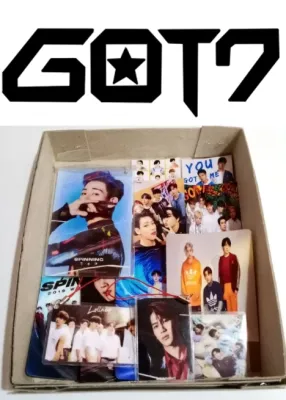
Photocards are a beloved collectible in the community, and trading them with fellow fans is a popular pre-concert activity. To protect these valuable items from the high humidity and potential physical damage in crowded spaces, use acid-free, PVC-free plastic sleeves. For maximum protection, consider double-sleeving your cards by placing them in a tight inner sleeve and then into a slightly larger outer sleeve. Store your protected cards in a rigid plastic toploader or a compact pocket binder that fits securely inside your concert bag, keeping them safe and organized for trading.
Sourcing Authentic GOT7 Merch in the Philippines
To guarantee you are purchasing genuine, licensed merchandise, always source your items through authorized retail channels. These include official brand stores, recognized local K-pop specialty shops with established physical locations, and verified flagship stores on major online marketplaces. These retailers source their inventory directly from official distributors, ensuring that your purchase supports the artists and guarantees a fully functional product.
When shopping online, use a strict checklist to spot potential red flags in e-commerce listings. Be highly suspicious of prices that are significantly lower than standard retail rates; an official lightstick offered for under ₱1,500 is almost certainly a counterfeit. Avoid listings that rely solely on manufacturer stock photos without showing actual images of the physical inventory in the seller’s possession. Additionally, read customer reviews carefully, looking for specific feedback confirming that the lightstick successfully connects to the official app and syncs during live events.
Buying unofficial or fan-made replicas carries significant functional risks. While these items may be more budget-friendly, they lack the internal Bluetooth microchips required to communicate with the venue’s central control transmitter. Consequently, an unofficial lightstick will remain static or out of sync while the rest of the arena lights up in unison. To fully experience the immersive, synchronized light show, investing in official, licensed gear is highly recommended.
Pre-Concert Prep: Syncing and Gear Maintenance
Proper preparation the night before the concert ensures your gear functions flawlessly during the show. Install three fresh, high-quality AAA alkaline batteries into your lightstick, making sure not to mix old and new batteries, as this can cause uneven power discharge. The most critical rule of lightstick maintenance is to remove the batteries immediately after the concert ends. The high humidity in the Philippines accelerates chemical reactions, and leaving batteries inside the compartment for extended periods can lead to corrosive acid leaks that permanently destroy the internal circuitry.
Before heading to the venue, download the official artist or concert app onto your smartphone. Refer to the app’s user manual to check for any available firmware updates for your lightstick. These updates are frequently released prior to a tour to ensure compatibility with the specific light show programming of the venue. Perform this update at home using a stable Wi-Fi connection, as mobile data networks can become highly congested and unreliable once you arrive at the crowded concert grounds.
Once you reach your seat, turn on your lightstick and activate the Bluetooth pairing mode as instructed by the app or venue announcements. If you experience pairing difficulties, try temporarily toggling your phone’s Bluetooth off and on, or step away from dense clusters of other active devices to reduce signal interference. Keep in mind that once the concert begins, the venue’s central control system will take over the lightstick’s functions, so do not worry if your manual controls stop responding during the performance.
Frequently Asked Questions (FAQ)
Can I use an older version of the GOT7 lightstick at new concerts?
While older versions of the lightstick will generally work for manual lighting, full compatibility with modern central control systems depends entirely on the technical setup of the specific tour. Older hardware may lack the updated Bluetooth protocols required to sync with the latest arena lighting programs. To avoid disappointment, always check the official tour FAQ or the local concert organizer’s announcements regarding supported lightstick models before the event.
How do I clean and store my lightstick after the concert?
To preserve your lightstick for future events, remove the batteries immediately after the concert to prevent corrosive chemical leaks. Use a dry, soft microfiber cloth to gently wipe away fingerprints, dust, and sweat from the handle and the clear globe. Avoid using water or harsh chemical cleaners, which can damage the plastic or seep into the internal electronics. Store the lightstick in its original packaging or a dust-free display case, keeping it in a cool, dry place away from direct sunlight to prevent the plastic from yellowing.

Community discussion
Share your experience or ask a question. Comments are reviewed before publication.