
To unlock the full potential of your Mooer GE100 Pro Li, you must pair it with a reliable ecosystem of accessories designed to support its portable, battery-powered architecture. While this multi-effects processor delivers impressive amp modeling and effects right out of the box, its performance in real-world scenarios—whether you are practicing at home, recording in a studio, or busking on a humid evening—depends heavily on your choice of peripheral gear. Selecting the wrong cables, power sources, or monitoring equipment can compromise your tone, limit your control, or even risk damaging the unit’s internal components.
By focusing on high-quality connectivity, precise control interfaces, accurate audio monitoring, and robust physical protection, you can build a highly versatile rig that is both road-ready and optimized for pristine sound quality. This guide outlines the essential accessories you need to consider, highlighting the technical specifications and practical factors that ensure seamless compatibility with your processor.
Power, Charging, and Connectivity Essentials
The built-in lithium battery of the processor offers incredible freedom, but it also introduces specific power management considerations that differ from traditional mains-powered pedals. When looking for a charging solution, your primary task is to verify the USB-C charging requirements explicitly detailed in the manufacturer’s user manual. It is highly recommended to avoid using high-wattage fast chargers, such as those designed for modern laptops or proprietary smartphone fast-charging systems. These high-output adapters can sometimes fail to negotiate the correct voltage with the pedal’s internal charging circuit, potentially triggering safety shutoffs or putting unnecessary stress on the battery management system. Instead, opt for a dedicated, stable 5V USB power adapter with the exact amperage recommended by the manufacturer to ensure safe, steady charging.
Products mentioned in this guide
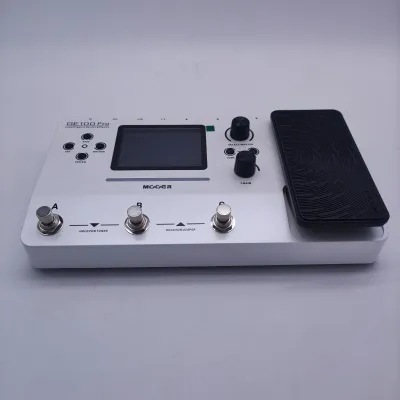
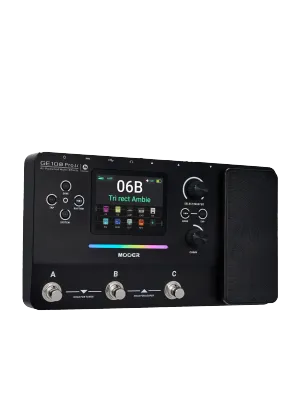
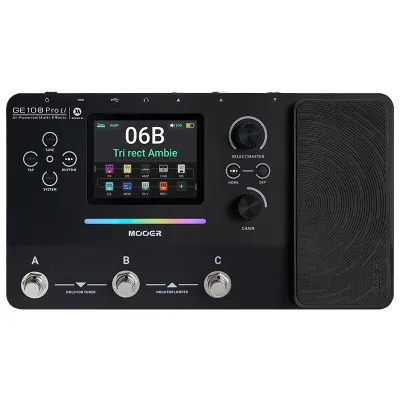
Prices are valid at publication and may change. Please refer to the product page for the latest price.
Beyond power, your physical signal path requires careful cable selection to preserve the integrity of your guitar tone. For standard connections, high-quality 1/4-inch Tip-Sleeve (TS) instrument cables are essential. Look for cables with robust shielding and durable connectors to minimize electromagnetic interference, which can be particularly problematic in venues with older or ungrounded electrical wiring. If you plan to utilize the stereo capabilities of the processor, you will need a stereo breakout cable (typically a 1/4-inch TRS to dual TS configuration) or dedicated stereo patch cables, depending on the unit’s output jack layout. Always double-check the physical jack sizes on the pedal’s chassis before purchasing to ensure a secure, flush fit that won’t wiggle loose during a performance.
Wireless connectivity is another area where the right setup makes a significant difference. The processor features Bluetooth capabilities for audio streaming and app integration, allowing you to play along with backing tracks or edit your presets wirelessly. To ensure a stable connection, verify that your mobile device supports the same Bluetooth protocols utilized by the pedal. Keep in mind that physical obstacles, high-frequency wireless congestion from Wi-Fi routers, and distance can cause latency or dropouts. When performing live, it is often safest to rely on physical cable connections for your primary audio path, reserving Bluetooth for practice sessions or quick adjustments.
In tropical climates like the Philippines, environmental factors play a major role in connectivity. High relative humidity and salty coastal air can accelerate the oxidation of metal jacks and cable plugs, leading to crackling noises, signal loss, or intermittent connections. To combat this, invest in cables with gold-plated connectors, which offer superior resistance to corrosion compared to standard nickel-plated options. Additionally, keeping a can of specialized electronic contact cleaner in your gig bag allows you to periodically clean the input and output jacks of your processor, ensuring a clean, noise-free connection even after months of exposure to humid air.
Expression Pedals and External Footswitches
Expanding your real-time control over parameters like volume, wah, delay feedback, or pitch shifting requires a compatible external expression pedal or auxiliary footswitch. However, expression pedals are not universally compatible, and choosing the wrong one can result in a limited sweep range, erratic parameter jumps, or a complete failure to register movement. To avoid these issues, you must match the wiring standard (Tip-Ring-Sleeve or TRS versus Tip-Sleeve or TS) and the internal potentiometer impedance specified in the processor’s manual. Some expression pedals feature a polarity switch that allows you to toggle between different wiring standards, making them highly versatile options if you plan to use them with multiple devices.

The physical design of the expression pedal is just as important as its electrical compatibility. If your primary goal is portability for quick gigs or rehearsals, a compact pedal with a small footprint will easily fit into a standard backpack or gig bag. However, smaller pedals often have a shorter physical travel distance (sweep), which can make precise adjustments—such as subtle volume swells or fine-tuned wah control—more difficult to execute. For stage use, a full-sized expression pedal with a rugged metal chassis and a textured rubber grip offers superior stability and durability, ensuring it won’t slide around on smooth venue floors when you step on it.
Another critical factor to verify is whether the chosen expression pedal or external controller requires an external power source. Most standard expression pedals are passive, meaning they do not require batteries or a power supply; they simply draw a small control voltage directly from the processor’s expression jack. However, some advanced MIDI controllers or active multi-switches may require their own power source, either via a 9V DC adapter or an internal battery. If you prefer a clean, minimalist setup with minimal cables to trip over, stick to passive expression pedals that run entirely off the connection to the main unit.
When setting up your external pedal, always perform the calibration process within the processor’s system menu. This step tells the digital brain of the unit exactly where the physical “heel-down” (minimum) and “toe-down” (maximum) positions of your pedal are. Without proper calibration, you might find that the effect reaches its maximum value halfway through the pedal’s physical sweep, or that it never fully cuts off the signal when pulled all the way back. Taking two minutes to calibrate the pedal ensures a smooth, linear response that feels natural underfoot.
Audio Output and Monitoring Gear
The quality of your monitoring gear directly dictates how well you hear the sophisticated amp models and impulse responses (IRs) generated by your processor. If you are practicing at home or dialing in presets, a pair of high-quality studio monitoring headphones is indispensable. It is crucial to choose headphones with a flat, neutral frequency response rather than consumer-grade headphones that feature boosted bass or scooped mids. Consumer headphones will mask the true character of your presets; if you dial in a patch that sounds great on bass-heavy consumer headphones, it will likely sound thin, harsh, and overly bright when plugged into a flat PA system at a venue.
For live performances or loud rehearsals, traditional guitar amplifiers are generally not recommended for multi-effects processors. A standard guitar amplifier is designed to color your tone with its own preamp, power amp, and speaker cabinet characteristics. When you run an amp-modeled signal into another guitar amp, you are essentially stacking two distinct preamps and cabinets, resulting in a muddy, congested sound. Instead, look for Full-Range Flat-Response (FRFR) active speakers or acoustic-focused amplifiers. FRFR systems act like clean, powerful PA monitors, reproducing the exact digital signal coming out of your processor without adding unwanted coloration, ensuring your carefully crafted presets sound consistent across different venues.
When connecting your processor directly to a mixing console or a house PA system, you may encounter noise issues, especially over long cable runs. To solve this, a Direct Injection (DI) box is an invaluable addition to your setup. A DI box converts the high-impedance, unbalanced signal from your pedal into a low-impedance, balanced signal suitable for long XLR cable runs to the mixer. More importantly, look for a DI box equipped with a ground lift switch. Ground loops are incredibly common in local performance spaces, often caused by the stage gear and the PA system being plugged into different electrical circuits. Flipping the ground lift switch breaks the physical ground connection between the devices, instantly eliminating the annoying low-frequency hum or buzz that can ruin a performance.
Additionally, consider the input sensitivity of your destination device. If you are plugging into a home audio interface for recording, ensure the interface’s input is set to “Instrument” or “Line” level to match the output level of your processor. Setting the input gain incorrectly can lead to digital clipping, which introduces harsh, unpleasant distortion that cannot be removed in post-production. Monitoring your input meters and keeping a safe amount of headroom will ensure your recordings remain clean and dynamic.
Protection and Portability Solutions
Protecting your investment is essential, especially if you frequently transport your gear to rehearsals, gigs, or jam sessions. The first step in choosing a protective case or gig bag is to measure the exact physical dimensions of your processor, taking into account any protruding knobs, footswitches, and the built-in expression pedal. A case that is too small will put pressure on the controls, potentially damaging the potentiometers or cracking the screen during transport. Conversely, a case that is too large will allow the unit to slide around inside, increasing the risk of cosmetic damage or impact shock if the bag is dropped.
When evaluating gig bags, look for models that feature high-density foam padding of at least 10mm to 15mm in thickness. The interior lining should be soft and non-abrasive to prevent scratches on the unit’s finish. Dedicated accessory compartments are another must-have feature. These pockets allow you to organize your charging cables, instrument cords, and external expression pedals separately, preventing them from rubbing against the processor’s screen or metal chassis. A high-quality padded gig bag typically ranges from ₱1,500 to ₱3,500, which is a small price to pay to protect your processor from accidental drops. Water-resistant outer materials, such as heavy-duty nylon or polyester, provide an extra layer of defense against sudden tropical downpours, which are common in the Philippines.
For musicians who travel extensively or perform in demanding environments, a hard-shell flight case with customizable foam inserts offers the ultimate level of protection. These cases feature a rigid outer shell made of impact-resistant plastic or aluminum, shielding your gear from heavy crushing forces. You can pluck the customizable foam blocks to create a perfect, form-fitting cavity for your processor and its power supply. While hard cases are heavier and more expensive than soft gig bags, the peace of mind they provide during transit is well worth the investment.
Finally, pay attention to heat dissipation when using your processor in warm environments. While the unit is designed to operate efficiently, running it inside a tight, enclosed space—such as leaving it inside a partially opened gig bag on stage—can trap heat, especially during long outdoor gigs in hot weather. This trapped heat can degrade the lifespan of the internal lithium battery over time. Always remove the processor completely from its carrying case during use, placing it on a flat, stable surface where air can circulate freely around the chassis to keep the internal components running cool.
Frequently Asked Questions (FAQ)
Can I use any standard TRS expression pedal with the GE100 Pro Li?
While many standard TRS expression pedals can physically connect to the unit, universal compatibility is not guaranteed due to differences in wiring standards and internal potentiometer resistance. Some manufacturers wire their pedals with the wiper connected to the tip of the TRS plug, while others connect it to the ring. To ensure compatibility, check if the expression pedal has a polarity or wiring switch that allows you to match the pedal’s output to the processor’s input requirements. Once connected, you must always run the unit’s internal calibration utility to map the physical sweep of the pedal to the digital parameters, ensuring smooth and predictable control.
Does the built-in battery change how I should choose a power bank?
Yes, the built-in lithium battery changes your power bank requirements because you are charging an internal battery rather than powering an active digital circuit directly from an external source. When selecting a power bank, you must verify that its output voltage and current ratings match the USB-C charging specifications of your processor (typically 5V and at least 2A). Avoid using ultra-cheap or unbranded power banks that lack stable voltage regulation, as power fluctuations can damage the internal charging circuitry. To calculate your runtime, compare the milliampere-hour (mAh) capacity of the power bank with the capacity of the pedal’s internal battery; a high-capacity, reputable power bank can easily double or triple your off-grid playing time, making it perfect for long outdoor performances or emergency backup during power outages.
Community discussion
Share your experience or ask a question. Comments are reviewed before publication.