
Buying a first musical instrument is an exciting milestone, but navigating the technical specifications of digital instruments can quickly become overwhelming. For parents looking to foster a love for music, the right setup must balance educational utility, physical safety, and long-term value. Finding a suitable piano keyboard for kids with stand involves looking past flashy buttons and focusing on the core hardware features that directly impact a child’s hand posture, technique, and safety.
Quick Answer: Essential Specs for a Child's First Keyboard
If you need to make a quick decision, the ideal baseline for a beginner child is a 61-key keyboard with touch-sensitive keys, a minimum of 32-note polyphony, and a stable, adjustable Z-stand or heavy-duty stand. This specific configuration provides enough range for early lessons while remaining compact enough for typical living spaces. Touch sensitivity ensures the child learns how to control volume through finger pressure, while a secure, height-adjustable stand prevents tipping hazards and supports proper ergonomic posture from day one.
Key Count and Key Action: Setting the Foundation
The physical interface of a keyboard is where a child develops muscle memory, finger strength, and spatial awareness. Choosing the wrong physical layout can lead to poor habits that are difficult to unlearn later.
Products mentioned in this guide
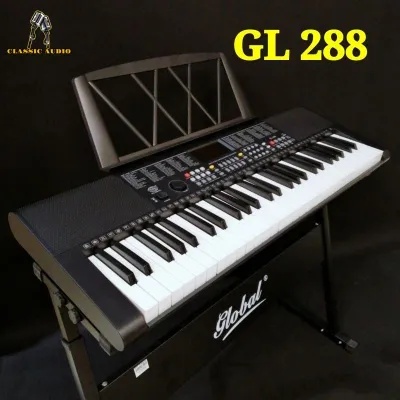
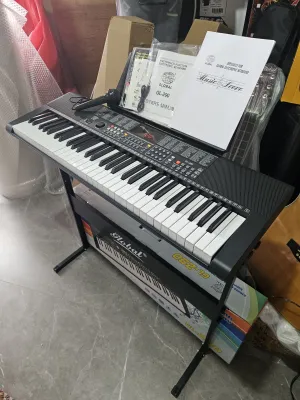
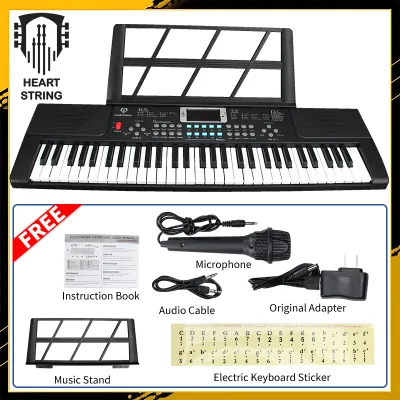
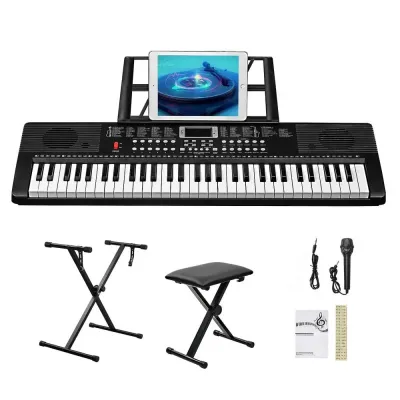
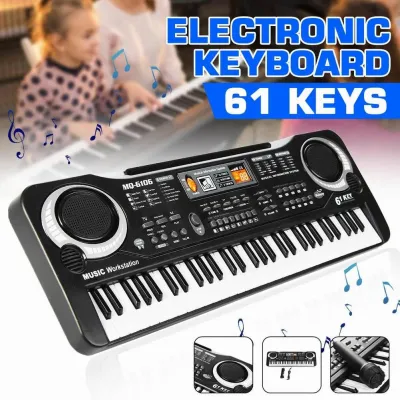
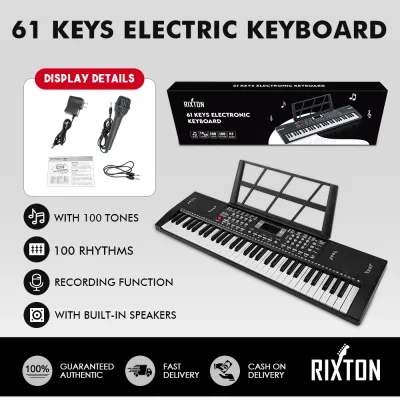
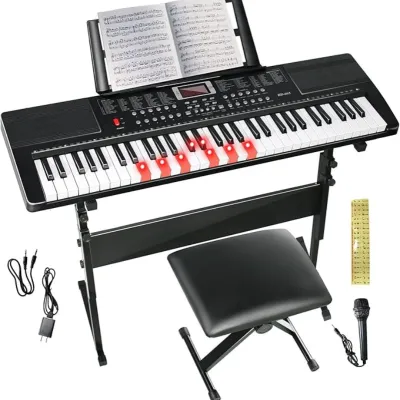
Prices are valid at publication and may change. Please refer to the product page for the latest price.

How Many Keys Do Kids Actually Need?
Digital keyboards generally come in three standard sizes: 61, 76, and 88 keys. For children under the age of ten who are just starting their musical journey, a 61-key instrument is almost always the most practical choice. This size accommodates virtually all beginner method books, simple melodies, and early two-handed exercises without overwhelming small arms.
While a full-size 88-key keyboard is the gold standard for classical piano, it requires a significant amount of floor space and a larger financial investment. A 76-key model sits in the middle but is often an awkward compromise that lacks the full range of an acoustic piano while being too bulky for easy storage. Starting with 61 keys allows you to verify your child’s long-term interest before committing to the cost of a full-sized 88-key digital piano, which can easily range from ₱15,000 to over ₱40,000 in the Philippines.
Understanding Key Action and Touch Sensitivity
Key action refers to how the keys feel and respond when pressed. Non-weighted keys (often called synth action) offer very little resistance and are easy for tiny fingers to press, but they do not mimic the feel of a real piano. Semi-weighted keys add light spring resistance, while fully weighted keys (hammer action) use mechanical weights to replicate the heavy feel of acoustic piano hammers.
For a young beginner, the most critical specification to verify on the manufacturer’s sheet is touch sensitivity (sometimes labeled as velocity sensitivity). Touch sensitivity ensures that if a child presses a key softly, the sound is quiet, and if they strike it firmly, the sound is loud. Without this feature, the keyboard plays at a uniform volume regardless of touch, which prevents the child from learning dynamic expression and musical phrasing.
Sound Engine and Learning Features
Beyond the physical keys, the internal digital components dictate how inspiring the instrument sounds and how effectively it assists daily practice routines. A high-quality sound engine keeps children engaged, while built-in tools simplify the learning process.
Polyphony and Sound Quality
Polyphony is the maximum number of individual notes or voices a keyboard can play at the exact same time. For instance, if a child holds down a chord while pressing the sustain pedal, multiple notes ring out simultaneously. Entry-level keyboards typically offer 32-note or 64-note polyphony, which is perfectly adequate for beginners.
If a keyboard has insufficient polyphony, older notes will abruptly cut off or “drop out” as new notes are played, creating a choppy and frustrating auditory experience. While advanced pianists require 128-note polyphony or higher for complex classical pieces, a 32-note baseline ensures that early arrangements sound smooth and continuous.
Metronomes, Recording, and Lesson Modes
Built-in software tools can act as a virtual assistant during practice sessions. A built-in metronome is an indispensable tool for helping children develop a steady internal sense of rhythm and timing.
Additionally, basic recording functions allow children to record their playing and listen back, which is an excellent way to self-evaluate and spot mistakes. Dual or split modes are also highly beneficial, as they divide the keyboard into two identical pitch ranges, allowing a teacher or parent to sit side-by-side with the child and demonstrate patterns in the same octave.
Choosing a Piano Keyboard for Kids with Stand: Stability and Hardware
Setting up the instrument correctly is just as important as the keyboard itself. The physical environment directly influences a child’s safety, physical comfort, and willingness to practice regularly.
Choosing a Safe and Stable Stand
When purchasing a piano keyboard for kids with stand, safety must be the top priority. Standard single-braced X-stands are highly portable and common in budget bundles, but they are notoriously prone to wobbling and tipping if bumped by active children or pets. Furthermore, the crossing bars of an X-stand block a child’s knees, forcing them to sit too far back or hunch over the keys.
Instead, look for packages that include a heavy-duty Z-stand or a dedicated wooden furniture-style stand. Z-stands provide a wide, open base with plenty of legroom, allowing the child to sit close to the instrument with their feet flat on the floor or on a footstool. They are also significantly more stable, minimizing the risk of the keyboard being knocked over in high-traffic households.
Audio Outputs and Digital Connectivity
Modern connectivity options expand how a child can interact with the instrument. A standard 3.5mm or 1/4-inch headphone jack is essential for quiet practice. This allows children to practice at any hour without distracting the rest of the household, which is especially valuable in close-quarter urban living conditions.
You should also look for a USB-to-Host port (often referred to as USB MIDI). This port allows you to connect the keyboard directly to a tablet, computer, or smartphone, opening up access to interactive learning apps and educational games. Always check the manufacturer’s specifications to verify what cables or adapters are required to connect the keyboard to your specific family devices.
Advanced Specs You Can Safely Ignore for Now
It is easy to get distracted by premium features that drive up the price of digital instruments. For a beginner child, you can safely bypass specifications like massive sound libraries with hundreds of synthesized voices, advanced onboard synthesizer editing, aftertouch, and premium real-wood cabinetry.
These professional-grade features do not contribute to foundational learning and can actually complicate the user interface, making it harder for a child to simply turn the instrument on and play. Focus your budget on key action, basic sound quality, and stand stability rather than paying a premium for studio-production tools.
Frequently Asked Questions (FAQ)
Can a child learn proper technique on a non-weighted keyboard?
A child can learn basic note recognition, reading music, and simple melodies on a non-weighted keyboard. However, because non-weighted keys require very little finger effort, they do not build the hand strength or finger dexterity needed to play an acoustic piano. If your child shows sustained interest and progresses past the first year of lessons, upgrading to a weighted or semi-weighted keyboard will become necessary to prevent technique bottlenecks.
What is the correct height for a keyboard stand for a child?
To establish proper playing ergonomics, adjust the keyboard stand so that when the child sits on the bench with their hands on the keys, their elbows form a comfortable 90-degree angle. Their forearms should be parallel to the floor, and their shoulders should remain relaxed. Using a height-adjustable stand alongside an adjustable bench or a footrest ensures you can maintain this healthy posture as your child grows.
Community discussion
Share your experience or ask a question. Comments are reviewed before publication.