
Filipino family gatherings are rarely complete without music, and karaoke is often the centerpiece of any weekend reunion, birthday party, or holiday celebration. If you are considering the Tank Pro Bluetooth speaker to anchor your next home singing session, evaluating its specifications before making a purchase is essential. Because portable speakers vary widely in audio output, connectivity, and vocal processing, you must verify how this specific model aligns with the unique, high-energy demands of a lively Filipino household.
To ensure your family singing sessions run smoothly without distorted vocals or sudden power cuts, you need to look past basic marketing claims. Evaluating a speaker for karaoke requires a close look at continuous power ratings, physical microphone compatibility, vocal effects, and battery performance under heavy loads. By checking these technical details in the user manual or official product listings, you can make an informed decision and avoid spending your hard-earned budget on a device that cannot keep up with the crowd.
Assessing Volume and Sound Clarity for Group Singing
When evaluating the Tank Pro for a lively living room or an open-air garage setup, the first specification to analyze is the power output. Many manufacturers prominently display “peak power” or “maximum power” on their packaging, which only represents the absolute limit the speaker can handle for a fraction of a second. For karaoke, you must look for the Root Mean Square (RMS) power rating, which indicates the continuous, clean audio output the speaker can sustain during hours of singing. A low RMS rating means the speaker will struggle to project voices clearly over the backing tracks, especially in noisy environments.
Products mentioned in this guide
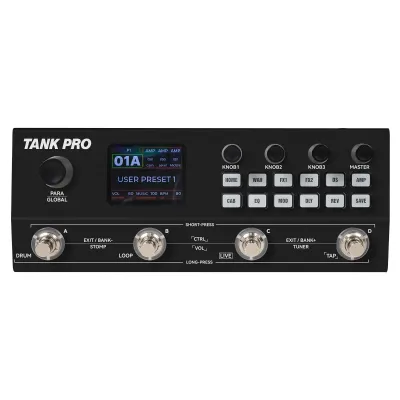
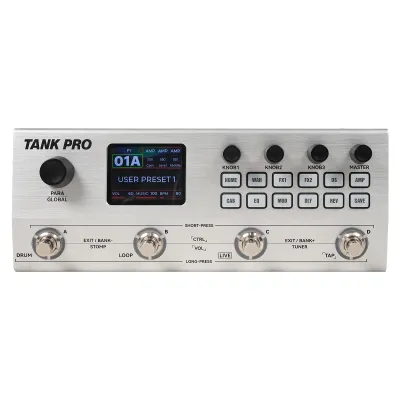
Prices are valid at publication and may change. Please refer to the product page for the latest price.
Driver configuration is equally critical for maintaining vocal clarity when multiple family members are singing along. Standard portable speakers often rely on a single full-range driver, which can cause the vocals to sound muddy or drowned out when the backing track has heavy bass. To prevent this, check if the speaker features independent tweeters for high-frequency vocals and dedicated woofers for low-frequency beats. A multi-driver design ensures that the singer’s voice remains crisp, distinct, and easily heard, even when the music is pumping.
Your home’s physical environment also plays a major role in how the speaker will sound. Many homes in the Philippines feature hard, reflective surfaces like concrete walls, tiled floors, and glass windows, which can cause sound waves to bounce and create harsh echoes. Conversely, hosting a session in an open-air backyard or patio means sound will escape quickly, requiring more volume to achieve the same perceived loudness. When setting up, position the speaker at ear level and away from tight corners to minimize boomy bass buildup and maximize vocal projection.
Verifying Microphone Inputs and Vocal Effects
Before purchasing the Tank Pro, you must verify its physical compatibility with your existing karaoke microphones. Check the product manual or official specifications to confirm the size of the input ports. Most standard wired microphones use a 6.35mm (1/4-inch) jack, while smaller portable mics might use a 3.5mm auxiliary plug. If the speaker lacks the correct physical port, you will need to purchase external adapters or a compact audio mixer, which adds to the overall cost and complexity of your setup.

Having dedicated hardware controls for vocal adjustments is another feature that can make or break a family karaoke session. Look for physical knobs on the speaker’s control panel that allow you to adjust the microphone volume, echo, and reverb independently from the main music volume. Relying solely on a mobile app to adjust these settings mid-song can be frustrating, especially for older family members who prefer quick, tactile adjustments. Proper echo and reverb controls are essential for smoothing out vocals and giving singers that satisfying, professional-sounding resonance.
If you plan to stream backing tracks from a smartphone, tablet, or smart TV via Bluetooth while singing through a connected microphone, keep potential audio latency in mind. Bluetooth latency is the slight delay between the source device sending the audio signal and the speaker playing it. While direct microphone inputs usually have zero latency, a lagging backing track can throw off a singer’s timing. To minimize this issue, check if the speaker supports modern Bluetooth protocols (such as Bluetooth 5.0 or higher) which offer faster transmission speeds and more stable connections.
Managing Battery Life for Extended Weekend Sessions
Filipino family gatherings are famous for lasting late into the night, meaning battery endurance is a major consideration for any portable speaker. When reviewing the manufacturer’s stated battery life, remember that these estimates are typically calculated under ideal conditions, such as playing music at 50% volume with no microphone connected. When you crank the volume to 80%, turn up the bass, and plug in one or two active microphones, the actual battery life will drain significantly faster than the advertised runtime.
To avoid having the music cut out in the middle of a favorite song, check the user manual to see if the speaker supports pass-through charging. This feature allows you to keep the speaker plugged into a wall outlet and charging while it is actively playing music. Additionally, some portable speakers include a built-in USB power bank feature, which lets you charge your streaming phone or tablet directly from the speaker’s battery, ensuring your lyric screen does not go dark mid-session.
Finally, consider the physical design and durability of the speaker if you plan to move the party around. Karaoke sessions often transition from the indoor living room to the outdoor dirty kitchen, garage, or garden. Check the speaker’s weight and look for sturdy carrying handles or built-in wheels to ensure it is easy to transport. If you plan to use it outdoors, verify if the speaker has an IP (Ingress Protection) rating for water and dust resistance, which protects the internal electronics from high tropical humidity, dust, or accidental drink spills.
Your Pre-Purchase Verification Checklist
To ensure you get exactly what you expect, always cross-reference the official manufacturer specifications with the product listings on online marketplaces. Third-party sellers sometimes copy and paste generic descriptions or list incorrect specifications, which can lead to disappointment upon delivery. Checking the official brand website or downloading the user manual beforehand is the most reliable way to confirm the exact port selection, power output, and physical dimensions of the speaker.
It is also highly recommended to verify the local warranty coverage and return policies before finalizing your purchase. Ensure the seller offers a valid warranty within the Philippines, as returning a heavy, bulky speaker to an overseas warehouse can be incredibly expensive and time-consuming. Look for authorized local distributors who can provide reliable customer support and replacement parts if you encounter any manufacturing defects or hardware issues.
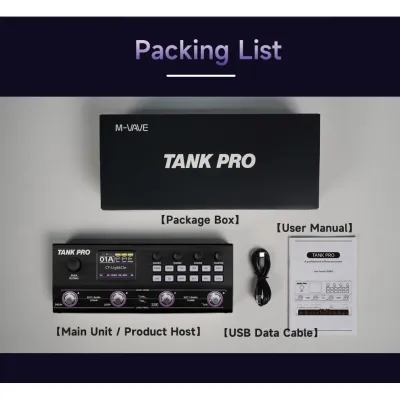
Lastly, carefully review the list of included accessories in the product package. Do not assume that microphones, auxiliary cables, or charging adapters are included in the box simply because they appear in promotional photos or lifestyle images. Confirming what is actually included in your purchase helps you budget for any necessary extras, such as high-quality microphone cables or a compatible power adapter, so you can start singing the moment the package arrives.
Frequently Asked Questions (FAQ)
Can I connect two microphones to the speaker at the same time?
To determine if you can connect two microphones simultaneously for duets, you must check the physical input ports listed on the speaker’s specification sheet. Look for models that feature dual 6.35mm microphone jacks. If the speaker only has a single microphone input, check if it supports True Wireless Stereo (TWS) pairing, which allows you to link two compatible speakers together, or look for wireless microphone systems that use a single receiver plugged into the sole input port to transmit signals from two separate wireless mics.
Will the audio distort if I play backing tracks at maximum volume?
All portable speakers have physical limits, and playing audio at maximum volume can cause distortion if the amplifier pushes the drivers beyond their capacity. To minimize this risk, check the product manual to see if the speaker features built-in Digital Signal Processing (DSP) or automatic limiters designed to prevent audio clipping and protect the drivers from damage. For the best sound quality during a party, it is generally recommended to keep the speaker’s volume at or below 80% and adjust your microphone levels accordingly.
Community discussion
Share your experience or ask a question. Comments are reviewed before publication.