
To read the psychological thriller Verity by Colleen Hoover in the Philippines, the ideal digital platform depends on your active device ecosystem, preferred payment methods, and account region settings. For readers using Apple hardware like an iPhone or iPad, Apple Books provides seamless integration and direct local currency billing. Android users will find Google Play Books highly convenient due to its native cross-platform support and straightforward integration with local mobile wallets. Dedicated e-reader owners will likely prefer the Amazon Kindle ecosystem, though purchasing requires navigating international region settings and currency conversions.
Because digital licensing agreements vary by territory, always verify your account’s regional settings before purchasing. This step ensures that the specific authorized edition of the book is available for download on your device and that you are billed accurately without unexpected transaction fees.
What to Consider When Buying eBooks in the Philippines
Transitioning to digital reading offers distinct practical advantages in a tropical climate. In the Philippines, high relative humidity and seasonal rains can easily damage physical paperbacks, causing pages to warp, discolor, or develop mold over time. eBooks eliminate these preservation worries, but purchasing them requires navigating several digital-specific factors.
Products mentioned in this guide
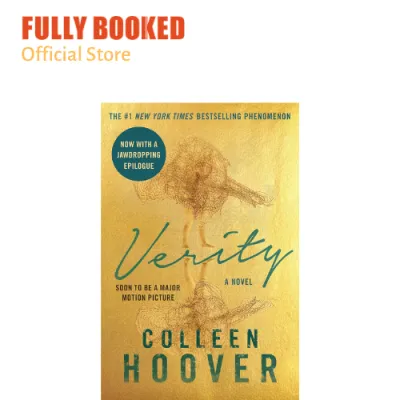

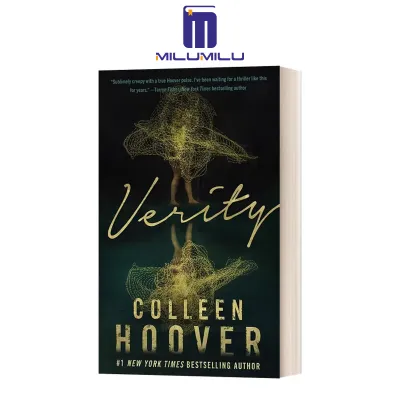
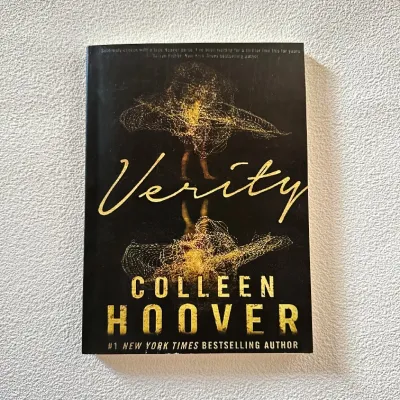

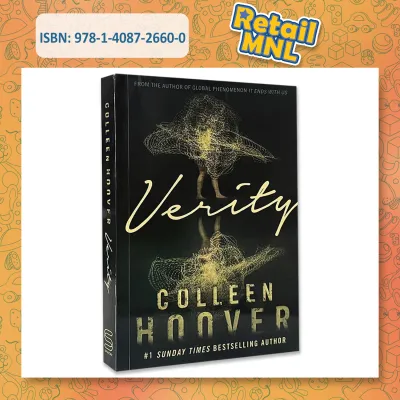
Prices are valid at publication and may change. Please refer to the product page for the latest price.
Region Locks and Account Settings Digital storefronts restrict their catalogs based on geographic licensing. The edition of a book available in the US or UK storefront might not be accessible if your account is set to the Philippine region, or it may be listed under a different publisher. Before committing to a platform, you must ensure your account region matches the storefront where you intend to purchase. Changing your store region often requires a local billing address and a payment method issued in that specific country.
Currency and Pricing While some platforms bill directly in Philippine Pesos (PHP), others charge in United States Dollars (USD). Direct PHP billing provides transparency, allowing you to see the exact cost immediately. Storefronts billing in USD require your local bank or credit card provider to convert the currency, which often incurs additional foreign transaction fees. These small charges can quietly increase the final cost of your digital purchase.
Local Payment Methods The convenience of a digital bookstore relies heavily on how easily you can pay. Platforms that integrate directly with popular local digital wallets, such as GCash and Maya, or accept local debit cards, offer a friction-free checkout experience. If a platform only accepts international credit cards, you may face payment rejections or additional verification hurdles.
Reading Features and Edition Verification A suspenseful novel benefits from specific app features. High-contrast dark modes are essential for late-night reading sessions, while robust highlighting tools help you track subtle plot clues. Furthermore, you must verify the exact edition of the book before buying. Some digital versions include exclusive bonus chapters or author notes, while others are standard releases. Checking the publisher metadata, file size, and page count on the product page ensures you receive the complete, authorized content without regional omissions.
Comparing the Top eBook Platforms for Verity Colleen Hoover
Each digital reading ecosystem offers a distinct set of features, payment structures, and device compatibility. Understanding how these platforms operate in the local market helps you select the most reliable option for reading verity colleen hoover.

Amazon Kindle Ecosystem
The Amazon Kindle platform remains a popular choice for dedicated readers, supported by both physical e-readers and the free Kindle app for iOS and Android. If you own a Kindle device, purchasing the book through Amazon allows for automatic delivery and seamless syncing of your reading progress, notes, and highlights.
However, Amazon does not operate a localized Kindle bookstore for the Philippines. This means local readers must use the US Kindle Store or another international storefront. Consequently, purchases are billed in USD, requiring a compatible credit card or a local debit card authorized for international online transactions. You must also ensure your Amazon account’s Country/Region settings are configured correctly to access the digital catalog, as licensing restrictions can occasionally block specific titles from accounts with unverified addresses.
In terms of file formats, Kindle uses proprietary formats like AZW and KFX. If you purchase the book on Amazon, you cannot easily transfer the file to read on non-Kindle hardware, such as a Kobo e-reader, due to digital rights management (DRM) protections. If you prefer keeping your digital library open and transferable, this format lock-in is an important trade-off to consider.
Apple Books
For users fully integrated into the Apple hardware ecosystem, Apple Books offers a highly polished and frictionless reading experience. The app comes pre-installed on iPhones, iPads, and Mac computers, allowing you to start reading immediately without downloading third-party software. Reading progress, bookmarks, and custom notes sync automatically across all your registered Apple devices via iCloud.
One of the primary advantages of Apple Books for readers in the Philippines is its support for local payment methods. If your Apple ID is set to the Philippines, you can link your GCash or Maya account directly to your Apple billing profile. This allows you to purchase the book in PHP, avoiding foreign exchange fees and international card complications.
The main limitation of Apple Books is its strict platform exclusivity. The Apple Books app is not available on Android devices or Windows PCs, and there is no web-browser reader. If you plan to switch to an Android smartphone or want to read on a non-Apple computer in the future, your purchased book will remain locked within your Apple account, inaccessible on your new hardware.
Google Play Books
Google Play Books is an exceptionally flexible option that caters to both Android users and cross-platform readers. The dedicated app is available on Android and iOS, and the platform also features a robust web reader that allows you to access your library from any desktop internet browser.
For local buyers, Google Play Books offers excellent integration with the Philippine market. The storefront displays prices directly in PHP, and you can complete transactions using GCash, Maya, local credit/debit cards, or even Google Play gift codes purchased from local retailers. This makes the purchasing process straightforward and highly accessible, regardless of your banking setup.
Additionally, Google Play Books offers unique flexibility regarding file formats. For many titles, the platform allows you to download the purchased book as an ePub or PDF file. While these files are typically protected by Adobe DRM, you can transfer them to compatible third-party e-readers using free software like Adobe Digital Editions. This cross-platform freedom makes Google Play Books an attractive choice if you want to avoid ecosystem lock-in.
Kobo and Alternative Digital Retailers
Kobo is a strong alternative for readers who prefer dedicated e-readers but want to avoid the closed Amazon ecosystem. Kobo devices support standard, open ePub formats, giving you more freedom over how you manage and store your digital files. The Kobo app is also available on both major mobile operating systems.
In the Philippines, physical bookstores sometimes partner with digital platforms or offer physical cards containing digital download codes. When considering these alternatives, you must carefully verify that the specific retailer carries the official, authorized digital edition of the novel. Some third-party marketplaces may list self-published versions, summaries, or unauthorized files that do not contain the complete text.
Furthermore, ensure that the alternative platform’s app is fully compatible with your smartphone or tablet. Check if the store bills in PHP or USD, and verify whether their reader app supports essential comfort features like adjustable font sizes, line spacing, and high-contrast reading themes before completing your purchase.
How to Check Real-Time Pricing and Region Availability
Because digital catalogs and pricing can shift due to publisher updates and regional licensing changes, performing a quick manual check before buying ensures a smooth transaction. Follow these steps to verify availability and secure the correct edition.
Step 1: Verify Account Region Before searching, confirm that your device’s storefront is set to your actual billing region. On iOS, open the App Store, tap your profile picture, select your Apple ID, and check the Country/Region setting. On Android, open the Google Play Store, tap your profile icon, go to Settings, select General, and check Account and device preferences to view your country profile. For Amazon, log in via a web browser, navigate to Manage Your Content and Devices, and verify your address under the Preferences tab.
Step 2: Search and Compare Search for the exact phrase “Verity Colleen Hoover” in your chosen digital storefront. Take note of the listed price and the currency symbol. Compare this price across different platforms if you have access to multiple ecosystems. Keep in mind that a price listed in USD will incur a conversion charge from your local bank, whereas a PHP listing represents the final amount deducted from your digital wallet or card.
Step 3: Check Format and Extras Examine the product details page carefully. Verify the publisher’s name to ensure it is an authorized release. Check the file format (such as ePub or Kindle Edition) and look for any mentions of content completeness, such as included epilogues or bonus author interviews. Avoid listings that appear unusually cheap but are labeled as summaries, study guides, or analyses, as these are not the actual novel.
Step 4: Test the Reading App Before spending money, download the free reading app associated with the platform you want to use. Every major storefront allows you to download a free sample chapter of the book. Use this sample to test how the text renders on your screen. Adjust the margins, switch to dark mode, and verify that the page-turning animations are smooth and responsive on your specific device.
Final Decision Guide: Which Platform Should You Choose?
To make your final decision, evaluate your current hardware setup, your preferred payment method, and how much value you place on cross-platform flexibility.
- Choose Apple Books if: You primarily read on an iPhone, iPad, or Mac, your Apple ID is set to the Philippines, and you want to pay directly in PHP using GCash or Maya for a streamlined, native reading experience.
- Choose Google Play Books if: You use an Android device, want the flexibility to read on multiple operating systems or web browsers, and prefer paying in PHP using local mobile wallets with the option to export your files.
- Choose Kindle if: You own a dedicated Kindle e-reader, appreciate Amazon's advanced highlighting and vocabulary tools, and do not mind paying in USD or managing US storefront settings.
- Choose Kobo/Alternatives if: You own a Kobo device, prefer open ePub standards that are not tied to a single tech giant, and have verified that the platform offers the authorized publisher edition.
Before confirming your transaction, double-check your final checkout screen to ensure no unexpected taxes or conversion fees have been added, and verify that the download is compatible with your active reading device.
Frequently Asked Questions (FAQ)
Can I read Verity on multiple devices with one purchase?
Yes, major digital platforms allow you to read your purchased eBook on multiple devices simultaneously. As long as you log into the respective app (Kindle, Apple Books, or Google Play Books) using the same account credentials, your library will sync. Your current page, bookmarks, and highlights will update automatically across your phone, tablet, and computer.
Is the audiobook version available on the same platforms?
Audiobook availability varies by storefront and often requires a separate purchase or subscription. While Google Play Books and Apple Books sell audiobooks directly alongside eBooks, Amazon manages its audiobooks primarily through Audible, which operates under a separate subscription model. Always check the specific product page to confirm whether you are purchasing the text eBook or the audio narration.
Do I need a dedicated e-reader, or can I use my smartphone?
You do not need a dedicated e-reader to enjoy digital books. All major platforms provide free, fully featured reading applications for iOS and Android smartphones and tablets. These mobile apps offer comprehensive reading customization options, including adjustable brightness, font scaling, and dark themes, allowing you to read comfortably on the screen you already own.
Community discussion
Share your experience or ask a question. Comments are reviewed before publication.