
Teaching young children to read in Filipino requires a solid foundation, and the traditional Abakada system remains one of the most effective methods for mastering local syllable structures. For modern parents and educators in the Philippines, transitioning this learning to digital devices offers convenience, interactive engagement, and portability. Finding high-quality digital materials for abakada pagsasanay sa pagbasa (Abakada reading practice) requires navigating a mix of global e-book platforms, local educational publishers, and specialized interactive reading applications.
The best platforms for this purpose are those that combine reliable Tagalog linguistic structures, high-quality audio narration to guide pronunciation, and distraction-free environments. While global stores like Google Play Books and Apple Books provide excellent device compatibility and easy access to basic e-books, localized digital libraries and specialized educational platforms from established Philippine publishers offer the most culturally authentic and curriculum-aligned content. Selecting the ideal platform depends on whether you prefer static e-books that mimic physical pages or interactive applications that actively guide a child through syllable blending and letter tracing.
How to Choose the Right Digital Platform for Abakada Pagsasanay sa Pagbasa
Selecting a digital space for early childhood literacy is vastly different from choosing an e-reader for adults. When evaluating platforms for early Filipino reading, your primary focus must be on content library depth, specifically looking for dedicated Tagalog and Abakada materials. A platform may host thousands of children’s books, but if its search engine cannot surface authentic materials designed for local phonics, it will not serve your child’s immediate learning needs. You need to verify that the collection includes systematic syllable-based guides rather than just translated English stories, which often fail to teach the unique phonetic patterns of the Filipino language.
Products mentioned in this guide
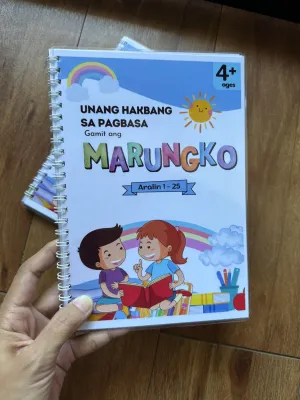
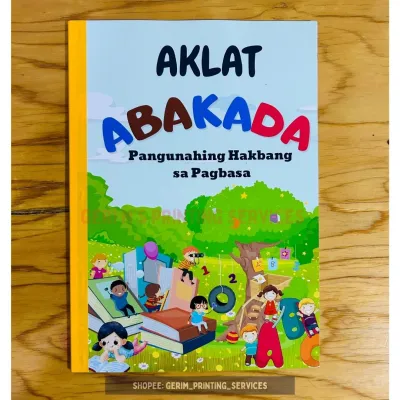
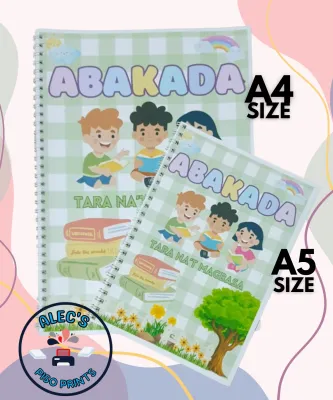
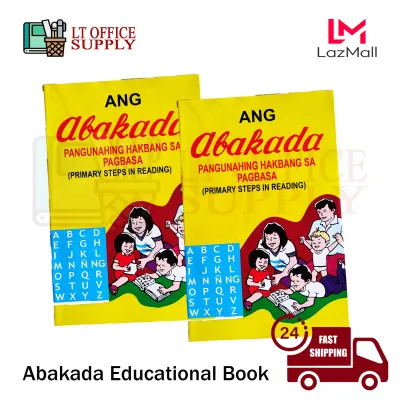
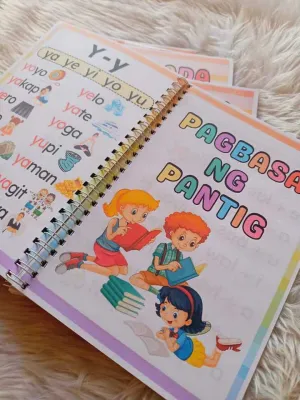
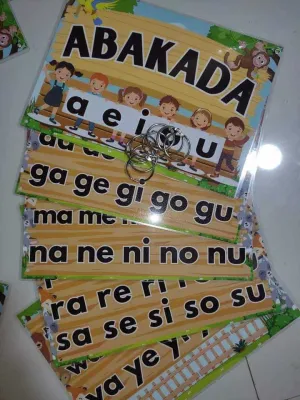
Prices are valid at publication and may change. Please refer to the product page for the latest price.
User interface design is another critical factor when introducing young learners to digital screens. Children’s reading interfaces should be highly intuitive, utilizing large, clear icons and minimizing text-heavy menus that require adult intervention. The goal is to foster independent learning, allowing a child to open a book and begin practicing their syllables with minimal assistance. Furthermore, robust device compatibility ensures that the learning experience remains seamless whether your child is using an entry-level Android tablet, an iPad, or a smartphone during long car rides.
Parental controls and screen time management features are indispensable tools for maintaining a healthy digital balance. The ideal platform should offer a dedicated kids’ mode that locks out external web browsing, in-app purchases, and social sharing features. Distraction-free reading environments are particularly valuable; they strip away animated ads, pop-up notifications, and unrelated video recommendations that can easily derail a child’s attention span. Look for platforms that allow you to set daily reading limits or track active screen time directly within the parent dashboard.
Pricing models vary widely across the digital reading landscape, and understanding these structures helps you manage your household budget effectively. Some platforms operate on a one-time purchase model, where you buy individual digital books that remain in your library indefinitely. Others utilize monthly or annual subscription fees, granting unlimited access to their entire catalog, which can be highly cost-effective if your child reads multiple books a week. Institutional access is another model to consider, as some local schools partner with digital libraries to provide free credentials to students. Always verify the current local currency pricing in Philippine Pesos (‑̅₱) directly on the platform’s official website or app store listing, as regional taxes and subscription adjustments can cause prices to fluctuate.
Finally, you must decide between static digital books and interactive, app-like reading experiences. Static formats, such as standard PDFs or basic EPUB files, act as direct digital replicas of physical books, which are excellent for traditional read-aloud sessions where a parent guides the child. On the other hand, interactive reading apps feature embedded audio, touch-responsive animations, and gamified rewards that can keep a child engaged independently. Each format has its place, and many families find that a combination of both static books for bedtime reading and interactive apps for daytime practice yields the best results.
Top Types of eBook Platforms for Filipino Early Readers
The digital landscape for early Filipino reading materials is divided into distinct ecosystems, each serving different user needs and technical preferences. Understanding where these platforms source their books and how they deliver content will help you narrow down your choices quickly. Whether you prefer the global reach of major tech ecosystems or the highly tailored curriculum focus of local educational institutions, knowing how to navigate these environments is key to finding quality Abakada materials.

Global eBook Retailers and Aggregators
Global storefronts such as Google Play Books, Apple Books, and Amazon Kindle offer unmatched accessibility and infrastructure, making them convenient starting points for many parents. To find relevant materials on these massive platforms, you must employ specific search strategies. Using precise local search terms like “abakada pagsasanay sa pagbasa”, “Filipino early readers”, or “Tagalog children’s books” is essential to bypass millions of unrelated English titles. These search queries help filter the catalog down to self-published authors, local indie presses, and digital aggregators that have uploaded traditional learning guides to these global networks.
The primary advantage of utilizing these global giants lies in their robust, highly polished technical ecosystems. They offer seamless cross-device syncing, meaning a book purchased on your phone can be opened instantly on your child’s tablet without losing their place. Their parental controls are among the most secure in the industry, backed by multi-factor authentication and family sharing plans that allow parents to approve every download. Additionally, their customer support and refund policies are highly reliable, providing peace of mind if an accidental purchase occurs or if a digital file fails to load correctly on your device.
However, these international platforms have notable limitations when it comes to highly localized educational content. Because these stores cater to a global audience, they rarely host interactive, gamified Abakada exercises that feature local voice acting or syllable-tracing mechanics. Most of the available Filipino titles on these platforms are static e-books or scanned PDFs, which lack the active learning scaffolds that early readers benefit from. Furthermore, parents must exercise caution and carefully verify the linguistic accuracy of self-published or user-uploaded content on these stores, as some titles may contain grammatical errors, incorrect syllable divisions, or poor formatting that does not align with standard Filipino teaching methods.
Local Educational Publishers and Digital Libraries
For parents seeking culturally authentic, linguistically precise, and curriculum-aligned materials, local Philippine educational publishers and specialized digital libraries are invaluable resources. Established local publishing houses—such as Adarna House, Anvil Publishing, Lampara Books, and Vibal Group—have dedicated decades to developing physical children’s literature, and many have transitioned their catalogs into the digital space. These organizations design their digital books in strict alignment with the Department of Education (DepEd) standards, ensuring that the vocabulary, cultural context, and phonetic progressions match what children are taught in local classrooms.
The distinct advantage of choosing local platforms is their deep understanding of the Filipino learning environment. The stories reflect local traditions, daily-life scenarios in urban and rural settings, and tropical realities that children in the Philippines can easily relate to. Linguistically, these materials use correct sentence structures, proper syllable stresses, and formal spelling conventions that are crucial for building a strong grammatical foundation. By using these platforms, you ensure that your child is not just learning to decode letters, but is also developing a rich vocabulary grounded in their native culture.
Accessing these specialized digital resources often requires a different approach than simply searching a global app store. Many local publishers host their digital storefronts directly on their official brand websites, where they sell digital editions, interactive PDFs, or proprietary app access codes. Some operate through specialized educational portals or school partnership programs, where access is granted via institutional memberships. To explore these options, parents should visit the official websites of recognized Philippine publishers, check for digital subscription packages, or inquire with their child’s school to see if they have existing partnerships with local digital library providers.
Key Features to Look for in Abakada Reading Apps and eBooks
When evaluating digital materials for Abakada practice, the technical and pedagogical features embedded within the e-book or app can make a profound difference in how quickly a child grasps reading concepts. A high-quality digital resource should do more than just display text on a screen; it should actively assist the child in decoding sounds, recognizing letter shapes, and understanding word structures. Knowing which features to prioritize will help you select tools that provide genuine educational value.
Audio narration is perhaps the most critical feature for early readers mastering the Abakada. Because Filipino is a highly phonetic language where words are pronounced exactly as they are spelled, hearing the correct pronunciation, vowel length, and syllable stress is essential. Look for platforms that feature clear, high-quality voice acting by native Tagalog speakers rather than computerized text-to-speech engines, which often struggle with local accents and natural speech rhythms. The audio should clearly enunciate individual consonant-vowel combinations (such as “ba, be, bi, bo, bu”) to help children understand how sounds blend together to form words.
Interactive elements can transform passive screen time into an active learning session. Features like letter tracing allow children to use their fingers or a stylus to practice the physical strokes of writing each letter of the Abakada, reinforcing muscle memory alongside visual recognition. Tap-to-hear word pronunciation is another powerful tool, enabling children to touch any unfamiliar word on the screen to hear it spoken aloud instantly. Read-along text highlighting, where each word or syllable changes color as the narrator speaks, helps young learners build a strong connection between spoken sounds and written symbols.
For parents and educators, progress tracking and comprehension quizzes are invaluable for monitoring a child’s development over time. Quality educational platforms often include a parent dashboard that displays metrics such as daily reading time, completed books, and specific letters or sounds the child struggled with. Simple, gamified comprehension quizzes at the end of a story—such as matching a word to its corresponding picture—ensure that the child is not just mechanically decoding syllables but is actually understanding the meaning of the text.
To help you quickly evaluate potential digital resources, use this practical checklist to distinguish between high-quality interactive educational tools and basic digital scans:
- Audio Quality: Does the resource feature native Tagalog audio narration with clear syllable enunciation, or does it rely on flat, robotic text-to-speech?
- Interactive Scaffolding: Can the child tap on individual words to hear them, or is the text completely static?
- Visual Design: Are the illustrations clean and supportive of the story's context, or is the layout cluttered with distracting animations and ads?
- Navigation: Can a child easily turn pages and restart audio tracks independently, or are the controls small and difficult to target?
- Linguistic Integrity: Is the text written in correct, natural Tagalog, or does it appear to be a literal, awkward translation from another language?
- Educational Alignment: Does the material follow a systematic phonetic progression (starting with simple vowels and consonants) or does it introduce complex words too quickly?
How to Verify Content Quality and Age Appropriateness
The digital space is flooded with self-published materials and user-generated content, making it crucial for parents to act as active gatekeepers of their child’s reading materials. Before purchasing a digital book or committing to a subscription, taking a few minutes to verify the educational quality and linguistic accuracy of the content can prevent frustration and ensure a safe, productive learning experience.
Your first step should always be to check the publisher credentials and author backgrounds. Look for digital books written by established local authors, child development experts, or educators who specialize in early childhood literacy. Materials produced by recognized Philippine educational publishers or academic institutions carry a level of editorial oversight that guarantees high linguistic standards. If the author or publisher has no verifiable background in education or local children’s literature, proceed with caution, as the material may not have undergone professional editing or pedagogical review.
User reviews and ratings can provide valuable real-world insights, but you must read them with a critical eye. Instead of focusing solely on overall star ratings, search the text of the reviews for specific mentions of language accuracy, spelling errors, or awkward translations. Other parents and teachers are often quick to point out if a book features unnatural Tagalog phrasing, incorrect grammar, or themes that are inappropriate for young children. Pay attention to feedback regarding technical glitches as well, such as audio tracks that do not sync with the text or buttons that fail to respond on certain tablet models.
It is also essential to verify the specific Abakada sequence and alphabet structure used in the digital material. The traditional Abakada consists of 20 letters, while the modern Filipino alphabet contains 28 letters. For early reading practice, materials should ideally start with the core phonetic sounds of the traditional Abakada (such as “a, ba, ka, da”) to establish a solid foundation in syllable blending before introducing more complex letters like “ñ” or “f”. Check if the progression of the digital book aligns with current Department of Education guidelines for early grades, ensuring that what your child practices at home complements what they are expected to learn in school.
Finally, always make use of preview pages, sample chapters, or “Look Inside” features before making a financial commitment. When previewing the material, evaluate the vocabulary, sentence length, and visual themes against your child’s current reading level. For absolute beginners, look for books with single words or short, repetitive phrases paired with clear, descriptive illustrations that reinforce the meaning of the text. Avoid materials that feature overly complex sentence structures or abstract concepts that might overwhelm a beginning reader, as keeping the initial experience positive and achievable is key to building lifelong reading confidence.
Frequently Asked Questions (FAQ)
Are there free Abakada reading materials available online?
Yes, there are free Abakada reading materials available online, but they require careful curation by parents and educators. Open educational resources (OER), public domain materials, and digital archives hosted by educational non-governmental organizations (NGOs) often provide downloadable worksheets, basic e-books, and reading guides at no cost. Some local digital libraries and educational initiatives also offer free tiers or trial periods to make early literacy resources accessible to a wider audience.
However, parents must exercise extra caution when utilizing free, user-uploaded content found on open sharing platforms or social media groups. These materials often bypass formal editorial reviews, meaning they may contain spelling mistakes, incorrect syllable divisions, or low-quality formatting. Additionally, free platforms may expose children to intrusive advertisements or lack the robust privacy protections found on curated, paid platforms. Always preview free resources thoroughly to ensure they are linguistically accurate, educationally sound, and completely safe for your child before use.
Can my child use these platforms offline?
Offline capability varies significantly depending on the type of platform you choose, making it an essential factor to verify if you plan to use these resources in areas with intermittent internet connectivity. Most dedicated e-book reader apps, such as Google Play Books or Apple Books, allow you to download purchased titles directly to your device’s local storage, enabling full offline reading without an active Wi-Fi or mobile data connection.
In contrast, highly interactive reading apps and subscription-based digital libraries often have different requirements. While some interactive apps allow you to download specific books or learning modules for offline play, others require a continuous internet connection to stream audio files, verify active subscription licenses, or track your child’s progress on their servers. Before traveling or relying on a platform in low-connectivity areas, check the app’s settings or help documentation to confirm its offline capabilities, and ensure your device has sufficient storage space to accommodate downloaded interactive media files.
Community discussion
Share your experience or ask a question. Comments are reviewed before publication.