
Direct Answer: Matching the Platform to Your Reading Habits
Finding the ideal eBook platform for accessing an English-Tagalog dictionary depends entirely on your reading habits, technical comfort, and existing device ecosystem. There is no single platform that excels in every scenario, as different readers prioritize different aspects of digital study.
For dedicated, distraction-free reading and serious language study, e-readers like Amazon Kindle or Kobo are the superior choices. These devices allow you to sideload custom, highly comprehensive English-Tagalog dictionary files that remain fully accessible offline. This setup is perfect for readers who want to build a deep, customized linguistic library without relying on active internet connections.
If you prefer a seamless, low-maintenance experience across your existing devices, mobile platforms like Apple Books or Google Play Books are highly convenient. These applications rely on system-level offline translation packs or cloud-based translation tools on your smartphone or tablet. They require zero file management and work instantly, making them excellent for casual readers who prioritize convenience over academic depth.
Products mentioned in this guide
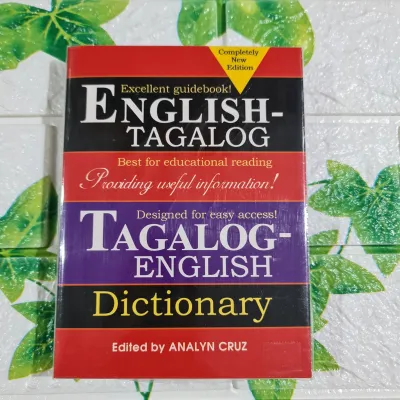
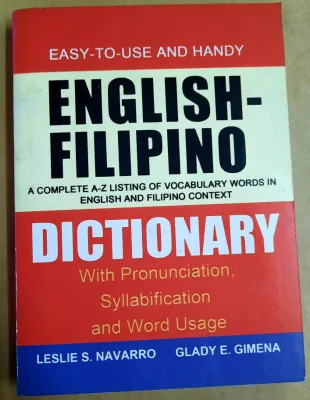
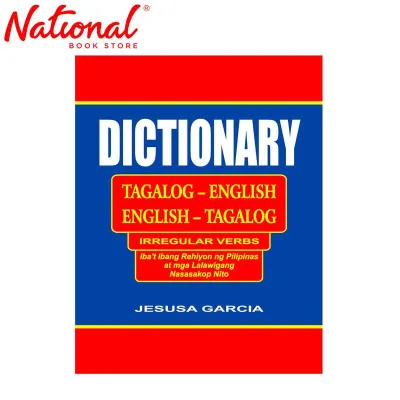
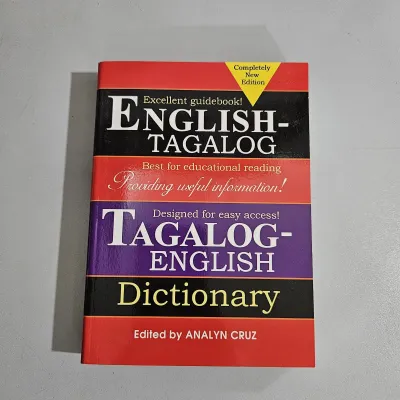
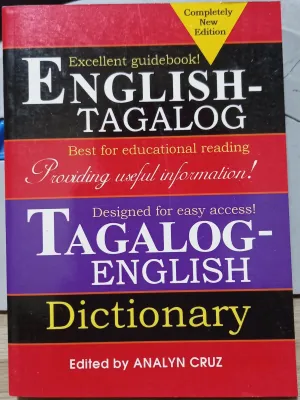
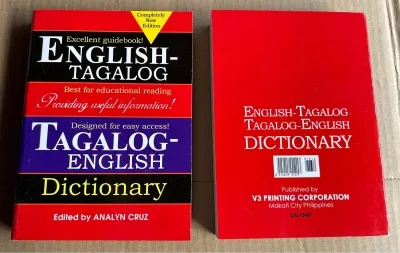
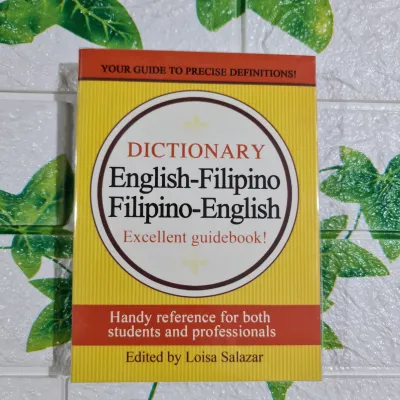
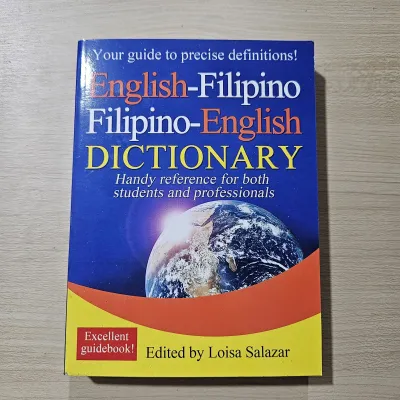
Prices are valid at publication and may change. Please refer to the product page for the latest price.
In the Philippines, where daily commutes on the MRT or UV Express can be long and mobile data coverage is often inconsistent, having a reliable offline solution is essential. Your choice between a dedicated e-reader and a mobile app will determine how smoothly you can navigate bilingual texts during your daily routine. Prioritizing offline reliability ensures that your reading flow remains uninterrupted, even in areas with weak cellular signals.
Core Comparison Dimensions for Bilingual Dictionary Users
Evaluating how different eBook platforms handle bilingual dictionaries requires looking closely at several technical and practical factors. A platform that works perfectly for monolingual English reading may fall short when tasked with navigating the unique complexities of the Tagalog language.

Search and Lookup Mechanics
Tagalog is a morphologically rich language that relies heavily on a complex system of affixes. Root words are frequently modified by prefixes, infixes, and suffixes, such as nag-, um-, -in-, and mag-. When you highlight a conjugated verb like kumain (to eat) or a complex word like pinagsumikapan (strived for), a basic dictionary lookup may fail if it only recognizes the exact spelling of the highlighted text.
A dedicated dictionary lookup is designed to parse these morphological variations, identify the underlying root word, and provide detailed definitions, parts of speech, and usage examples. In contrast, basic translation pop-ups often treat the highlighted text as a static string, offering a literal machine translation that may lack grammatical context. For serious language learners, a platform that supports complex root-word parsing is invaluable for grasping the true meaning of a sentence.
Offline Reliability
For readers in the Philippines, offline functionality is a critical requirement rather than a minor convenience. Whether you are traveling through provincial areas with spotty cellular coverage or experiencing a power outage during the monsoon season, your reading experience should not depend on an active internet connection.
E-readers like Kindle and Kobo store entire dictionary databases locally on the device’s internal storage, ensuring instantaneous lookups regardless of network status. Mobile applications like Apple Books and Google Play Books can operate offline, but they require you to manually download specific offline language packs in advance. If these packs are not pre-installed, the apps will attempt to query cloud-based translation APIs, which will fail completely when you are offline.
Custom Dictionary Support
The default built-in dictionaries on most major eBook platforms rarely include comprehensive English-Tagalog or Tagalog-English vocabularies. To overcome this limitation, bilingual readers must rely on custom dictionary support, which allows you to import third-party or open-source dictionary files directly into your reading ecosystem. This feature is essential for accessing specialized academic, historical, or regional dialect vocabularies.
Platforms differ widely in how they handle these custom files, with some offering open directories for simple file transfers and others restricting users to official system updates. Before choosing a platform, you must verify if it supports the specific file formats required by your chosen bilingual dictionary. Managing these files requires a basic level of technical comfort, but the reward is a highly personalized and comprehensive reference tool.
How Major eBook Platforms Handle English-Tagalog Lookups
Each major eBook platform offers a distinct approach to bilingual lookups, balancing user control against ease of use. Understanding how these platforms operate in practice will help you determine which one fits your technical comfort level and reading preferences.
Amazon Kindle
Amazon Kindle is highly regarded for its robust custom dictionary support, which is particularly valuable for English-Tagalog readers. By utilizing the custom dictionary feature, you can sideload custom-compiled English-Tagalog dictionary files directly onto the device via a USB connection. Once these files are placed in the designated documents/dictionaries folder, the Kindle system indexes them, allowing them to function seamlessly alongside the default monolingual dictionaries.
When you highlight a word in an eBook, Kindle allows you to toggle between your installed dictionaries with a single tap. It is important to note that Kindle’s default English dictionary is excellent, but the device does not ship with a pre-installed English-Tagalog dictionary. Therefore, you must source a compatible custom dictionary file (typically in .mobi or .prc format) to enable bilingual lookups.
Once configured, the dictionary operates entirely offline, providing rapid, battery-efficient definitions without requiring any wireless connectivity. This makes the Kindle an exceptional tool for deep reading sessions, especially on e-ink screens that reduce eye strain under the bright tropical sun. The primary trade-off is the initial setup, which requires a computer and a basic understanding of file directories to transfer the dictionary files correctly.
Kobo
Kobo offers an open ecosystem that appeals greatly to users who prefer straightforward file management and custom configurations. Sideloading custom dictionaries on a Kobo e-reader is remarkably simple and does not require proprietary software. Users can download community-created English-Tagalog dictionary files, which are often packaged as standard .zip archives containing raw dictionary data.
By connecting the Kobo to a computer via USB, you can place these files directly into the .kobo/custom-dict directory. Kobo’s software automatically recognizes the new bilingual dictionary and integrates it into the reading interface. This open approach allows you to easily update, replace, or manage multiple bilingual dictionary files as newer or more comprehensive databases become available.
Furthermore, Kobo e-readers are entirely free of lock-screen advertisements, providing a clean and distraction-free user experience. The high-contrast e-ink screens on Kobo devices ensure that you can study complex Tagalog texts comfortably for hours, whether you are indoors or outdoors. However, like Kindle, Kobo does not provide a comprehensive English-Tagalog dictionary out of the box, meaning you must be willing to source and install the files yourself.
Apple Books
Apple Books takes a different approach by relying entirely on iOS and macOS system-level dictionaries and translation tools. Instead of managing individual eBook dictionary files, Apple Books leverages the unified reference tools built directly into your Apple device. To access English-Tagalog translations offline, you must navigate to your device’s system settings and download the appropriate bilingual translation packs.
When you highlight a word in Apple Books, the system pop-up offers a “Look Up” or “Translate” option that displays the definition or translation instantly. The primary advantage of this system is its absolute simplicity, as there are no external files to download, format, or transfer via USB. The integration is clean, fast, and requires virtually no technical expertise to maintain.
However, this approach has notable limitations for serious language study. Because it relies on Apple’s general translation API, the results are often optimized for quick conversational translation rather than deep lexicographical analysis. You may miss out on detailed grammatical breakdowns, verb conjugations, and regional dialect variations that specialized academic dictionaries provide. Additionally, this functionality is strictly confined to the Apple ecosystem, meaning you cannot sync these custom lookup behaviors to non-Apple hardware.
Google Play Books
Google Play Books is a highly flexible, cross-platform reading application that excels in accessibility and synchronization. The platform features an integrated “Translate” tool that leverages the powerful Google Translate engine. To use this feature offline, you must pre-download the English and Tagalog language packs within the Google Translate application on your device.
When reading an eBook, highlighting a word or phrase brings up a translation card that provides immediate bilingual equivalents. This cross-platform integration ensures that your reading progress, notes, and lookup history sync perfectly whether you are reading on an Android phone, an iPad, or a web browser. It is an incredibly convenient option for readers who frequently switch between different devices throughout the day.
Despite this convenience, Google Play Books is generally better suited for quick, literal translations rather than comprehensive dictionary study. The translation card provides the direct equivalent of a word but rarely includes detailed parts of speech, etymologies, or contextual sentence examples. For readers who are tackling complex Philippine literature or academic essays, this lack of depth can make it difficult to grasp subtle linguistic nuances. However, for casual readers who simply need a quick safety net for unfamiliar vocabulary, the system is incredibly convenient and easy to set up.
Ecosystem Value and Cost Considerations in the Philippines
Choosing an eBook platform is not just a technical decision; it also involves financial and practical considerations that vary significantly depending on your budget and reading preferences.
Hardware vs. App Costs
When evaluating these platforms, it is essential to consider the financial investment required to establish your reading setup. Investing in a dedicated e-reader like an Amazon Kindle or a Kobo involves an upfront hardware cost typically ranging from ₱6,000 to ₱15,000 in the Philippines. This price variation depends on the specific model, screen size, and whether you purchase from official local distributors or third-party sellers on online marketplaces. While this is a significant initial expense, dedicated e-readers offer long-term value through exceptional battery life, glare-free screens, and distraction-free environments.
In contrast, using free reading apps like Apple Books or Google Play Books on your existing smartphone or tablet requires zero additional hardware expenditure. This makes mobile apps an incredibly cost-effective option, particularly for students, casual readers, or those on a tight budget. However, reading on mobile screens can lead to eye fatigue, and the constant stream of notifications can disrupt your concentration during study sessions. Additionally, mobile devices require frequent charging, which can be a challenge during extended power outages or long commutes.
Book Availability and Formatting
Beyond the hardware, the availability and formatting of bilingual literature and local publications must influence your decision. Before purchasing a dedicated device, you should verify if your preferred Philippine literature, academic texts, or local publications are available in compatible formats. Many local publishers, such as university presses and independent publishing houses in Manila, distribute their digital titles in standard ePub or PDF formats.
While Kobo and mobile apps handle standard ePub files natively, older Kindle models may require you to convert these files using software like Calibre before transferring them. Additionally, regional licensing restrictions can sometimes limit the availability of specific Philippine titles on international eBook stores. Therefore, you must ensure that your chosen platform allows you to import externally purchased eBooks easily, rather than locking you into a single proprietary storefront. Before making any purchase, verify the edition, language, file format, regional restrictions, and device compatibility to ensure a seamless reading experience.
Dictionary File Sourcing
The ease of sourcing and installing the bilingual dictionary file itself is another critical cost and practical factor. Many custom English-Tagalog dictionary files are available as free, open-source projects compiled by dedicated online communities and language enthusiasts. These free files are excellent for general reading, but they may occasionally contain formatting errors, incomplete entries, or lack support for complex verb inflections.
Premium, highly specialized, or academic bilingual dictionaries compiled by professional lexicographers often require a separate purchase. Before buying a premium dictionary, always verify its file format and compatibility with your specific e-reader or reading application. For instance, a dictionary formatted specifically for Kobo will not function on a Kindle without extensive file conversion, which can be technically challenging. Ensuring compatibility beforehand prevents unnecessary expenses and guarantees a smooth, functional lookup experience.
Decision Framework: Which Platform Fits Your Needs?
To make an informed decision, you should align your platform choice with your specific reading habits, technical skills, and budget. Here is a practical framework to guide your selection:
Choose Kindle or Kobo if:
- You desire a dedicated, distraction-free reading experience on an e-ink screen that is easy on the eyes, even under bright tropical sunlight.
- You are comfortable connecting your device to a computer via USB and sideloading custom English-Tagalog dictionary files.
- You require complete offline reliability for long trips, daily commutes, or areas with unstable internet connections in the Philippines.
Choose Apple Books if:
- You are already deeply integrated into the Apple ecosystem and primarily read on an iPad, iPhone, or Mac.
- You prefer a zero-maintenance setup that utilizes system-level offline translation packs without the need to manage external files.
- Your reading is mostly casual, and you do not require highly detailed academic definitions or complex grammatical breakdowns.
Choose Google Play Books if:
- You frequently switch between Android devices, iOS devices, and web browsers, and you require seamless cross-platform synchronization of your reading progress.
- You want a free, highly accessible solution that does not require purchasing dedicated hardware.
- You are satisfied with quick, literal word translations powered by pre-downloaded offline Google Translate language packs.
Verify first if:
- You have highly specific academic, professional, or regional dialect dictionary requirements. Always check the file format of your required bilingual dictionary and confirm that your target platform supports it before investing in a dedicated e-reader or purchasing premium dictionary databases.
Frequently Asked Questions (FAQ)
Can I use a custom English-Tagalog dictionary on a basic Kindle?
Yes, you can use a custom English-Tagalog dictionary on any basic or entry-level Kindle model. The ability to sideload and set custom dictionaries is a core software feature across the entire Kindle lineup, not just premium models. To do this, you must obtain a compatible dictionary file in .mobi or .prc format and transfer it to the documents/dictionaries folder on your Kindle via a USB cable. Once transferred, you can select it as your default dictionary in the device’s language settings, enabling instant offline lookups while reading.
Do I need an active internet connection to look up Tagalog words offline?
No, you do not need an active internet connection, provided you have configured your platform correctly in advance. If you are using a dedicated e-reader like a Kindle or Kobo, the custom English-Tagalog dictionary files are stored directly on the device’s internal memory and work entirely offline. If you are using mobile applications like Apple Books or Google Play Books, you must download the respective English and Tagalog offline translation packs over Wi-Fi before going offline. Once these files are saved to your smartphone or tablet, the lookups will function seamlessly without using cellular data.
Community discussion
Share your experience or ask a question. Comments are reviewed before publication.