
An electronic drumpad is a compact, surface-based instrument equipped with velocity-sensitive pads that trigger percussion sounds, digital samples, or MIDI data. For beginners, a drumpad serves as an accessible entry point into rhythm training, music production, and hybrid live performance without the massive physical footprint or high volume of a traditional acoustic drum kit.
When choosing your first drumpad, the primary challenge is striking the right balance between playability—how realistic the pads feel under your drumsticks—and the versatility of the internal sound engine. While some beginners prioritize a plug-and-play unit with high-quality built-in sounds, others may prefer a controller-focused device designed to trigger software on a computer. This guide will walk you through the essential technical features, distinct form factors, and practical buying considerations to help you find the ideal setup for your home and musical goals.
Essential Features to Check Before You Buy
Pad Sensitivity and Velocity Response
The way an electronic pad responds to your physical strike determines how expressive your playing can be. Velocity sensitivity refers to the pad’s ability to detect how hard or soft you hit it, translating that physical force into a corresponding volume level or tonal change.
Products mentioned in this guide
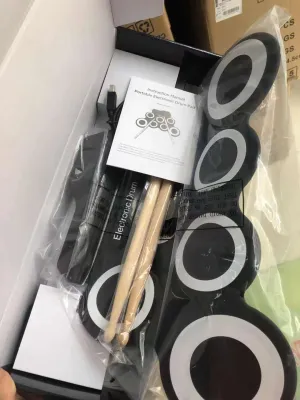
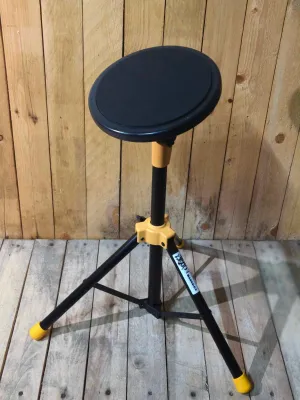
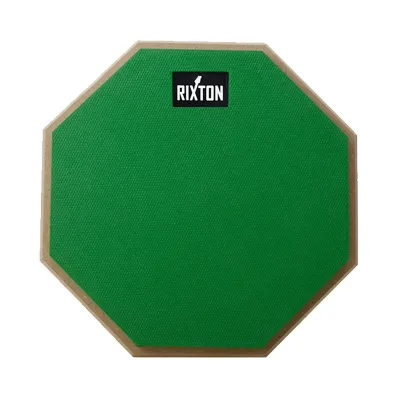
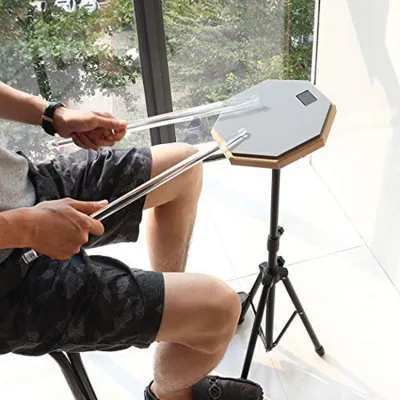
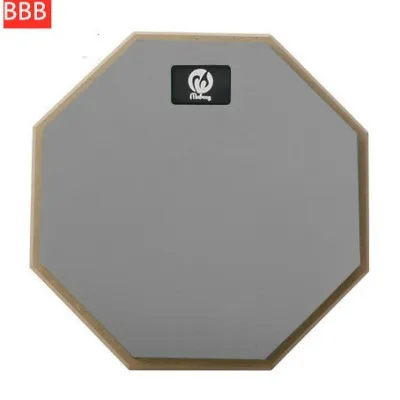
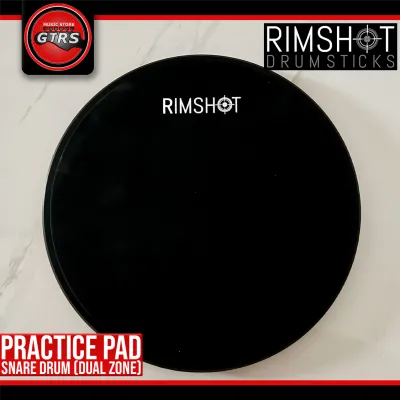
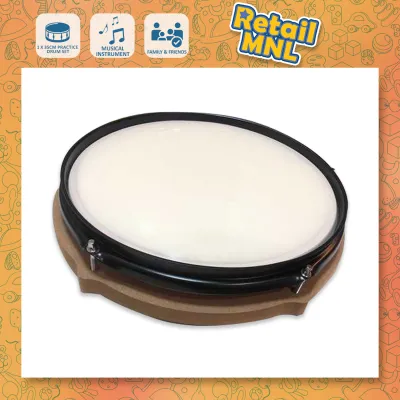
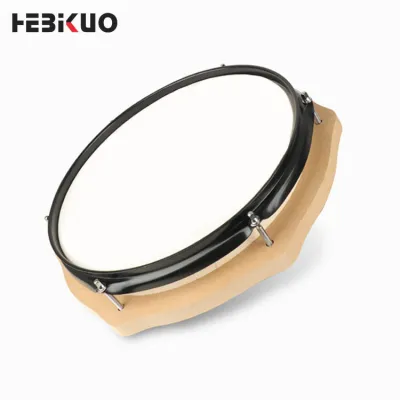
Prices are valid at publication and may change. Please refer to the product page for the latest price.
In budget or low-quality pads, this response can feel flat or binary, resulting in a “machine-gun” effect where every strike sounds identical regardless of your effort. High-quality pads offer adjustable velocity curves, allowing you to customize the sensitivity to match your natural playing style. When evaluating a model, check if it supports multi-zone triggering, which allows a single pad to produce different sounds depending on whether you strike the center or the rim.
Sound Engine and Expandability
If you plan to use your drumpad as a standalone instrument, the quality of its internal sound engine is paramount. A robust sound engine processes high-resolution audio samples with minimal latency, ensuring that the sound reaches your ears the instant your stick contacts the pad.
For beginners, having a wide variety of pre-loaded acoustic, electronic, and orchestral percussion kits keeps practice sessions engaging. However, as your skills progress, you will likely want to load your own custom samples. Look for devices that offer expandable memory via SD cards or USB flash drives, and verify the supported file formats (typically 16-bit or 24-bit WAV files) to ensure you can easily import your favorite drum sounds.
Connectivity Options
To maximize the utility of your drumpad, you must ensure it can connect to the rest of your audio and computer gear. The most critical ports to look for include:
- USB/MIDI Port: This allows you to connect the drumpad to a computer, tablet, or smartphone, transforming it into a controller for Digital Audio Workstations (DAWs) or virtual instruments.
- Headphone Jack (3.5mm or 6.35mm): Indispensable for silent practice, allowing you to play at any hour without disturbing others.
- Main Audio Outputs: Standard 1/4-inch (6.35mm) left and right outputs are necessary if you want to connect the unit to a keyboard amplifier, PA system, or audio interface.
- Auxiliary Input (Aux In): A 3.5mm stereo input lets you plug in your phone or music player so you can drum along with your favorite tracks.
- External Trigger Inputs: These ports allow you to expand your setup later by connecting external bass drum pedals, hi-hat controllers, or additional drum pads.
Build Quality and Pad Material
The physical material of the pad surface directly impacts your stick rebound, joint fatigue, and acoustic noise level. The three most common materials used in modern drumpads are:
- Hard Rubber: Highly durable and provides a sharp, clear rebound. However, rubber pads can be acoustically loud when struck, producing a distinct "clack" sound that can carry through walls, and they offer less shock absorption for your wrists.
- Mesh Heads: Made of woven fabric, mesh heads offer adjustable tension, a highly realistic acoustic drum feel, and incredibly quiet physical operation. They are less common on compact multi-pads but highly desirable if noise reduction is your top priority.
- Textured Silicon: A premium option that mimics the natural rebound of a coated acoustic drumhead while remaining exceptionally quiet. Silicon pads absorb shock well, reducing hand fatigue during long practice sessions.
Which Type of Drumpad Fits Your Musical Goals?
Before purchasing, it is helpful to categorize drumpads into three primary design types. Each category serves a distinct musical purpose, carries different hardware requirements, and suits specific learning paths.

| Drumpad Type | Primary Use | Built-in Sounds | Computer Required? | Best Suited For |
|---|---|---|---|---|
| Compact Sampling Pads | Portable practice, hybrid setups, sample triggering | Yes (customizable) | No (standalone) | Mobile players, acoustic drummers adding electronics |
| MIDI Trigger Pads | Music production, beat-making, DAW control | No (controller only) | Yes (PC, Mac, or tablet) | Bedroom producers, electronic music enthusiasts |
| Multi-Pad Octapads | Live performance, full kit replacement, practice | Yes (extensive library) | No (standalone) | Aspiring gigging musicians, dedicated drum students |
Compact Sampling Pads
Compact sampling pads typically feature four to six medium-sized pads arranged in a portable, lightweight chassis. These units are designed with simplicity and mobility in mind, making them an excellent choice for beginners who want to experiment with electronic percussion without committing to a massive footprint.
These devices usually contain a modest library of built-in sounds and allow you to import a limited number of custom samples. They are highly versatile, serving as a standalone practice pad on your desk or as an accessory mounted next to an acoustic drum kit.
However, because of their smaller physical size, they offer a more restricted playing surface, which can make complex stick patterns more difficult to execute. Additionally, entry-level sampling pads may have limited simultaneous voice polyphony, meaning that if you strike multiple pads rapidly, some of the trailing sounds may be cut off prematurely.
MIDI Trigger Pads
MIDI trigger pads, often referred to as pad controllers, are grid-style interfaces (commonly arranged in 4×4 or 2×8 layouts) designed to be played with your fingers rather than drumsticks. These pads are highly sensitive to delicate finger taps and are the standard tool for modern electronic music production and beat-making.
It is crucial to understand that MIDI trigger pads do not produce any sound on their own. They do not have built-in speakers, headphone jacks, or internal sound libraries. Instead, they send digital MIDI data to a computer, tablet, or smartphone via USB. Your connected device runs software—such as a DAW or a synthesizer app—which translates those MIDI signals into audible sound.
For beginners focused on electronic music, hip-hop production, or finger drumming, MIDI trigger pads offer an affordable, highly integration-friendly solution. However, if your goal is to learn traditional drumstick techniques, rudiments, and physical stick control, these finger-oriented pads will not suit your training needs.
Multi-Pad Octapads
Multi-pad units, often generically referred to as “octapads” due to their traditional eight-pad layout, represent the most comprehensive standalone electronic percussion instruments. These larger devices feature a 2×4 grid of heavy-duty rubber or silicon pads designed to withstand powerful stick strikes over years of use.
These instruments come equipped with sophisticated sound engines, expansive preset libraries mimicking acoustic kits from around the world, and advanced performance features like built-in metronomes, looping tools, and effects processors. They are highly favored by live performers and session musicians who need to switch between diverse percussion setups at the touch of a button.
For a beginner, a multi-pad offers the closest experience to a full drum kit in a single flat unit, especially when paired with external kick and hi-hat pedals. The trade-offs are physical size and cost; these units require a sturdier mounting stand to prevent wobbling during play, and they represent a more significant initial financial investment.
Matching the Drumpad to Your Practice Space and Budget
Space and Noise Constraints
In dense urban environments, such as high-rise condominiums or shared family homes in Metro Manila, physical space and acoustic noise are major deciding factors. While electronic drums are significantly quieter than acoustic kits, the physical impact of wooden drumsticks hitting hard rubber pads still generates a low-frequency vibration that can travel through floors and thin walls.
If you live in a close-quarters apartment, prioritize drumpads made of softer rubber or textured silicon, as they damp the acoustic strike much better than hard plastic or cheap rubber. Additionally, ensure your practice space is well-ventilated or air-conditioned; the high humidity of a tropical climate can cause cheaper rubber surfaces to degrade or become sticky over time, and moisture can compromise internal copper contacts if the unit is stored in a damp environment.
Budget Allocation
When working with a limited budget, it is important to know where you can safely compromise and where you should absolutely invest.
- Where to compromise: You can easily compromise on the size of the built-in sound library or the complexity of the onboard display screen. If you have a computer, you can use free software to access thousands of premium drum sounds, making a massive onboard library unnecessary.
- Where not to compromise: Do not compromise on pad responsiveness, physical build quality, or basic connectivity. A cheap, non-responsive pad will frustrate your learning progress, and a unit without a dedicated headphone jack or USB-MIDI output will severely limit your practice and recording options.
Future-Proofing
Your skills will grow, and your gear should be able to grow with you. When comparing beginner models, look for a unit that features at least one or two external trigger inputs. This allows you to connect a physical bass drum trigger pedal and a hi-hat controller pedal down the line, turning your flat tabletop pad into a highly functional, ultra-compact electronic drum kit.
Furthermore, prioritize class-compliant USB-MIDI connectivity. Class-compliant devices do not require proprietary software drivers to work, ensuring that your drumpad will remain compatible with future computer operating systems and mobile devices as technology evolves.
Where to Buy and What to Verify in the Philippines
Authorized Retailers
To ensure you are purchasing a genuine product backed by a valid manufacturer’s warranty, always buy from established, authorized music instrument retailers or official brand flagship stores on reputable e-commerce platforms. Avoid purchasing suspiciously cheap, unbranded units from third-party gray-market sellers, as these often lack proper velocity sensitivity, suffer from high latency, and offer no recourse if the hardware fails.
Power Supply Compatibility
The standard electrical system in the Philippines is 220V AC at 60Hz. Because many electronic musical instruments are manufactured for international markets, they may ship with power adapters designed solely for 110V systems (common in the United States and Japan).
Before plugging your new drumpad into a wall outlet, examine the text printed on the power adapter brick. Ensure the input rating explicitly states “100V-240V” or “220V.” If the adapter is rated only for 110V, plugging it directly into a local outlet will permanently damage the adapter and potentially fry the sensitive internal circuitry of your drumpad. If necessary, purchase a compatible, locally certified 220V power adapter that matches the voltage, amperage, and polarity requirements specified by the manufacturer.
Interface and Device Compatibility
Before completing your purchase, verify the exact device compatibility of the drumpad’s USB/MIDI interface. Check the manufacturer’s product specifications to confirm that the unit is fully compatible with your specific operating system (such as Windows, macOS, iOS, or Android). Some older or highly specialized models require specific driver installations that may not be supported on newer operating systems or mobile tablet devices.
After-Sales Support
Electronic percussion pads are subject to repetitive physical impact, meaning that wear and tear is inevitable over time. Before buying, research the availability of local after-sales support. Check if the local distributor stocks replacement parts, such as replacement rubber pad surfaces, power adapters, and custom mounting clamps. Purchasing a brand that has an official service center or dedicated distributor in the country ensures that you can easily source parts or get professional repairs if a pad eventually loses sensitivity or a port becomes loose.
Frequently Asked Questions (FAQ)
Do I need an amplifier or speakers for a drumpad?
No, you do not need an external amplifier or speakers for personal practice. All standard electronic drumpads feature a dedicated headphone output (either 3.5mm or 6.35mm), allowing you to practice silently with any standard pair of headphones. An external amplifier, active monitor, or PA system is only necessary if you want to share your sound with people in the room, practice with a band, or perform live on stage.
Can a drumpad help me learn acoustic drumming?
Yes, a drumpad is an excellent tool for developing fundamental drumming skills. You can use it to practice rudiments, improve your timing using the built-in metronome, and build stick control, wrist strength, and hand-to-hand coordination. However, keep in mind that a flat drumpad cannot fully replicate the physical layout, spatial muscle memory, or foot-pedal coordination required to play a full acoustic drum kit, nor does it perfectly mimic the exact rebound characteristics of acoustic drumheads and cymbals.
What is the difference between a drumpad and a full electronic drum kit?
The primary differences lie in form factor, portability, and physical layout. A drumpad is a single, compact, flat console containing multiple pads that you play on a tabletop or a single stand, making it highly portable and easy to store. A full electronic drum kit consists of separate, physically spaced pads mounted on a large rack system to mimic the physical layout of an acoustic drum set, complete with dedicated foot pedals for the bass drum and hi-hat. While a full kit offers a more realistic drumming experience, it requires significantly more floor space and is much harder to transport.
Community discussion
Share your experience or ask a question. Comments are reviewed before publication.