
To verify if a K-pop lightstick or concert banner purchased in the Philippines is authentic, you must perform a comprehensive three-step evaluation: examine the physical packaging and build quality, test digital connectivity using the group’s official mobile application via Bluetooth, and purchase exclusively from authorized distributors or highly rated local resellers. Navigating the secondary market for K-pop merchandise in the Philippines requires a vigilant eye, especially when searching for reliable local suppliers or browsing online listings. By understanding the specific markers of genuine items, you can protect your hard-earned money and ensure you are fully prepared to support your favorite artists during their live performances.
Attending a K-pop concert at major local venues like the Philippine Arena in Bulacan, the Smart Araneta Coliseum, or the SM Mall of Asia Arena is a milestone experience for any fan. The collective energy of thousands of fans holding synchronized lightsticks creates a breathtaking visual spectacle. However, bringing a counterfeit item to these events can quickly turn excitement into disappointment when the device fails to function as intended.
Why Counterfeit K-Pop Merch is a Growing Concern
The massive popularity of Korean music in the Philippines has created an unprecedented demand for concert merchandise. Because official items are often produced in limited quantities and must be imported from South Korea, local demand frequently outpaces supply. This supply gap has opened the door for an influx of unofficial replicas and counterfeit products in the local market, targeting unsuspecting buyers who are eager to secure gear before a show.
Products mentioned in this guide
![[OFFICIAL] BTS Official Light Stick Ver. 4 Army Bomb KPOP Merch](https://img.lazcdn.com/g/ff/kf/S0514cd0d9003474095fe5b722c9ad33es.jpg_400x400q80.jpg_.webp)
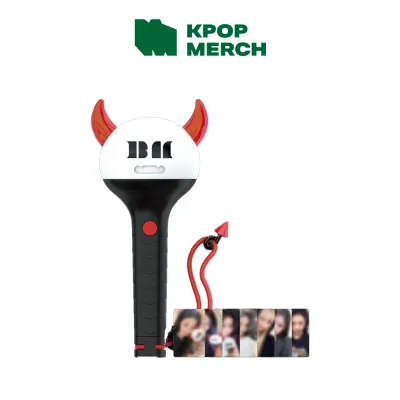
Prices are valid at publication and may change. Please refer to the product page for the latest price.
Purchasing counterfeit merchandise carries several practical risks that go beyond simple aesthetics. For lightsticks, the most significant drawback is the inability to sync with the central control system at the venue, leaving your device dark or out of step while the rest of the crowd glows in unison. Furthermore, cheap replicas are notorious for poor material durability, fragile battery compartments, and low-quality internal wiring that can fail after only a few hours of use.
Counterfeiters have become highly sophisticated, moving away from easily identifiable fakes to producing replicas that closely mimic the weight, packaging, and appearance of genuine items. This rapid evolution in manufacturing means that fans can no longer rely on a simple glance to confirm authenticity. Careful, systematic verification has become an essential step for every buyer in the local community.
Physical Checks: Authentic vs. Fake Lightsticks and Banners
Before diving into digital tests, a thorough physical inspection of the item and its packaging remains your first line of defense. Genuine merchandise is produced under strict quality control standards set by Korean entertainment agencies, resulting in a level of craftsmanship that counterfeiters struggle to replicate affordably.

K-Pop Lightsticks
When inspecting a K-pop lightstick, begin with the external packaging. Authentic boxes are constructed from thick, sturdy cardboard designed to protect the delicate electronics inside during international transit. The printing on genuine packaging is exceptionally crisp, featuring precise typography, accurate color matching, and correct spelling of the artist’s name and corporate logos. In contrast, counterfeit boxes often use thinner, flimsy cardboard that creases easily, and the printed graphics may appear slightly blurry, pixelated, or off-color due to low-resolution scanning.
Every official lightstick package features an official holographic security sticker issued by the entertainment agency, such as SM Entertainment, HYBE, YG Entertainment, or JYP Entertainment. These stickers are difficult to replicate; they should display clean, shifting patterns and clear corporate logos when tilted under a light source. Carefully check the spelling of all text on the packaging, as counterfeiters frequently make minor typographical errors or use incorrect fonts that deviate from the official branding guidelines.
Next, assess the build quality of the lightstick itself. Authentic lightsticks have a substantial, balanced weight in the hand, whereas fakes often feel unusually light or hollow due to cheaper internal plastics and thinner battery casings. Examine the plastic dome or head of the lightstick; genuine models feature crystal-clear, high-grade acrylic with perfectly aligned seams and precise internal logo engravings. Counterfeits often exhibit cloudy plastic, visible scratches, excess plastic glue, or misaligned seams.
Pay close attention to the battery compartment, as this is a common failure point for replicas. Open the compartment and inspect the metal springs and contacts. Genuine lightsticks use high-quality, corrosion-resistant metals that are perfectly aligned to hold the battery carrier securely. Counterfeit versions often feature flimsy, misaligned springs that rust quickly when exposed to the high humidity and tropical climate of the Philippines. When verifying compatibility for lightsticks or other media accessories, check the official model specifications and supported Bluetooth protocols, as generic brand names or category terms do not guarantee performance or stable connectivity.
Concert Banners and Slogans
Concert banners, commonly referred to as slogans, are popular fabric or paper keepsakes featuring high-quality prints of K-pop artists. When evaluating a fabric slogan, start by feeling the weight and texture of the material. Authentic slogans are typically made from premium, heavy-weight microfiber or suede that feels soft to the touch and resists creasing. Counterfeit slogans often utilize thin, rough polyester fabrics that fray easily along the edges and fail to drape properly.
Examine the stitching quality along the borders of the fabric. Genuine slogans feature clean, tight, and reinforced overlock stitching that prevents fraying even after repeated washing. Counterfeit items frequently display loose threads, uneven stitching, or raw, unhemmed edges that quickly unravel under normal wear and tear.
Print clarity is another critical indicator of authenticity. Genuine slogans employ advanced sublimation printing techniques, resulting in vibrant colors, sharp text, and highly detailed photographic prints with no visible pixelation. On counterfeit banners, the graphics may look grainy, the colors may appear washed out or overly saturated, and the text might exhibit color bleeding or fuzzy edges. If the slogan features reflective or holographic lettering, check the bonding; genuine reflective prints are smoothly fused into the fabric, while fake versions often have peeling edges or a sticky residue.
Finally, look for official tags and branded packaging. Genuine slogans are almost always packaged in custom-branded, heavy-duty frosted zipper bags featuring the official tour branding, copyright text, and holographic stickers. Unofficial sellers often distribute their products in plain, thin, crinkly plastic bags with no official markings or licensing information.
Digital Verification: Apps and Security Features
As counterfeiters improve their physical manufacturing techniques, digital verification has become one of the most reliable ways to separate genuine merchandise from sophisticated fakes.
Bluetooth and App Connectivity
Most modern K-pop lightsticks rely on Bluetooth Low Energy (BLE) technology to connect to official mobile applications. Before purchasing a lightstick or taking it to a concert, download the official application dedicated to your specific group from the Apple App Store or Google Play Store. Ensure your smartphone meets the required operating system specifications and that your Bluetooth settings are active.
To test the connectivity, insert fresh, high-quality AAA batteries into the lightstick. Turn on the device and activate its pairing mode, which is usually indicated by a flashing blue light or a specific button sequence outlined in the manufacturer’s user manual. Open the official app and follow the on-screen prompts to connect the lightstick.
An authentic lightstick will pair seamlessly with the official app, allowing you to register your concert ticket, customize the LED colors, and view the device’s current battery percentage and firmware version. The app will also perform a background handshake to verify the device’s internal microcontroller. Counterfeit lightsticks typically fail this digital handshake because they lack the expensive, licensed Bluetooth chipsets required for official synchronization. They will either fail to connect entirely, require generic third-party Bluetooth pairing apps, or exhibit highly unstable connections that drop within seconds.
Scanning Holograms and Security Codes
Many entertainment agencies now integrate advanced security features into their product packaging to combat piracy. These features often include unique QR codes, serial numbers, or specialized holographic stickers that can be verified using mobile scanning applications.
To verify these codes, locate the security sticker on the packaging. Some agencies use universal authentication platforms like HiddenTag or M-Check, which require you to download a free app to scan the holographic sticker. When scanned, the app utilizes your smartphone’s camera to analyze the microscopic patterns embedded in the hologram, instantly redirecting you to a verified landing page confirming the product’s authenticity. Other agencies provide unique serial numbers under scratch-off panels that you can manually input on their official website.
It is crucial to note a significant caveat: sophisticated counterfeiters have been known to copy valid QR codes or serial numbers from genuine packaging and print them onto thousands of fake boxes. When scanned, these copied codes may initially appear to redirect to a legitimate website. Therefore, a successful digital scan must never be used as the sole proof of authenticity. Always combine code scanning with physical inspections and Bluetooth app connectivity tests to ensure the item is genuine.
Where to Buy Authentic K-Pop Merch in the Philippines
Minimizing the risk of purchasing counterfeit merchandise starts with choosing the right purchasing channels. Sourcing your items from authorized outlets provides the highest level of security.
Official Pop-Up Stores and Authorized Retailers
The safest way to purchase authentic K-pop merchandise is directly from official pop-up stores organized by the artist’s agency or local tour promoters during concert tours. These physical pop-up shops are stocked directly with licensed merchandise, eliminating any risk of counterfeits.
If you are purchasing outside of concert seasons, look for authorized local music and lifestyle retailers that have established partnerships with Korean distributors. Many reputable physical and online stores in Manila specialize in importing licensed Korean pop culture products. Alternatively, you can order directly from the entertainment agency’s official global online platforms. While buying from these official global stores guarantees absolute authenticity, buyers must account for international shipping fees, potential customs duties, and longer transit times to the Philippines. Before purchasing any media or concert merchandise, always verify the product edition, language, regional restrictions, device compatibility, and content completeness from an authorized source, rather than relying solely on the cover art or title listing.
Navigating E-commerce Platforms and Resellers
When shopping on local e-commerce platforms or online marketplaces, extra precautions are necessary. Always check the seller’s overall rating and read recent customer reviews. Look specifically for reviews that include unedited photos and videos of the product, as these provide a realistic view of the packaging and build quality. On major online shopping sites, prioritize listings that carry official mall or preferred badges, which indicate verified business credentials.
Be highly skeptical of listings with prices that seem too good to be true. In the Philippines, authentic K-pop lightsticks typically retail between ₱2,500 and ₱4,500, depending on the group, version, and current exchange rates. If an online listing offers a brand-new lightstick for under ₱1,500, it is almost certainly a counterfeit product.
If you are purchasing from independent resellers or individual fans on social media, protect yourself by asking for verifiable proof of purchase. Request the original digital receipt or invoice from the authorized Korean store where they sourced the item. You can also ask the seller to provide a continuous, unedited video showing the lightstick connecting to the official mobile app alongside a piece of paper displaying their username and the current date.
Steps to Take If You Receive a Counterfeit Item
If you suspect that you have received a counterfeit lightstick or banner, taking immediate, documented action is essential to secure a refund and hold dishonest sellers accountable.
First, always record a continuous, unedited video of the unboxing process when receiving packages from online couriers. Start the video by showing the sealed shipping package from all angles, ensuring the shipping label, tracking number, and seller details are clearly legible. Open the package and inspect the item on camera, pointing out any physical flaws, printing errors, or connectivity failures in a single, uninterrupted take. This unboxing video serves as indisputable evidence when filing a dispute.
Next, immediately file a return and refund request through the e-commerce platform’s buyer protection program before the transaction is finalized. Upload your unboxing video, along with high-resolution photos highlighting the specific physical differences and app connectivity failures. Avoid clicking the confirmation button that indicates the order has been received, as this releases the funds to the seller and complicates the dispute process.
Finally, do not attempt to bring a suspected counterfeit lightstick to the concert venue. Venue staff and technical teams use centralized wireless transmitters to control the crowd’s lightsticks during the show. Unofficial devices will not respond to these signals, which can cause confusion for surrounding fans and may lead to venue staff flagging the item. For your safety and to ensure a smooth concert experience, always check the applied product’s label and the treated item’s manufacturer instructions regarding battery safety and proper handling. If instructions conflict, or if the item is unidentified, stop using the device and consult the manufacturer or a qualified professional.
Frequently Asked Questions (FAQ)
Can fake lightsticks sync with the concert's central control system?
No, counterfeit lightsticks generally cannot sync with the official venue’s wireless control system. Genuine lightsticks contain specialized internal microcontrollers and Bluetooth chips that allow the concert production team to control their colors and flashing patterns remotely. Because fake lightsticks lack these expensive components, they will not respond to the venue’s signals, meaning they will either remain a static color, flash out of sync, or stay completely dark during the performance.
Is a significantly lower price always a guarantee of a fake item?
While an unusually low price is a major warning sign for brand-new items, it does not automatically mean a second-hand item is fake. Some fans sell their authentic, pre-owned lightsticks at discounted prices when they leave a fandom or need to clear space. However, regardless of how trustworthy the seller seems or how appealing the price is, you must still perform all physical, packaging, and digital app connectivity checks before finalizing the purchase.

Community discussion
Share your experience or ask a question. Comments are reviewed before publication.