
Evaluating whether a portable Bluetooth speaker like the Audota AVE 100 can serve as the centerpiece for your family karaoke nights requires looking beyond basic music playback. While compact wireless speakers offer incredible convenience for casual listening, karaoke demands a unique combination of high volume thresholds, vocal clarity, physical microphone connectivity, and low audio latency. To determine if this specific model fits your household’s singing habits, you must evaluate its physical specifications, input options, and acoustic limitations against the lively environment of a typical family gathering.
Before setting up your next weekend singing session, taking the time to verify how the speaker handles simultaneous vocal and music tracks will save you from distorted audio and frustrating delays. By focusing on practical hardware checks and room setup strategies, you can decide whether to rely on a portable Bluetooth unit or invest in a dedicated home entertainment system.
Evaluating Sound Quality and Volume for Group Singing
To ensure your family singing sessions sound clear and lively, you must first assess the speaker’s acoustic power and driver configuration. A common mistake is relying solely on peak power ratings listed on online marketplaces, which only indicate the maximum wattage a speaker can handle in short bursts. Instead, consult the Audota AVE 100 user manual or official specifications sheet to find its continuous power output, measured in RMS (Root Mean Square) watts. For a standard-sized living room or open-plan dining area, a speaker should ideally deliver at least 30 to 50 watts RMS to project sound clearly without straining the internal amplifier.
Products mentioned in this guide
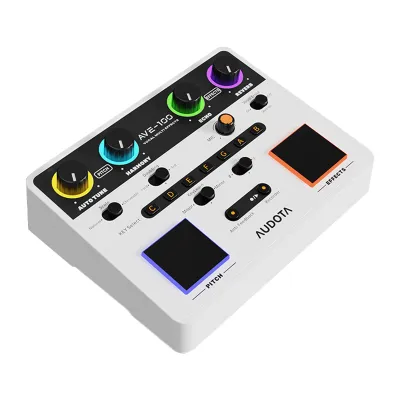
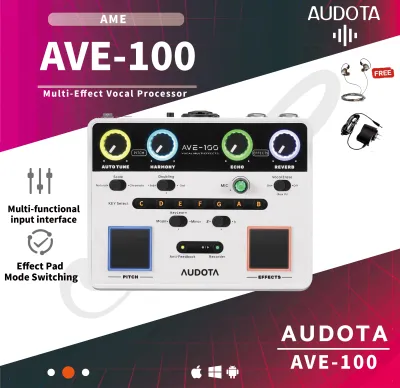
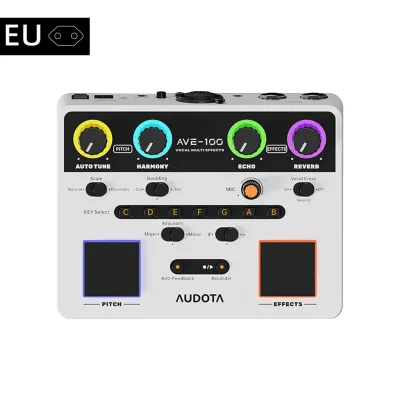
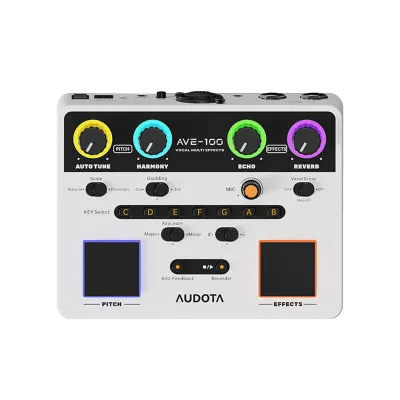
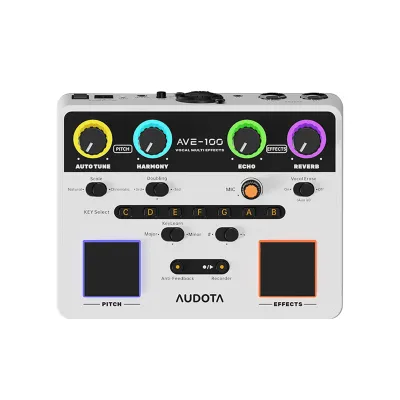
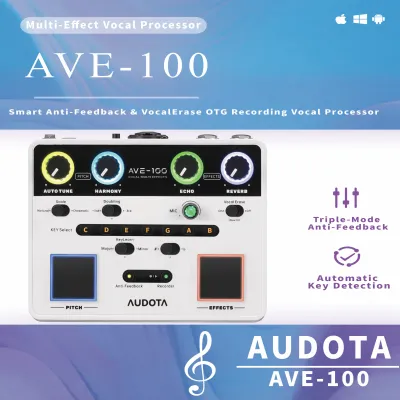
Prices are valid at publication and may change. Please refer to the product page for the latest price.
Next, examine the physical driver layout of the speaker. High-quality vocal reproduction requires a balanced distribution of frequencies, which is typically achieved through a combination of dedicated woofers for low-end bass and tweeters for high-frequency clarity. If a speaker relies on a single full-range driver, singing voices can easily sound muffled or drowned out when heavy basslines or complex backing tracks are playing simultaneously. Look for physical signs of dual-driver construction or check the product specifications to confirm if the speaker features dedicated high-frequency components.
Adjusting the equalization (EQ) is another critical step in preparing a speaker for live vocals. Check if the Audota AVE 100 offers a companion smartphone app or physical EQ dials on the control panel. A dedicated “Vocal” or “Speech” preset is highly beneficial, as it boosts the mid-range frequencies where the human voice naturally sits while slightly rolling off the muddy low-end frequencies. If custom EQ sliders are available, manually raising the 1 kHz to 3 kHz range will help the singer’s voice cut through the backing music cleanly.
Finally, you must test the speaker’s maximum volume threshold before your guests arrive. In a lively household filled with laughter, chatter, and the hum of electric fans or air conditioning, a speaker must play loudly enough to command the room. Turn the volume up to roughly 70% or 80% while playing a dynamic track; if you notice the sound clipping, crackling, or losing its punch, the speaker is reaching its physical limit. Operating a speaker constantly at 100% volume not only causes harsh distortion that ruins the singing experience but can also permanently damage the voice coils over time.
Checking Microphone Inputs and Audio Latency
Microphone compatibility is often the primary dealbreaker when attempting to use a standard Bluetooth speaker for home karaoke. Inspect the physical input panel of the Audota AVE 100 to identify what types of ports are available. A dedicated 6.35mm (1/4-inch) auxiliary jack is the gold standard for karaoke, as it allows you to plug in standard wired dynamic microphones directly. If the speaker only features a smaller 3.5mm auxiliary input, you will need to verify if it supports microphone signals or if it is strictly designed for line-level audio input from phones and laptops.

If the speaker lacks a direct microphone input, you must look into external hardware solutions. Many families use wireless microphone systems that feature a standalone receiver box. This receiver captures the signal from wireless handheld mics and outputs a combined audio signal via a standard 3.5mm or RCA cable, which can then be plugged into the speaker’s auxiliary input. Before purchasing any wireless mic accessories, check the speaker’s manual to ensure its auxiliary port can handle this type of external audio routing without signal degradation.
Audio latency is another critical technical hurdle when singing over wireless connections. When you stream a karaoke backing track from your smartphone or smart TV to a speaker via Bluetooth, the digital audio compression introduces a slight delay. While this delay is unnoticeable when simply listening to music, it becomes highly disruptive when you attempt to sing along in real time. Your voice through the microphone and the music from the speaker will feel out of sync, making it incredibly difficult to keep time with the lyrics.
To bypass this wireless delay entirely, you should prioritize physical cable connections. Check if the Audota AVE 100 features a wired auxiliary (AUX) input or an optical port. By connecting your source device—such as a tablet, laptop, or smart TV—directly to the speaker using a physical audio cable, you eliminate the digital processing time required by Bluetooth. This simple adjustment ensures that the backing track and your vocals are synchronized perfectly, providing a seamless, real-time singing experience.
Setting Up Your Living Room for the Best Acoustic Experience
Proper physical placement of your speaker and microphone can dramatically improve the sound quality of your home karaoke setup, regardless of the speaker’s price point. To prevent the dreaded high-pitched squeal of microphone feedback, never stand directly in front of the speaker while holding an active microphone. Instead, position the speaker slightly ahead of the singer’s line, pointing outward toward the audience. This ensures the microphone’s sensitive capsule remains behind the speaker’s primary projection axis, minimizing the risk of re-amplifying its own output.
Room acoustics also play a major role in how clear your singing sounds. In typical homes with hard tiled floors, bare concrete walls, and large glass windows, sound waves bounce around rapidly, creating a harsh, echoing environment. You can soften these reflections by closing window curtains, placing a soft rug on the floor in front of the performance area, or positioning the speaker away from tight corners. These simple adjustments absorb excess high-frequency reflections, making the vocals sound warmer and more professional.
Managing your volume and bass levels is also essential for maintaining neighborhood harmony, especially during late-night weekend gatherings. Low-frequency bass vibrations travel easily through walls, windows, and structural concrete. If your speaker has a physical bass adjustment knob or an EQ setting in its app, consider lowering the bass slightly while boosting the mid-range. This keeps the vocals clear and intelligible at lower overall volumes, allowing your family to enjoy singing without causing a disturbance next door.
Lastly, always verify the power requirements and battery specifications of your speaker before an extended gathering. If you plan to use the speaker outdoors on a terrace or in a backyard, check the estimated battery life at high volume levels, as maximum volume drains batteries much faster than casual background playback. For indoor sessions, it is always best to keep the speaker plugged into a wall outlet using its official power adapter. Verify in the user manual if the speaker supports continuous playback while charging to ensure your session isn’t cut short by a dead battery.
Deciding Between a Bluetooth Speaker and a Dedicated Karaoke Machine
As your family’s love for karaoke grows, you may eventually find that a general-purpose Bluetooth speaker no longer meets your needs. Common signs that your current speaker is struggling include frequent audio feedback loops, vocals that get completely drowned out by the backing music, or a lack of independent volume controls for the microphone and the music. If you constantly have to shout into the microphone to be heard over the track, or if the speaker’s amplifier begins to distort at moderate volumes, it is time to evaluate your equipment options.
A portable Bluetooth speaker is highly valued for its versatility, compact size, and ease of transport, making it perfect for casual gatherings, beach trips, or moving from the living room to the kitchen. However, a dedicated karaoke machine or a portable PA (Public Address) system is engineered specifically for live performance. These systems offer robust physical mixing boards, dedicated echo and reverb effects that make amateur voices sound smoother, multiple microphone inputs for duets, and significantly higher volume thresholds designed to fill large spaces.
If you decide to upgrade your existing Bluetooth speaker setup, you must budget for the necessary accessories. A decent pair of wireless microphones with a compatible receiver typically costs between ₱1,500 and ₱3,500. If you need to add a small analog audio mixer to blend your vocal and music signals before they reach the speaker, expect to spend an additional ₱1,200 to ₱2,500. When the total cost of these external accessories begins to approach the price of an entry-level, all-in-one karaoke PA system, investing in a dedicated machine becomes the more practical and satisfying long-term choice for your home.
Frequently Asked Questions (FAQ)
Can I use my smartphone as a microphone with the Audota AVE 100?
Using a smartphone as a microphone by routing your voice through a mobile app to the speaker is generally not recommended for karaoke. Most smartphones cannot process and transmit live audio input simultaneously without introducing severe digital latency, resulting in a frustrating delay between when you speak and when the sound comes out of the speaker. Additionally, trying to use your phone as both the music source and the microphone transmitter often causes audio routing conflicts. For a functional setup, it is highly recommended to check the speaker’s manual for compatible hardware inputs and use a dedicated handheld dynamic microphone instead.
How do I reduce echo or feedback during a home karaoke session?
To eliminate harsh feedback squeals, make sure the singer stands well behind the speaker’s front grille and never points the microphone directly at the speaker cabinet. You can also reduce acoustic reflections in your room by closing fabric curtains over large windows and standing away from bare concrete walls. If the speaker features physical EQ controls or a companion app, try lowering the treble or high-mid frequencies slightly, as these are the frequencies most likely to trigger feedback loops. Finally, keeping the microphone volume at a moderate level and maintaining a close distance between the singer’s mouth and the microphone capsule will ensure clear vocal capture without needing to max out the volume.
Community discussion
Share your experience or ask a question. Comments are reviewed before publication.