
Choosing between the Arturia AstroLab and a traditional portable keyboard workstation comes down to how you prefer to generate, manage, and perform with your sounds. If you rely heavily on software synthesizers and want to bring those exact virtual instruments onto the stage without a laptop, a hardware plugin player like the AstroLab offers a streamlined, software-integrated workflow. On the other hand, if you need a self-contained instrument with deep onboard sequencing, multi-track sampling, and a traditional hardware sound engine that operates entirely independently of a computer ecosystem, a classic portable workstation remains the more practical choice.
In the tropical climate of the Philippines, where high humidity, warm performance venues, and sudden power fluctuations can challenge delicate electronic setups, choosing the right hardware architecture also impacts your gear’s long-term reliability. Evaluating how each instrument handles library management, physical connectivity, and live performance stability will ensure you invest in a keyboard that fits seamlessly into your creative environment.
Sound Engine and Workflow: Plugin Player vs. Traditional Workstation
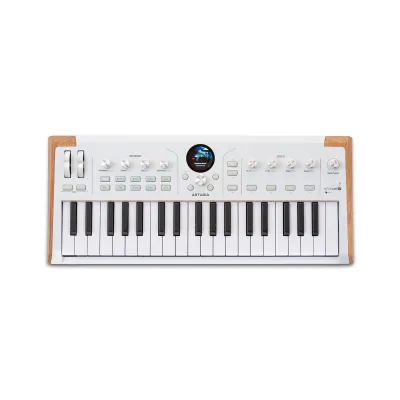
The fundamental difference between these two keyboard categories lies in their sound engine architecture. The Arturia AstroLab operates essentially as a dedicated hardware host for software instruments, designed to run specific virtual synthesizer engines locally. Instead of building sounds from scratch using physical knobs on a blank canvas, you primarily browse, organize, and tweak pre-existing software presets that have been transferred from a computer. This approach bridges the gap between digital studio production and physical performance, allowing you to carry your virtual instrument library in a single keyboard.
Products mentioned in this guide
Prices are valid at publication and may change. Please refer to the product page for the latest price.
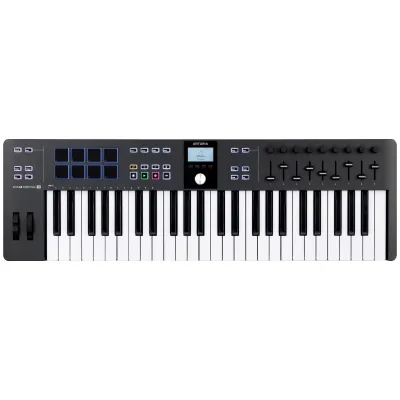
Traditional portable workstations utilize internal, hardware-based synthesis engines, physical modeling, or sample playback systems. These instruments are designed for deep, onboard sound design, allowing you to construct complex multi-layered patches, edit waveforms, and map effects directly from the keyboard’s physical interface. Because the sound generation is entirely self-contained, you do not need to sync the keyboard with external computer software to unlock its full editing potential.
This architectural split directly impacts your daily sound design routine. With a plugin player, your primary library management occurs on a computer screen, where you curate presets and sync them to the hardware before a gig or session. With a traditional workstation, you perform most of the heavy lifting—such as sequencing, sampling, and patch editing—directly on the instrument itself. Studio efficiency depends on whether you prefer the visual clarity of a computer monitor or the tactile, self-contained environment of a dedicated keyboard interface.
Furthermore, the way you interact with sound libraries differs significantly. A plugin player relies on continuous software updates and ecosystem compatibility to expand its sonic palette. Traditional workstations often use proprietary expansion slots or downloadable sound packs provided directly by the manufacturer, ensuring that any new sounds are optimized specifically for the keyboard’s internal hardware DSP.
Key Specs to Compare for Studio Production
When comparing these instruments for studio use, you must carefully verify the technical specifications provided by the manufacturers. Start by checking the polyphony limits and voice architecture of each model, as software-emulated engines and hardware-based DSP chips handle voice allocation differently. Review the internal effects routing capabilities to ensure the keyboard can process multiple sounds simultaneously without running out of processing power.

Integration with your Digital Audio Workstation (DAW) is another critical factor. You should examine how easily each keyboard maps its physical encoders to your software tracks and whether it supports advanced MIDI control protocols. Look closely at the physical connectivity options on the back panel, checking for USB MIDI, traditional 5-pin MIDI ports, audio outputs, and CV/Gate connections if you plan to integrate modular gear.
The user interface design also dictates how smoothly you can work under pressure. Some keyboards feature large, color touchscreen displays with deep menu structures, while others rely on smaller screens paired with dedicated physical knobs and macro controls. You should assess whether you prefer navigating menus on a screen or using physical dials to tweak parameters during a recording session.
Additionally, consider the keybed action and physical build of the keyboard. If you are primarily a pianist, you will want to verify if the model offers fully weighted, hammer-action keys, whereas electronic music producers might prefer semi-weighted keys with aftertouch support for expressive synth playing. Checking these physical specifications beforehand prevents compatibility issues with your playing style.
Live Performance and Portability Checks
Taking your keyboard on the road in the Philippines requires a careful look at physical durability and transport logistics. High humidity and warm gig venues mean you should check the manufacturer’s specifications regarding operating temperatures and chassis materials. Compare the physical weight and overall footprint of each keyboard to ensure it fits easily into a standard gig bag and can be transported comfortably in local transit.
For live performance, seamless operation is essential. You need to verify how each keyboard handles patch transitions; some instruments allow notes to sustain naturally when switching sounds, while others may cut off the audio. Check for dedicated live features such as setlist management, quick-access favorite buttons, and physical performance controls like mod wheels, ribbon controllers, or expression pedal inputs.
Power requirements and setup complexity can also make or break a live performance. Always check the power supply specifications to see if the keyboard uses a standard IEC cable or an external power brick, which may require a voltage stabilizer in venues with unstable electrical grids. Additionally, confirm whether the instrument can run completely standalone on stage or if it requires an active connection to a laptop or tablet to access its full sound library.
Finally, consider the boot-up time of the instrument. In the event of a brief power interruption during a live set, a keyboard that reboots and loads its sound library within seconds is far more reliable than one that requires a lengthy startup sequence. Checking user manuals or manufacturer specifications for these operational details can save you from critical performance delays.
Decision Framework: Which Keyboard Fits Your Setup?
To make the right choice, evaluate your current music production habits and performance goals. You should choose a hardware plugin player like the AstroLab if your workflow is already centered around software instruments and you want a reliable, tactile way to play those exact sounds live without bringing a computer to the venue. This setup is ideal for producers who prioritize modern, software-driven sound design and seamless studio-to-stage transition.
Conversely, you should opt for a traditional portable workstation if you require a completely self-contained production environment. If your workflow involves recording multi-track MIDI sequences, sampling external audio sources directly into the keyboard, or performing live without any reliance on external software sync, a classic workstation offers the necessary standalone reliability.
Before making a final decision, verify how the instrument fits into your existing studio ecosystem. Check if your current audio interface and MIDI routing setup can accommodate the keyboard’s inputs and outputs. Finally, calculate your total budget in Philippine Pesos (₱), factoring in the cost of essential accessories such as heavy-duty flight cases, expression pedals, and any additional software licenses or expansion packs required to fully utilize the instrument’s capabilities.
Frequently Asked Questions (FAQ)
Does the Arturia AstroLab require a computer to function?
The Arturia AstroLab is designed to function as a standalone hardware instrument during live performances and practice sessions, meaning it does not require a computer to play sounds once they are loaded. However, you will need to connect it to a computer or a compatible mobile device to manage your preset library, perform system updates, and transfer new software instrument sounds to the keyboard’s internal storage.
Can traditional workstations host software plugins internally?
Most traditional portable workstations cannot natively host third-party software plugins internally. Instead, they rely on their own proprietary, built-in sound engines and synthesis architectures. While you can use a traditional workstation as a MIDI controller to play software plugins running on an external computer, the plugins themselves remain hosted on the computer rather than inside the keyboard’s hardware.
Community discussion
Share your experience or ask a question. Comments are reviewed before publication.